The Jotform Canva app makes it easy to find and customize form templates that fit your Canva designs. With access to more than 20,000 ready-made templates for surveys, event registrations, lead collection, contact forms, and more, you can quickly add forms that match your design and purpose without starting from scratch.
It’s a helpful solution for creators, businesses, educators, and teams who want a simple way to enhance their Canva sites and create a smoother experience for their audience.
Using Jotform Templates in Canva
You can quickly find a form template that fits your Canva design and add it in just a few steps. Here’s how to get started:
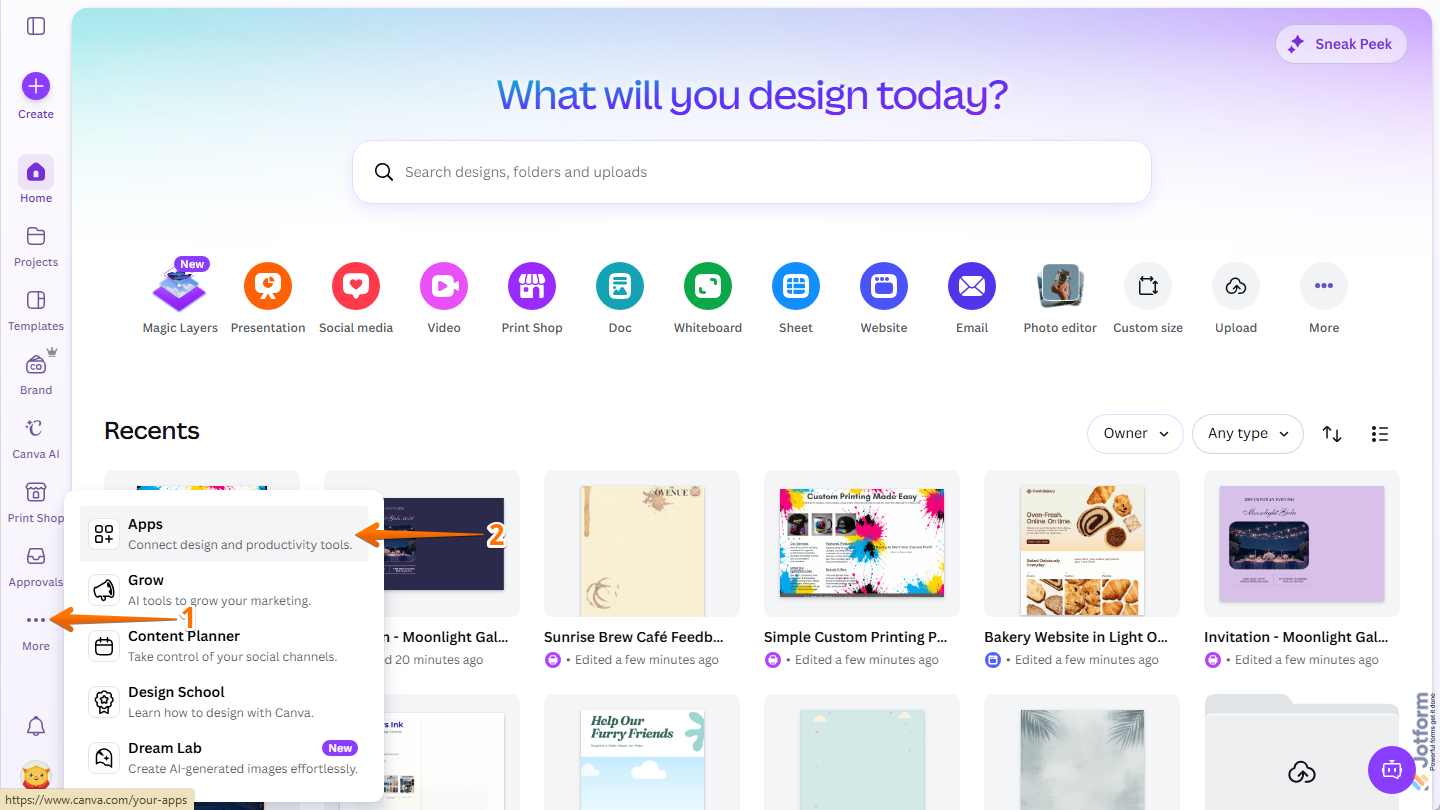
- Log in to your Canva account and in the menu on the left side of the page, click on More.
- Then, in the menu that opens, click on Apps.
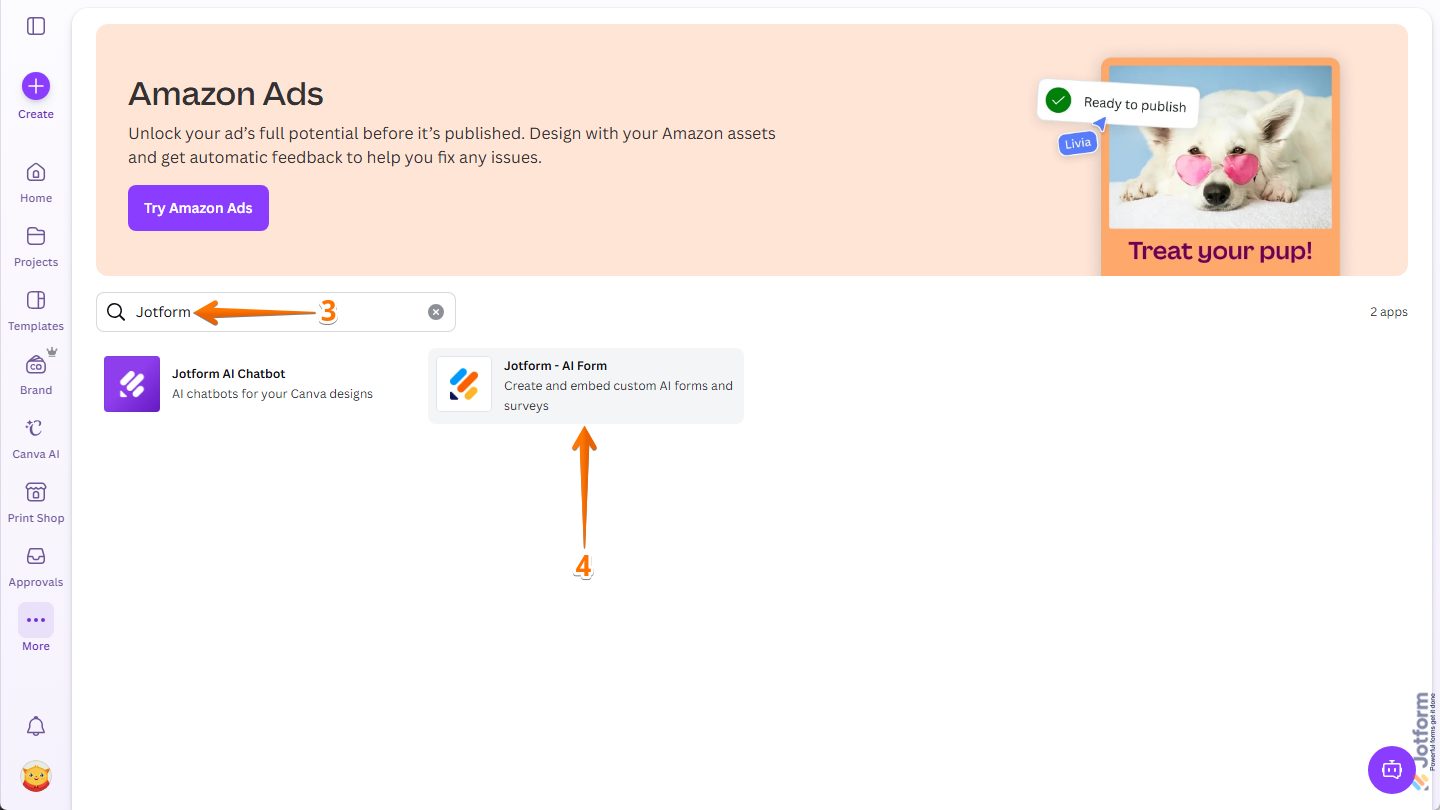
- Next, in the Search bar at the top of the page, enter Jotform and press the Enter key on your keyboard.
- Then, in the Search results, click on Jotform – AI Form.
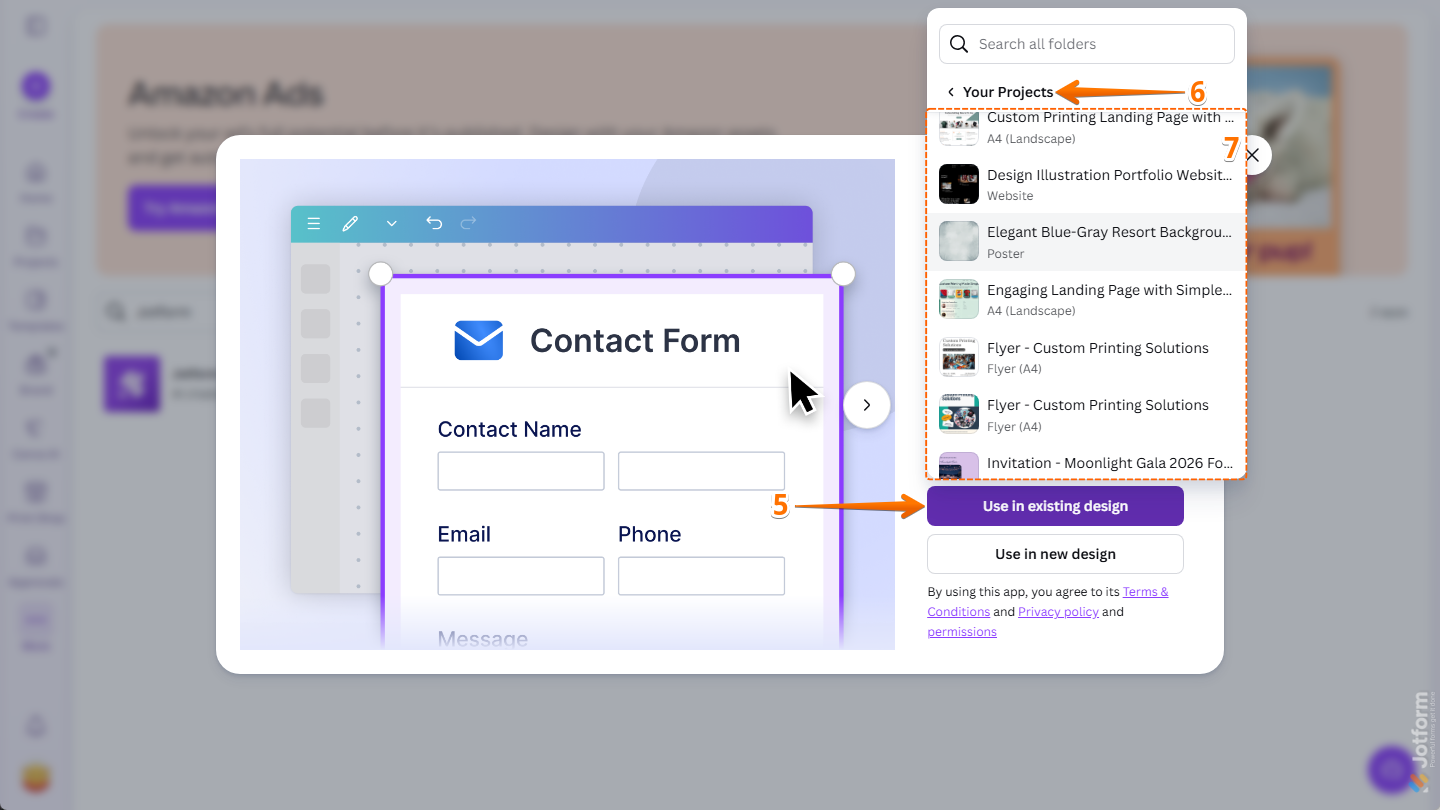
- Now, in the window that comes up, click on Use in Existing Design.
- In the menu that opens, expand the Your Projects section or the Shared With You section. Or, use the Search bar at the top of the menu to find one easily.
- Next, click on the design you want to add a template-based form to, and it’ll open in Canva Design Editor in another browser tab.
- To create a new design that you can add a form to, click on Use in New Design instead.
- Then, in the menu that opens on the right, select the type you want to create. Or, use the Search bar at the top of the menu to find one easily.
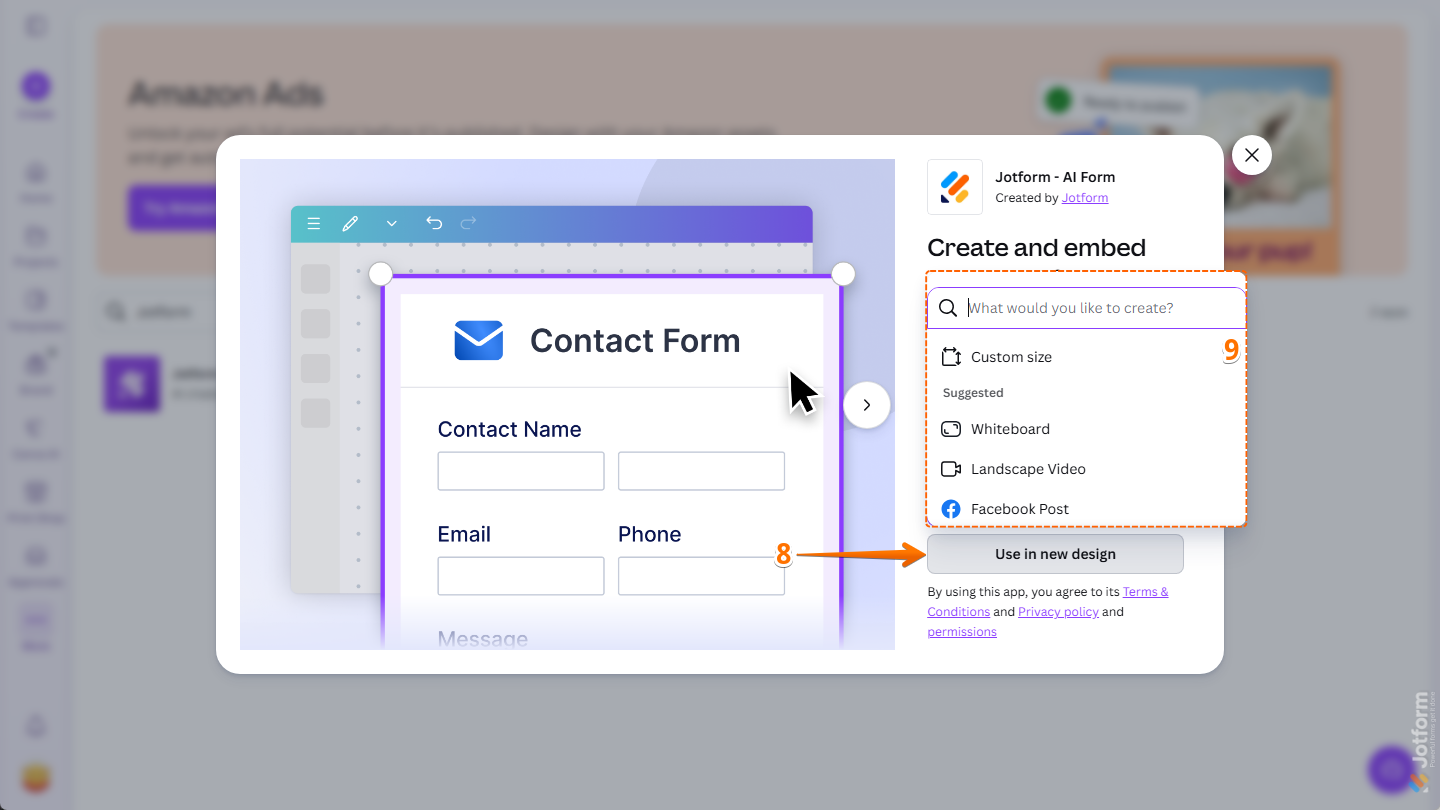
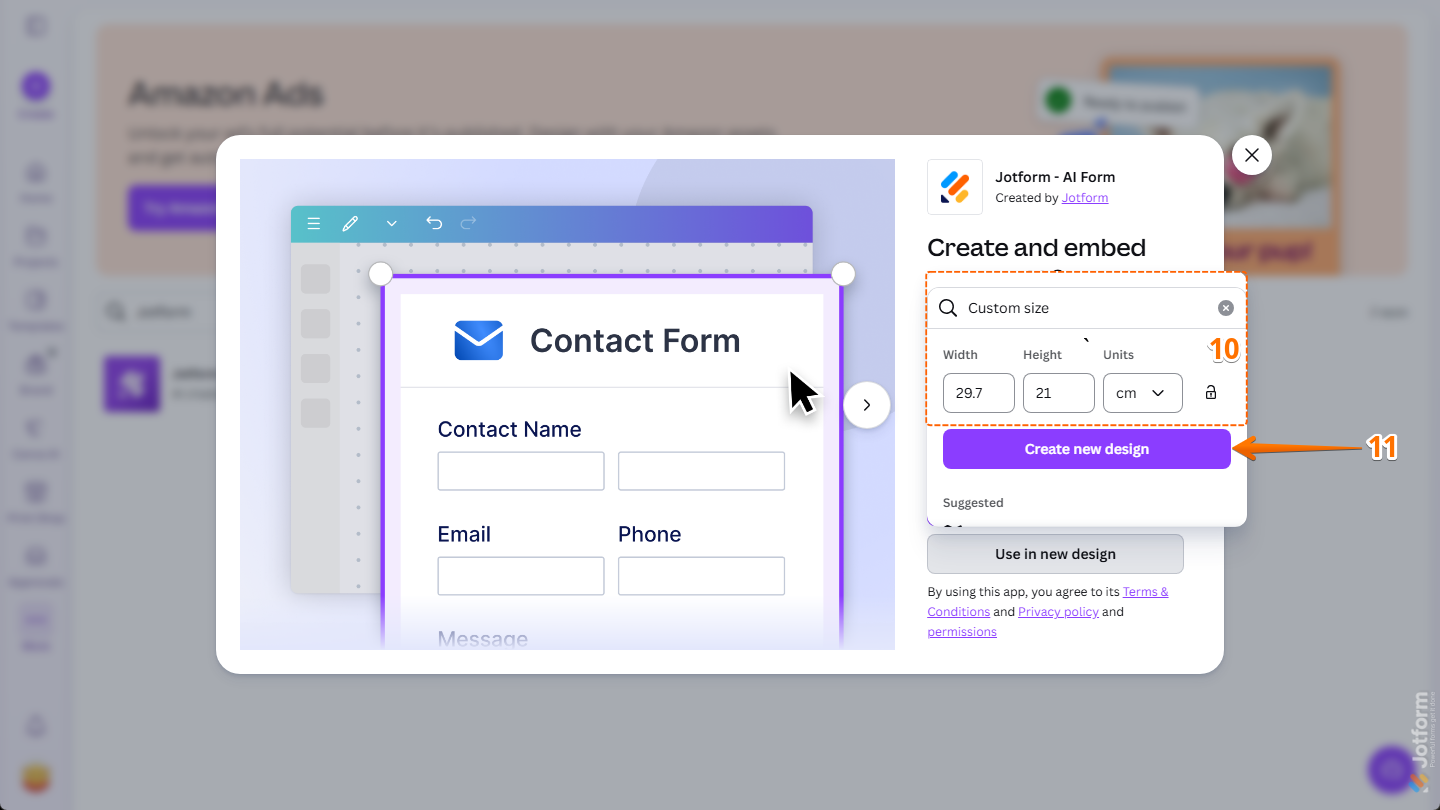
- To set a specific size for your new design, select Custom Size and enter the width and height for the design you want to create.
- Then, click on Create New Design.
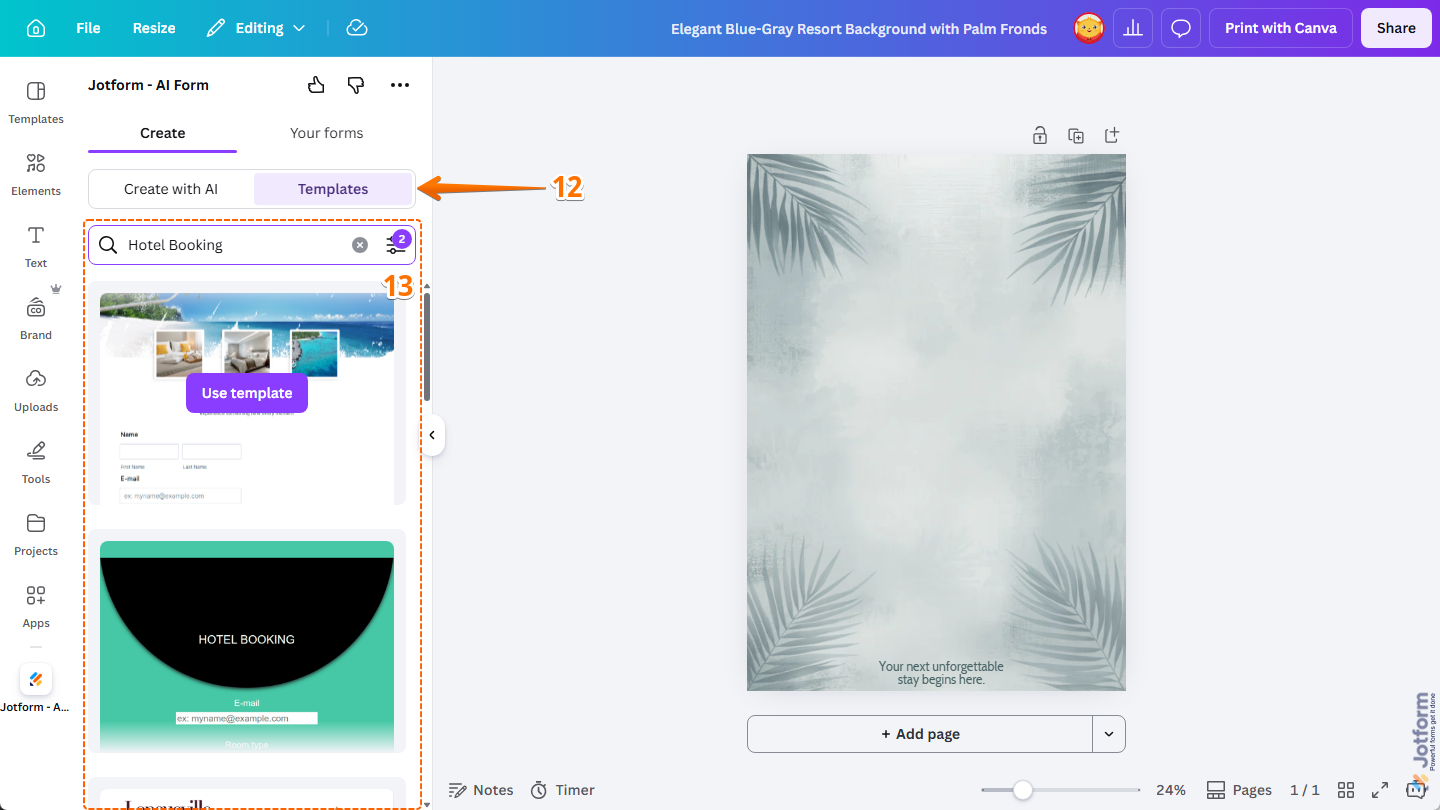
- In the Jotform Canva App, under the Create tab, select Templates.
- Then, hover your mouse over the template you want to use and click on Use Template. You can also apply filters and use the Search bar to find one easily. Curious about how it works? Check out our guide on How to Filter Form Templates for Your Canva Designs.
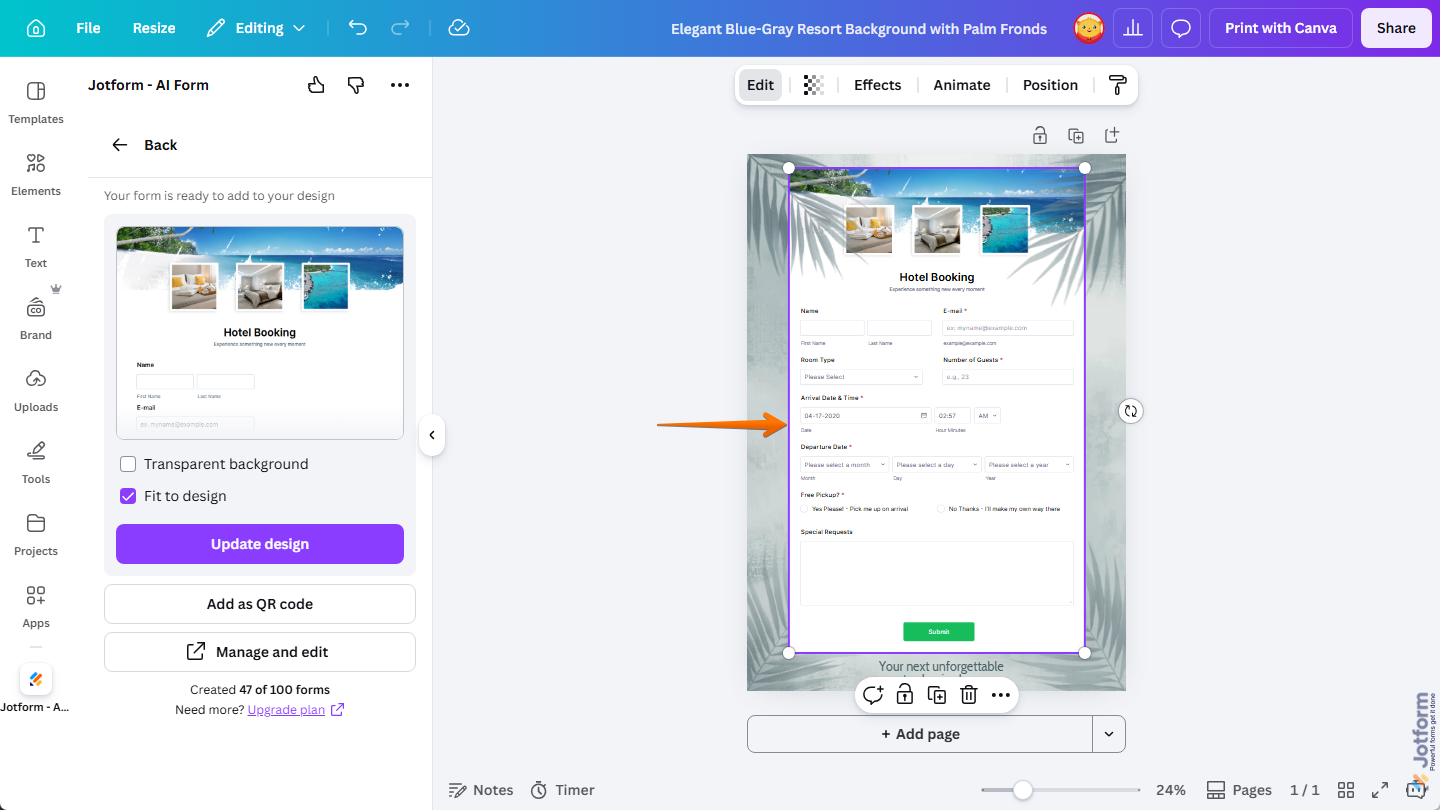
That’s it! Your template-based form is now added to your Canva design, and you can resize and position it the way you like. To customize the form and manage its submissions, log in to your Jotform account in the Jotform Canva App to move the form from a Guest account to your connected account. If you’re not sure how to do it, these guides have you covered:
Pairing Jotform Templates with Canva Designs
Canva designs and Jotform templates can work together in different ways depending on what you’re creating. From events and contact pages to applications, surveys, and donation campaigns, combining the two can help create a more connected experience for your audience.
Collecting Event RSVPs
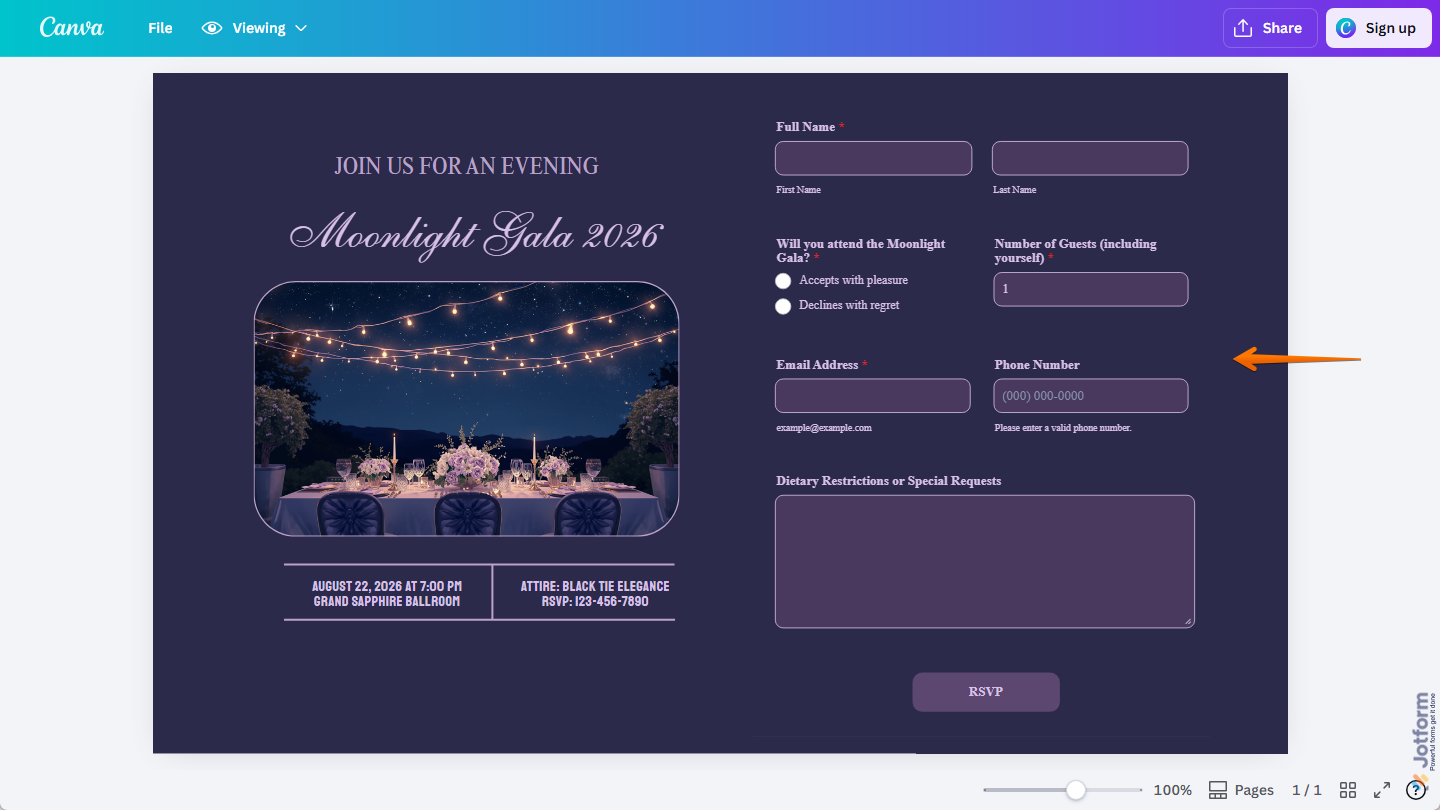
Create an eye-catching event invite in Canva and add an RSVP form from Jotform to collect guest details like names, email addresses, and special requests. You can also choose a template that matches the style of your event to keep everything looking consistent.
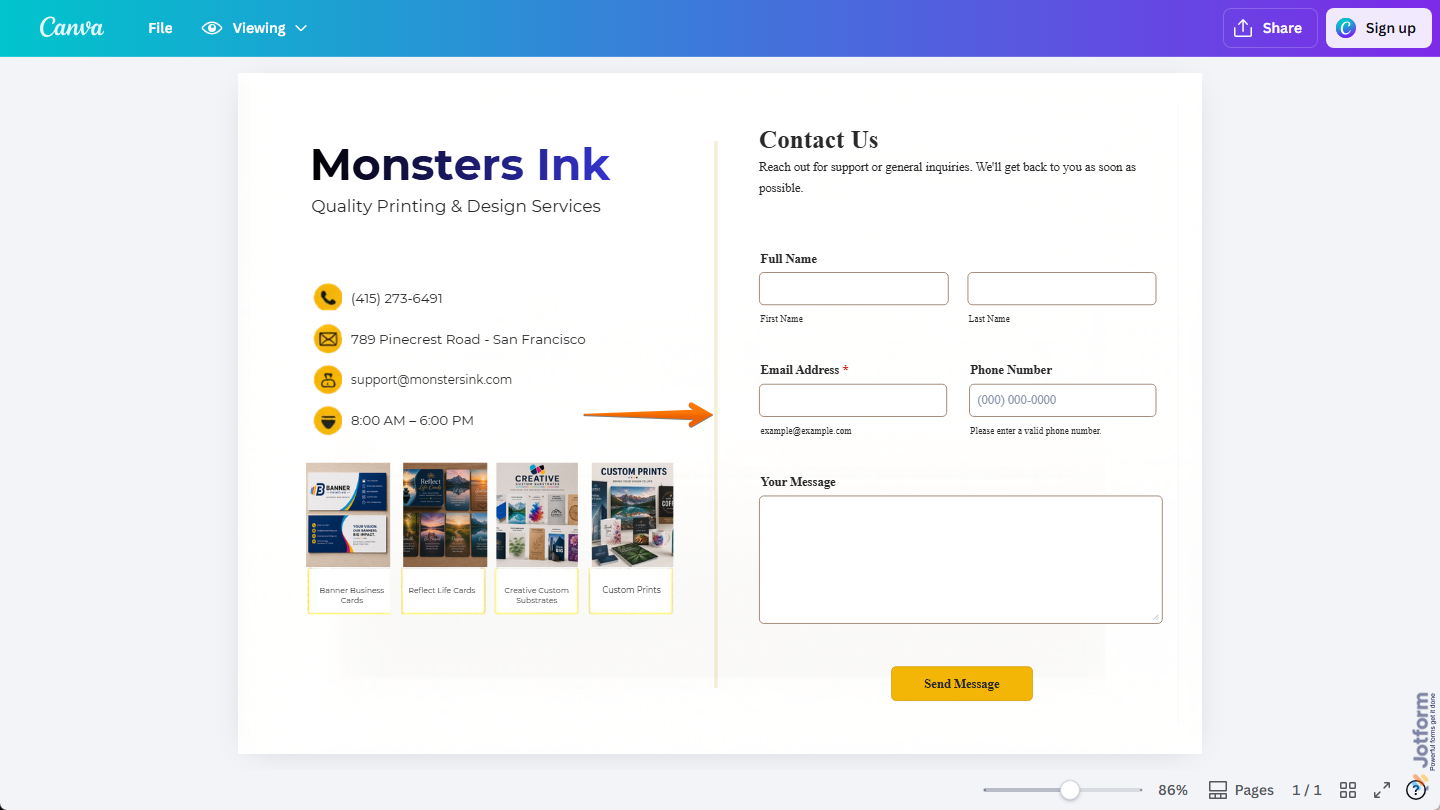
Receiving Contact Inquiries
Create a clean contact page in Canva and add a contact form from Jotform so visitors can easily reach out to you. You can choose a contact form template with fields for names, email addresses, subjects, and messages to match the kind of inquiries you want to get.
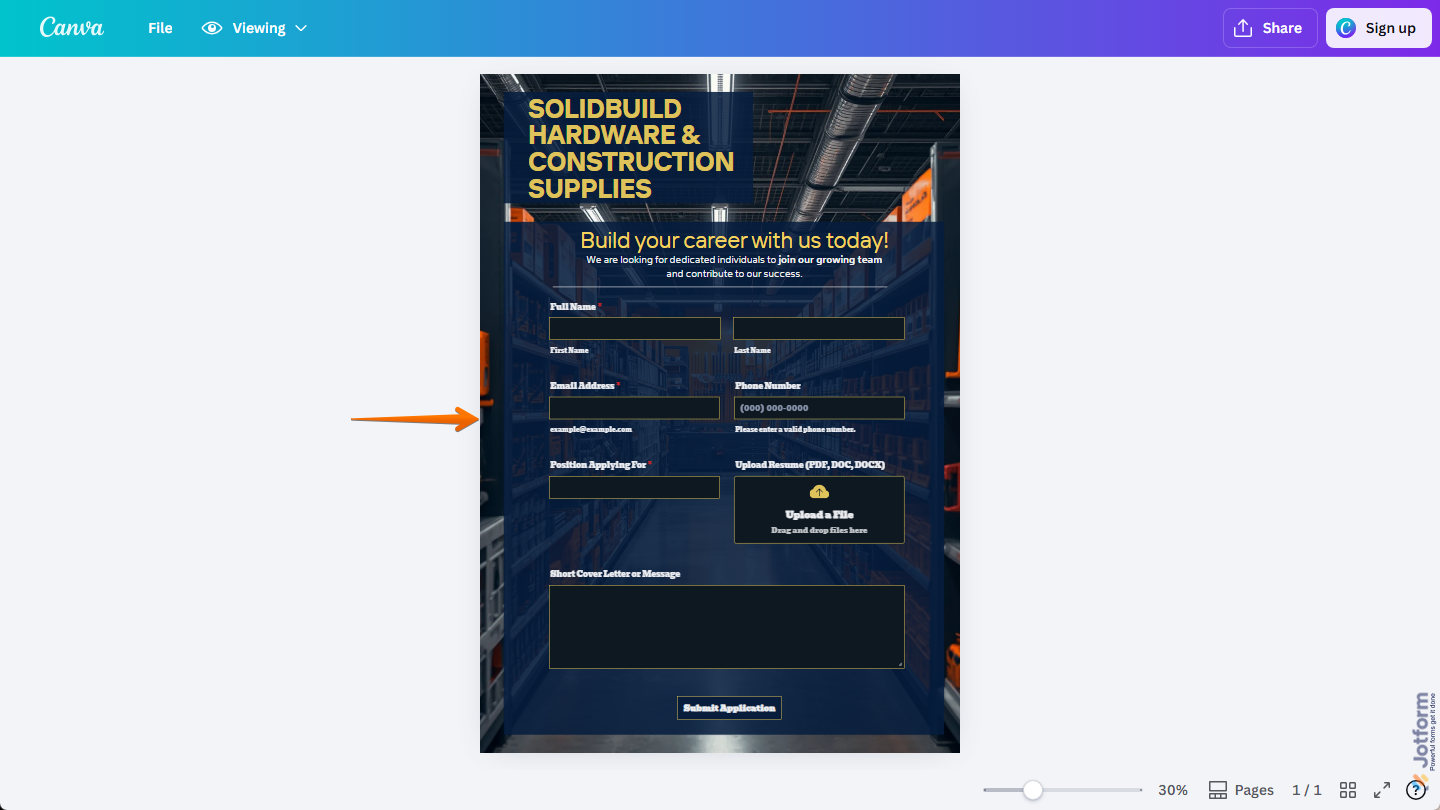
Accepting Job Applications
Create a professional job listing in Canva and add a job application form from Jotform so candidates can apply directly from your design. You can choose a template that lets applicants submit their resumes, cover letters, and contact details in one place.
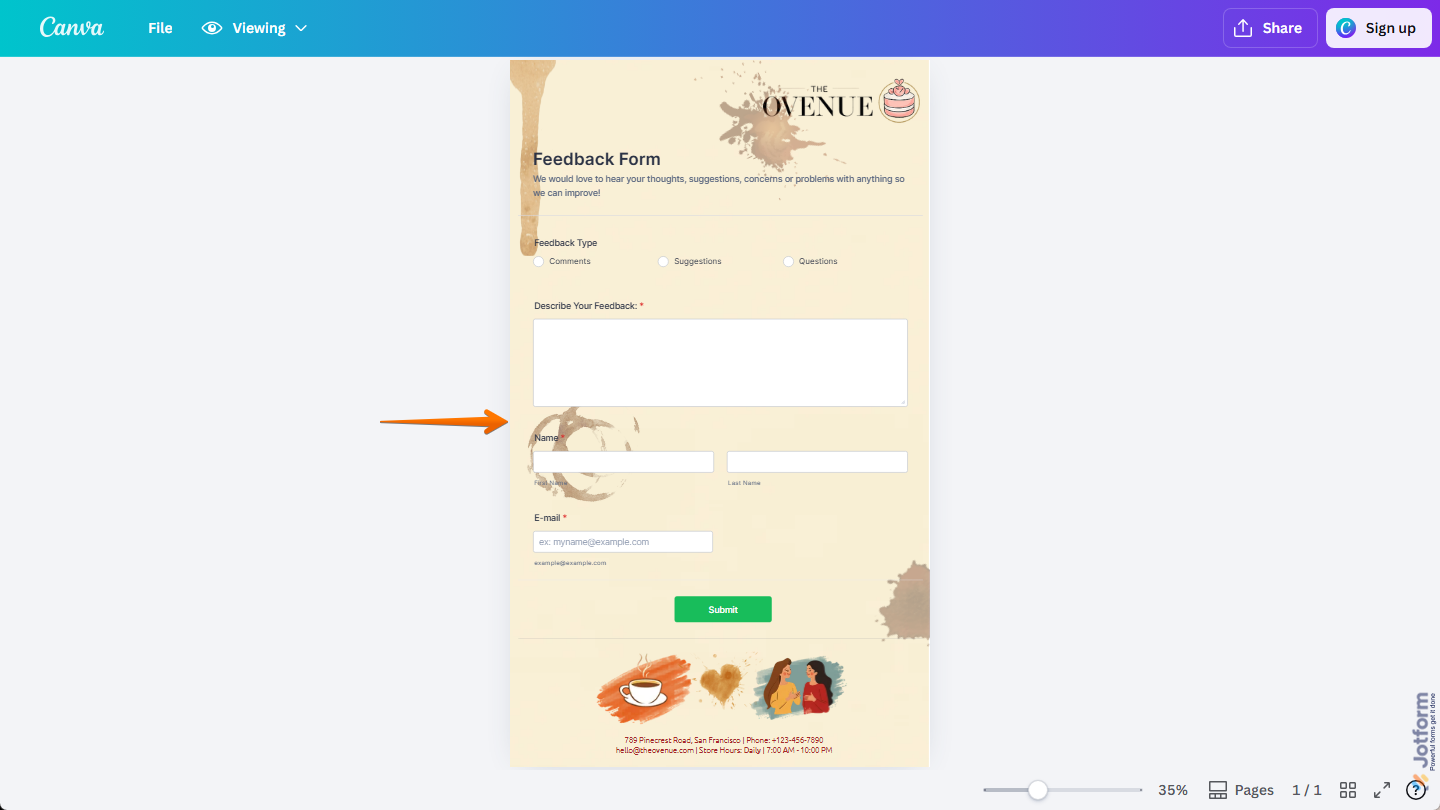
Gathering Customer Feedback
Create a customer feedback survey in Canva and add a survey form from Jotform to collect responses in one place. You can choose a feedback template with multiple-choice questions, rating scales, and open-ended fields to gather insights while keeping the experience consistent with your design.
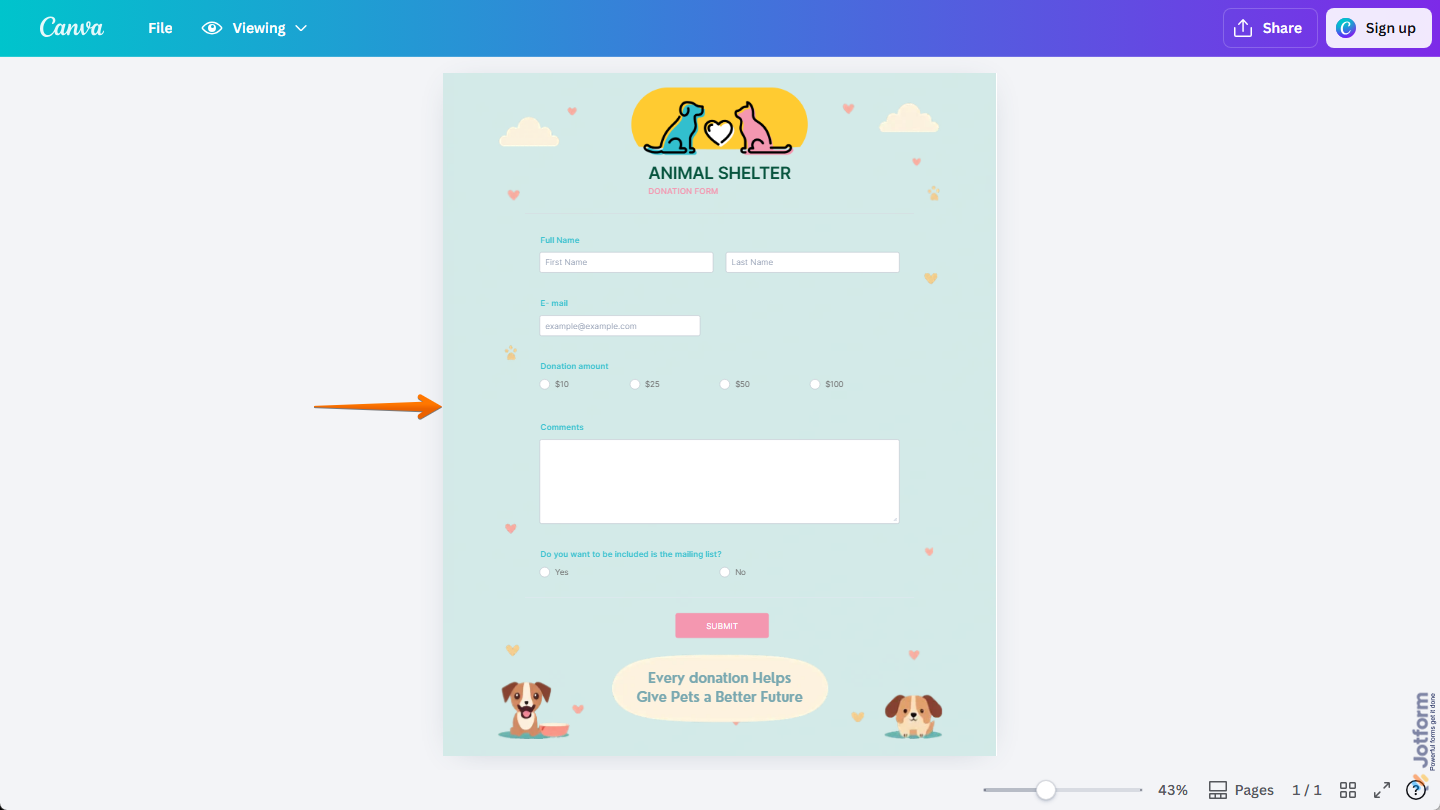
Collecting Donations
Create a donation page in Canva and add a donation form from Jotform so supporters can contribute directly from your design. You can choose a donation template with fields for names, email addresses, and donation amounts to make collecting contributions simple and organized.

Send Comment: