-
 jackandjillflea
Ive been using this exact form for weeks now. i have the payments set up through Stripe, and they have worked perfectly fine until now. I have two buttons set up in my submissions page, one being the "charge now" button (I dont have the automatic charge feature on), and the other button being "send email". both of which are not working. The "charge now" button seems to be disabled, it is grey and I cant even click on it.
The "send email" button isn't grey, but nothing happens when i click on it.I've also lost the history that shows which submissions have already been charged/received emails. I have tried what feels like everything, refreshing the page, opening a new tab, switching devices, logging in and out, checking that my payment integration is still connected. Please help! -
 Podo: Support Specialist
Hi Jack,
Thanks for reaching out to Jotform Support. I'm an AI assistant here to assist you.
Here’s how to check the issue with your Stripe actions in Submissions:
- Open your form’s Submissions view and check whether the entries are showing under Incomplete Payments.
- Review the payment setup in your form builder and confirm that Charge Customer Immediately is set to No if you want to charge later.
- Verify your Stripe connection in the form and make sure the reusable payment connection is still connected and saved.
- Check Stripe Checkout settings in your Stripe dashboard if you need to control which payment methods are available.
- Look again at the submission status history in the table, since incomplete payments can appear separately from completed submissions.
For Stripe, Jotform says that when you want to charge customers later, you need to disable Charge Customer Immediately in the Stripe payment field. Jotform also says that payments can appear in Incomplete Payments if the payment was not completed, and those entries can be reviewed from the form’s submissions area.
I don't know this information and our support team will handle your request.
Reach out again if you need any other help.
-
 Lorenz JotForm Support
Hi jackandjillflea,
Let me take a look at this for you. To do that, we’ll need your permission to access your account. Don’t worry, you can turn it off again once we’re done. Let me show you how to do it:
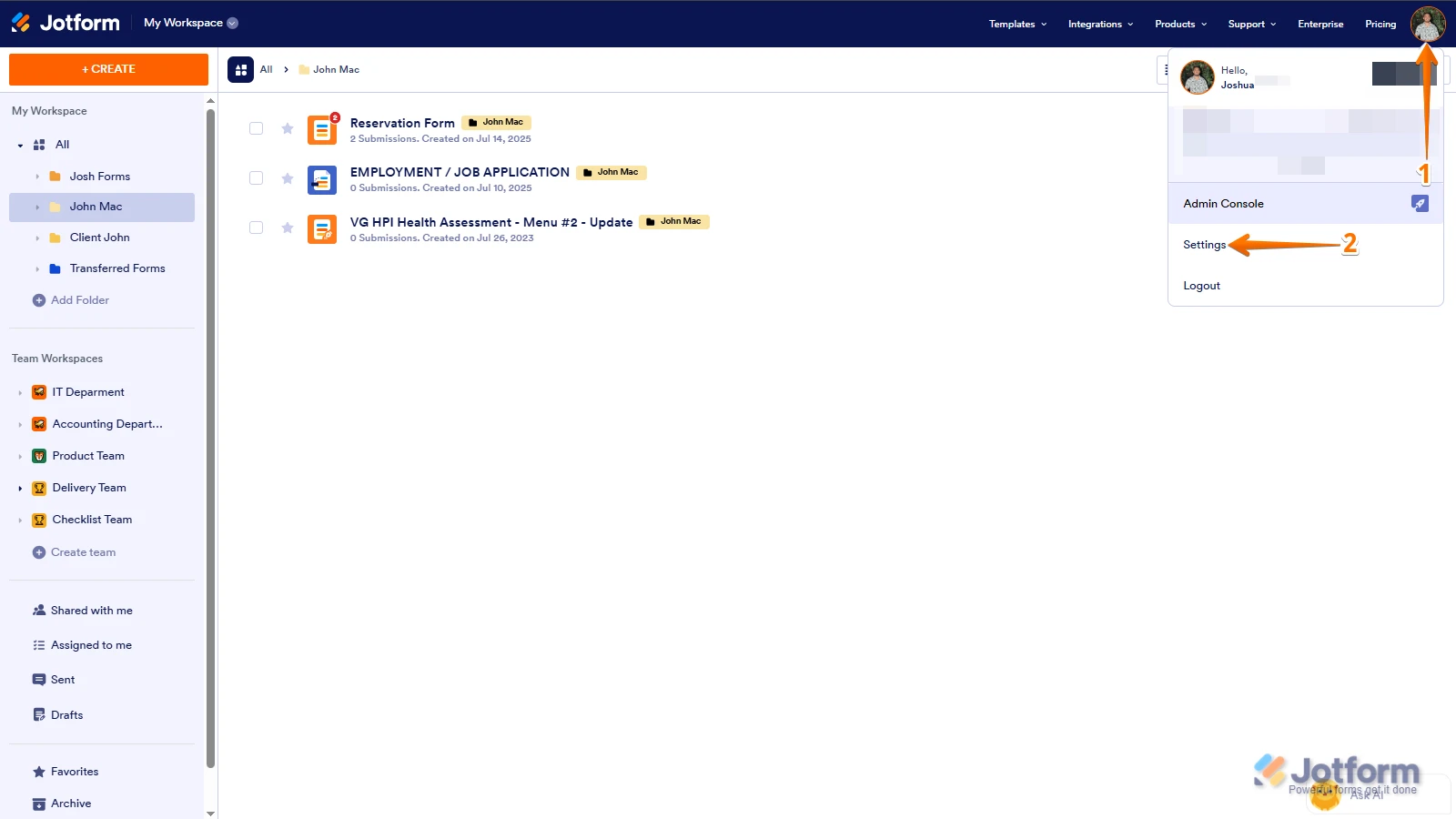
1. In the top-right corner of your Workspace page, click on your Avatar/Profile Image icon.
2. Then, in the Dropdown menu that opens, click on Settings.

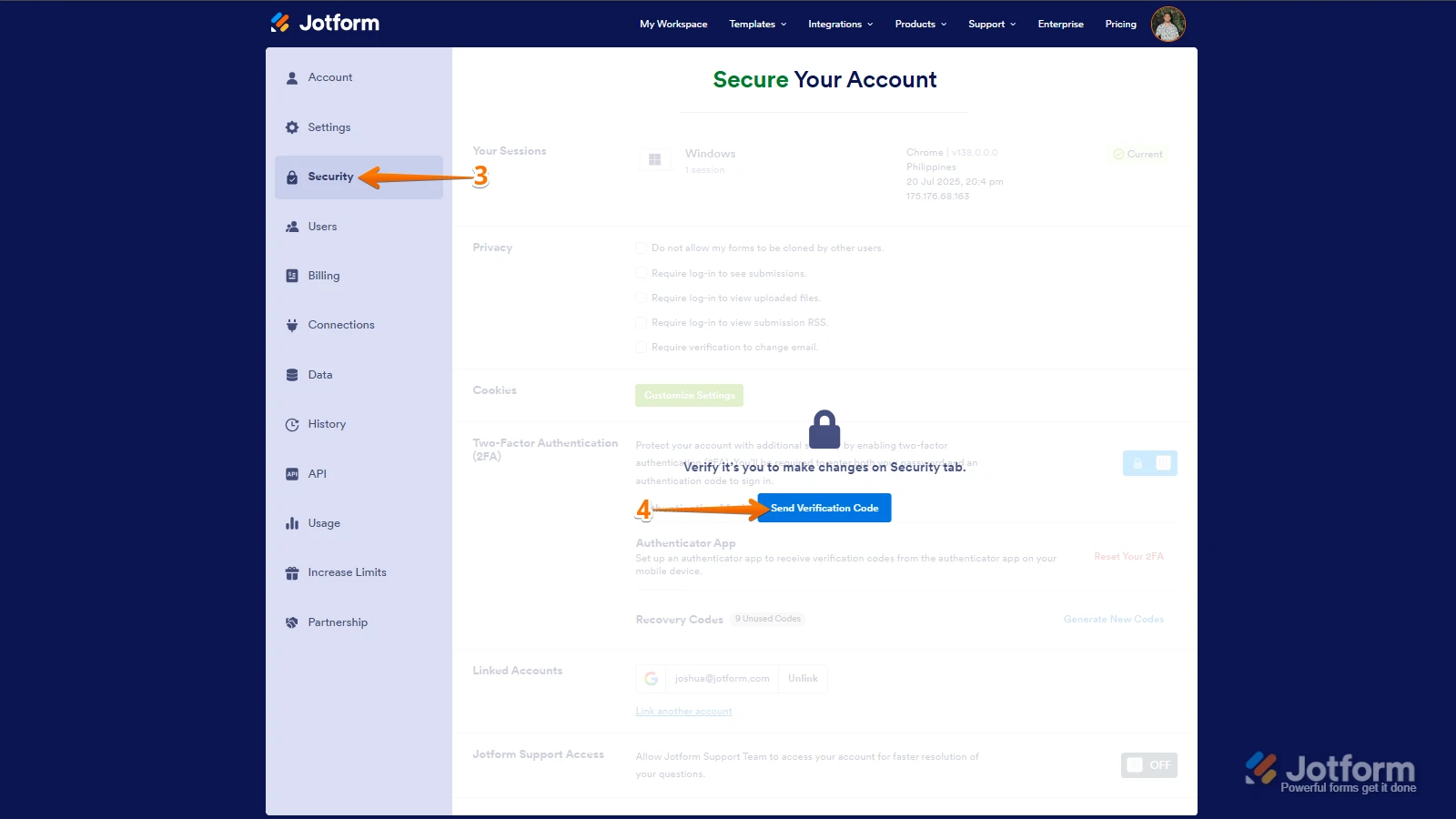
3. Next, in the panel on the left, click on the Security tab.
4. If you haven’t opened your Security page in a while, it’ll ask you to verify. To do that, click on Send Verification Code.
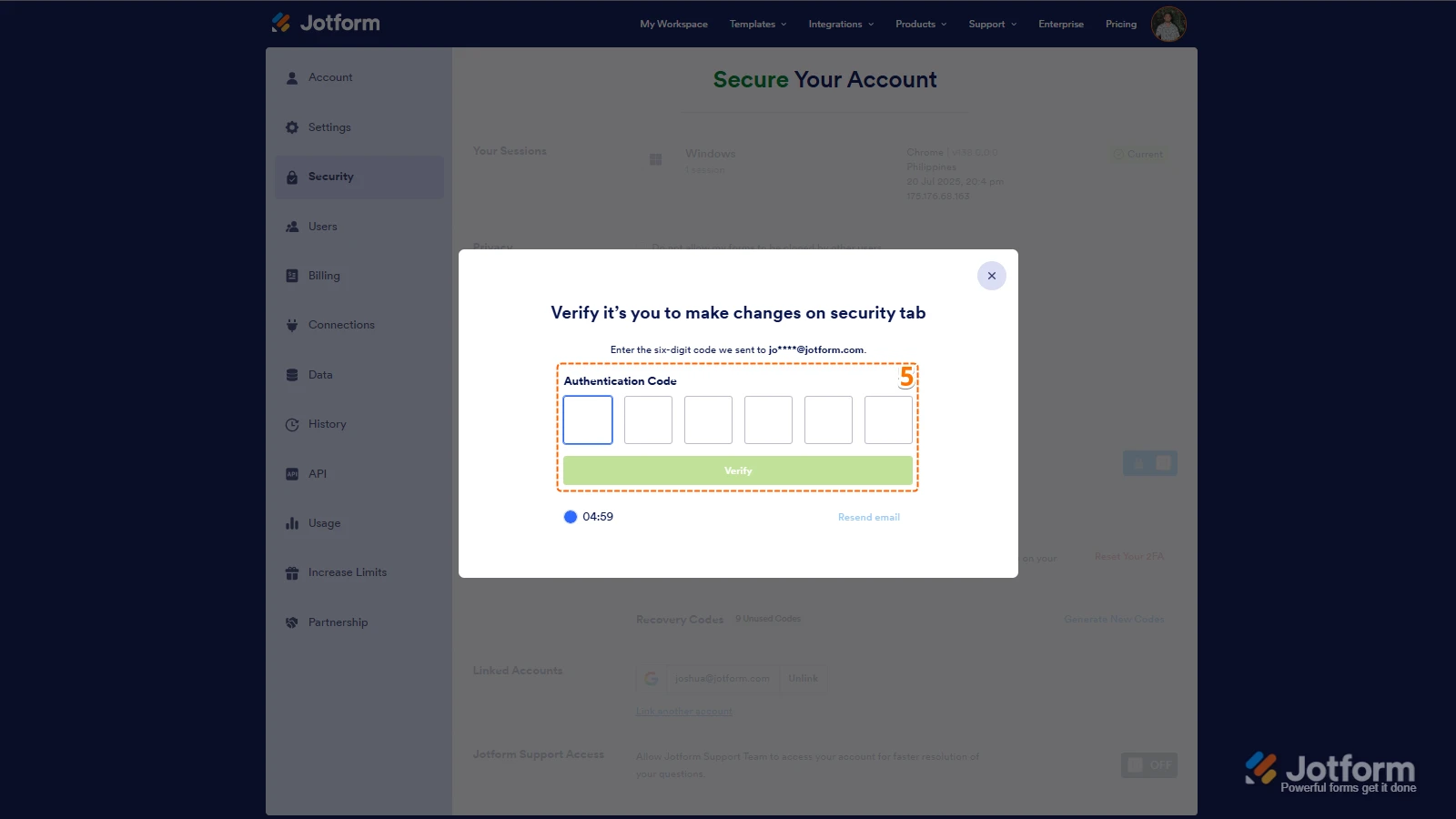
5. Then, enter the Verification Code you receive in your email.
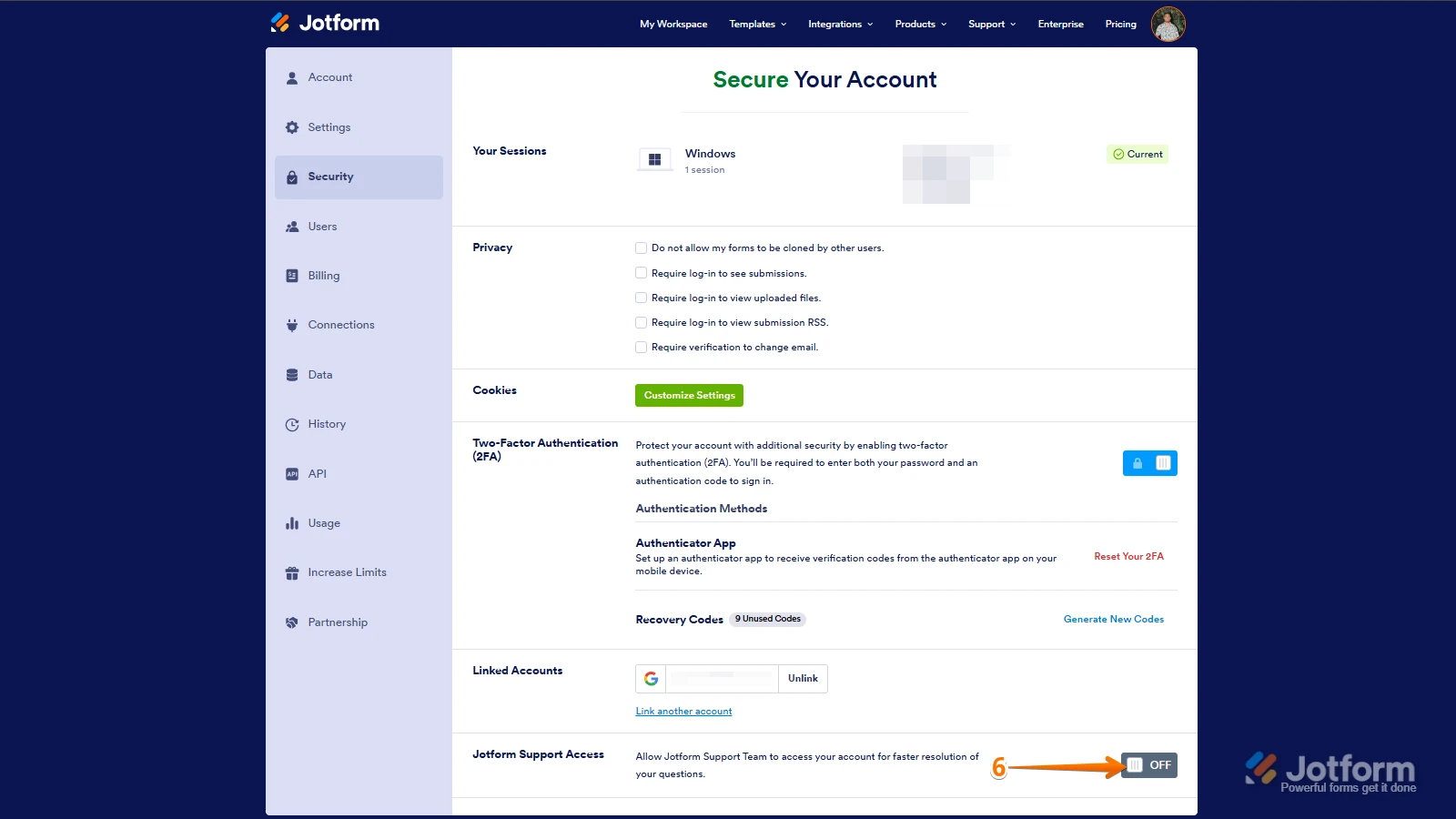
6. Finally, at the bottom of the page, toggle on Jotform Support Access.
After we hear back from you, we’ll have a better idea of what’s going on and how to help. -
jackandjillflea
thank you for reaching out to help! I just toggled that support access switch on! let me know what you need from me next
-
 Rica Support Team Lead
Hi jackandjillflea,
I tested the Apple Pay & Google Pay integration with the Charge Customer Immediately feature disabled, and I wasn’t able to replicate the issue. The Charge Now button was not grayed out and worked as expected.
Normally, the Charge Now button appears grayed out only if the submission does not have a transaction. I’ve checked your Jotform Tables and can confirm that the submissions have successful transactions. Did you make any changes to the payment integration before this occurred, such as updating the items or editing the Stripe connection?
I’ve gone ahead and moved your other question about the Send Email button to a separate thread to keep things tidy, and someone from our Support Team will help you out with it here.
After we hear back from you, we’ll know what’s going on and how to help.
-
 staff.geoI'm having the exact same issue as Jack, where I have the payments set up through Stripe, and they have worked perfectly fine until now. I have two buttons set up in my submissions page, one being the "charge now" button (I dont have the automatic charge feature on), and the other button being "send email". both of which are not working. The "charge now" button seems to be disabled, it is grey and I cant even click on it.
 -
 Kevin JotForm Support
Hi staff.geo
I’ve gone ahead and moved your other question to a separate thread to keep things tidy, and someone from our Support Team will help you out with it here.
 After we hear back from you, we’ll have a better idea of what’s going on and how to help.