-
 jackandjillflea
 -
 Rica Support Team Lead
Hi jackandjillflea,
Thanks for reaching out to Jotform Support. I tested the Send Email button using my test form, and I wasn't able to replicate the issue.

I can see two columns with the Send Email button in your Jotform Tables. Just to confirm, neither of them does anything, not even showing an error, correct? If so, do we have your permission to test the Send Email button? If you agree, could you let us know which button we should test and from which submission?
Once we hear back from you, we can help you sort this out.
-
jackandjillflea
Yes, neither is doing anything. I created the second column "Approve 2" as a test button to see if it would fix the issue, which it didn't. I just filled out my own form and submitted it under the name "Test Test", you can use that submission to test it! Use the "Approval Email" button and the "charge now" button. Thank you!
-
 Kris JotForm Support
Hi jackandjillflea,
Can you capture a short screen recording of the issue with the Send Email action button that's not working in the submission table column? Loom works well for recording, or you can upload to Google Drive or Dropbox and send us the link.
I've cleared the caches of your forms for an additional precaution. I also suggest clearing the cache and cookies of the browser you use most of the time before logging into your Jotform account and checking the form's submission table to try the Send Email action button.
Reach out to us if you need any more help.
-
jackandjillflea
Hi! sorry for the late reply, Ive logged in again, and now it's only allowing me to charge customers, but the "send email" button is now click-able, but all the emails say "failed to send at *current time*". I ran into this exact issue last month and am not sure how to fix it.
-
jackandjillflea
I use this software to manage the applications and approval status for almost 200 vendors for my events. I need to resolve this issue as soon as possible, is there a customer service number I can call to resolve this sooner?
-
 Jerlan JotForm Support
Hi jackandjillflea,
We don’t have phone support, but I’m right here to help and we can sort this out together. Let me take a look at this for you. To do that, we’ll need your permission to access your account. Don’t worry, you can turn it off again once we’re done. Let me show you how to do it:
1. In the top-right corner of your Workspace page, click on your Avatar/Profile Image icon.
2. Then, in the Dropdown menu that opens, click on Settings.
3. Next, in the panel on the left, click on the Security tab.
4. If you haven’t opened your Security page in a while, it’ll ask you to verify. To do that, click on Send Verification Code.
5. Then, enter the Verification Code you receive in your email.
6. Finally, at the bottom of the page, toggle on Jotform Support Access.
Once we have access to your account, can you allow us to submit a test submission to your form for us to test the send email button to your Jotform table?After we hear back from you, we’ll have a better idea of what’s going on and how to help.
-
jackandjillflea
Okay no worries, thank you for your help! I just checked, and it's actually already toggled on! :)
-
Jerlan JotForm Support
Hi jackandjillflea,
I have filled your live form and tested the send email button to see if I could replicate the issue, but everything was working properly. Check out the screencast below to see my results:
Give it a try and let us know how it goes.
-
AAlani
I’ll check again right now thank you! I do have one question though, does clearing the cache erase all the submission history of who has already been charged/emailed? I rely on that to manage my applicants and their approval status. I just want to make sure that wouldn’t be erased. Thank you! :)
-
jackandjillflea
I just checked, and it was working successfully for a moment, until I tried to resend one of the previously failed emails; then they started failing to send again.
-
Kris JotForm Support
Hi jackandjillflea,
The clearing of the caches more so resolves the minor and visual issues on the forms. This action won't affect any submission data. Going back to the issue, can you tell us which submissions you tried sending the email that shows the error? Can you share with us the submission IDs?
We'll try to send them through your Jotform account. It only takes a minute to find the Submission ID in your Tables page. Let me show you how:
- In Jotform Tables, in the top-right corner of the page, click on the Columns & AI button.
- Next, in the menu that opens up, look for the hidden Submission ID column and check the box next to it.
When we hear back from you, we’ll be ready to move forward.
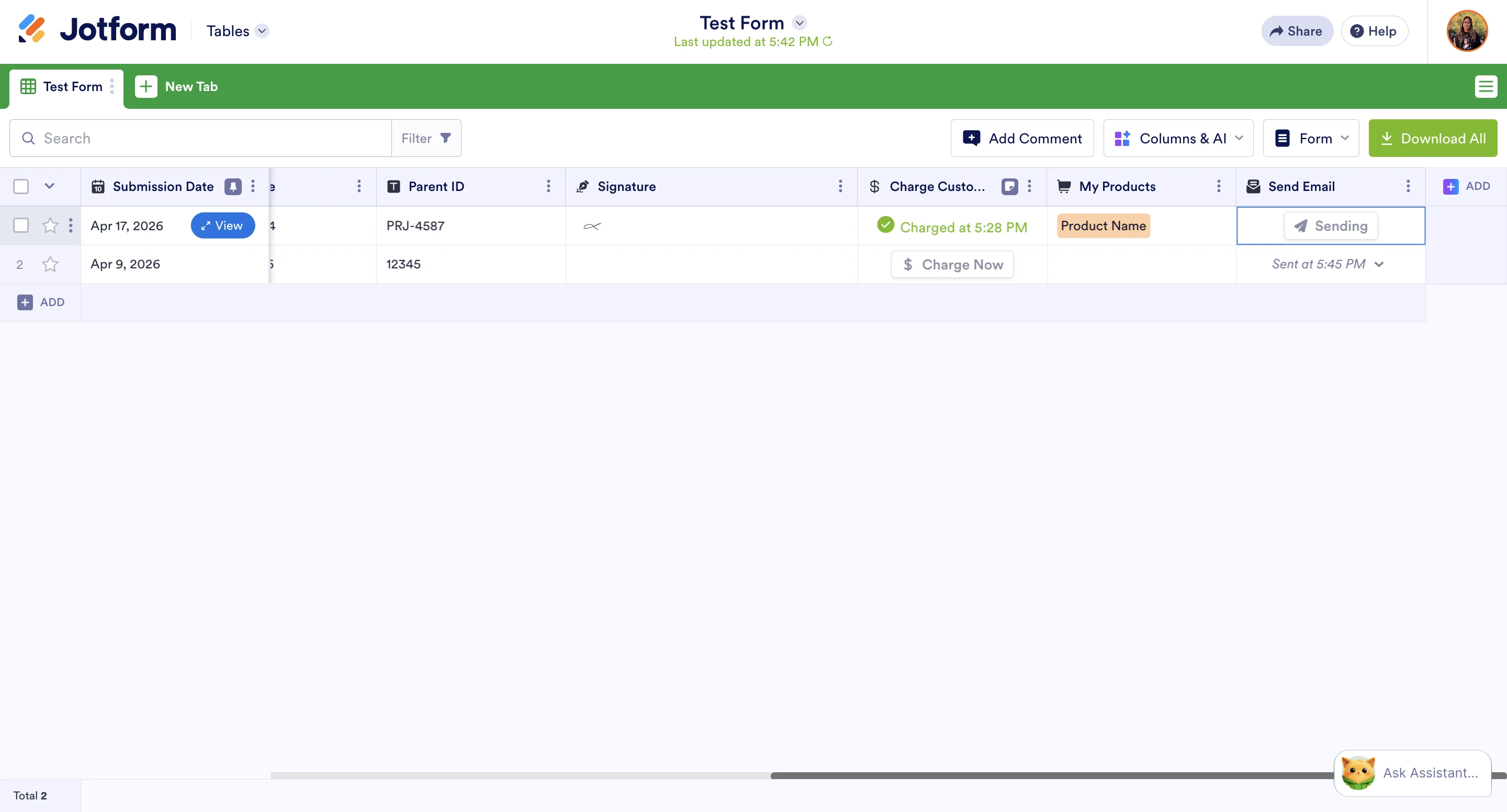


 Once we have access to your account, can you allow us to submit a test submission to your form for us to test the send email button to your Jotform table?
Your Reply
Something Went Wrong
An error occurred while generating the AI response. Please try again!