-
 staff.geoI'm having the exact same issue as Jack, where I have the payments set up through Stripe, and they have worked perfectly fine until now. I have two buttons set up in my submissions page, one being the "charge now" button (I dont have the automatic charge feature on), and the other button being "send email". both of which are not working. The "charge now" button seems to be disabled, it is grey and I cant even click on it.
 -
 Brandon Customer Success Manager
Hi staff.geo,
Let me take a look at this for you. To do that, we’ll need your permission to access your account. Don’t worry, you can turn it off again once we’re done. Let me show you how to do it:
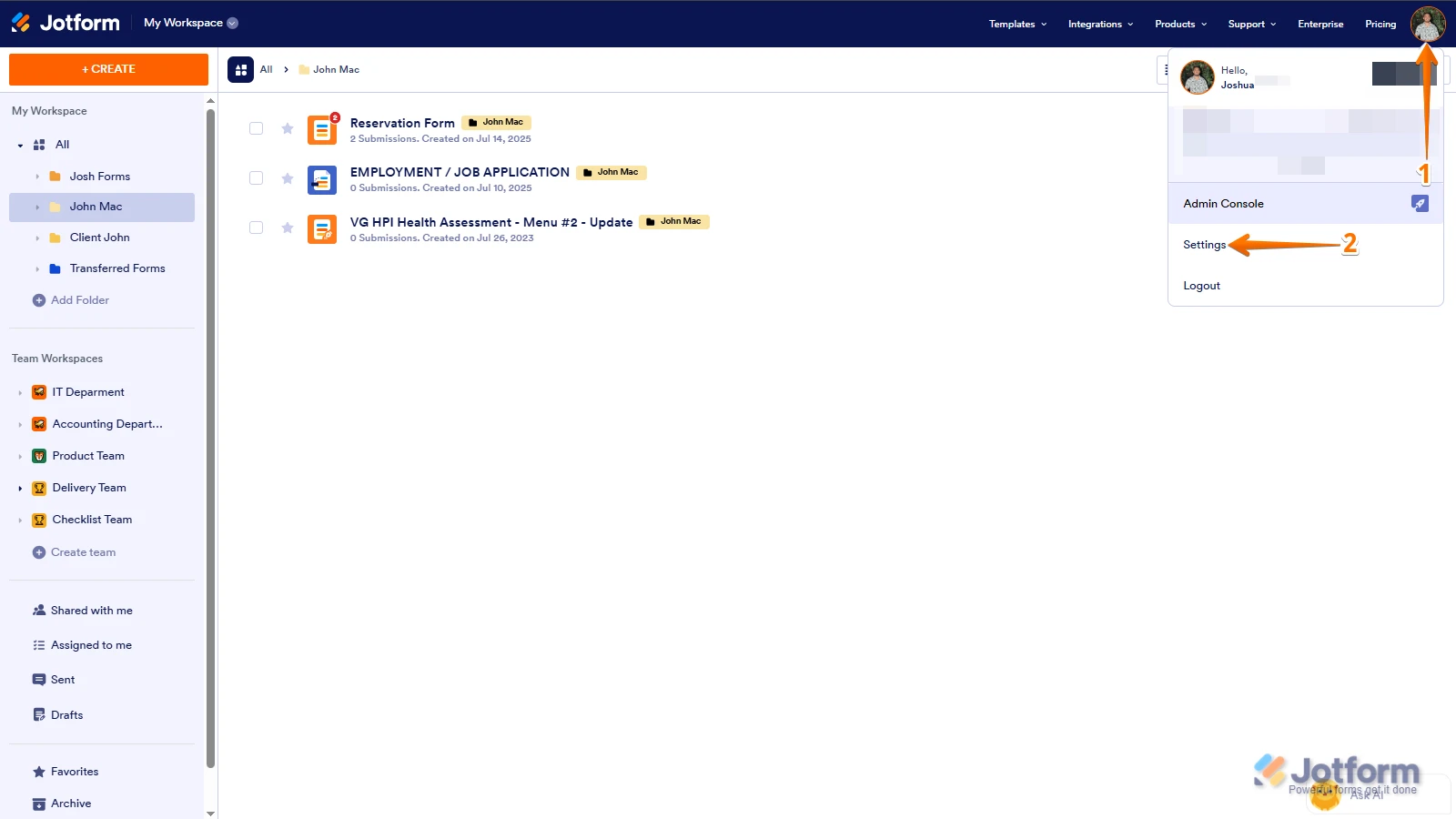
1. In the top-right corner of your Workspace page, click on your Avatar/Profile Image icon.
2. Then, in the Dropdown menu that opens, click on Settings.

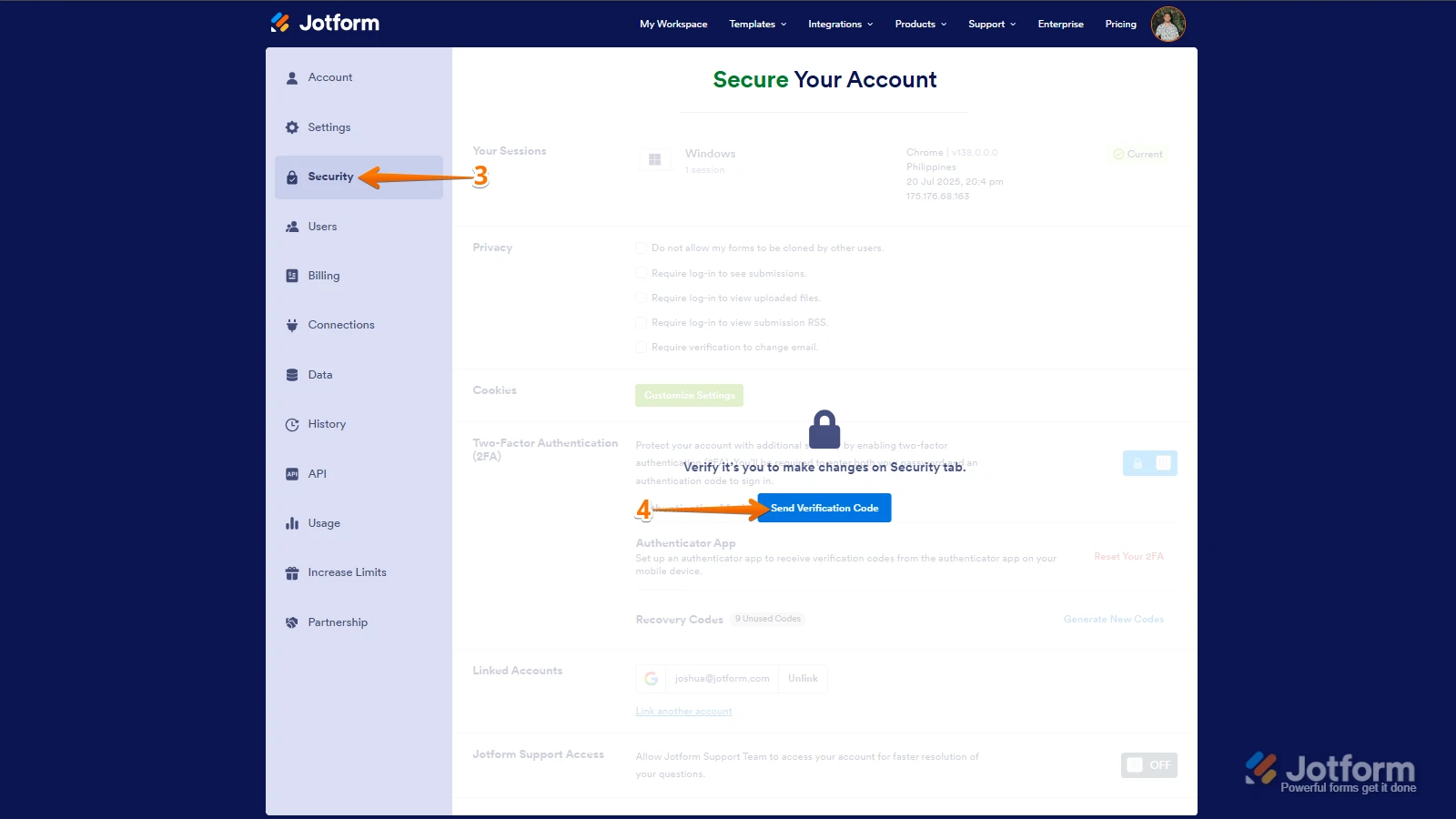
3. Next, in the panel on the left, click on the Security tab.
4. If you haven’t opened your Security page in a while, it’ll ask you to verify. To do that, click on Send Verification Code.
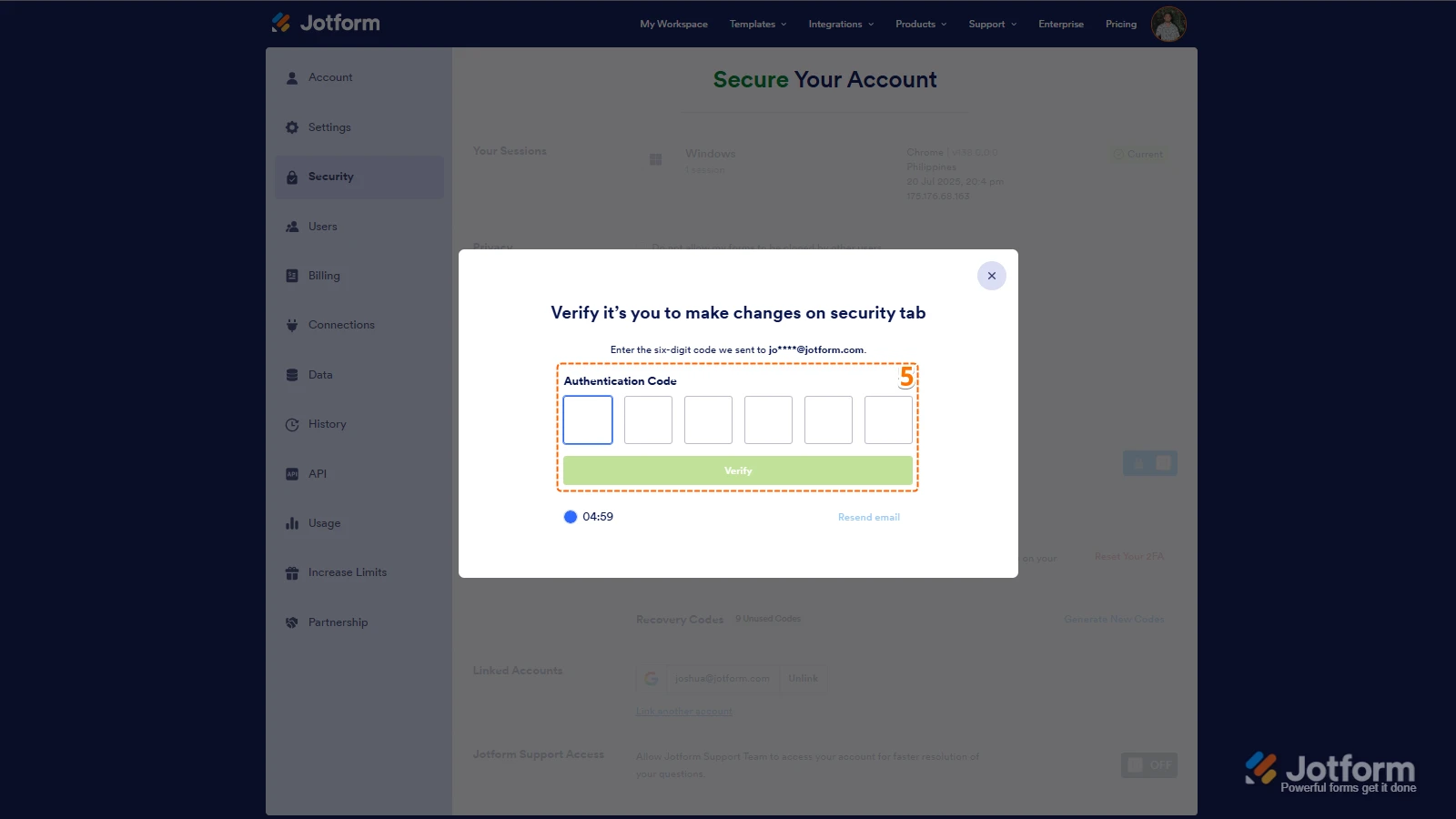
5. Then, enter the Verification Code you receive in your email.
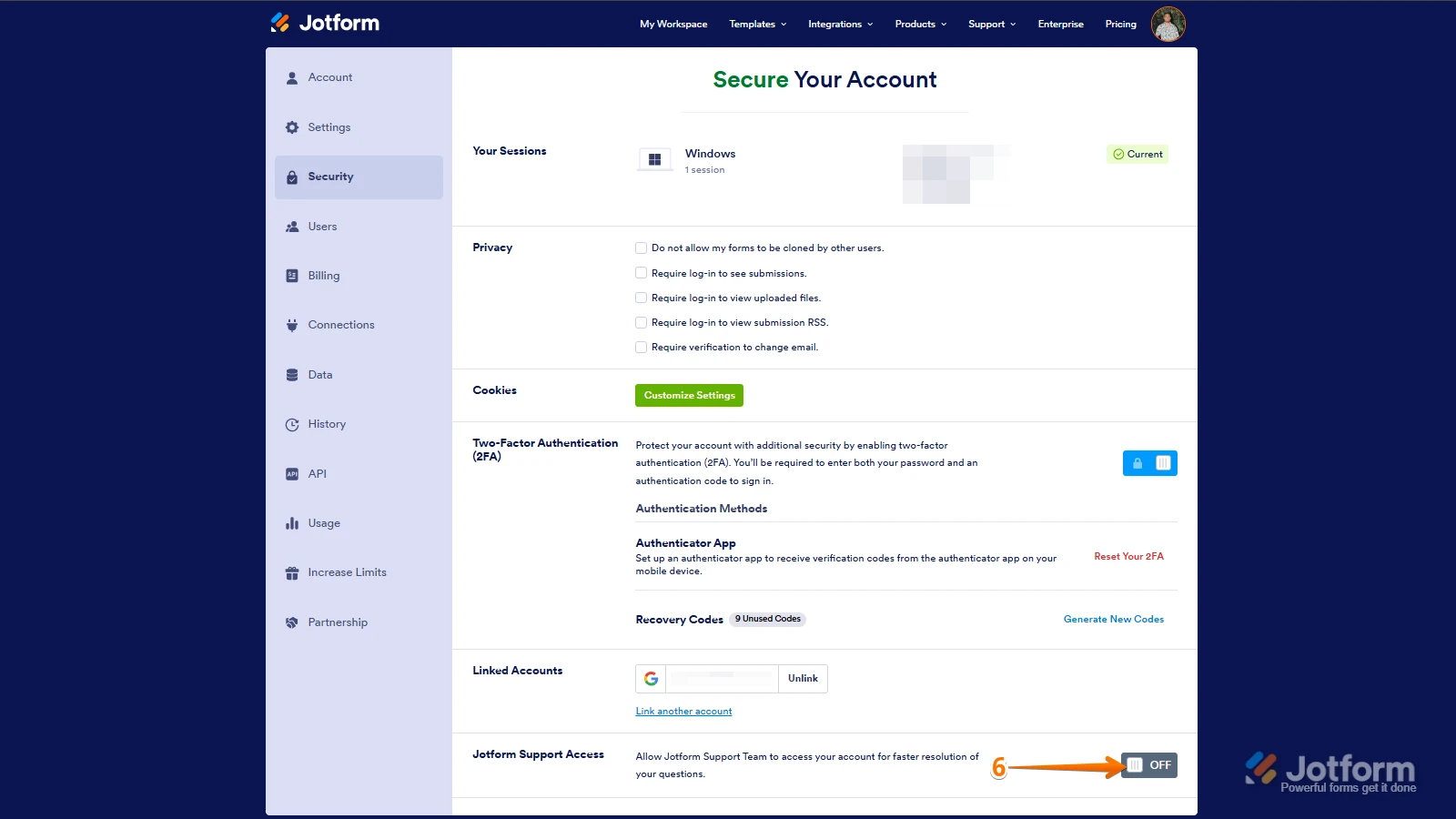
6. Finally, at the bottom of the page, toggle on Jotform Support Access.
After we hear back from you, we’ll have a better idea of what’s going on and how to help. -
staff.geo
OK, it's on
-
 Rehan Support Team Lead
Hi staff.geo,
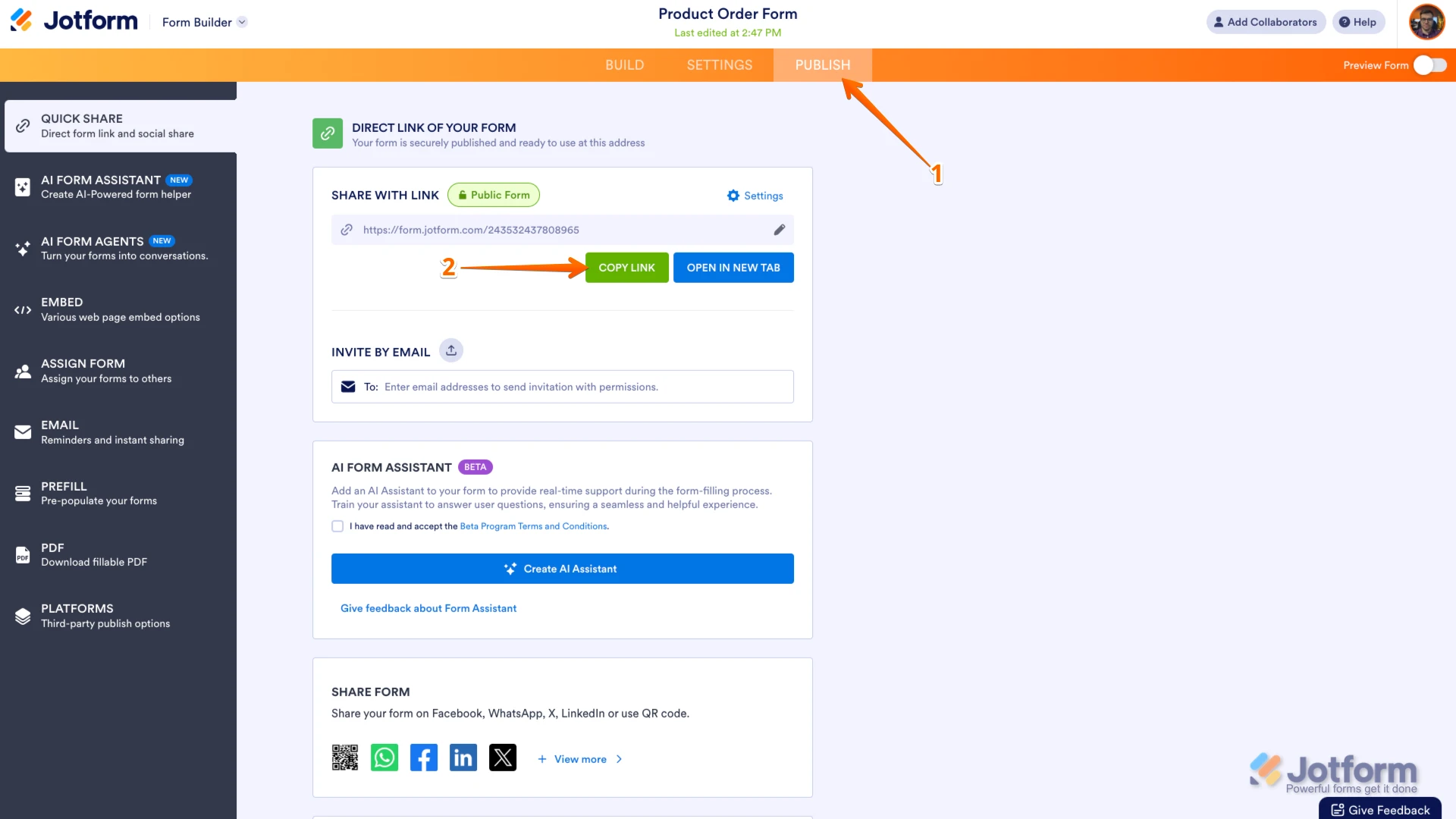
Can you share the form URL? I'm unable to find the form you are referring to. You can easily find your form's URL in Form Builder. Let me show you how:
- In Form Builder, in the orange navigation bar at the top of the page, click on Publish.
- In the Quick Share tab, click on Copy Link in the Share With Link section.
Once you share the form URL with us, we’ll be able to help you better with this. -
staff.geo
-
Rehan Support Team Lead
Hi staff.geo,
Thanks for sharing the form URL. The Charge Now button remains active for 7 days. Reason the Charge Now button is greyed out in the submission is that you received the submissions on April 9 and today it is April 17. You are trying to use it after 7 days have passed. When you turn off the Charge Immediately option you get the Charge Now button in the Tables which remains active for 7 days. If you don't use it in those 7 days then it will get disabled as it is in your submission now. We have this specified in how to enable payment authorization guide. Here is a screenshot as well:
Reach out again if you have any other questions.
-
staff.geo
Thanks. so is only way to remedy to reach out to customer and ask to re-submit?
-
 Anna JotForm Support
Hi staff.geo,
Yes, you are correct. You'll have to ask the user to resubmit the form so that you can charge them for the items that they selected on your form. You can also delete the old submission and ask them send a new one. You can easily delete and purge submissions in just a few steps. Let me first show you how to delete a submission:
- In Jotform Tables, select the submission you want to delete.
- Next, click on Delete at the top right side of the Tables page.
- Now, in the Confirmation window that opens, click on Move to Trash.
Before deleting, make sure to download the submission first so you have a backup copy. Deleting submissions won’t free up space on your account, and they can be recovered within 30 days. After 30 days, they will be permanently removed. To free up space on your account, you can purge the submissions. Let me show you how:
- In Jotform Tables, click on the Three Dots icon next to your form title in the tabs.
- Then, click on Trashed Entries.
- Next, in the window that opens on the right side of the page, select the submission you want to delete, and then click on Delete Forever.
- Now, in the Confirmation window that opens, click on Delete.
If your account upload limit is still showing as over the limit, it is also recommended to clear the form cache after purging the data.
Reach out again if there’s anything else we can help you with.
 After we hear back from you, we’ll have a better idea of what’s going on and how to help.
 Once you share the form URL with us, we’ll be able to help you better with this.