-
RRob Harris Crye-Leike Realtors
Any update on what happened to setting up SMS through the Integrations Tab?
SMS notifications set up through the Notifications Tab are frustrating because you are forced to click a link in order to view your form information.
-
 Rica Support Team Lead
Hi Rob,
Thanks for reaching out to Jotform Support. I can see the SMS integration under the Integrations tab in both my form and your form.

Is it not showing on your end? If so, mind grabbing a screenshot of what you’re seeing and sending it over? Our guide on How to Post Screenshots to Our Help Center shows you how.
After we hear back from you, we’ll know what’s going on and how to help.
-
 harrisr
 -
 Adrian Besilla JotForm Support
Hi Rob,
I also checked on my forms and SMS integration is showing properly. Take a look at the screenshot below:
Before we ask for help from our developers, let us take a look at this for you. To do that, we’ll need your permission to access your account. Don’t worry, you can turn it off again once we’re done. Let me show you how to do it:1. In the top-right corner of your Workspace page, click on your Avatar/Profile Image icon.
2. Then, in the Dropdown menu that opens, click on Settings.
3. Next, in the panel on the left, click on the Security tab.
4. If you haven’t opened your Security page in a while, it’ll ask you to verify. To do that, click on Send Verification Code.
5. Then, enter the Verification Code you receive in your email.
6. Finally, at the bottom of the page, toggle on Jotform Support Access.
Once we hear back from you, we can get moving on a solution. -
harrisr
Jotform Support Access has been granted.
-
 Brandon Customer Success Manager
Hi Rob,
Thank you for granting support access! I was able to replicate the issue of the SMS integration not appearing in your account. I have filed a bug with the developer team, and they will get back to you with more information. -
 TKINANE
Hi this is happening to me too. What is the fix? Nowhere on your FAQ or Support page answer this persistent bug with everyone.
-
 Anna JotForm Support
Hi Rob,
Thanks for hanging in there. Our Developers are still on it, and we’ll update you as soon as we have news.
-
 theabilitytoolbox
 -
 Raymond JotForm Support
Hi theabilitytoolbox,
I separated your question into a new thread so we can focus on it properly. You can view and follow it here.
Reach out again if you need any help.


 Before we ask for help from our developers, let us take a look at this for you. To do that, we’ll need your permission to access your account. Don’t worry, you can turn it off again once we’re done. Let me show you how to do it: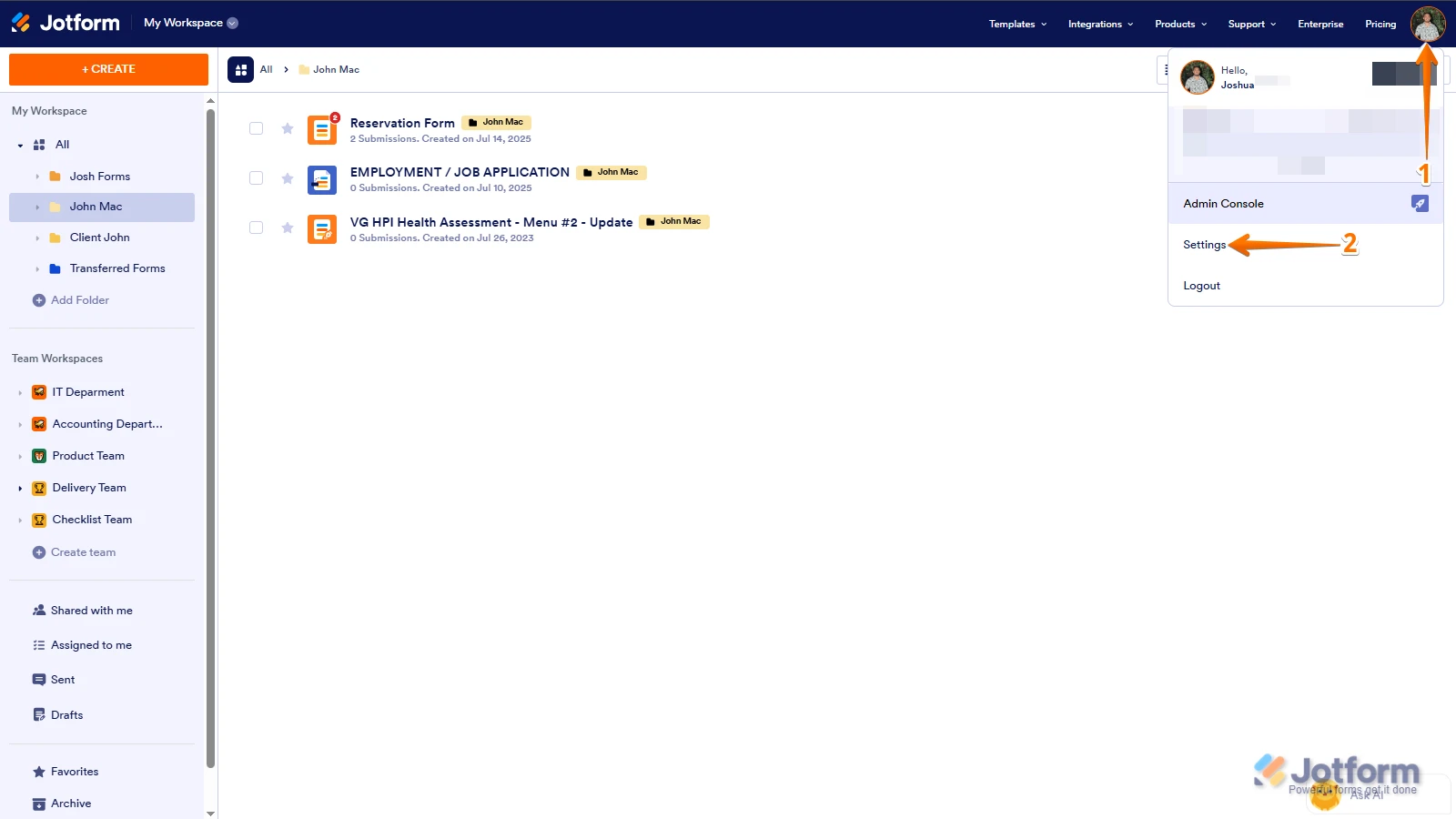
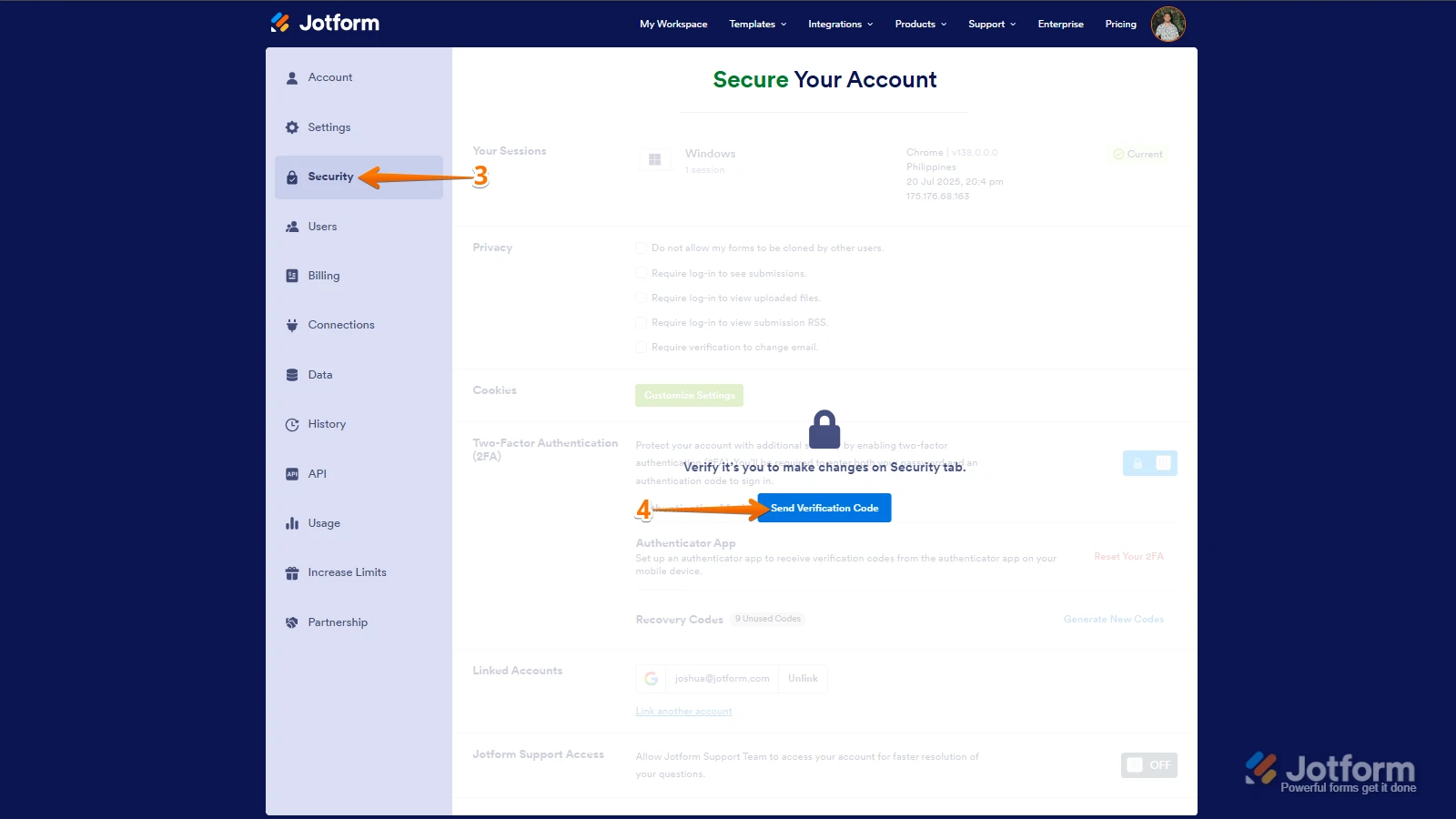
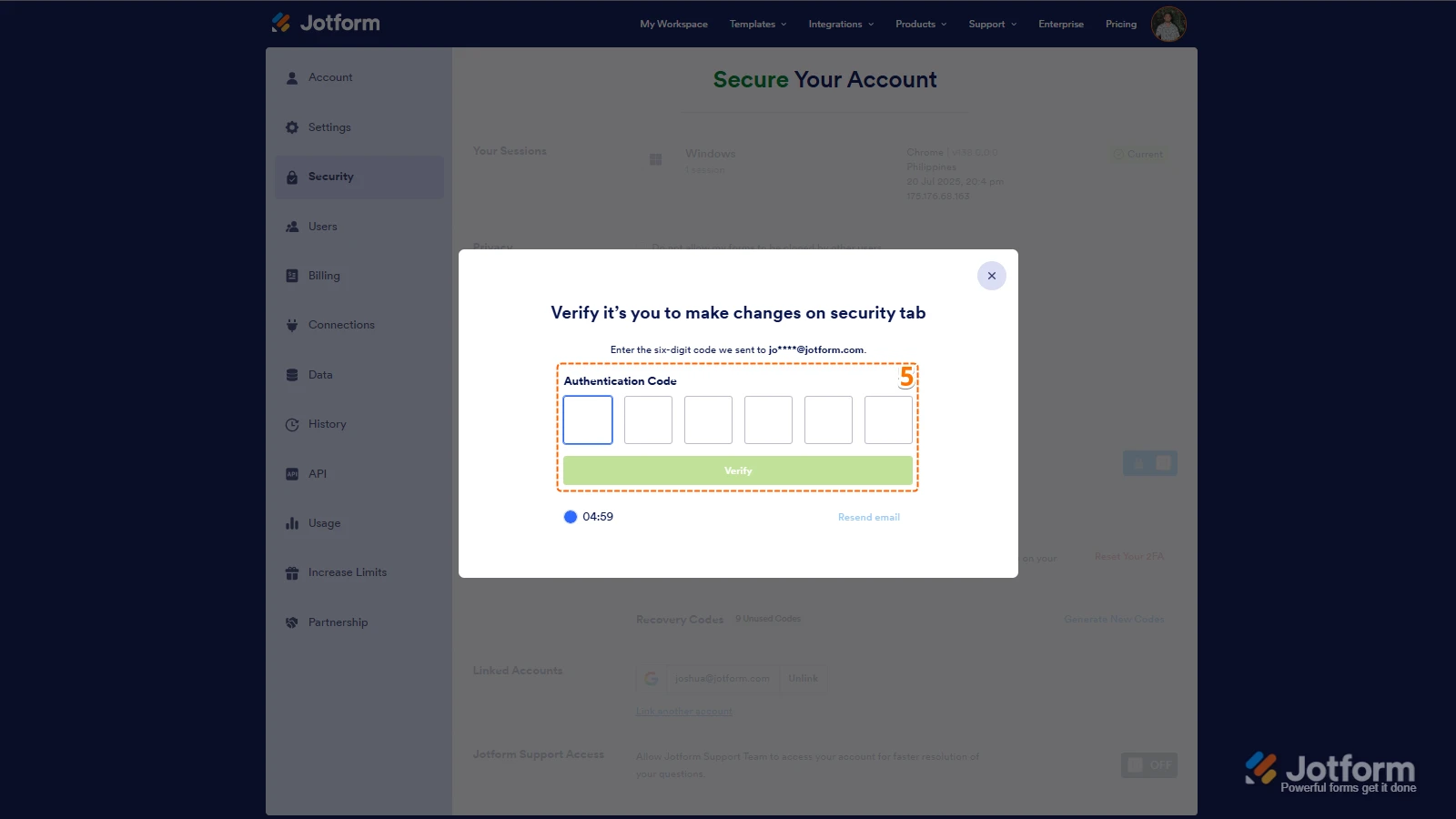
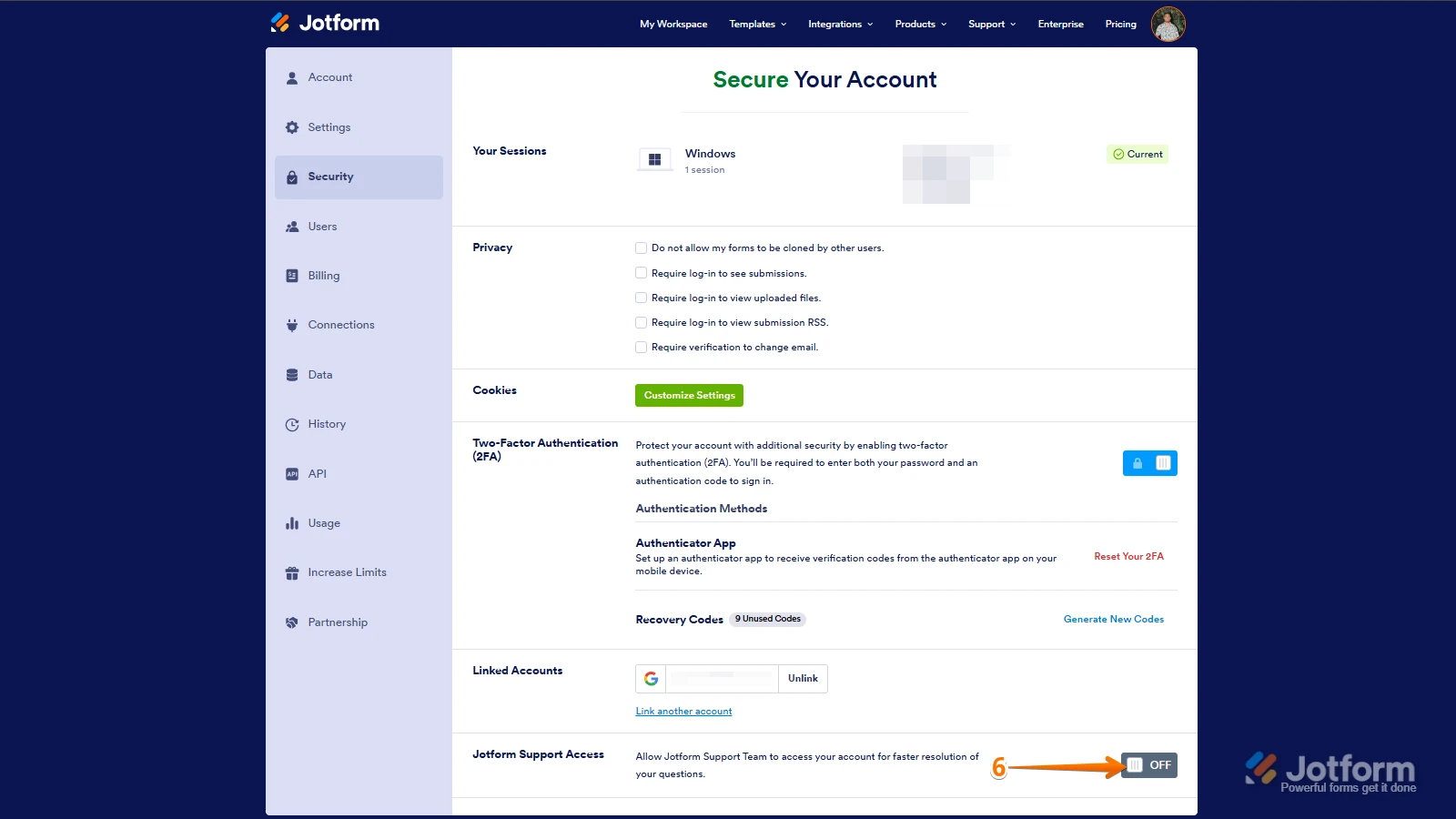 Once we hear back from you, we can get moving on a solution.
