Free Survey Analytics Templates
Collect important survey data today by choosing one of our ready-made survey templates. Add your own survey questions, integrate with widgets, and embed or share to start collecting responses.
Collect & Organize Data
Streamline your data-collection process
If you’re looking to collect data fast, Jotform’s got you covered. In just minutes, you can create a survey form, customize it, and send it to your audience to seamlessly collect important consumer data.
Create Your SurveyJotform Tables
Centralize your data and manage it in one place
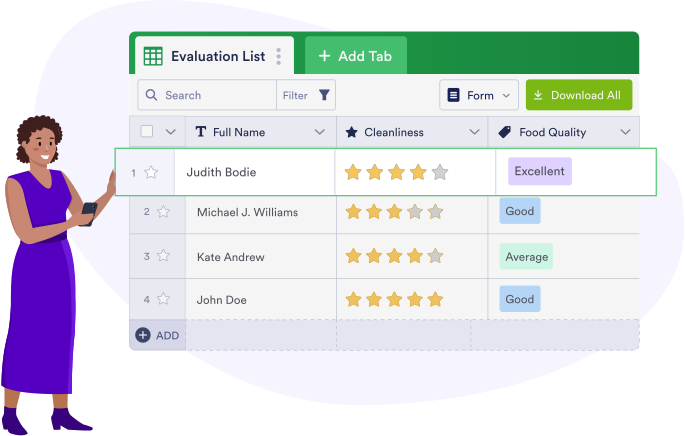
With Jotform, you won’t need third-party data management apps to manage your survey responses. Simply view all of the data from your Jotform Tables account.
Easy-to-share
Limitless ways to share data
Embed your survey reports in your WordPress website or other content platforms, like Medium, in seconds. The reports you embed will automatically update with each new submission so there’s no need to worry about manually embedding a new link each time.
Create Your Survey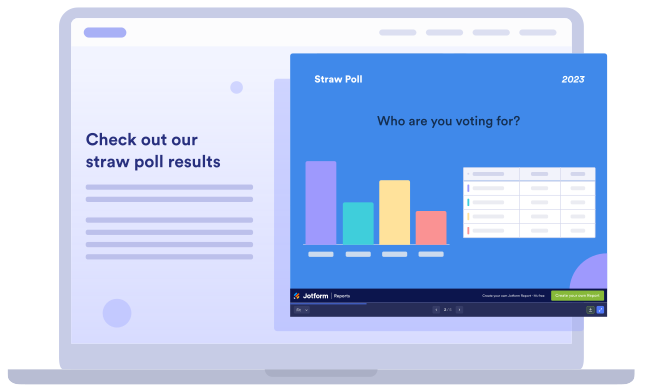
Powerful Integrations
100+ integrations to choose from
Enhance your survey by adding any of our 100+ integrations. Instantly get access to payment gateways, file storage integrations, spreadsheets, email marketing tools, and more.


TESTIMONIALS
What our users say about Jotform
It saves hours of work with visuals that are always available. No more exports, pivot tables, graphics, and macros that take hours to configure.
Nuno Seleiro, Marketing Manager, Asserbiz
Learn More About Survey Analytics
What is survey data analysis?
Survey data analysis is the process of turning data from your survey results into useful insights for your business or company.
How can I analyze data in a survey?
You can easily analyze data by creating a Jotform survey, sending it to your customers, and analyzing the responses in Jotform Tables. There, you can use Jotform Report Builder to create customizable reports to share.
Why is survey analysis important?
Survey analysis is important because it gives you insight on what’s working and what’s not from a customer perspective. Survey analysis allows businesses to learn from customers and change practices or business models that no longer serve them well.
What are the five methods of collecting data?
- Questionnaires and surveys
- Interviews
- Focus groups
- Direct observation
- Documents
What are the four types of analytics?
- Descriptive analytics
- Diagnostic analytics
- Predictive analytics
- Prescriptive analytics
How can I embed my report?
You can embed your report by going to the Embed tab of the Publish Report popup. There, click the Copy Code button to copy the code that will embed your form in your website.
How can I download my report as a PDF?
You can download your report as a PDF by going to My Forms and selecting the form with the data you’d like to export. Click Submissions in the top toolbar. From there, click Download All in Jotform Tables and choose Download as PDF.