-
 gilmariosantos
 -
 Keenly Jotform Support
Hi Gilmario,
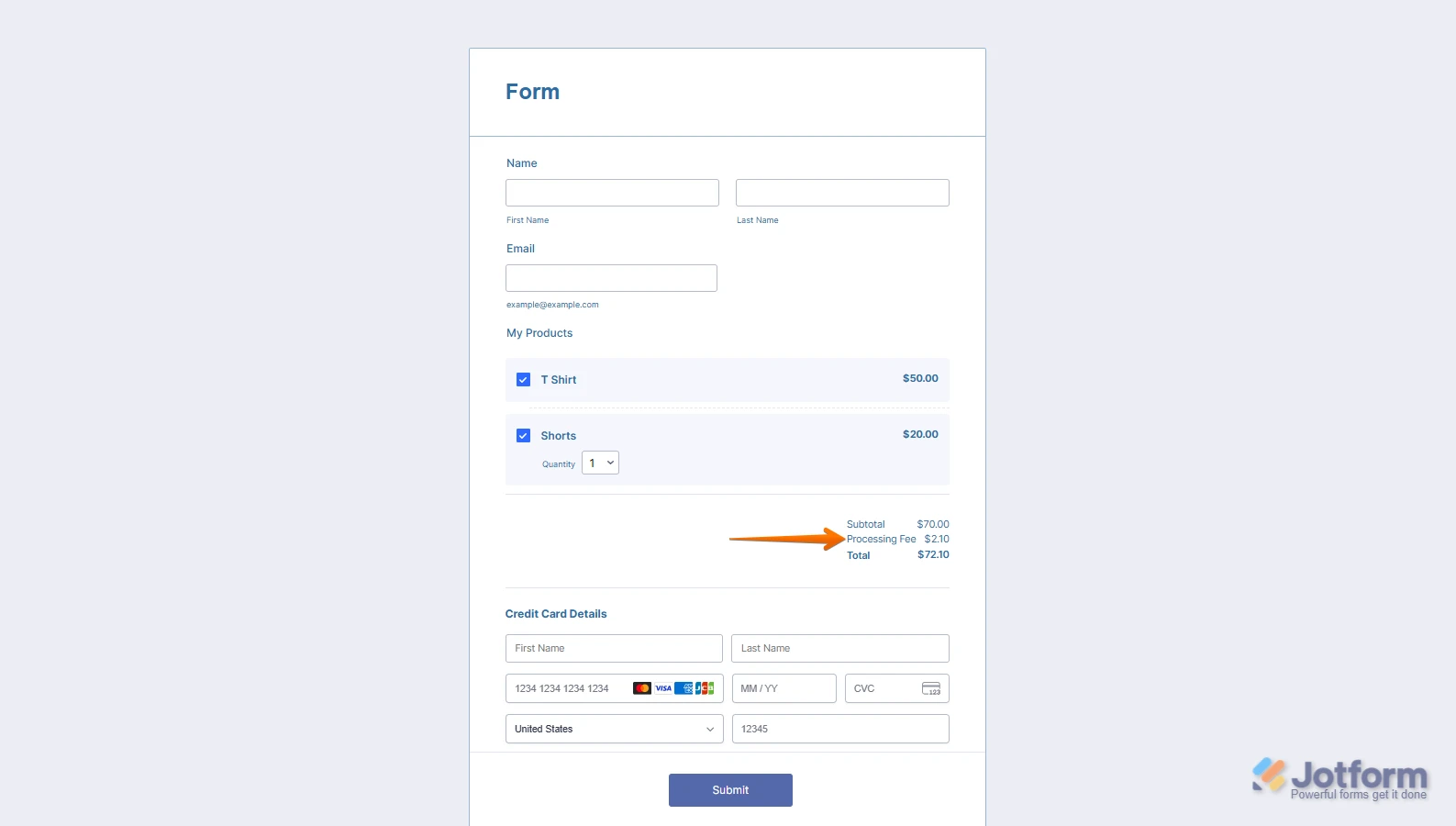
Thanks for reaching out to Jotform Support. When you say fees based on your receipts, did you mean credit card processing fees? If so, note that it only takes a minute to set up collecting credit card processing fees. This is how it’s done:
- In Form Builder, click on the Product List field, and then click on the Shopping Cart icon on the right side of it.
- Next, in the menu that opens on the right side of the page, click on the Tax tab at the top.
- Then, in the Base Tax Rate field, enter the percentage of the processing fee you want to charge your users.
- Finally, in the Tax Text on the Form field, enter the name you want to appear on the form for collecting processing fees.

That's it. Now, you can collect a Credit Card Processing Fee when people buy your items. Check out this screenshot below to see how it works:
If that's not quite the solution you're looking for, feel free to share more details so we can take a closer look into it.Reach out again if you have any other questions.
-
gilmariosantos
Entendi! Mas apenas para confirmar:
Vocês não cobram taxas as taxas seria, se houver, da picpay e de maquinas de crédito. Confirma?Outro ponto, consigo criar um vaucher para a venda? Exemplo?
Indiquei um serviço a R$ 1.000,00, porém para o cliente terá um cupom de 50GIL onde ganharia 50% de desconto. É possível? Se sim, qual o procedimento ? -
 Rehan Support Team Lead
Hi Gilmário,
Our Portuguese Support agents are busy helping other Jotform users right now, so I'll try to help you in English using Google Translate, but you can reply in whichever language you feel comfortable using. Or, if you'd rather have support in Portuguese, let us know and we can have them do that. But, it might take a while until they're available again.
Now, coming back to your question, yes I can confirm that Jotform does not charge any fees on the payments processed through your form. Only your payment processor will directly charge you the fees. To keep the conversation organized, I moved your other question to its own thread, and someone from our Support Team will help you with it here.
Reach out again if you need any other help.

 If that's not quite the solution you're looking for, feel free to share more details so we can take a closer look into it.