Jotform makes it easy to manage all teams across your organization when you’re a Server Admin in Jotform Enterprise. You get full visibility into every team workspace, so you can see how teams are set up, who has access, and how everything is organized in one place.
From there, you can view team workspaces, add or remove members, assign roles, and manage permissions to keep everything secure and running smoothly. It’s a simple way to stay in control while making sure every team has the access they need to collaborate effectively.
Managing All Teams as a Server Admin
To manage all teams on your Enterprise server, you’ll need to access the Admin Console and open the Teams page. From there, you can view team details, manage members, and control team settings. Here’s how to get started:
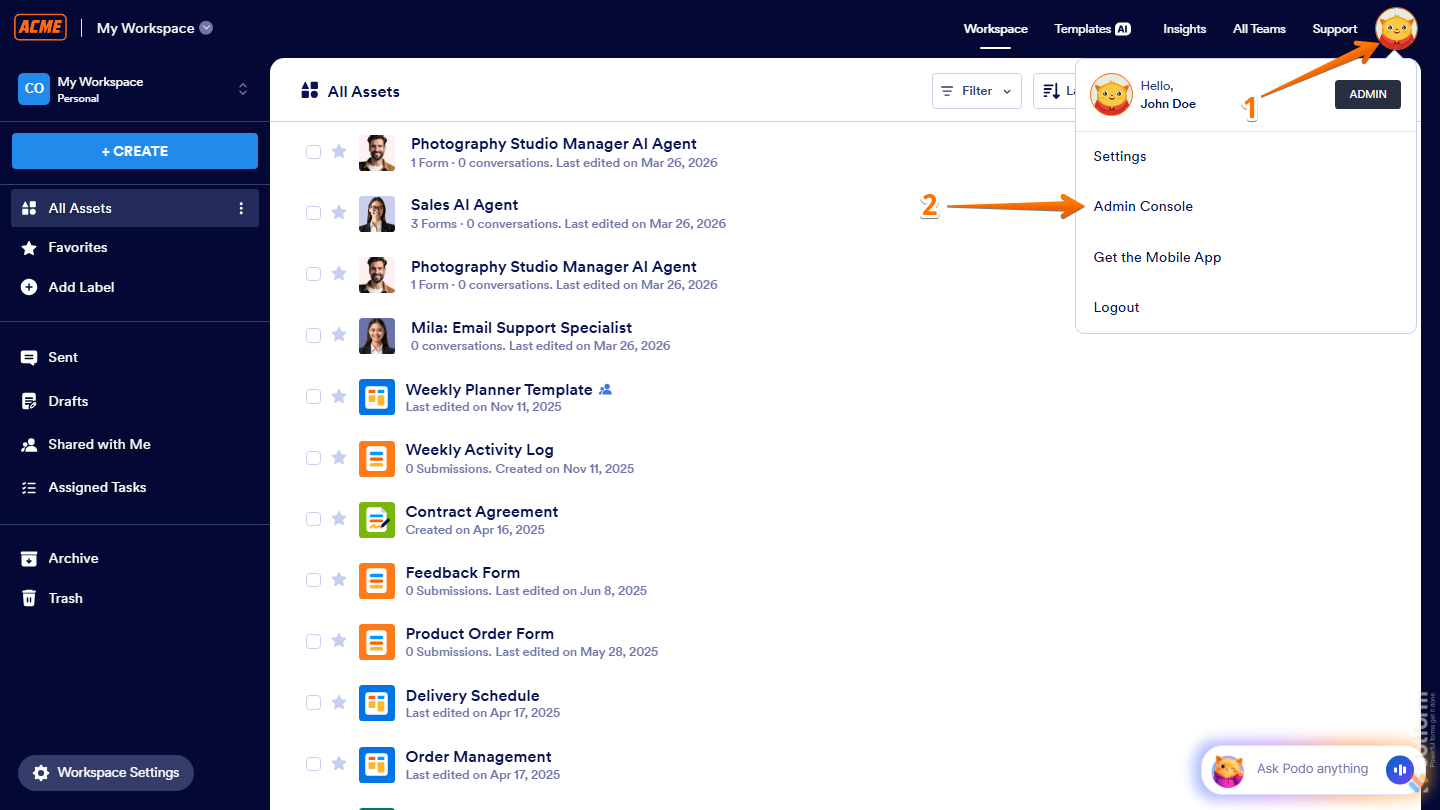
- On your Workspace page, click on your Avatar/Profile picture on the right side of the screen.
- Then, in the Dropdown menu that comes up, click on Admin Console, to open your Dashboard page.
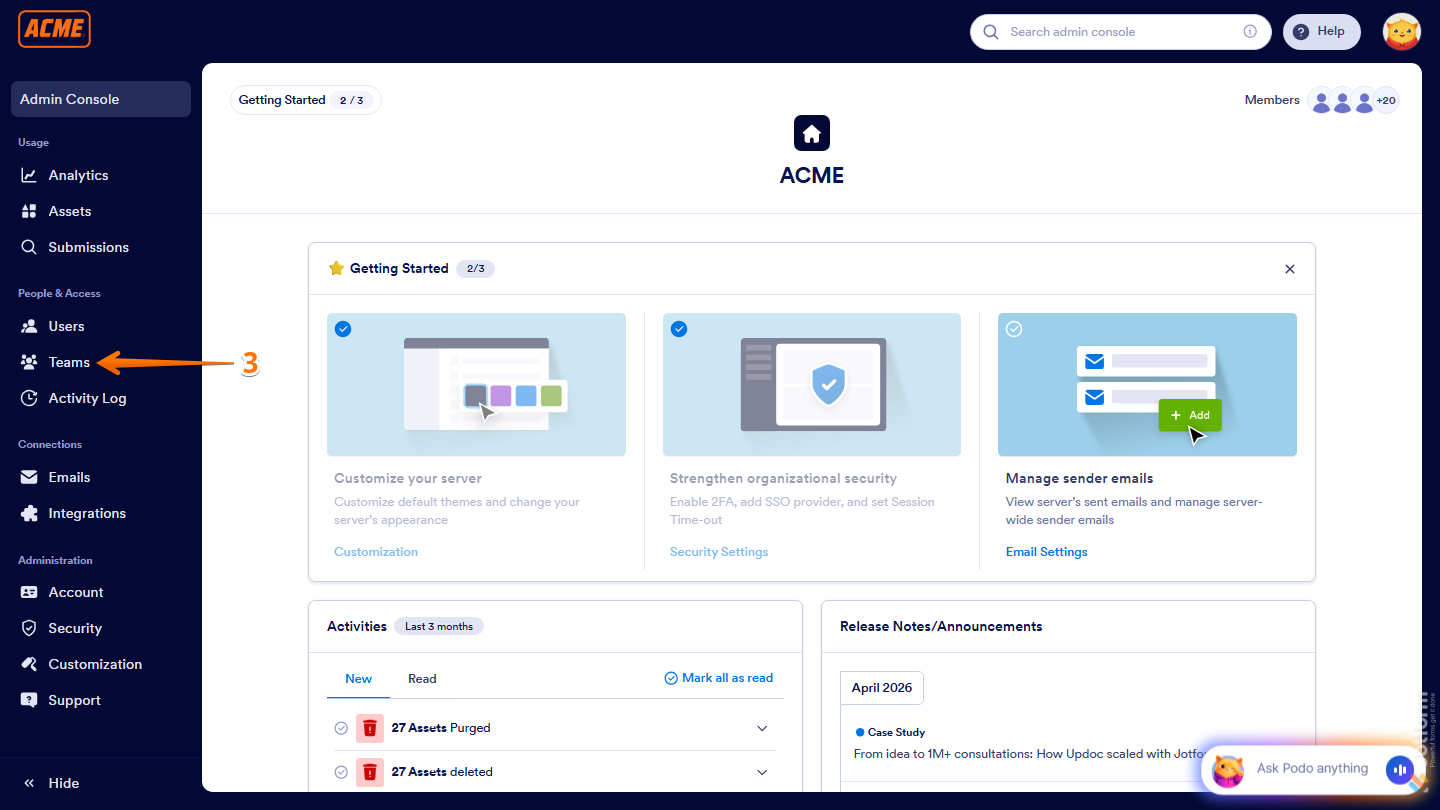
- Now, click on the Teams in the menu on the left to open your Teams page.
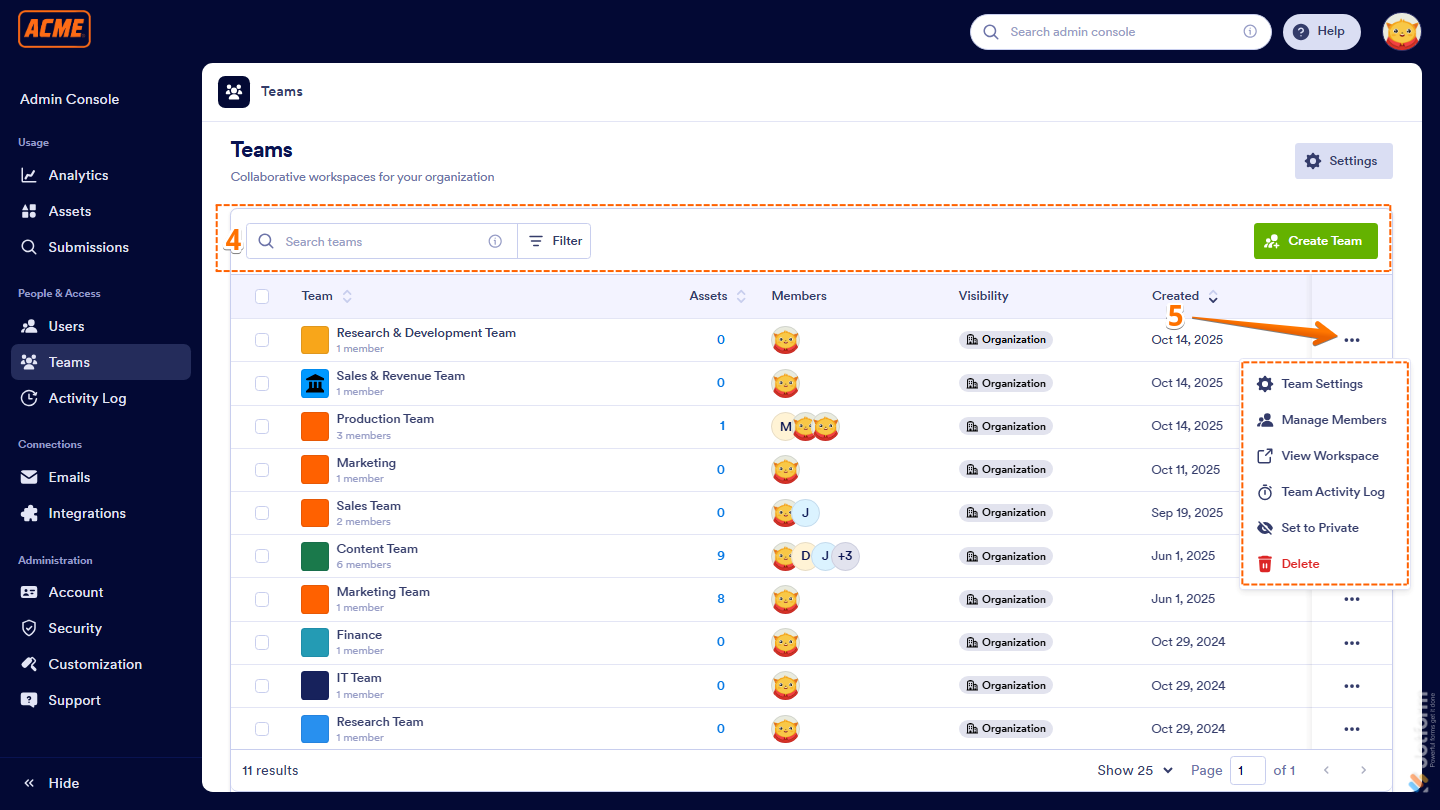
- From here, you can see a list of all the teams in your organization along with their assets, members, visibility, and creation date. You can also do the following:
- Search — Use the search bar to find a specific team by name.
- Filter — Click on Filter to narrow down the list by specific criteria.
- Create Team — Click on Create Team to add a new team to your organization.
- Now, if you click on the Three Dots icon next to a team, you’ll find these additional options:
- Team Settings — Open and manage the team’s settings.
- Manage Members — View, add, or remove team members.
- View Workspace — Open the team’s workspace.
- Team Activity Log — View recent team activity and changes.
- Set to Private — Restrict access to the team.
- Delete — Permanently remove the team.
Deleting a Team as the Server Admin
If you need to remove a team from your organization, you can delete it directly from the Teams page in the Admin Console. Just follow these steps:
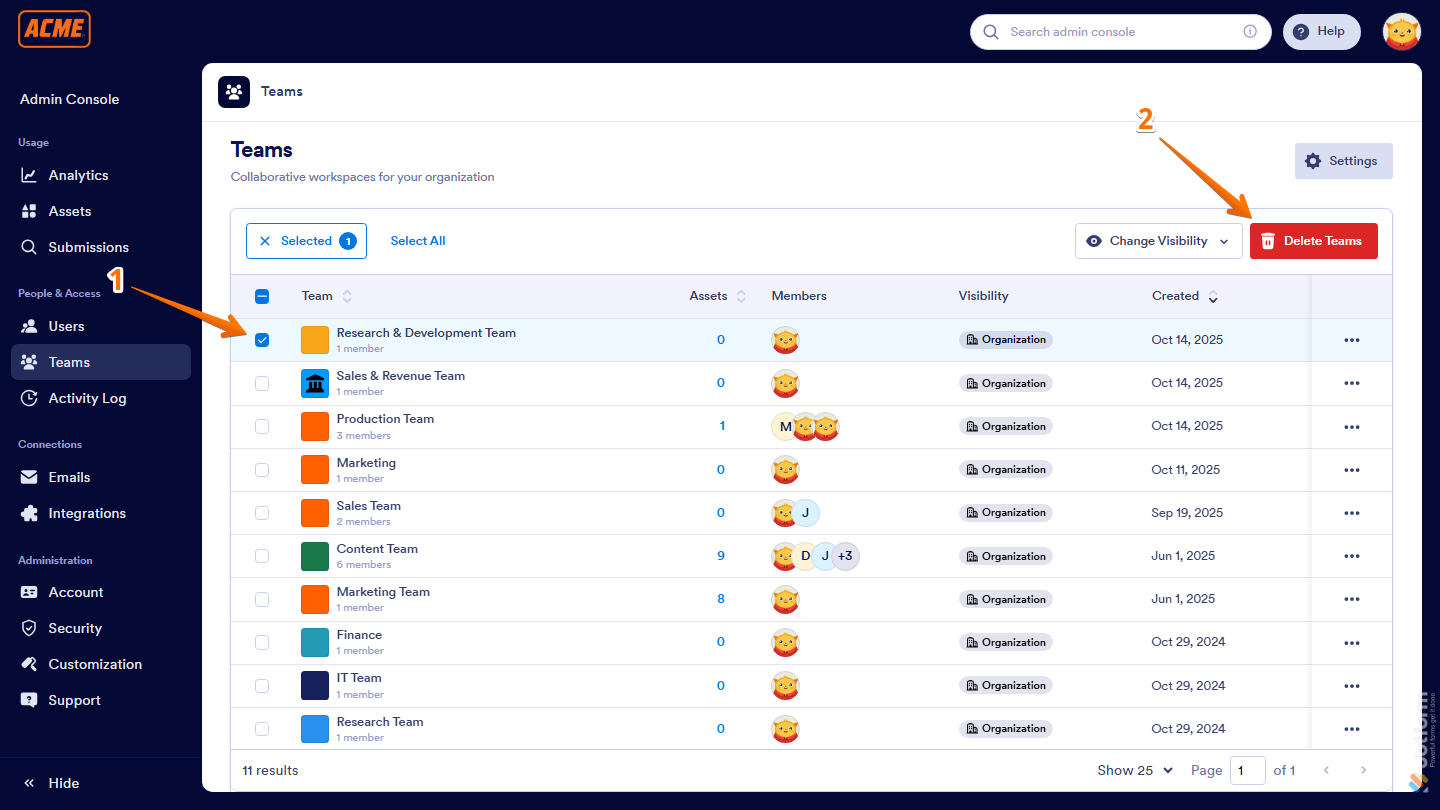
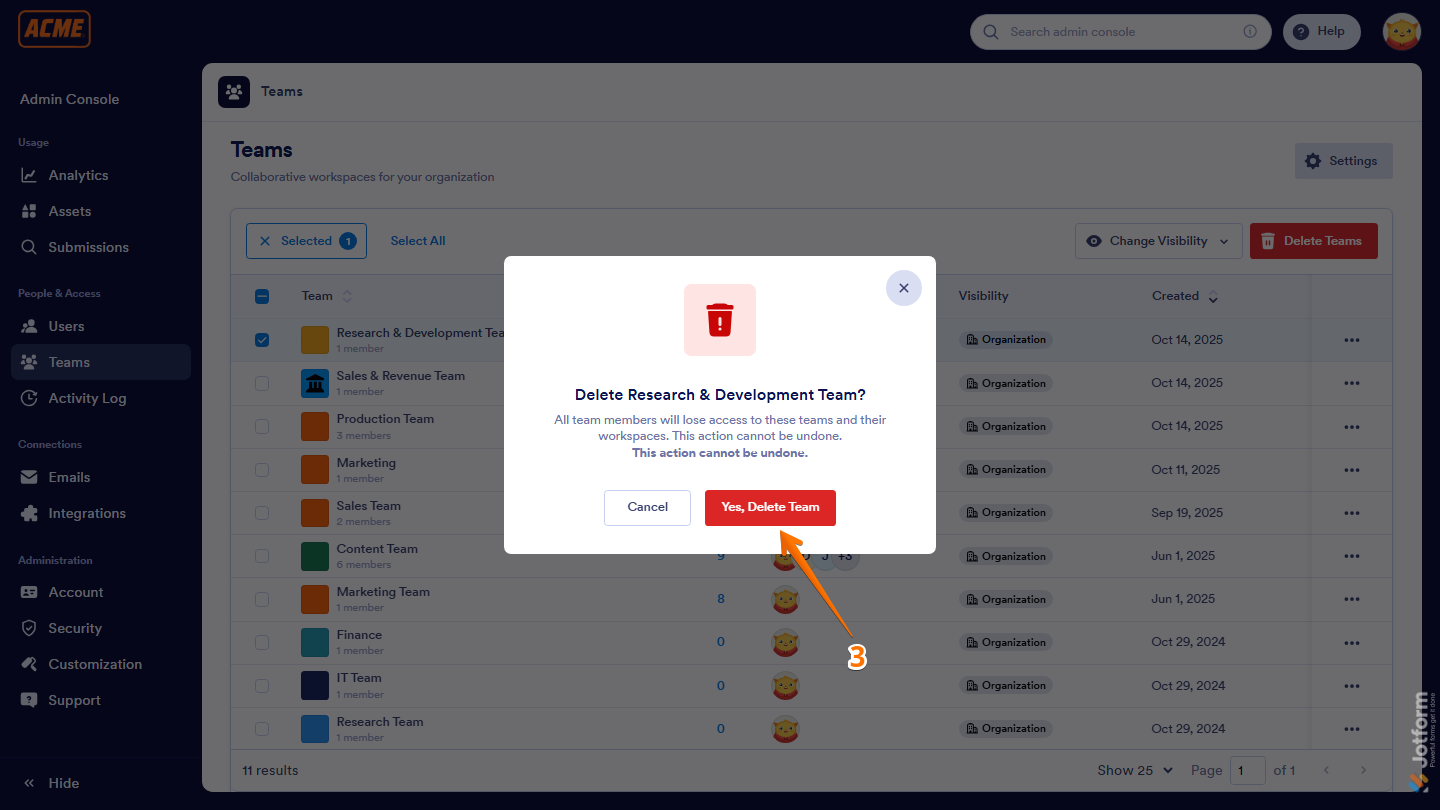
- While you’re on your Jotform Teams page, tick the checkboxes next to the teams you want to delete.
- Then, on the top-right side of the page, click on Delete Teams.
- Now, in the Confirmation window that opens, click on Delete and you’re all set.
That’s it! With the Admin Console, it’s easy to manage all the teams on your Enterprise server, stay in control of your organization’s structure, and keep collaboration smooth across all your teams.

Send Comment: