
An online birthday invitation form is a quick, accessible, and budget-friendly way to send your guests the info they need for your upcoming event (with a hassle-free RSVP process). Google Forms is a popular platform for sending free birthday invitation forms and collecting RSVPs digitally.
Looking to send out your birthday invites using a quick online form? This guide shows you how to create a Google Form birthday invitation within minutes. And if you want a more colorful and customizable alternative, keep reading to learn how Jotform can help you create a digital invitation that feels like a party.

Looking for the best alternative to Google Forms?
Jotform’s full-featured form-building solution is mobile-friendly and has the most integrations in the industry. Use it to collect payments, automate workflows, gather leads, and more.
How to create a Google Form birthday invitation
Using Google Forms to create your online birthday invitation form is pretty straightforward. Just follow these easy steps to build your Google Forms birthday party invite.
- Open Google Forms.
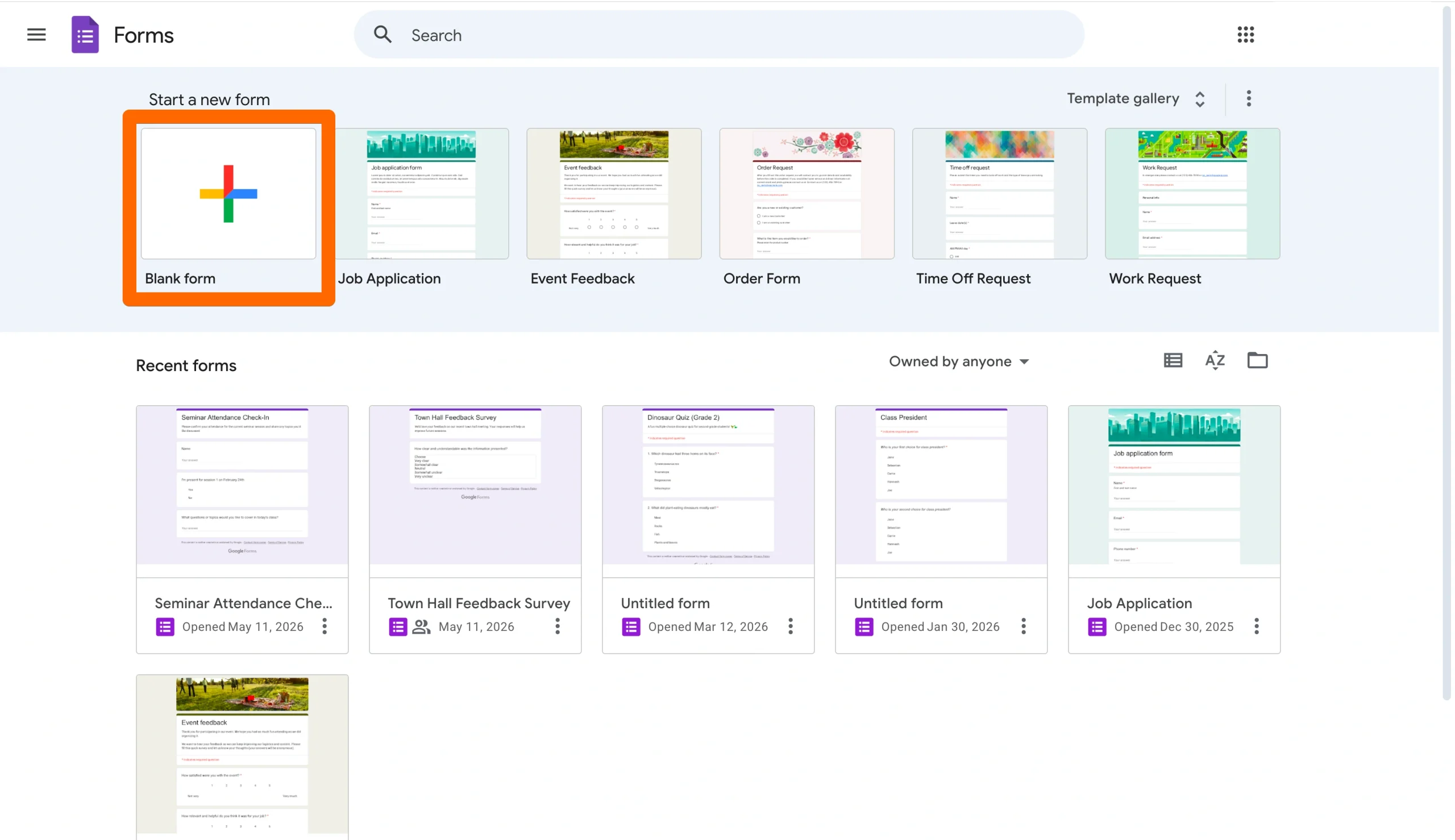
- Click on Blank Form under the Start a New Form menu at the top of the page.
- Update your form title to reflect your birthday party details.
- Add a form description under your form title.
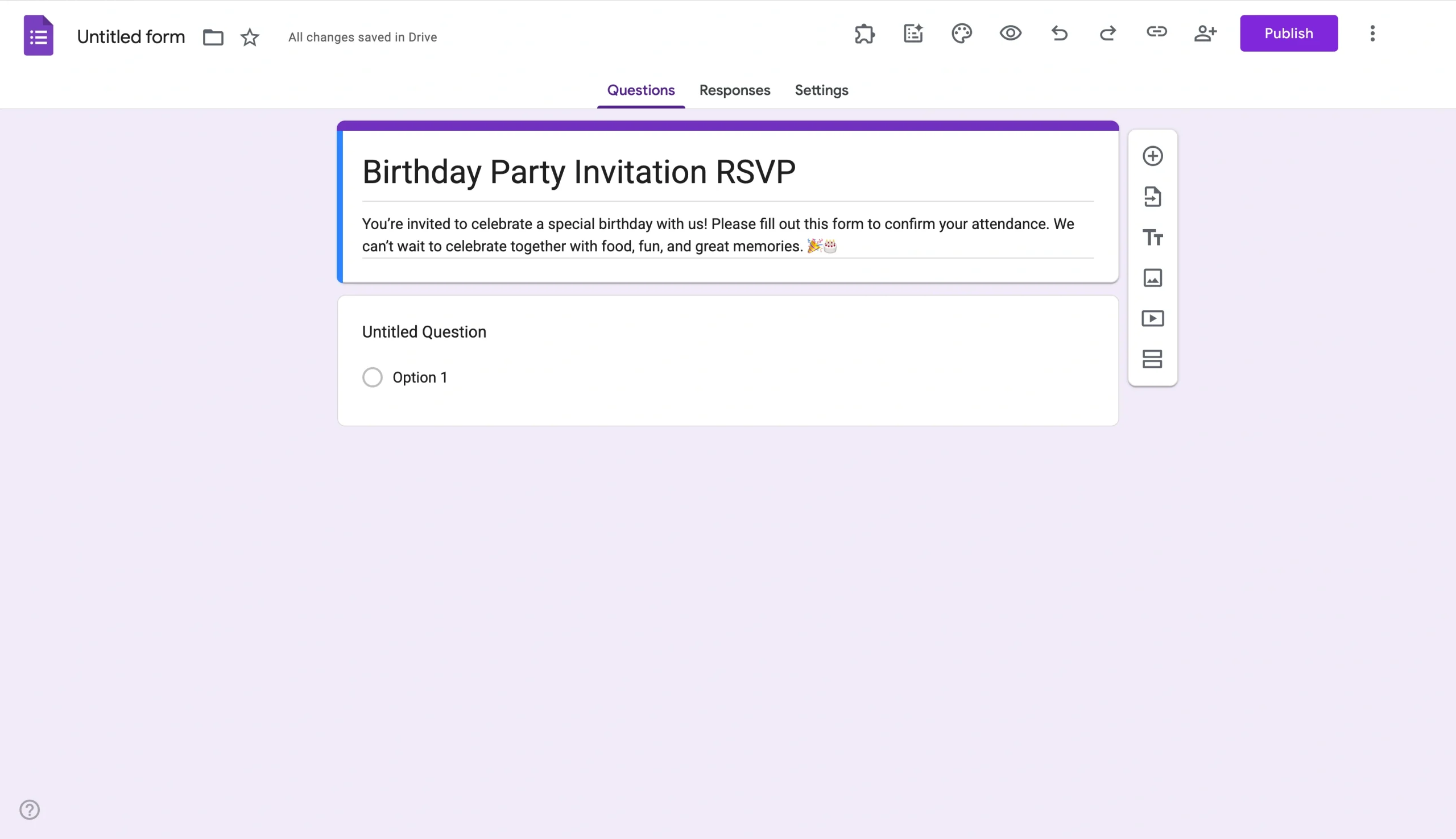
- Add your questions by clicking the “+” symbol on the floating right-side menu. Questions could include whether invitees plan to attend, how many guests they will bring, or whether they plan to bring a dish to pass.
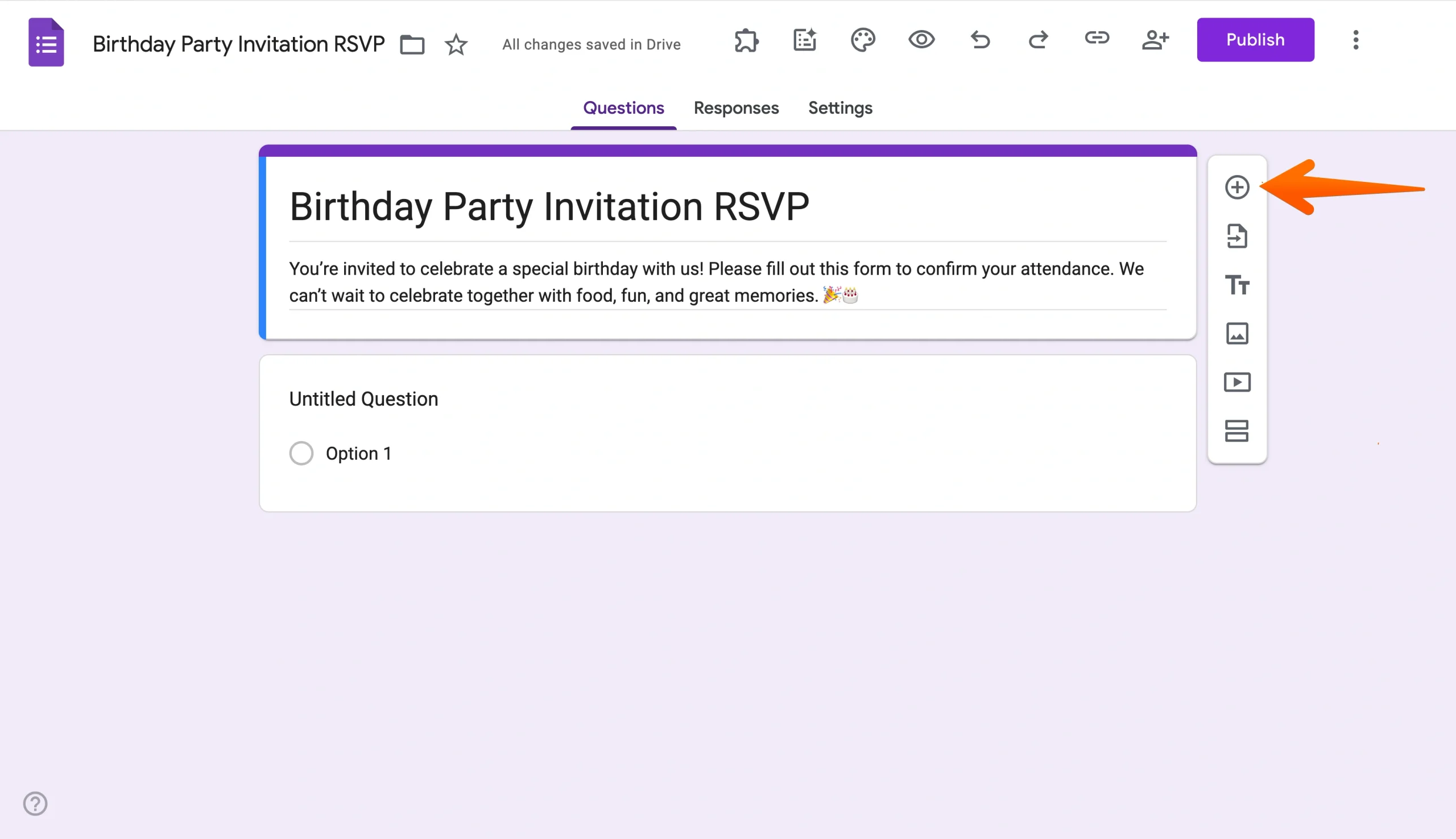
- Once you’ve drafted your questions, customize your birthday party RSVP formby clicking the Customize Theme button in the top menu. Customization options include uploading a header and updating your form’s font or color.
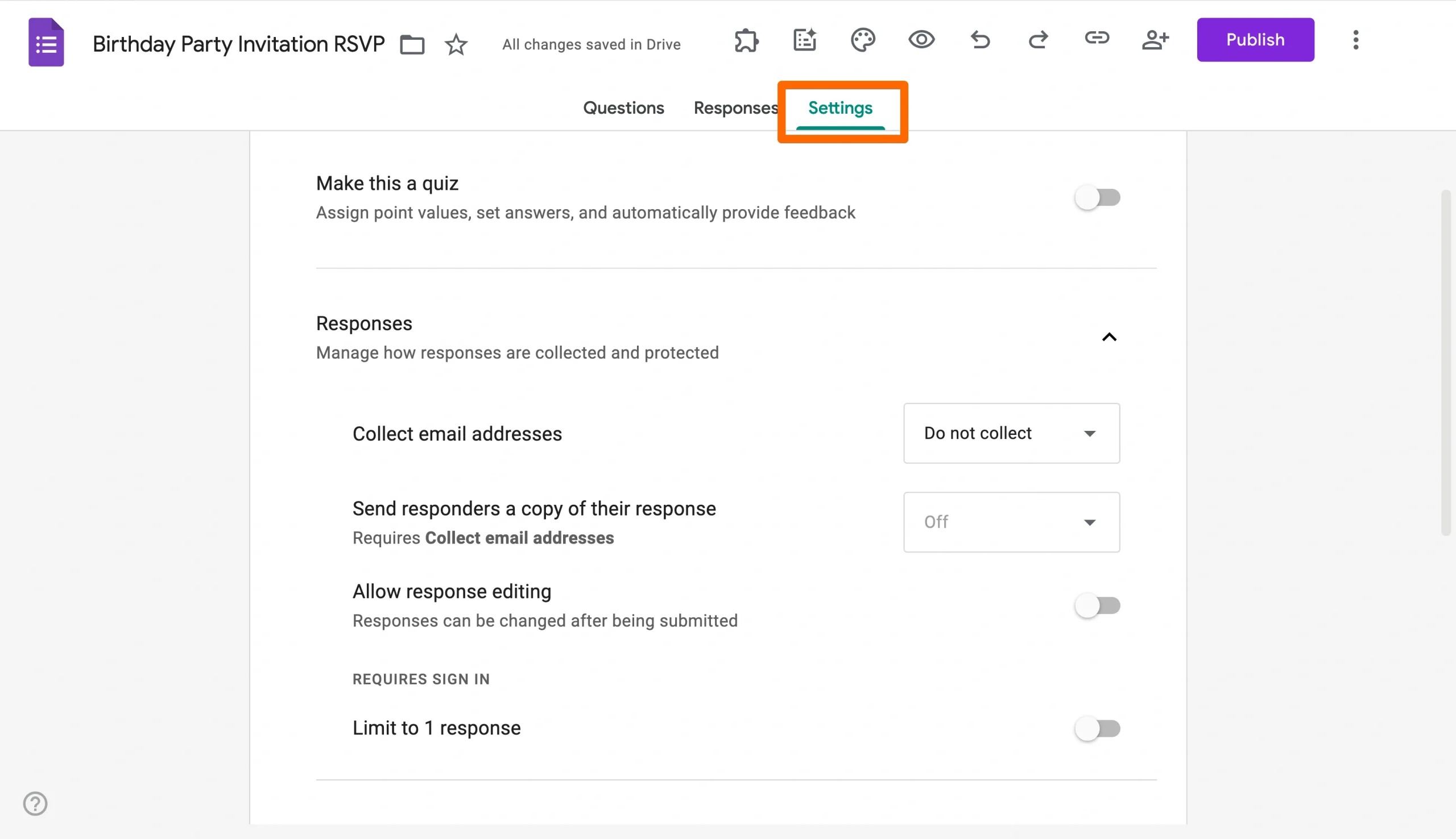
- Update your settings by clicking the Settings menu in the top middle of the page. Consider toggling email collection, response editing, limiting to one response, and more, depending on your preferences.
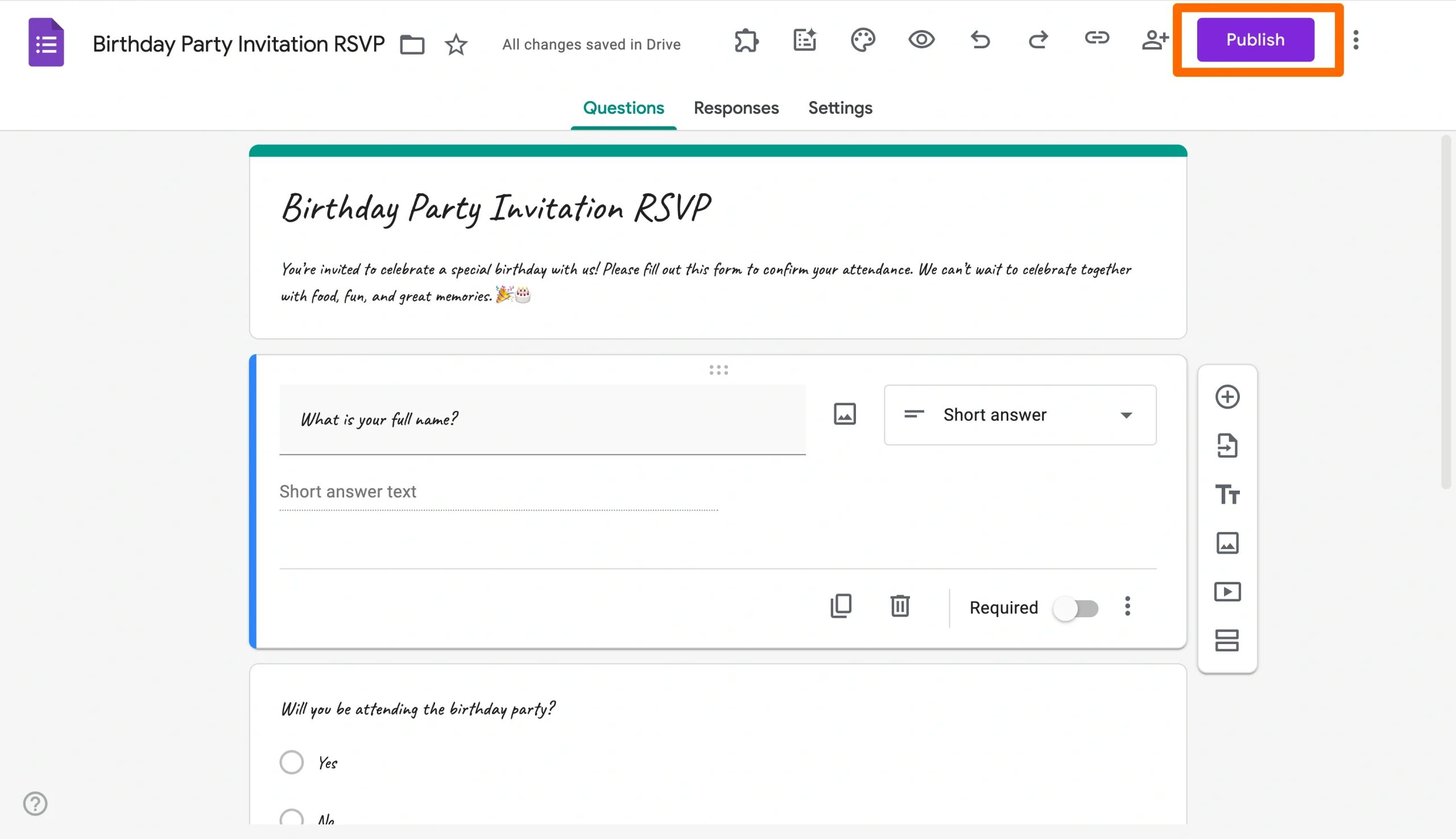
- Test your form; then click Publish once you’re ready to distribute it to your guests.
If you’d prefer to skip the form-building process altogether, you can use a Google Forms birthday RSVP template instead. But even with a template, your personalization options will still be limited with Google Forms. To get more flexibility in your birthday invite options, consider using Jotform, the best Google Forms alternative for free, customizable birthday invitations.
Create a more colorful birthday invitation with Jotform
While Google Forms get the job done, Jotform is a user-friendly, no-code form builder that lets you customize your invite to maximize fun and minimize hassle. With Jotform, you can create a customizable birthday party RSVP form in just a few clicks. Here’s how to get started:
- Open the Jotform Form Builder.
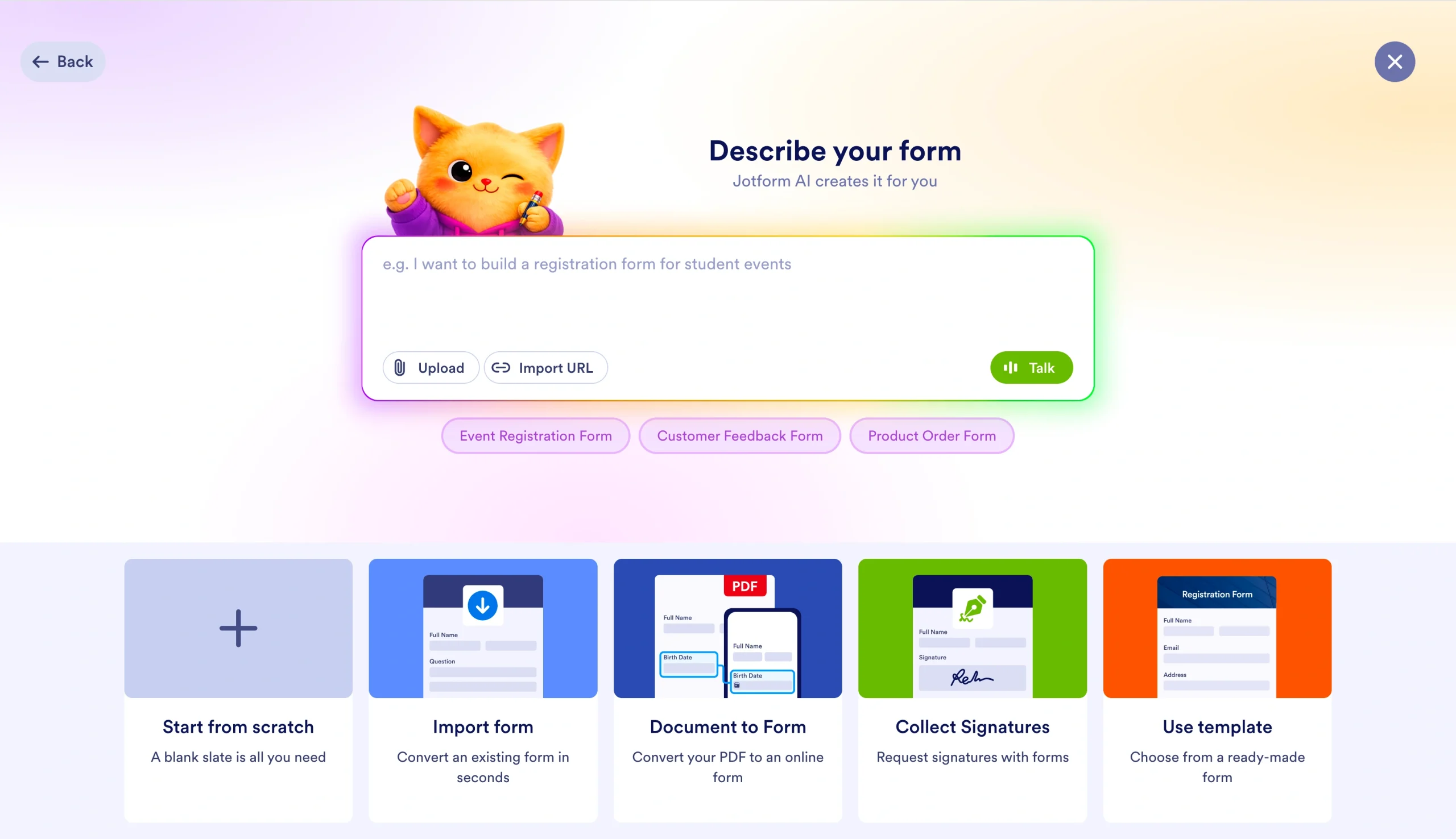
- Select your form-building option. You can start from scratch, use Jotform AI to generate a form, import a form, convert a PDF, or use a birthday party form template.
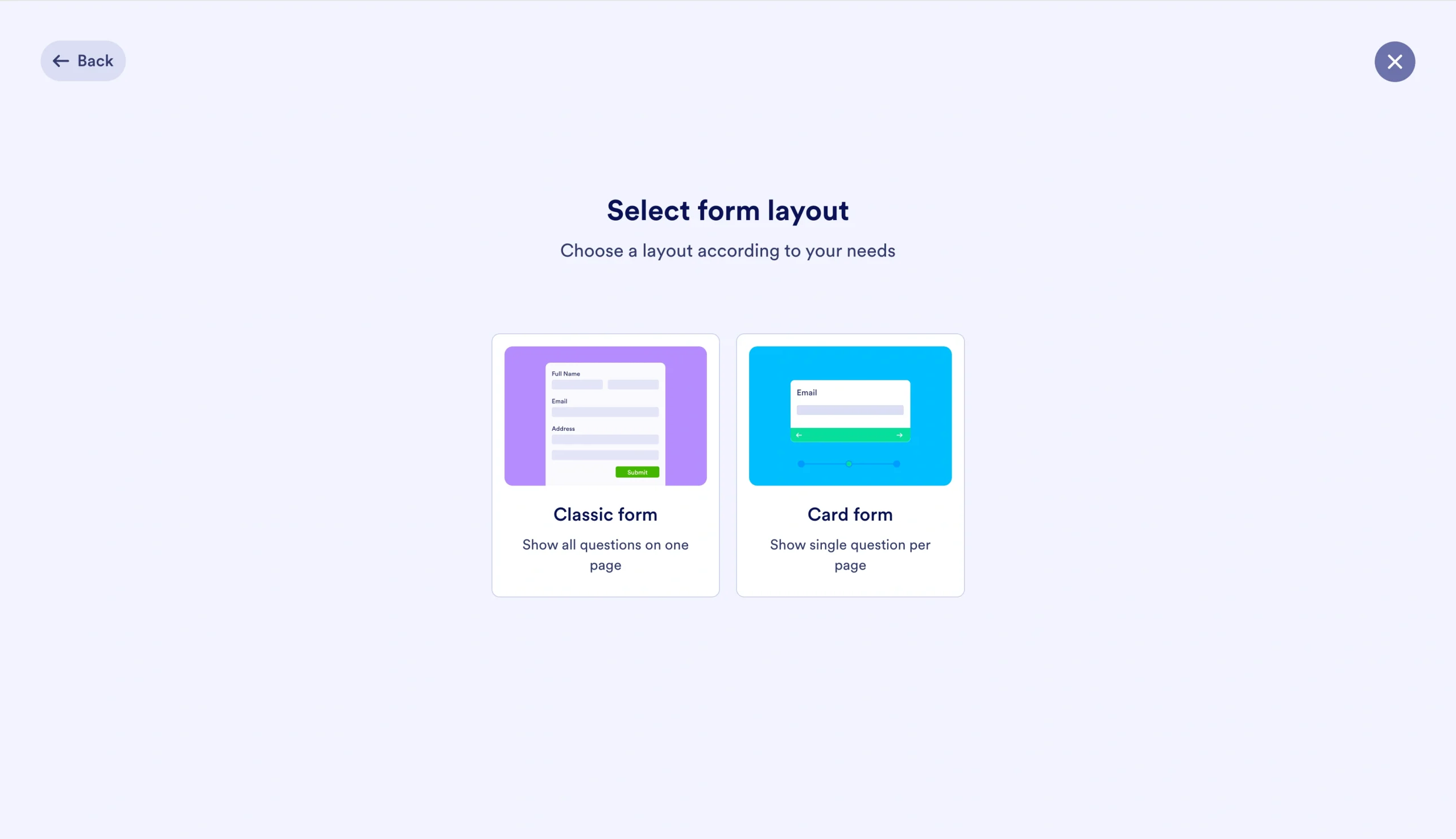
- If starting from scratch, choose your form type: Classic or Card.
- Once your form is generated, update your title.
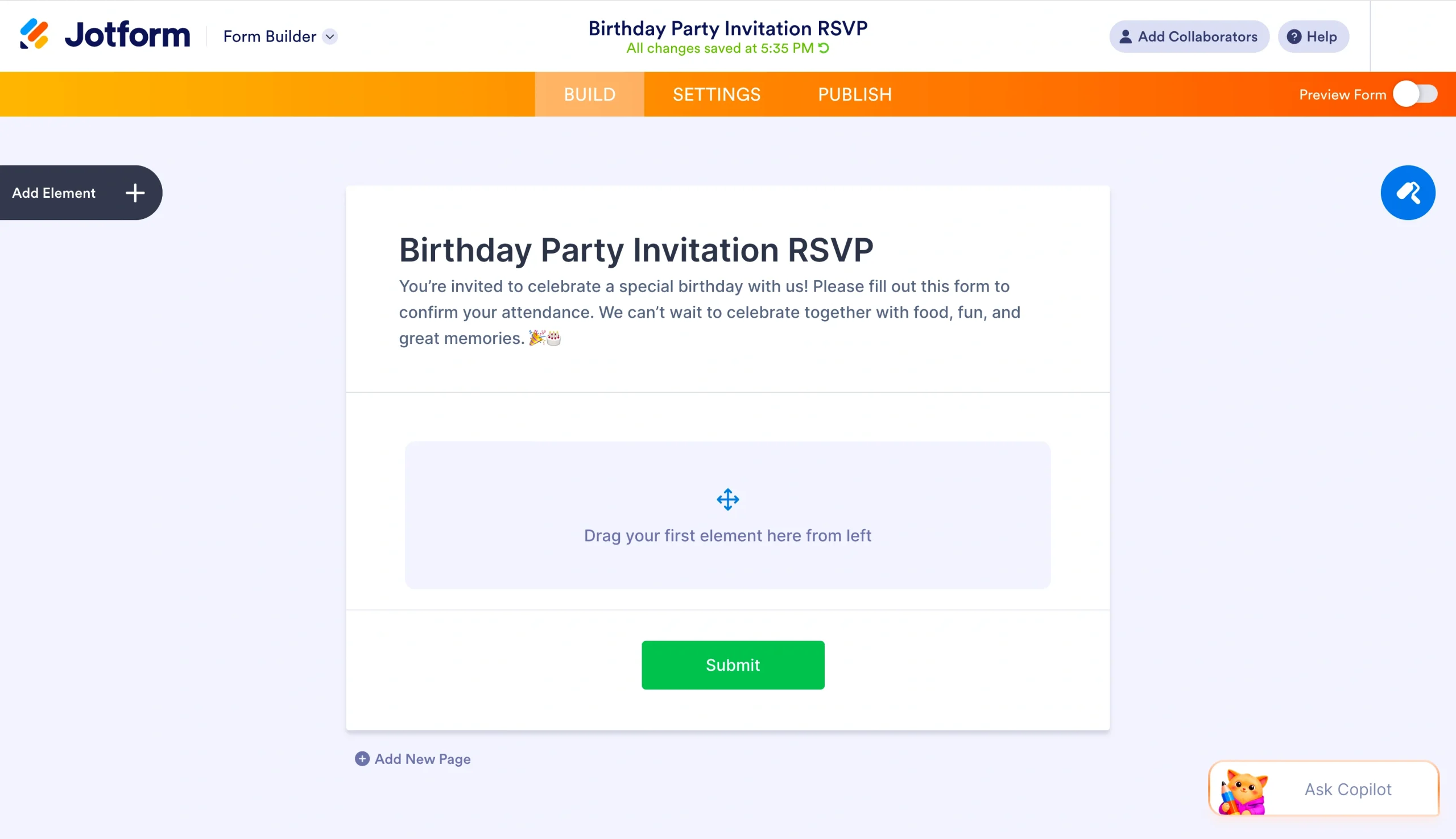
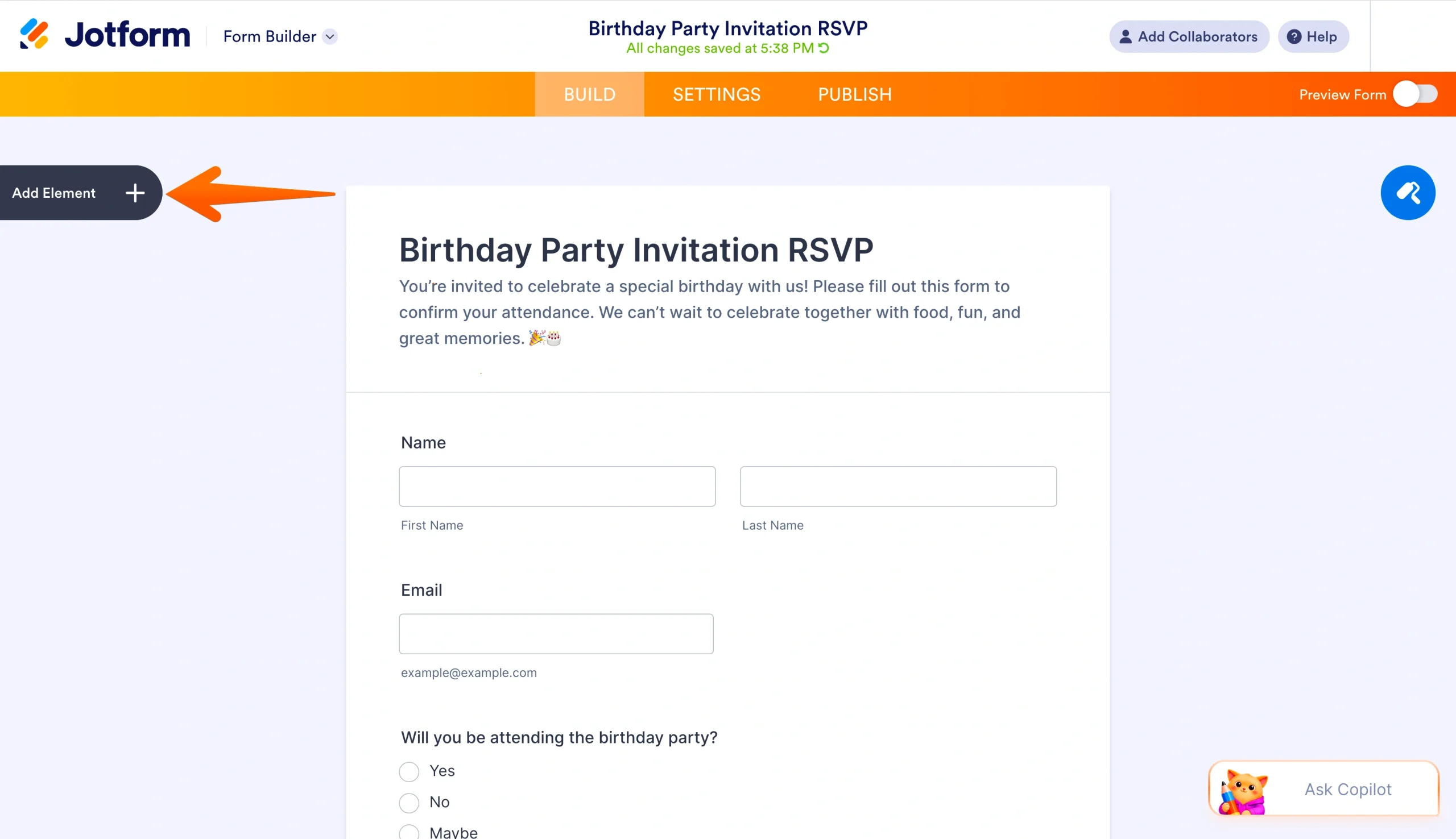
- Click on the Add Element tab on the left-hand side, then drag and drop fields where you want them in your form. Update your form elements as necessary.
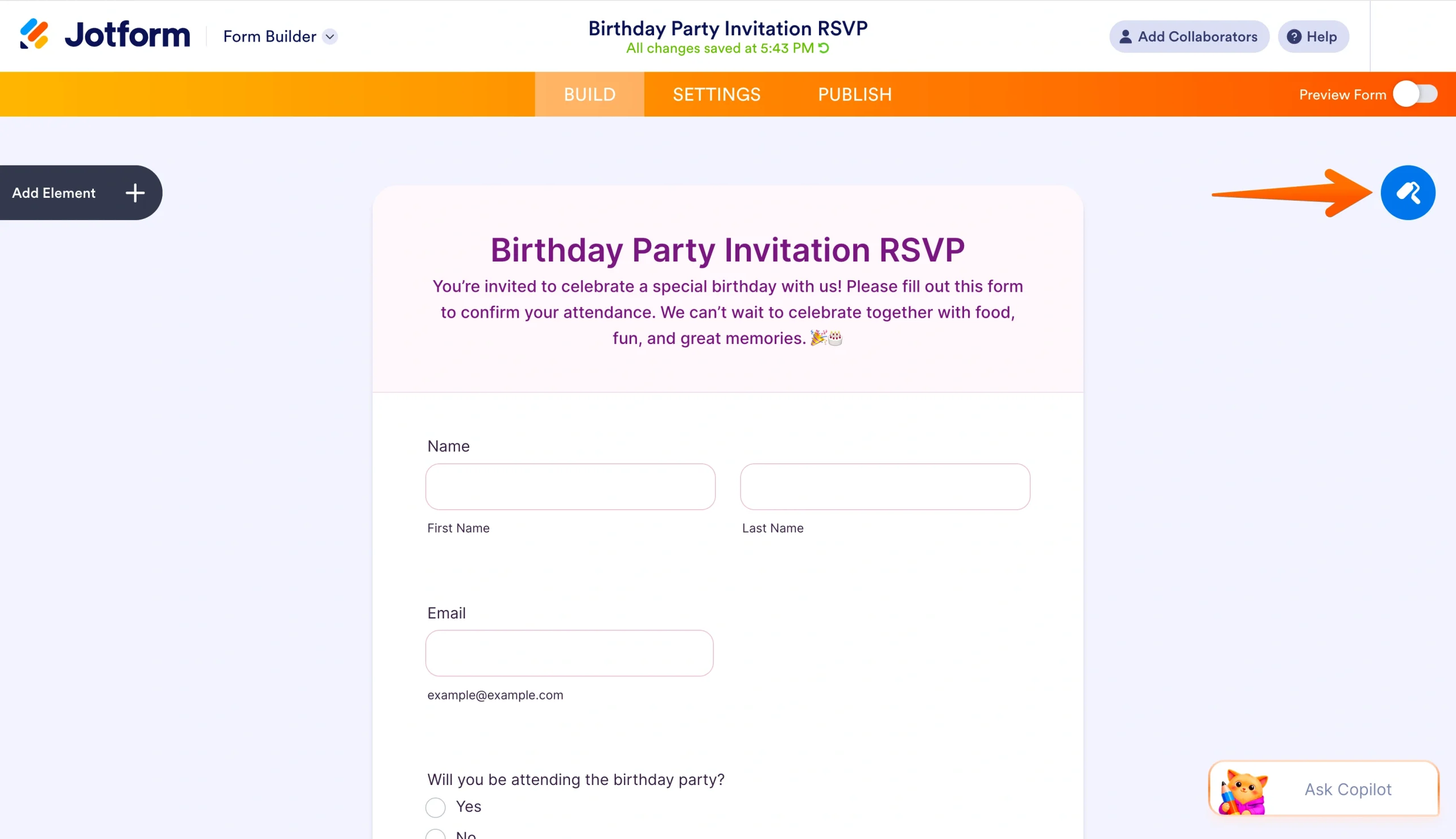
- Customize your form using the Form Designer button on the right side of the form builder.
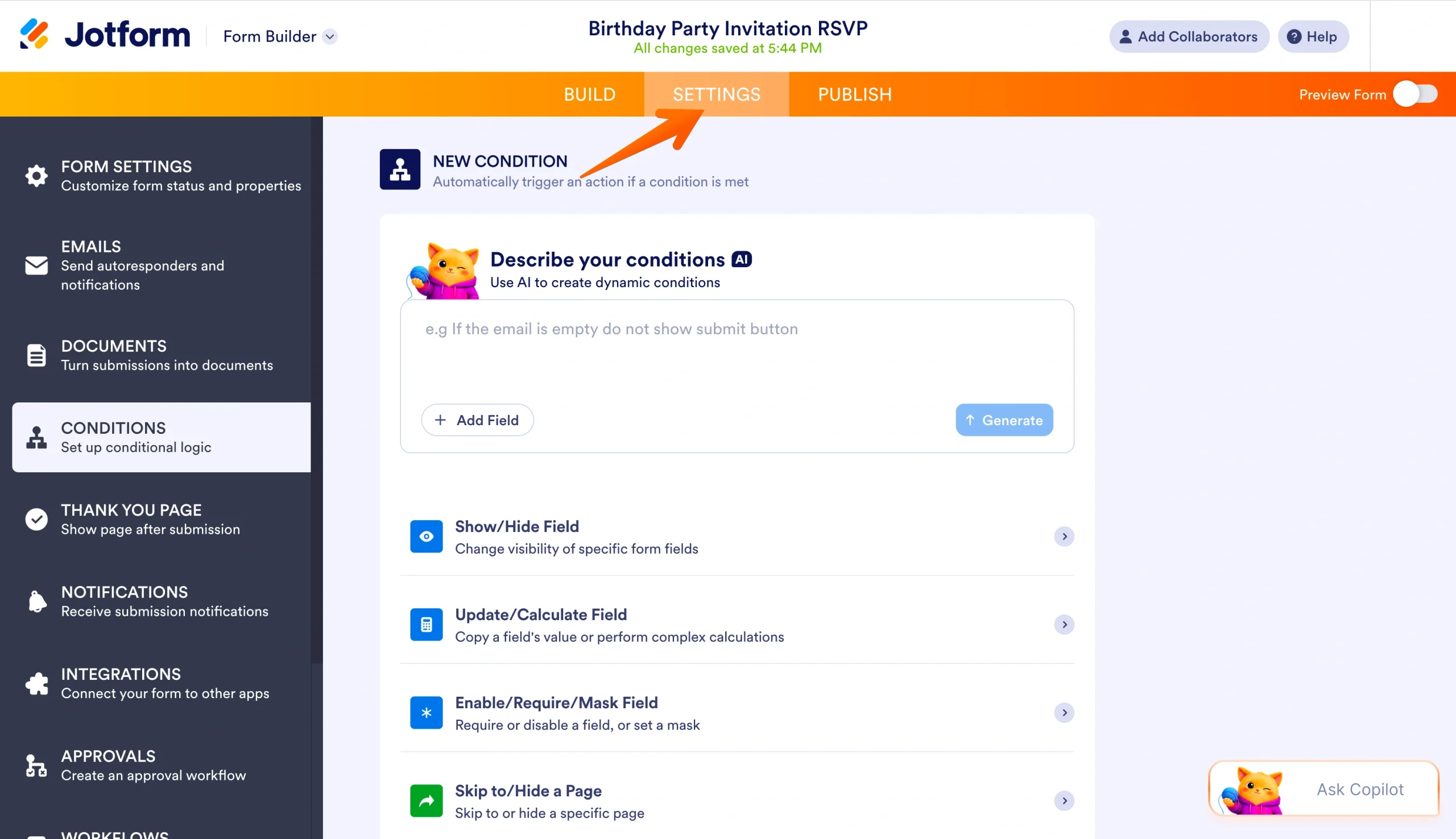
- Update settings like conditional logic and email notifications in the Settings tab of the top-center menu.
- Click the Publish button to share your form using quick links, email, social media, and more.
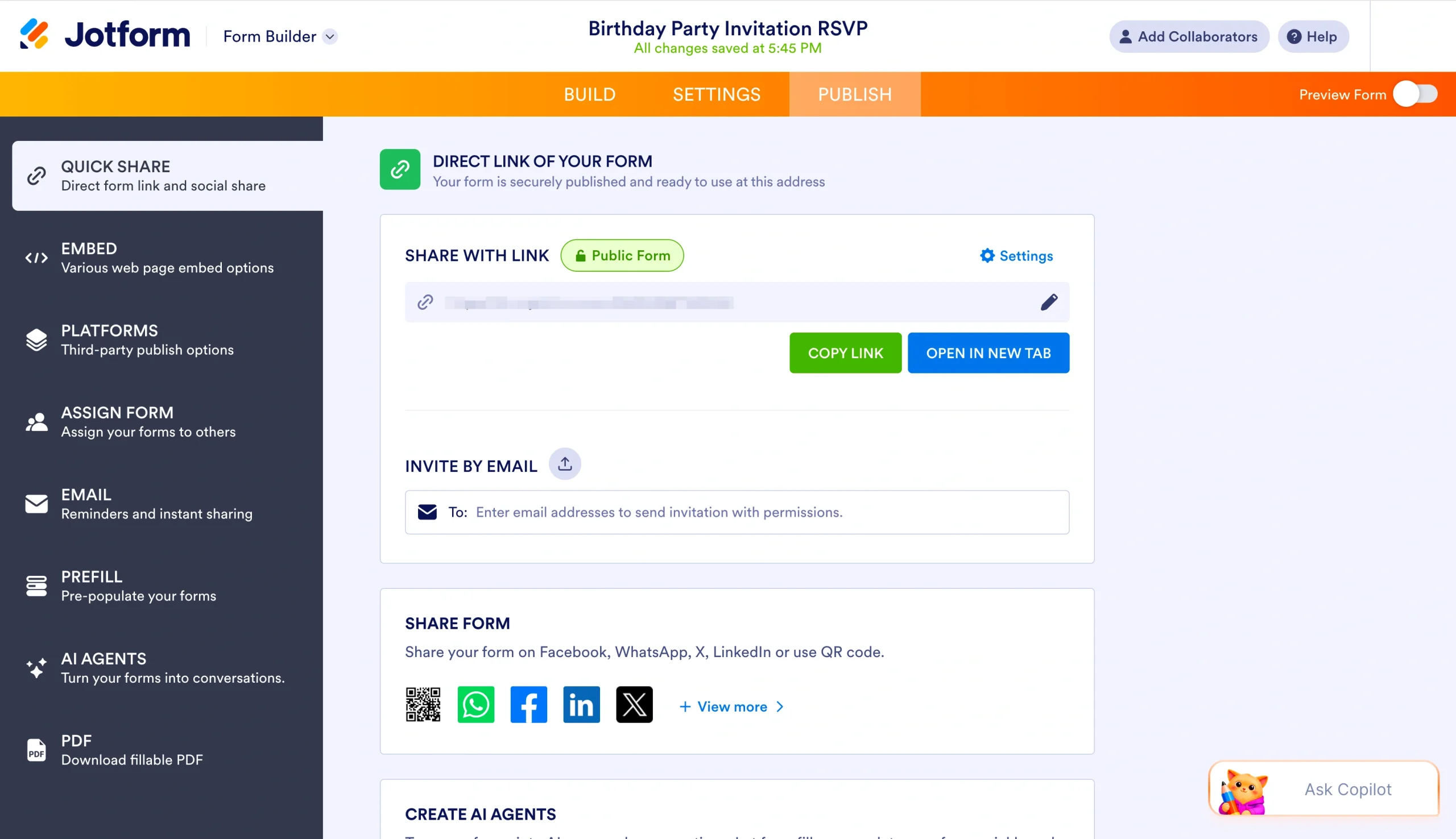
Want to take your invitations a step further? Jotform can also help you build a free birthday RSVP app to level up your party-planning process.
With Jotform’s customization options, you can show off your party-planning skills and let your guests RSVP without the fuss. So what are you waiting for? Jotform is free to try. Get started with our collection of more than 3,000 pre-built event registration forms to find a form that fits your birthday party’s vibe.
This article is for parents, party planners, and individuals organizing a birthday party who want a quick, free way to send digital invitations and collect RSVPs online.



































































































Send Comment: