
Google Forms is the cockroach of productivity software. I mean that with respect.
The platform launched in 2008, and by 2026, it was running in more than 550,000 companies, most of them small teams of one to 10 people scattered across every industry, with no single vertical breaking 5 percent.
But Google Forms isn’t all work.
Did you know you can use it to build a digital escape room? Or a self-grading quiz, a lead qualifier, a clinic scheduler, an order form, a job application screener, or a 200-person event registration form?
And all from one tool, all free, all already in your Drive.
Read on to learn about 13 Google Form topic ideas.
Looking for the best alternative to Google Forms?
Jotform’s full-featured form-building solution is mobile-friendly and has the most integrations in the industry. Use it to collect payments, automate workflows, gather leads, and more.
Google Forms ideas for friends
Most of what makes Google Forms useful at work, such as answer keys, conditional logic, and instant scoring, also makes it fun in the group chat.
Make a how-well-do-you-know-me survey for your friends
Remember the Friends episode during which Ross runs a trivia game on cue cards, and Monica and Rachel lose their apartment because Rachel can’t name Chandler’s job?
You can run that, too.
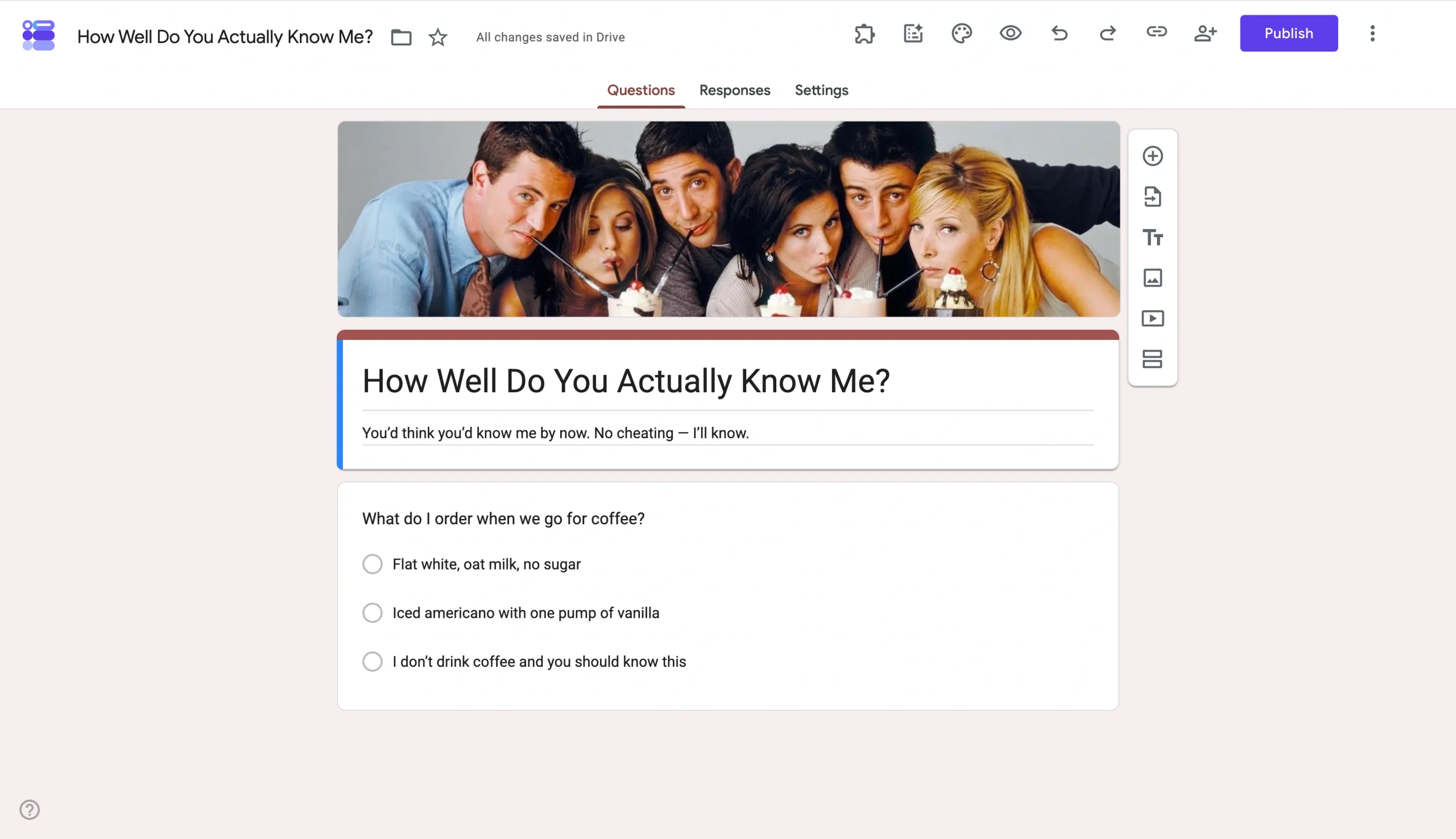
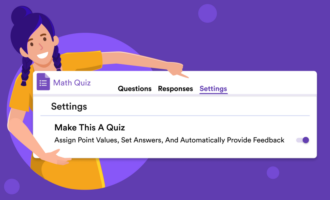
Flip on Make this a quiz in Settings. Once it’s on, every question gets an Answer key button at the bottom. Click on any question, mark the correct answer, and assign it a points value.
After everyone has submitted, Google Forms automatically ranks responses by score in the Responses tab, which becomes your leaderboard.
If you’d rather not write 20 trivia questions about yourself from scratch, Jotform’s How Well Do You Know Me template gives you the prebuilt structure. You just need to swap in your own answers and send it out.
Create a best friend test
This uses the same quiz mode mechanic as the trivia version, but the questions do different work. You’re asking situational questions whose “right” answer is the one that maps to how a close friend would behave.
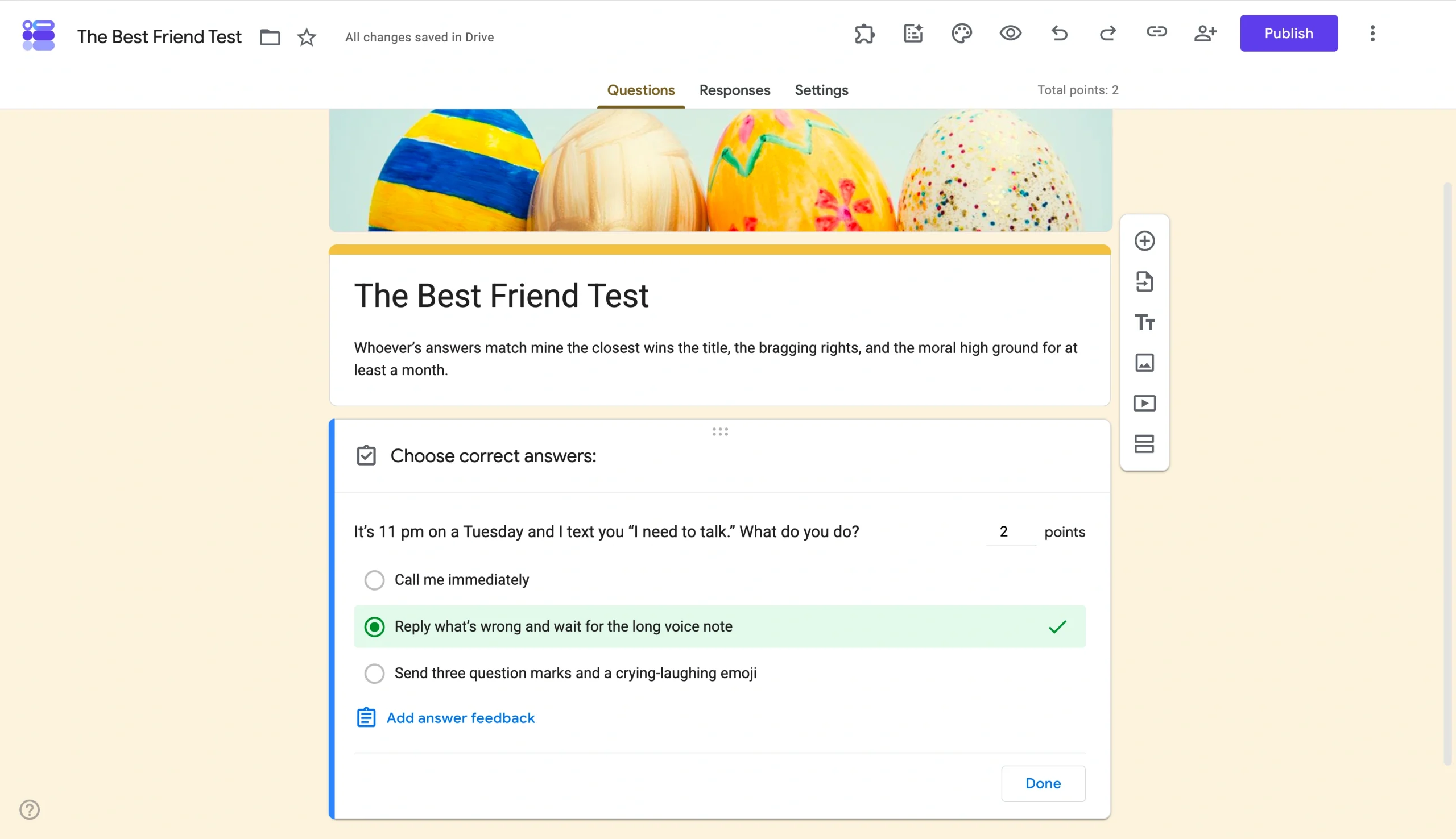
While you’re in Settings, use the Shuffle question order setting to stop two friends sitting next to each other from comparing answers. The View results summary option lets respondents see the aggregated answers from the whole group once they’ve submitted.
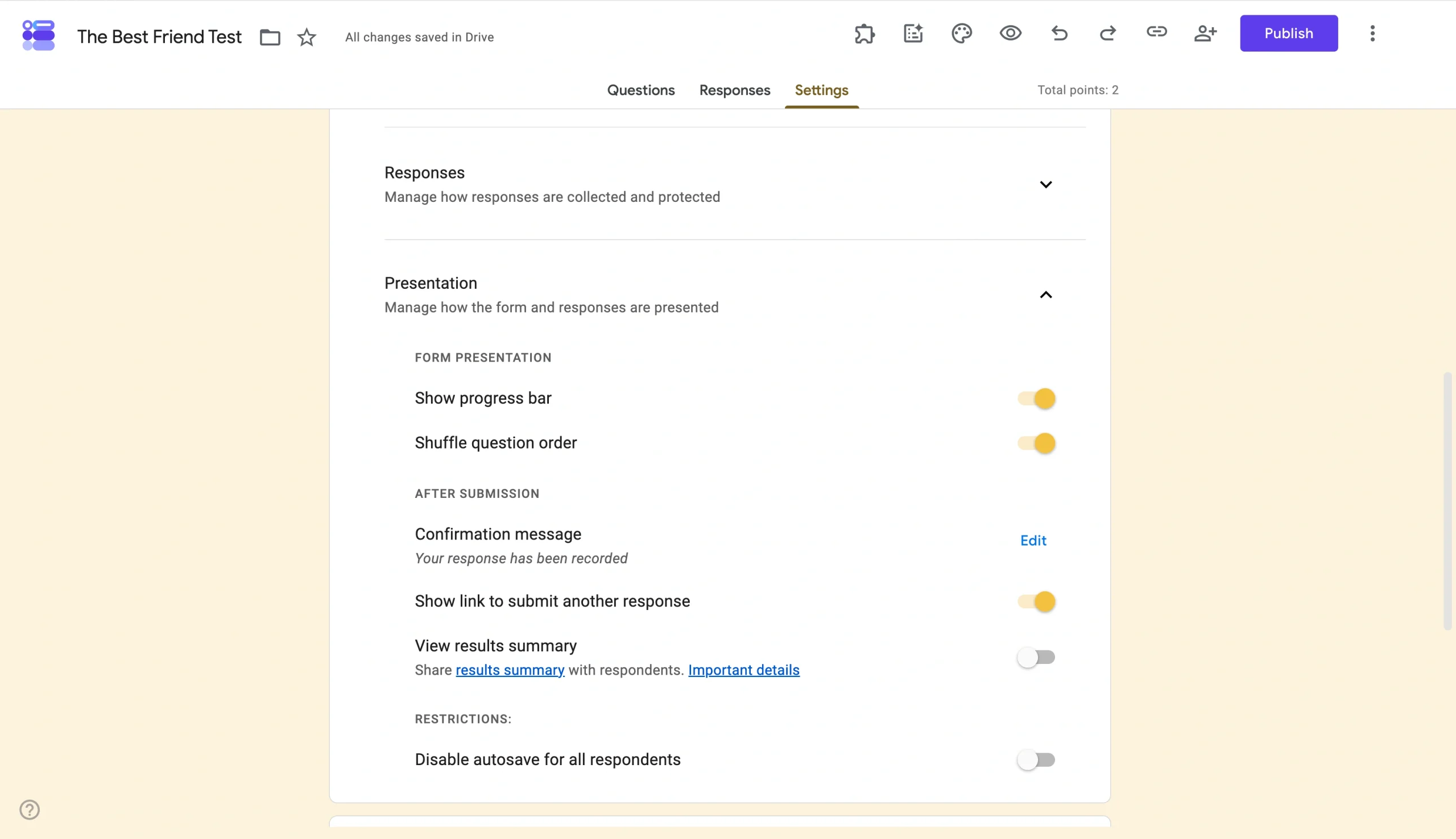
If writing situational questions about your own friendships feels like a lot, Jotform has a Best Friend Quiz template with the questions already written.
Run a live who-knows-me-best round
This is the same quiz setup as the earlier two but built for live play: phones out at the table, host reading questions aloud, leaderboard projected for the reveal.
Here are a few specific choices that turn it from an async survey into a live party game:
- Show the progress bar: A progress indicator creates momentum and keeps everyone engaged.
- Read each question aloud as the host: The host reads the question, the table reacts, and everyone taps their answer.
- Open the Responses tab on a laptop or TV for the reveal: The Responses tab doubles as your live leaderboard. The winner gets bragging rights and hosts the next round.
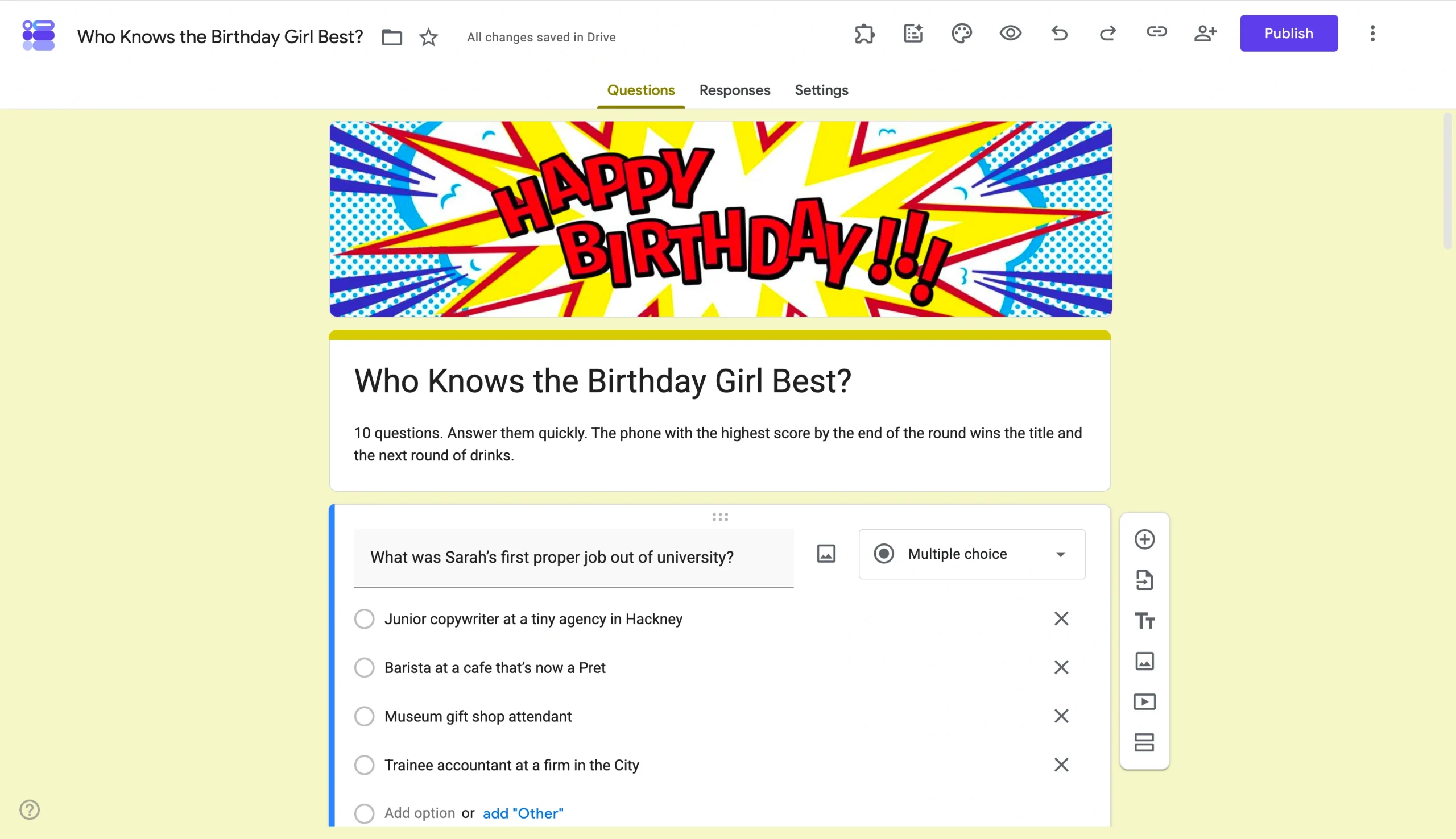
To be fair, writing 15 or so questions about a friend the night before their party is a lot. Jotform’s Who Knows Me Best template gives you the structure already drafted; you just rewrite it to fit the person.
Read more: How to create a quiz in Google Forms in 2026
Google Forms ideas for fun
One of the first things I do with any work tool is figure out how to use it outside of work.
Run a BuzzFeed-style personality test at your next party
“BuzzFeed quizzes” is still one of the top organic search terms, pulling in 50 million monthly visits to the site. The good news is that you don’t need BuzzFeed to make a BuzzFeed-style quiz.
Google Forms works surprisingly well for this kind of quiz.
Every person who takes the quiz gets a different result based on how they answered, and that’s the whole appeal.
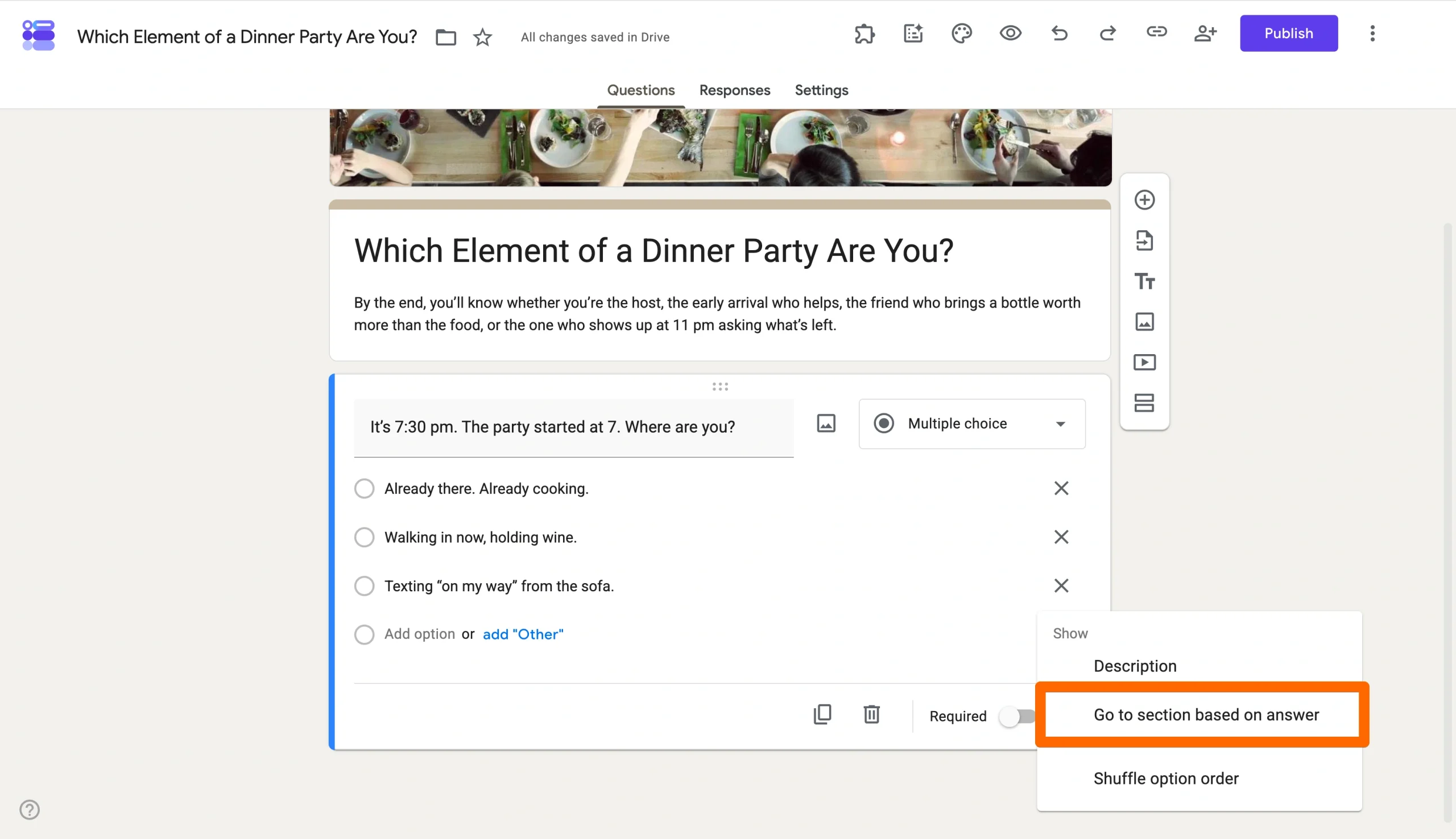
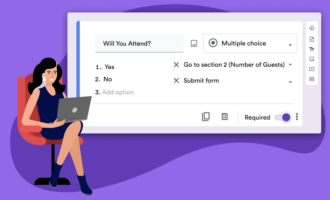
The setting that propels this form forward is Go to section based on answer, found in the three-dot menu of any multiple-choice question. It lets you route each option to a different section of the form. Pick option A, and you skip ahead to the Section 5 result. Pick option B, and you land on Section 6.
Each section is a results page with its own write-up.
But the Achilles’ heel of building this in Google Forms is the routing logic. Every multiple-choice question needs the Go to section setting configured against every option, and the moment you add a fifth result, you’re rebuilding the whole map. If you’d rather not build a flowchart by hand, Jotform’s Personality Quiz Maker generates the questions, routing, and results from a prompt.
You describe the quiz you want, and it builds it.
Create an at-home pub quiz
Reservoir Dogs, the capital of Kazakhstan, the year “Toxic” came out — nobody at the table needs to know each other to play.
That’s why pub quizzes are so popular.
In 1950s Britain, most homes didn’t have a TV, but pubs did, so people gathered there to watch quiz shows such as Double Your Money and Take Your Pick. The regulars got so used to shouting answers at the screen that they ended up being better than the contestants.
Someone, somewhere in Bootle in 1959, figured out you could skip the TV and just run the quiz at the pub. You can do the same thing in your living room.
Forms handles the questions, scoring, and leaderboard.
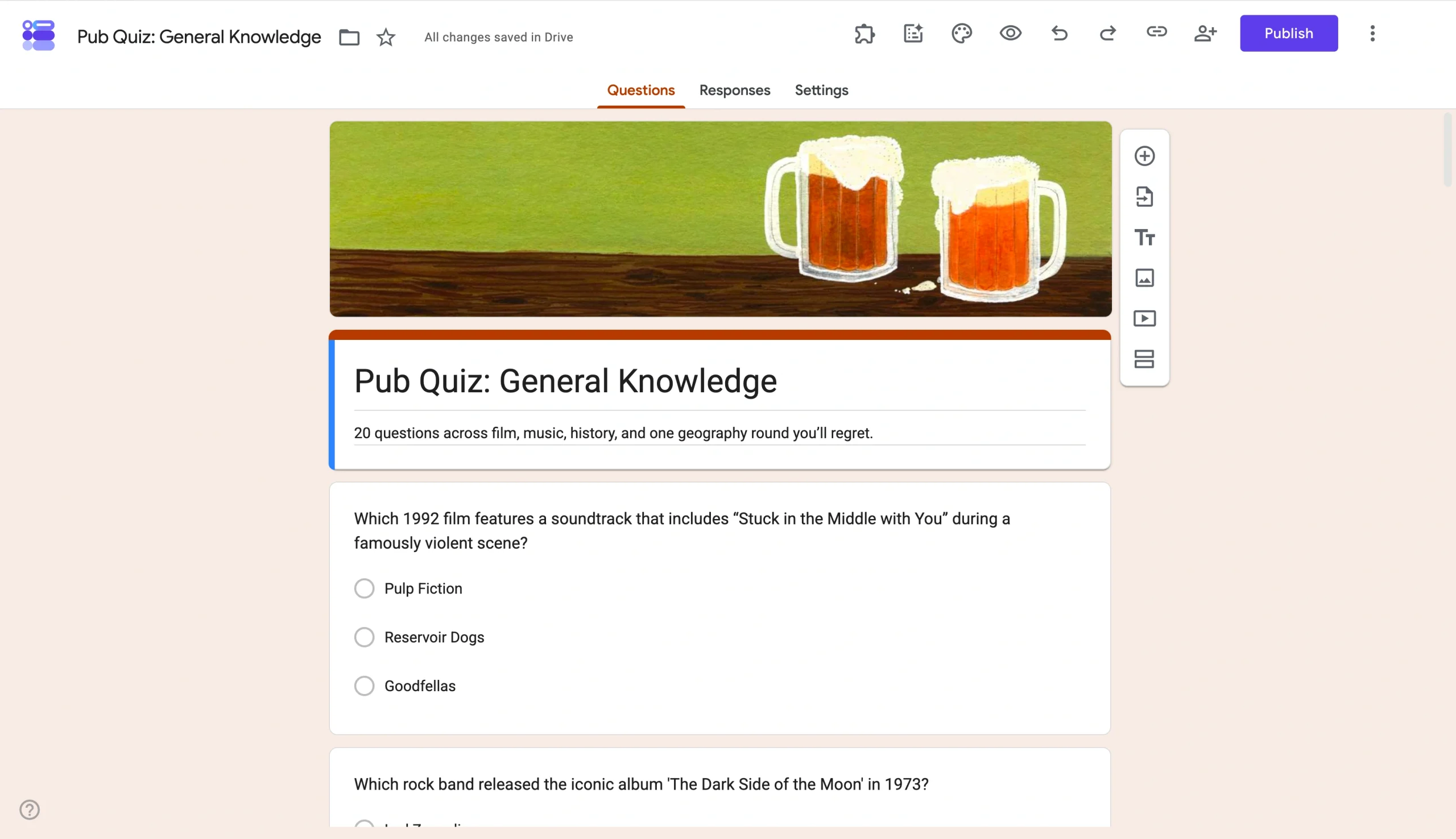
Jotform has an entire library of questions to crib from:
- Start by parsing the lists of movie trivia questions, music trivia questions, and the 200-plus best trivia questions for cross-category material.
- Pull from all three, mix and match by difficulty, and you’ve got a working round in less than 15 minutes.
Or, if you’d rather not write any of it, Jotform’s Trivia Maker does the whole round from a prompt: film, music, sport, whatever you tell it.
Google Forms topic ideas for students
I’d say studying is mostly an act of self-bribery, and teaching is mostly an act of bribing other people to study. Forms is good at both.
Build a digital escape room out of your study notes
Yes, really! A 2024 meta-analysis in IEEE Transactions on Learning Technologies pooled 39 studies on educational escape rooms and found a very large overall effect on learning outcomes.
Each section or page is a “room.” One puzzle per section, locked by validation. The clue can be a riddle, a math problem, a translated phrase, a chemistry question, or whatever you’re studying.
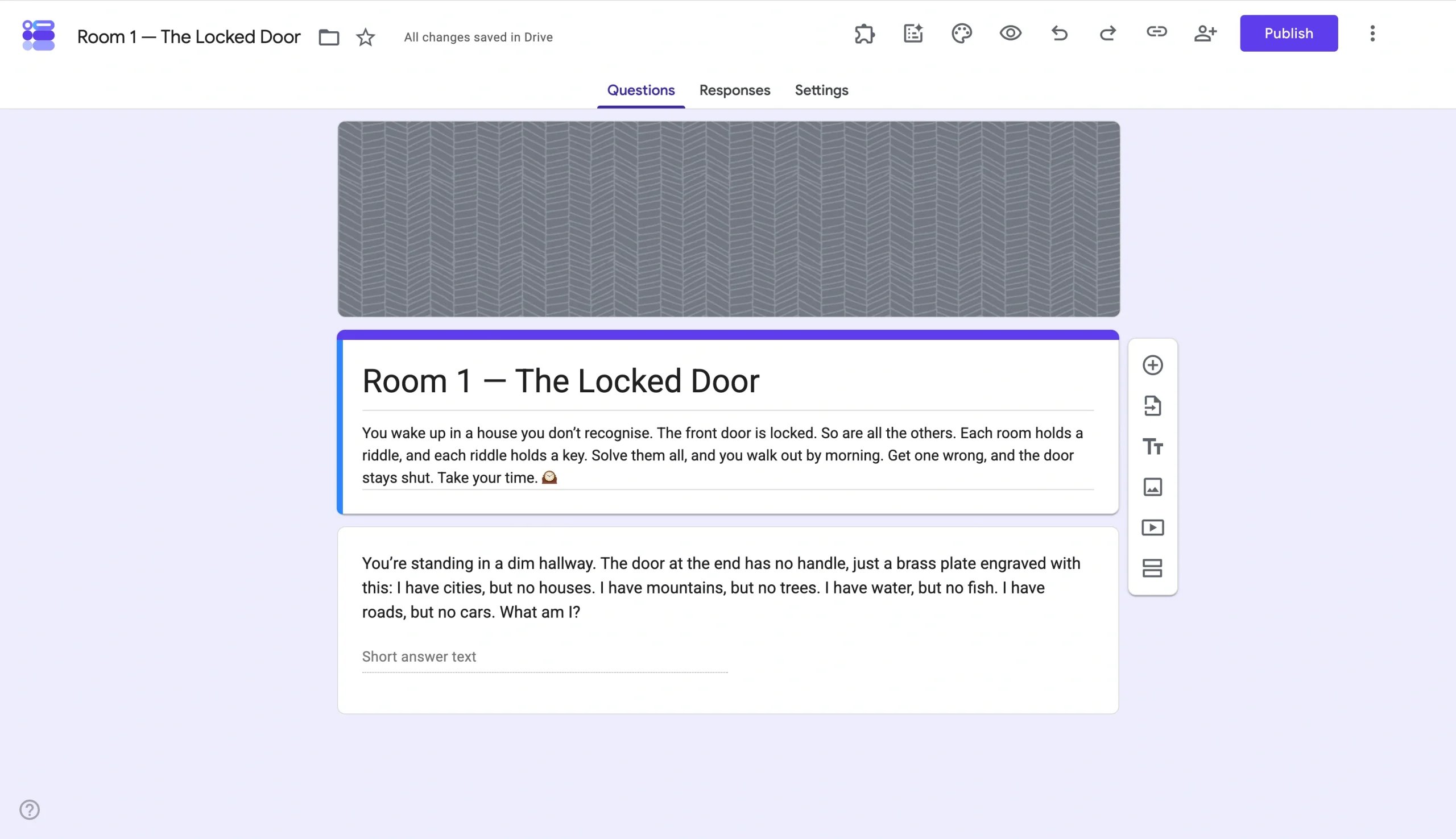
Pay attention to three settings while building the form as a digital escape room:
- Response validation: Lock questions until the player types the correct answer, turning the quiz into a puzzle.
- Section breaks: Give each puzzle its own page to make the form feel like a game.
- Required questions: Keep players from scrolling past questions without solving them.
Pro Tip
Jotform’s step-by-step walkthrough lays out the build for you, so the only thing you have to think about is the content, which is the bit you were meant to be revising anyway.


Run a multiple-choice test that grades itself
The thing teachers never have is enough time. A class of 30 students hands in a 30-question multiple-choice test, and that’s 900 answers to grade before the next lesson.
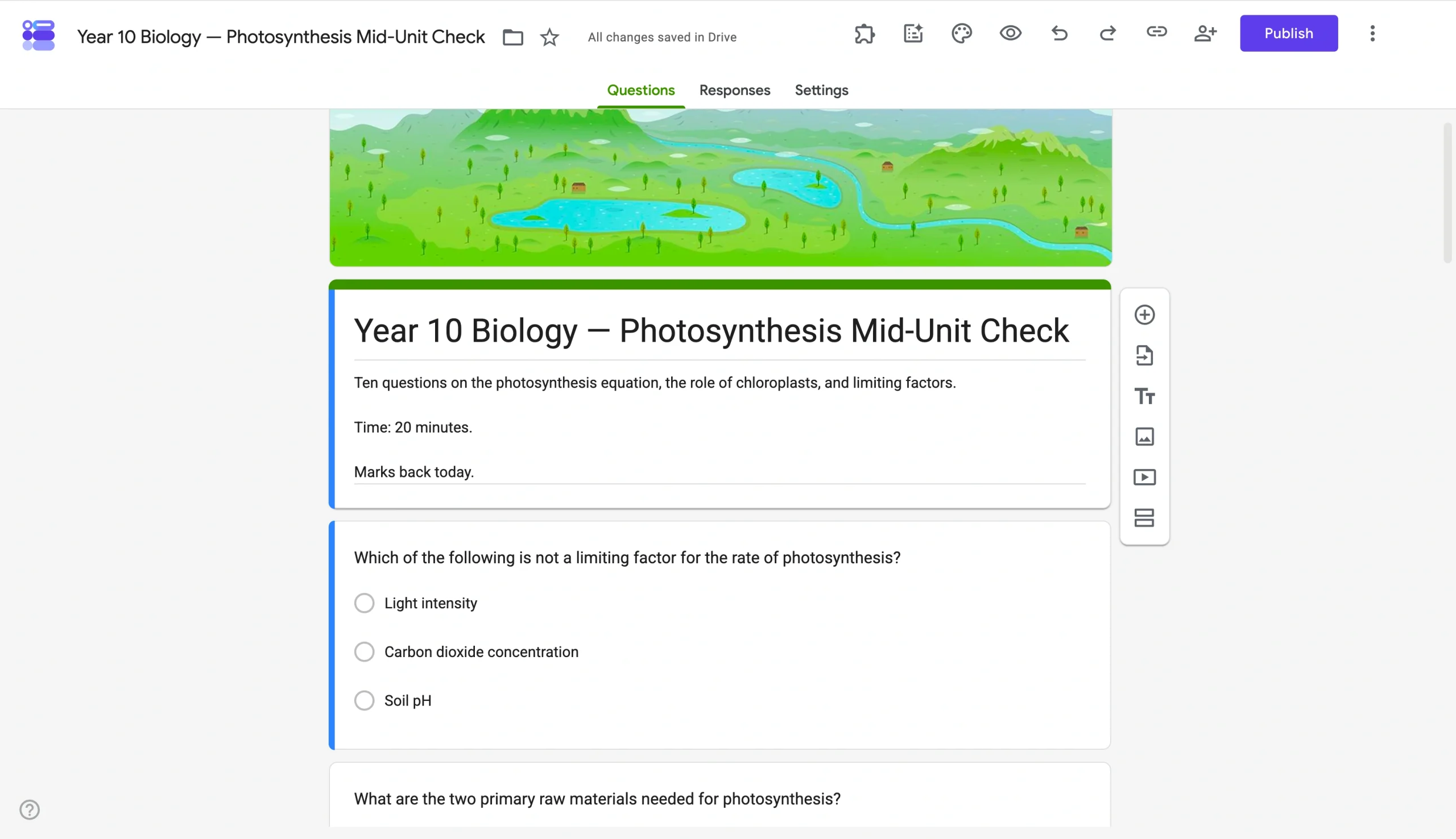
Forms in quiz mode grades them all for you in real time. Forms then aggregates every response into a Responses tab that shows each student’s score, the class average, and, crucially, which questions tripped up the most people.
Here are a couple of tips if you’re using Google Forms to grade students:
- Use the Question feedback feature: Add a short explanation to each wrong answer so students see why they got it wrong.
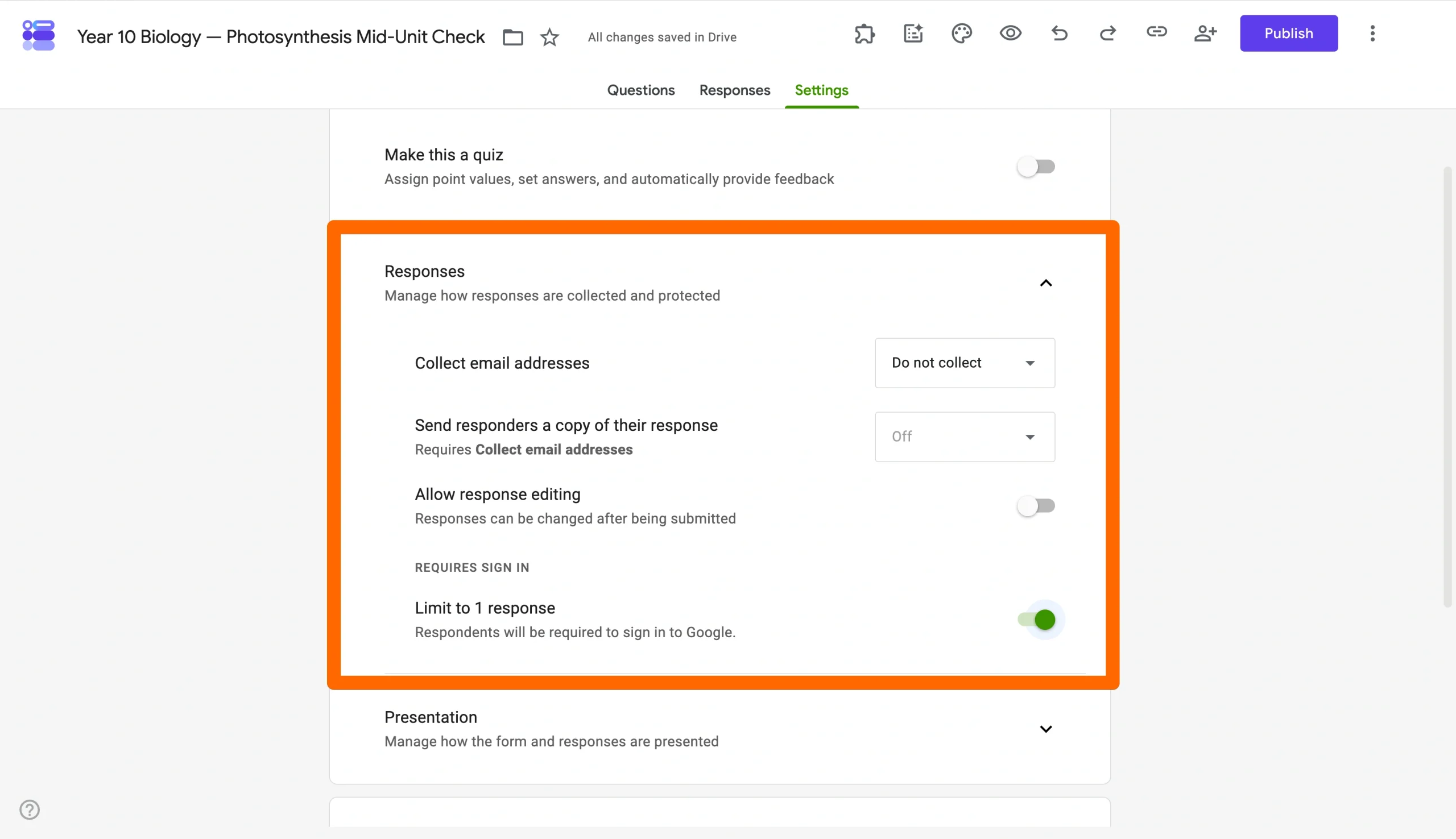
- Lock down the response settings: Make sure the Allow response editing setting is toggled off so students can’t change their answers after submitting, and switch on the Limit to 1 response setting so they can’t have a second go from a different account.
Note, though, that building a 30-question test in Forms is two separate jobs: laying out the form logic and writing the questions.
Jotform’s Multiple-Choice Test template handles the first job. You open it prebuilt with student name and ID fields, multiple-question formats, and auto-scoring already wired in, so you can skip the architecture and start typing questions right away.
And if writing is the bit you’d rather automate, Jotform AI can draft a set of questions from a prompt. Paste in the topic or learning objectives, and you get a starting deck to edit.

Read more: The 8 best AI tools for teachers to maximize productivity
Create an anonymous student feedback survey
Your students probably won’t say everything they think about your teaching out loud.
A lot of universities have been trying to fix that with end-of-term Likert-scale forms for decades, but a recent longitudinal study analyzing 2.17 million student responses found that 68 percent of students gave identical ratings to all nine questions. They straight-lined the form.
Now, compare that with this: A 2025 pilot study on midsemester course feedback found that instructors who ran their own check-ins made specific, concrete adjustments. And students noticed and engaged differently when the form felt like a real conversation.
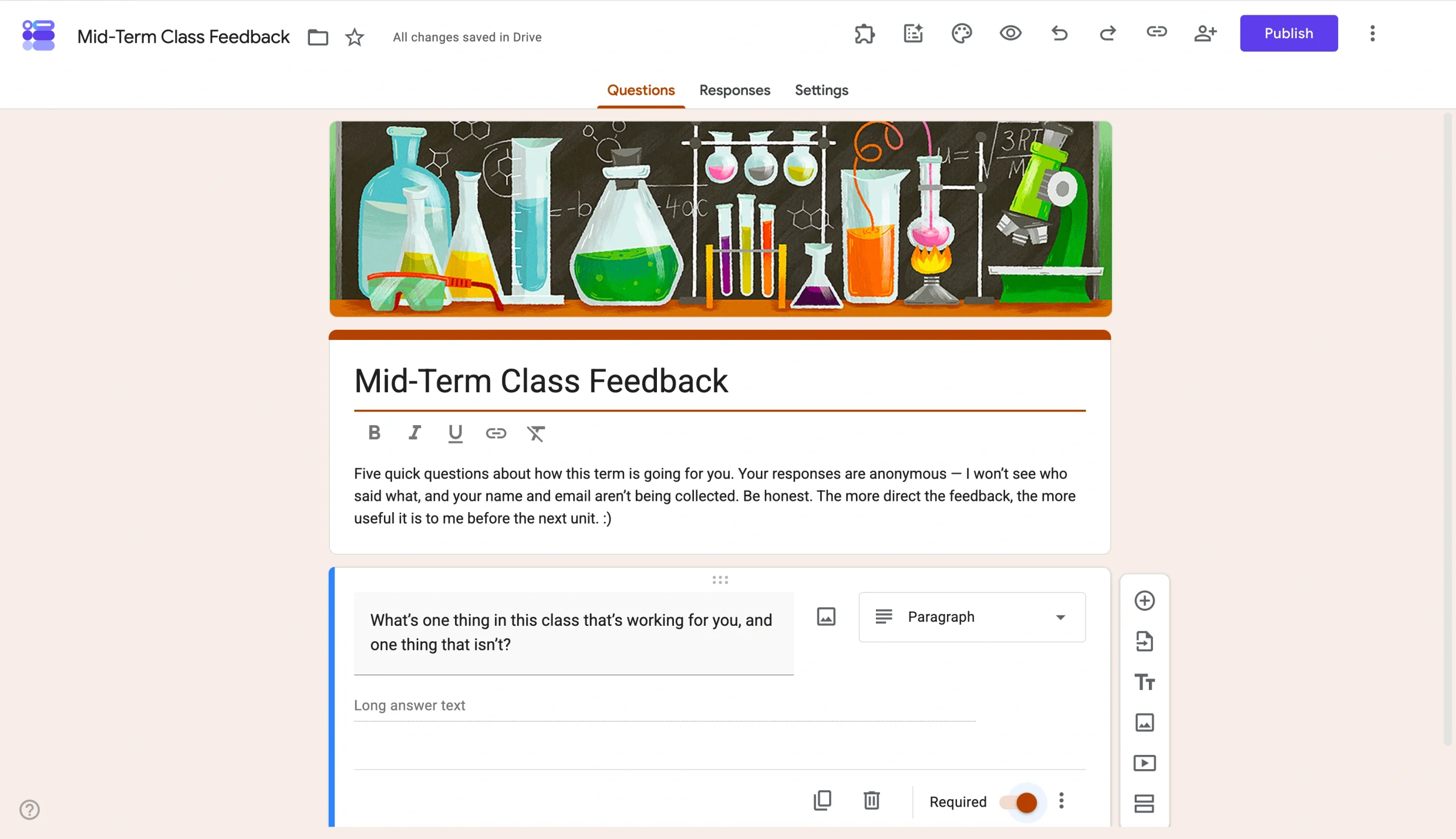
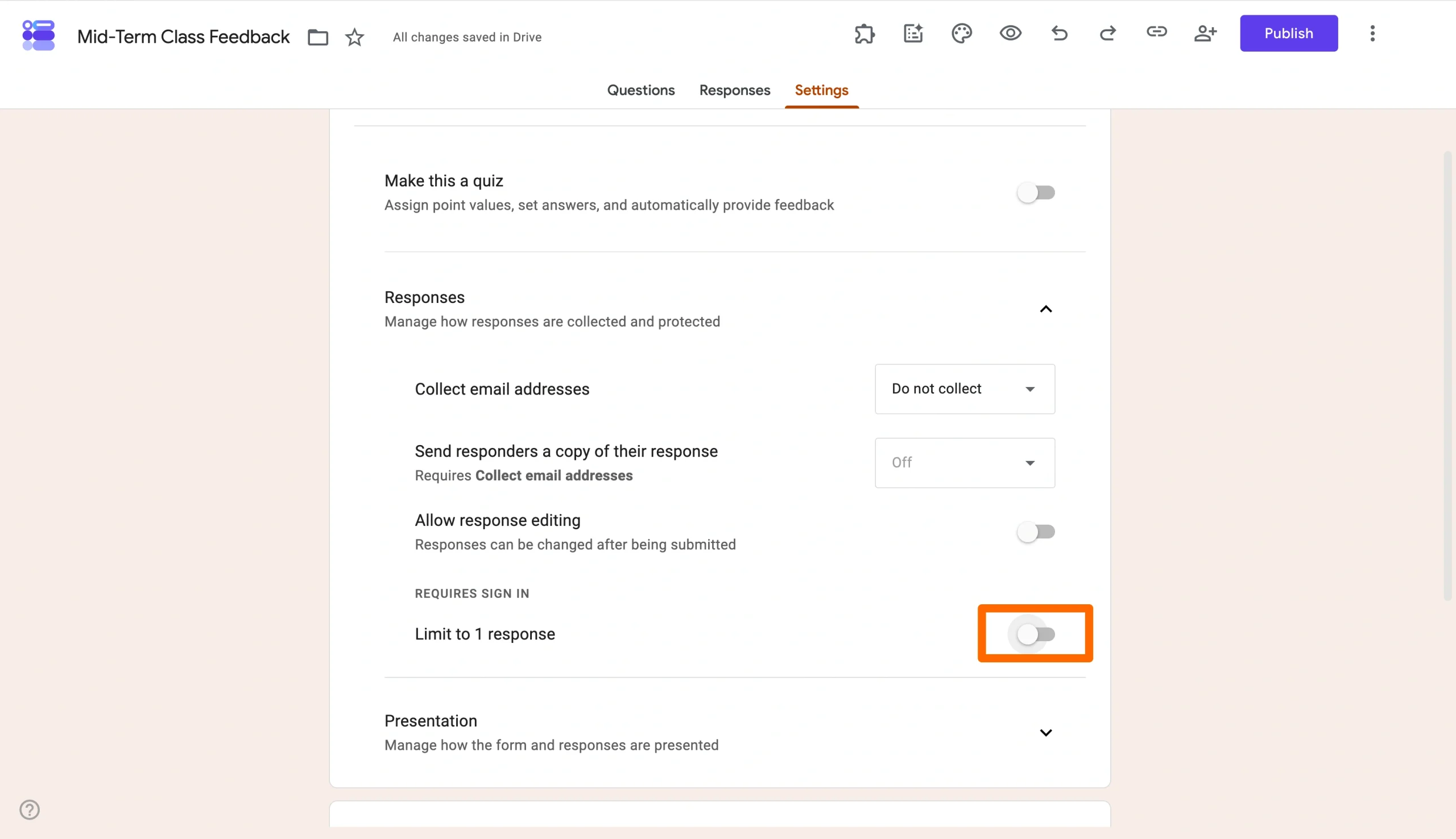
Set Collect email addresses to Do not collect, and leave Limit to 1 response off too since requiring a Google sign-in defeats the point.
The structure most midterm surveys land on is the same four-part shape: pace, content, instructor effectiveness, and open-ended comments.
Jotform has a Student Feedback Survey template built on exactly that, which is the fastest way to get a working draft if you don’t want to redesign the wheel.
Read more: The best Google Forms survey templates
Get every parent’s details in one place
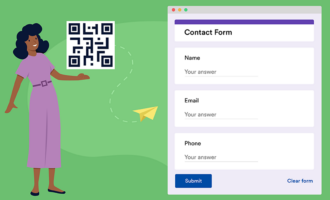
Google Forms includes a built-in Contact Information template in its template gallery, with name, email, address, phone, and comments all prefilled and ready to use.
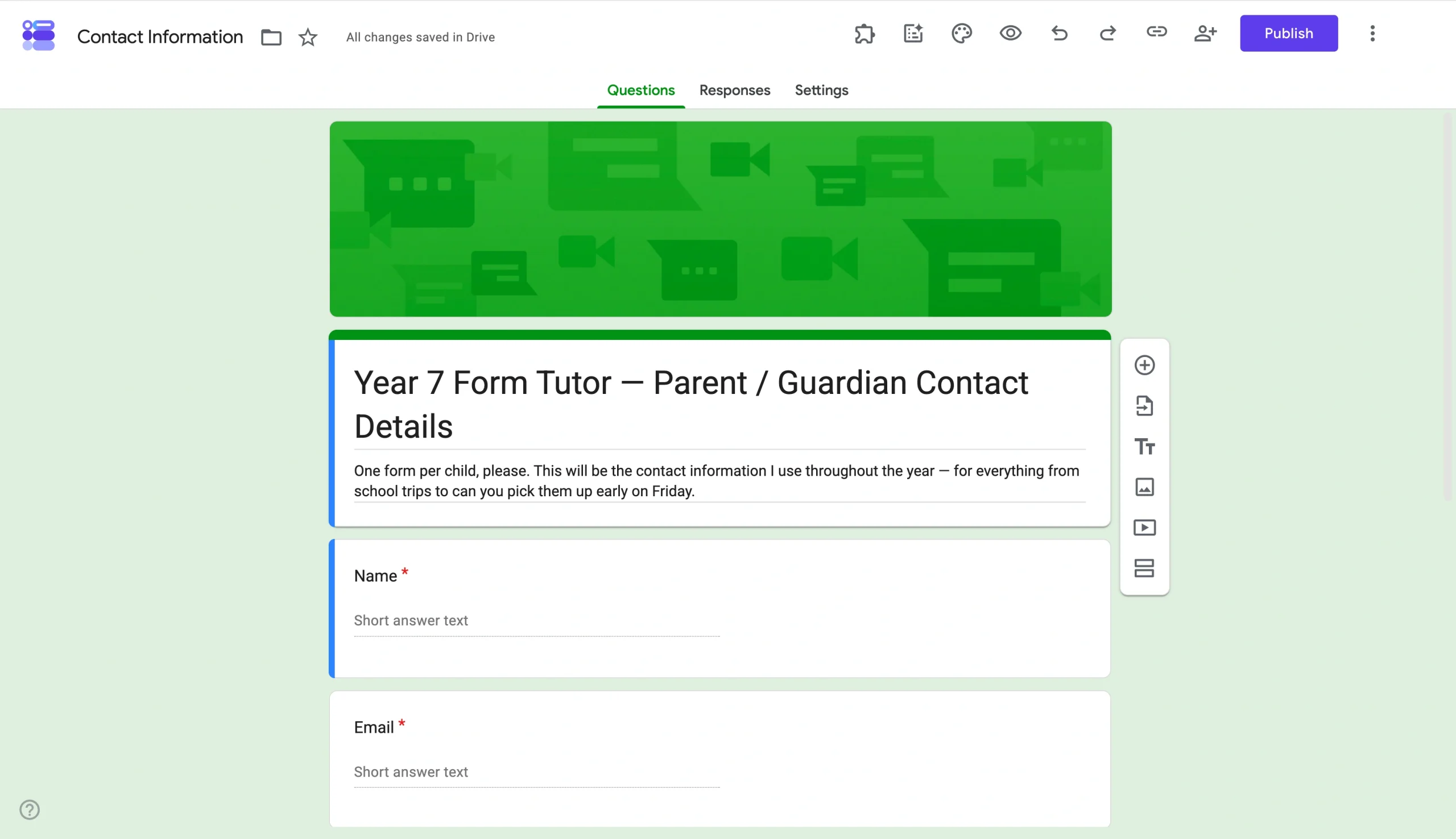
You can also fine-tune the form by clicking the Gemini button in the top-right corner and pasting in a prompt such as, “Create a form to get every school parent’s details in one place.”
The AI gives you a working skeleton in about six seconds, including a title, description, and a few sensible fields such as student name and grade. That’s faster than typing them yourself, but it stops well short of being a finished form.
As of this writing, the AI doesn’t work for a specific part of the form either. You have to redo the entire thing.
Jotform’s Parent Contact Form template is school-shaped out of the box, built around the fields that go missing the first time a teacher tries to do this themselves.
Joahn Sperry, business systems analyst at Columbia County School District in Georgia, moved 31 campuses’ worth of paper forms onto digital ones with Jotform.
“You submit it by sending it through interoffice mail or by handing it off — it just seems antique now,” she said of the old way.
They’ve now processed more than 45,000 submissions.
“Is life easier with Jotform? Yeah, 100 percent.”
Read more: 40 ways to use Google Forms in the classroom
Google Forms ideas for small businesses
I’ve run a thrift store on Instagram on the back of a Google Form and a payment link.
You’ll know pretty quickly when it’s time to upgrade, but for the first couple of years, Google Forms handles response collection just fine for small businesses.
Find out what your customers think of your brand through a feedback survey
Your customers will tell you the service was great in person and then leave a three-star review the next morning, saying the queue was slow. A short, well-phrased feedback form catches the bit they wouldn’t say out loud.
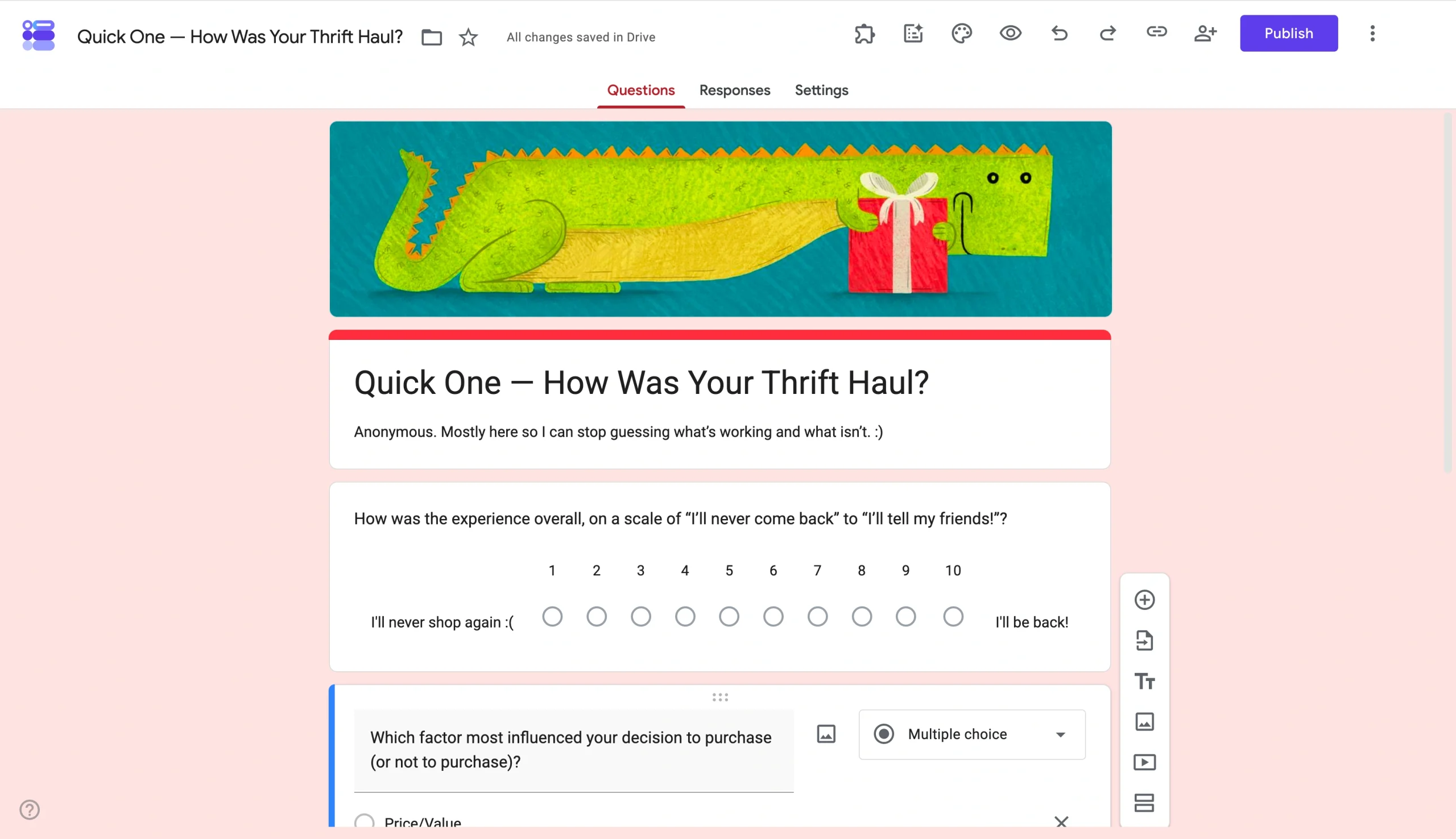
Once you’ve written one question in your own voice, the Suggested questions panel (powered by Gemini) offers follow-up suggestions in a similar tone.
You’ll notice that these are mostly generic retail-feedback questions. The point is that AI saves you from staring at a blank form when you’ve got the first question right and need momentum on the next two.
On the other hand, Jotform’s Customer Feedback Survey template frontloads the four question types most small businesses need for a quick pulse check: overall satisfaction rating, recommendation status, improvement suggestions, and first-time-use status.
Pro Tip
If you want to make a giveaway for your customers, you can also check our guide on how to setup a giveaway on Google Forms.
Run an order intake form
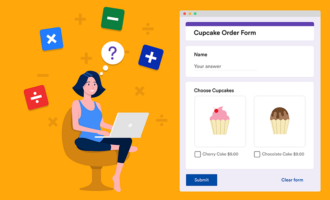
A Google Form is a perfectly good order intake tool if the volume is low enough that you don’t mind chasing payments by hand. That was my setup for a while.
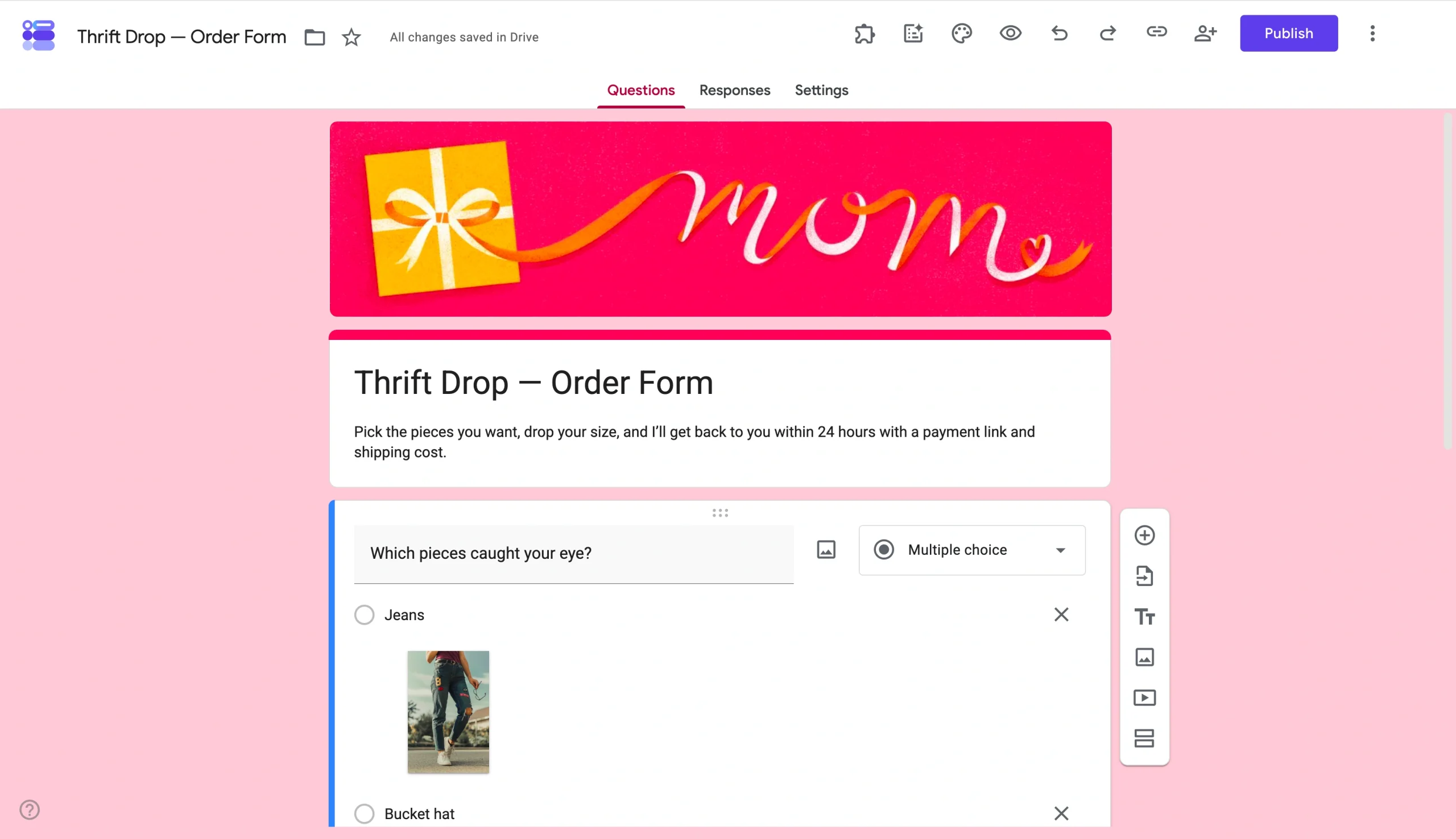
But what this Google Form can’t do is take the payment, and what it makes you do by hand is build the catalog every time.
If I were to start a thrift store again, I’d make the form the checkout for customers. That’s what Jotform offers.
Jotform’s Order Management Tracker template handles the same intake, but it solves both my pain points from those days. The template integrates natively with Stripe, PayPal, Square, and two dozen other payment processors. Plus, its product import feature lets you populate the entire item list from a CSV, an Excel file, a PDF catalog, a Shopify export, or an image.
Take a screenshot of your Instagram drop grid, drop it into Jotform, and AI extracts the items.

Google Forms ideas for events
Events are mostly logistics: who’s coming, when, what they need, and what’s changed since last week. Forms is good at the first three and not bad at handling the fourth.
Auto-invite people the moment they sign up
Tyler Hakes, founder of Optimist and one of the people running TOFU (a community for content marketers) uses a Google Form for community event signups. The form takes the RSVP, Zapier picks it up, and the respondent gets auto-invited to the event without anyone manually copying their email anywhere.
“We even have semi-complex branching logic that deals with things like multiple date or time slots … it works pretty well,” Tyler says.
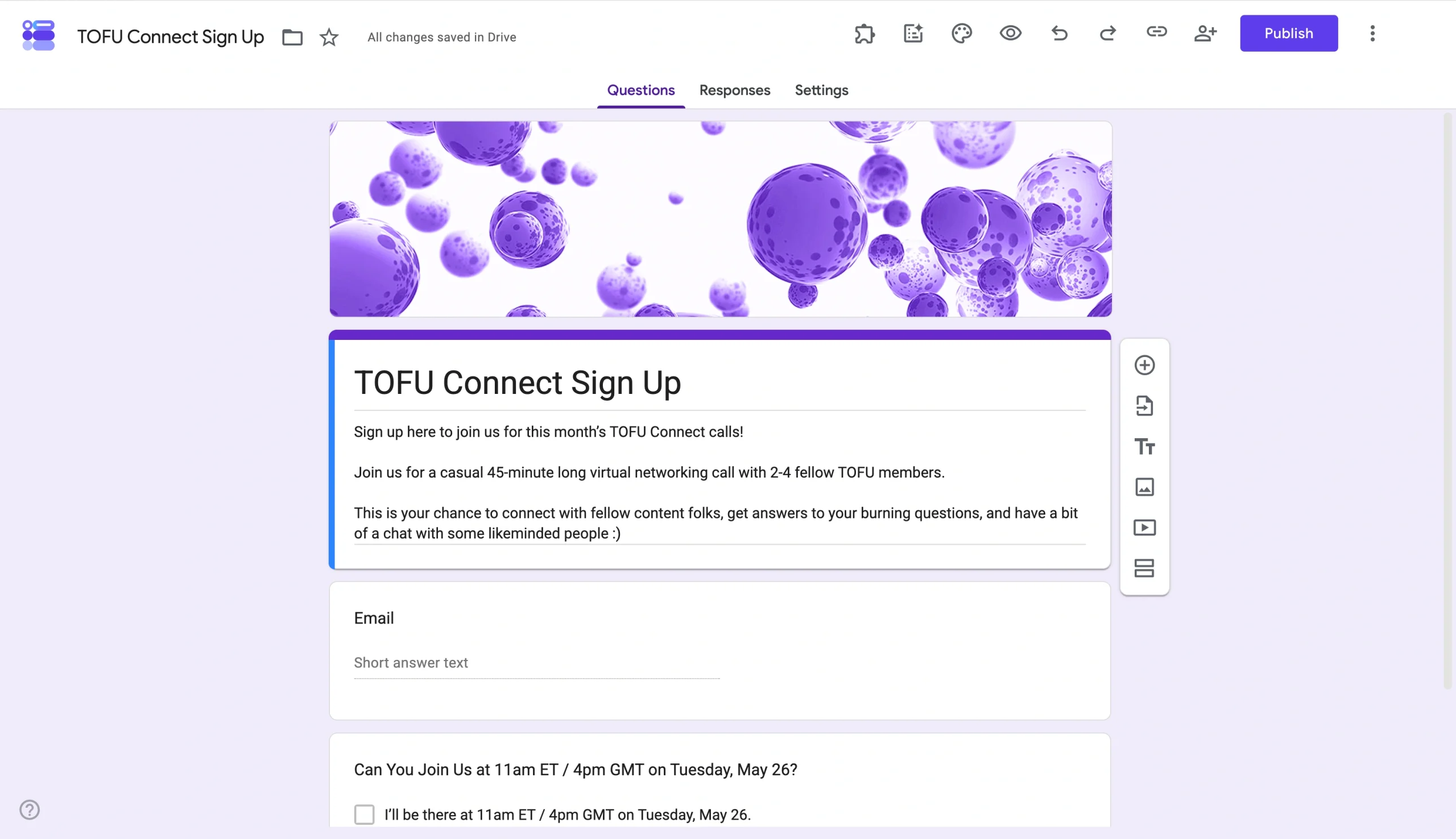
But there are two pitfalls here. Every time you add a new time slot, you reroute the branching logic on every preceding question. And the form-to-auto-invite chain needs middleware, such as Zapier, Make, or a Google Apps Script you write yourself, because Google Forms can’t trigger a calendar invite or a Luma RSVP on its own.
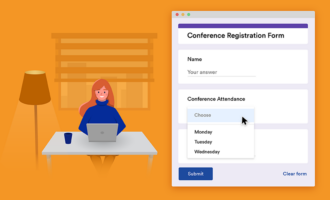
Jotform’s Event Registration Form template handles the same workflow without the messy middle. The branching is visual conditional logic in the Form Builder itself. Plus, the template integrates natively with Stripe, PayPal, Google Calendar, Mailchimp, HubSpot, and the rest of Jotform’s 150-plus integrations.
Take signatures from event vendors without printing anything
The other end of an event is the people running it, such as the photographer, caterer, videographer, band, or florist. A Google Form can carry the contract intake. You can build the structure into the form fields, send it once, and have everything in a linked spreadsheet.
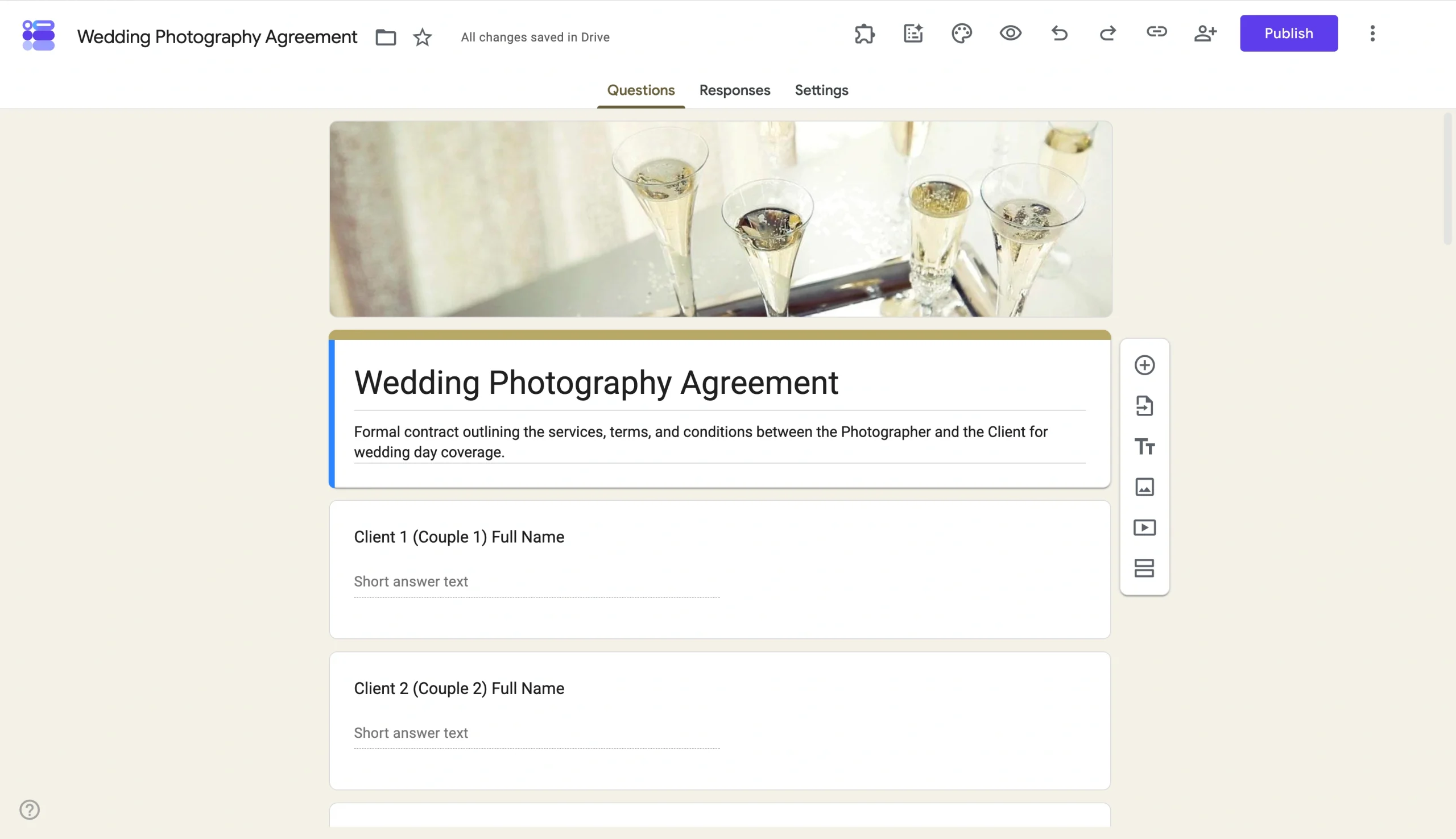
But the form can’t capture a signature. The closest Google Forms gets is asking the client to retype the agreement statement into a long-answer box, which is fine for acknowledgment, but it doesn’t produce an audit trail or capture signing intent.
You need a form such as Jotform’s Event Photography Contract template to fill the gap.
The template uses Jotform Sign, which collects an actual e-signature alongside an audit trail and time stamp. Jotform Sign is Uniform Electronic Transactions Act and E-Sign Act compliant in the United States, and the signatures it produces qualify as Simple Electronic Signatures under the electronic Identification, Authentication and Trust Services regulation in the EU.
Jotform: A form builder that does the rest of the work, too
Zapier in the middle of a signup, a typed name standing in for a contract: These are workarounds that hold together because everyone is being patient with the seams.
Jotform is the version where the seams aren’t there. The platform has over 20,000 form templates covering nearly every use case in this post and several thousand more, including customer feedback, parent contact, event registration, vendor contracts, RSVPs, order intake, and so on.
If your use case is specific enough that the template library doesn’t quite cover it, Jotform’s free AI Form Generator builds it from a prompt.
And once the form exists, Jotform is also the rest of the stack:
- Take payments in the same form: Native integrations with Stripe, PayPal, Square, and 24 other payment processors, so the order form is the checkout
- Collect compliant e-signatures with Jotform Sign: Drawn, typed, or uploaded, with an audit trail and time stamp
- Build approval flows with Jotform Workflows: Form output that routes to the right person for the next action
- Run it through ChatGPT with the Jotform ChatGPT App: An app that lets you build, edit, and analyze forms by chatting in the same interface you’re already in

Create your first form for free.
Google Form ideas FAQs
A fun Google Forms idea is one that people will want to share back. Think a BuzzFeed-style personality quiz or a digital escape room.
For Google Forms question ideas that hold up across categories, four types work: a multiple-choice question, a 1–10 linear scale with funny anchor labels, a which-of-these-applies checkbox grid, and one open-ended “Anything else?” question.
This article is for students, teachers, content creators, community managers, and anyone looking to create engaging, interactive Google Forms for fun, feedback, or data collection.






















































































Send Comment: