-
 ommir170616usa
Eliminar tarjeta de la cuenta
-
 Podo: Support Specialist
Hi ommir170616usa,
To delete a reusable payment connection saved on your account, here’s how to do it:
- On your Workspace page, click on your Avatar/Profile Image in the top-right corner.
- In the window that opens, click on Settings.
- In the menu on the left side, click on Connections.
- Hover over the payment connection you want to delete and click View.
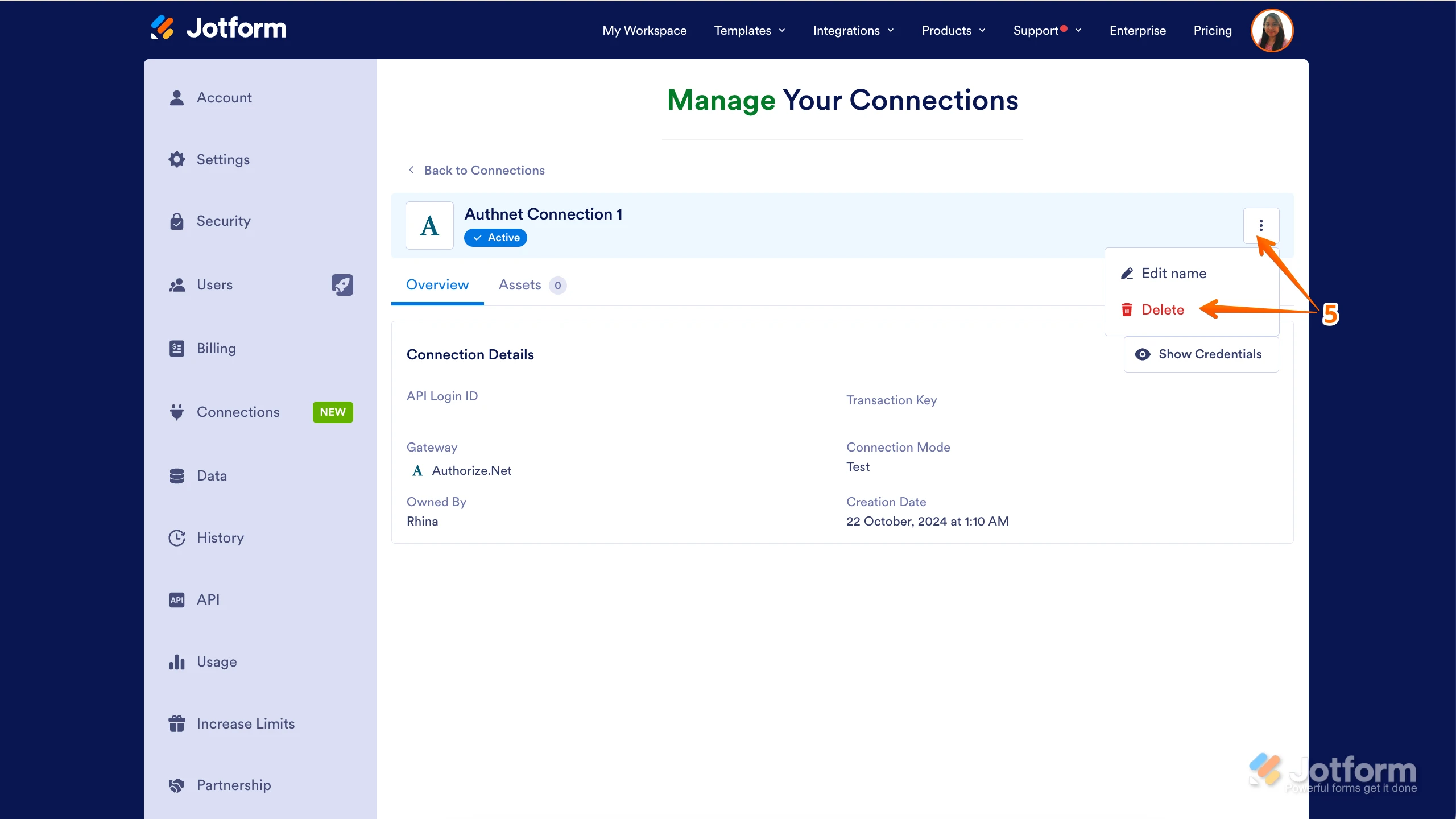
- Click on the Three Dots icon and select Delete.

Reach out again if there’s anything else we can help you with.
-
 Rehan Support Team Lead
Hi Omar,
I've gone ahead and reached out to our relevant team to check on your account. We’ll get back to you as soon as we get an update from them.
-
Rehan Support Team Lead
Hi Omar,
I received an update already. As requested, the credit card has been removed from your account.
Reach out again if you need any other help.
Your Reply
Something Went Wrong
An error occurred while generating the AI response. Please try again!