-
 adminstituteI am experiencing an issue where a column in my form has been deleted. The form is titled "American Dental & Medical Institute - Patient Health History (Radiation Safety)." I needed the content in that column as I pay a lot of money for this company, and the deletion of the form has caused me significant concern. I have tried some suggestions, but they did not help. When asked if I could talk to a person, I requested to do so, and I also inquired about how long I would have to wait. Despite these efforts, the column is still not there, and the problem remains unresolved. I need assistance to recover the deleted column and its content urgently.
 -
 Kyle JotForm Support
Hi Christine,
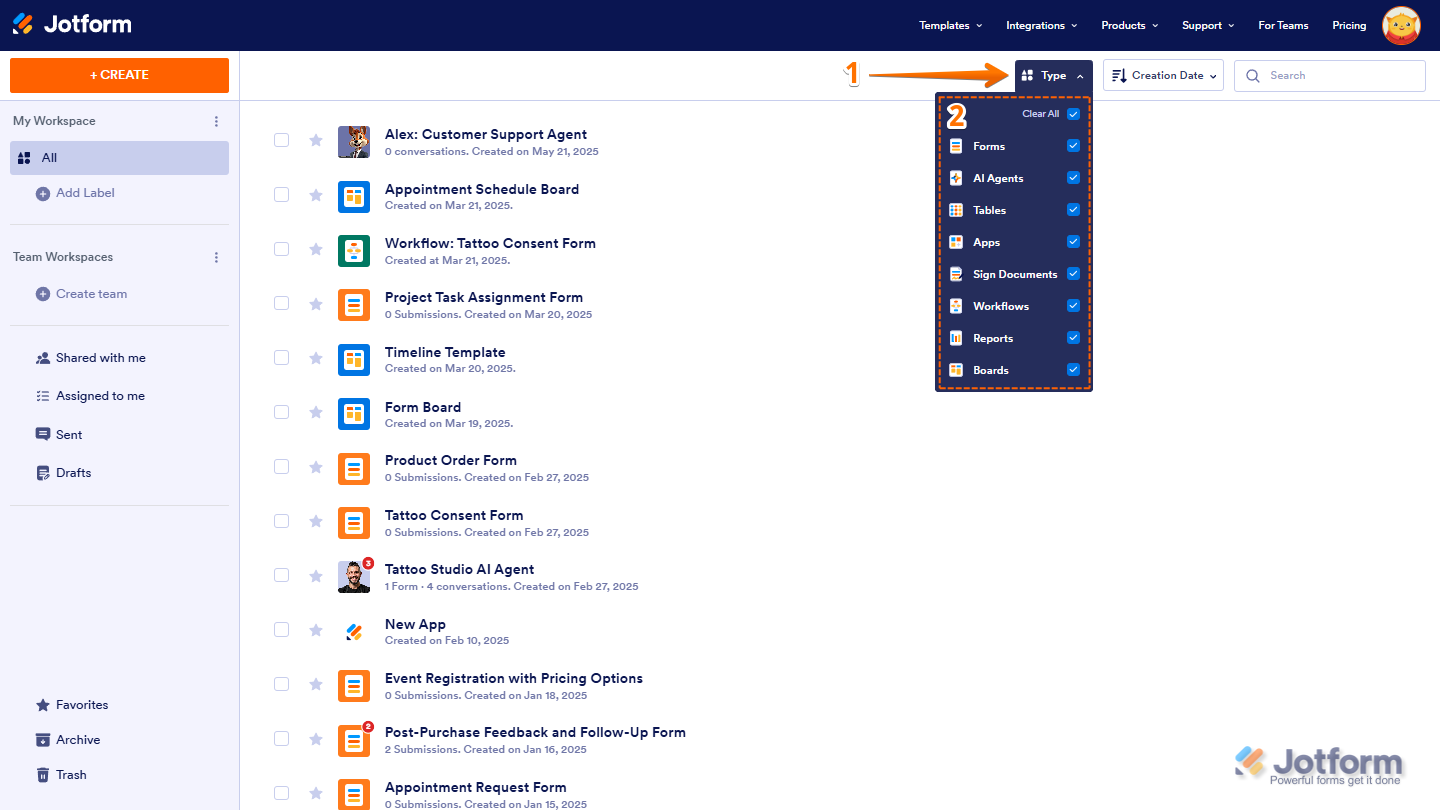
Thanks for using Jotform. I checked your account and saw all the signed documents you created under the title American Dental & Medical Institute - Patient Health History (Radiation Safety). You can go to your Workspace page to find your forms. Let me show you how:
- On your Workspace page, click on the Type tab on the top-right side of the page.
- In the dropdown menu, you can view all your assets and customize your display by selecting or unselecting the Checkboxes for specific asset types.

You can check out this guide, How to Filter and Sort Assets on Workspace for more information. You can also check your Archive/Trash folder to see if the form is there and unarchive it. Let me show you how:
- On your Workspace page, click on Archive on the bottom-left side of the page.
- Hover your mouse over the form you want to unarchive and click on More on the right side of the page.
- In the Dropdown menu, click on Unarchive to move the form back to your Workspace page.
-
Kyle JotForm Support
Hi Christine,
You can also use the Revision History feature that lets you revert your form back to an older version you select. Let me show you how to use it:
- In Form Builder, click on the Circular Arrow icon at the top middle of the page to open the Revision History menu.
- In the menu on the right side of the page, select the version you want to restore the form to.
- Now, just click on Revert next to the version you select, and then close the Revision History menu in the top right corner.
Your Reply
Something Went Wrong
An error occurred while generating the AI response. Please try again!