-
 gilmariosantos
 -
 Gian_D Jotform Support
Hi gilmariosantos,
Thanks for reaching out to Jotform Support. Take note that the calendar synchronization works by ensuring that the selected slots in your Appointment widget are visible in your integrated platform calendar.
If you have two separate Appointment widgets for your internal and external client, then you will be able to distinguish them in your integrated platform calendar because each created appointment has a label on it. If that’s not quite what you’re looking for, can you share a bit more info so I can help you better?
As soon as we hear back from you, we can work on getting you a solution for this.
-
gilmariosantos
Campeão, minha dúvida é:
Quando criar um calendário na JOTFORM é possível vinculal-los a: Calendário no trello + Outlook ?
A ideia seria para que meus clientes internos pudessem agendar, mas clientes externos também. O preço para os clientes internos são diferentes dos externos, pensando nisso questionei a um colega seu se é possível colocarmos vaucher de desconto e deixarmos tudo em um formulário ou criamos um novo.
Hoje o controle de minha agenda é compartilhada com o time no trello, em um outro cartão com a diretoria no trello e recebo a notificação via e-mail do outlook.
Queria dinamizar da melhor forma, pois estou em duvida entre usar vocês ou permanecer no calendly. -
 Camila Jotform Support
Hi gilmariosantos,
Our Portuguese Support agents are busy helping other Jotform users right now, so I'll try to help you in English using Google Translate, but you can reply in whichever language you feel comfortable using. Or, if you'd rather have support in Portuguese, let us know and we can have them do that. But, it might take a while until they're available again.
Now, coming back to your question, Jotform Appointments supports two-way sync with calendar platforms such as Google Calendar, Outlook Calendar, and Calendly. This means:
- External calendar to Jotform: events already in your connected calendar block those time slots in your form.
- Jotform to external calendar: appointments booked through your form are added to your connected calendar automatically.
Regarding Trello setup: while syncing with your Trello Calendar is not possible, the integration allows you to perform the following actions:
- Collect data and file uploads through your forms
- Automatically convert them to new Trello cards
- Label your cards
- Assign due dates
- Work on new tasks with your team
It’s easy to sync your appointment field with Google Calendar. Let me show you how:
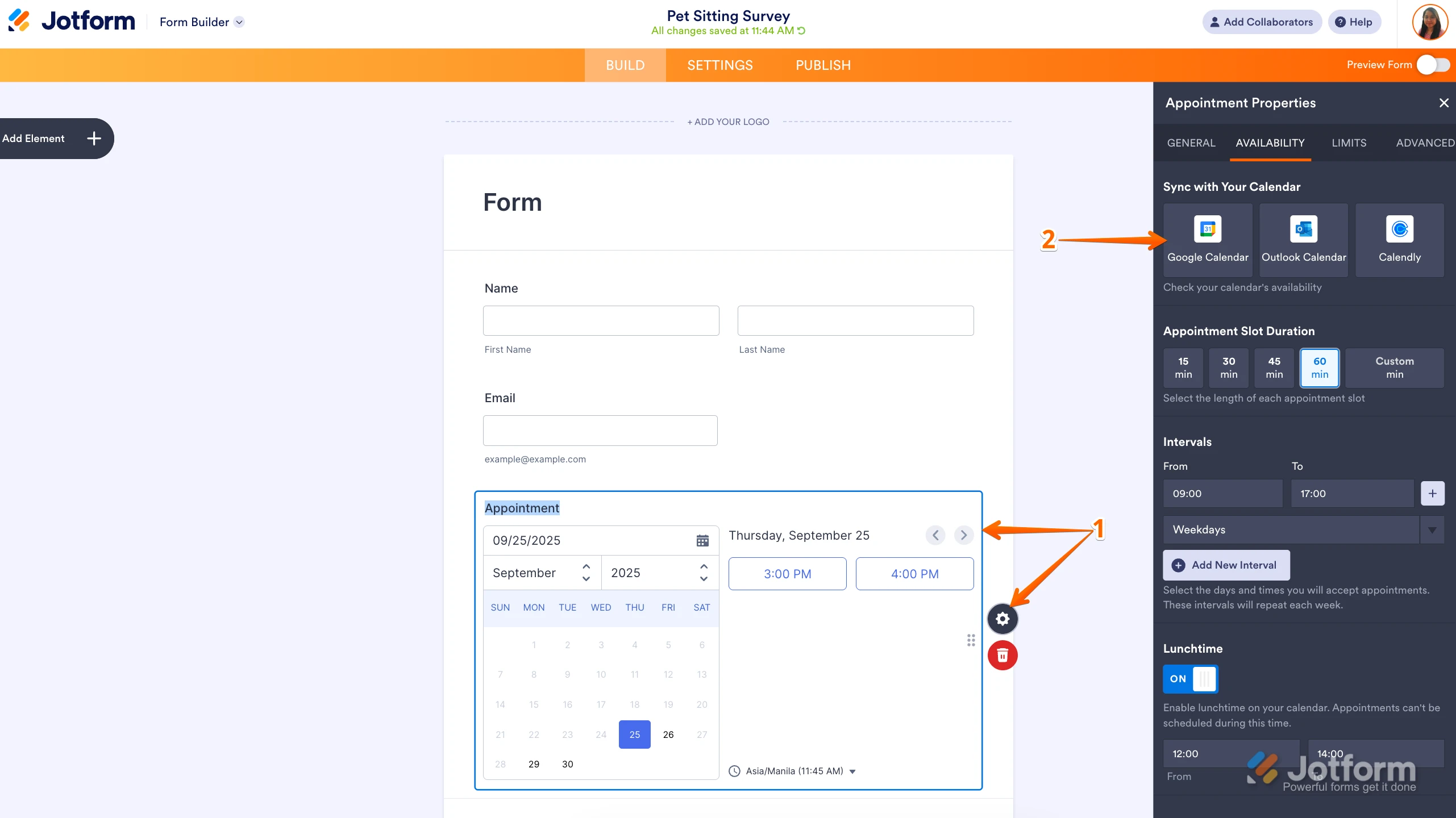
1. In Form Builder, click on the Appointment field, and then click on the Gear icon to open Appointment Properties.
2. Then, in the menu on the right side of the page, click on Google Calendar.
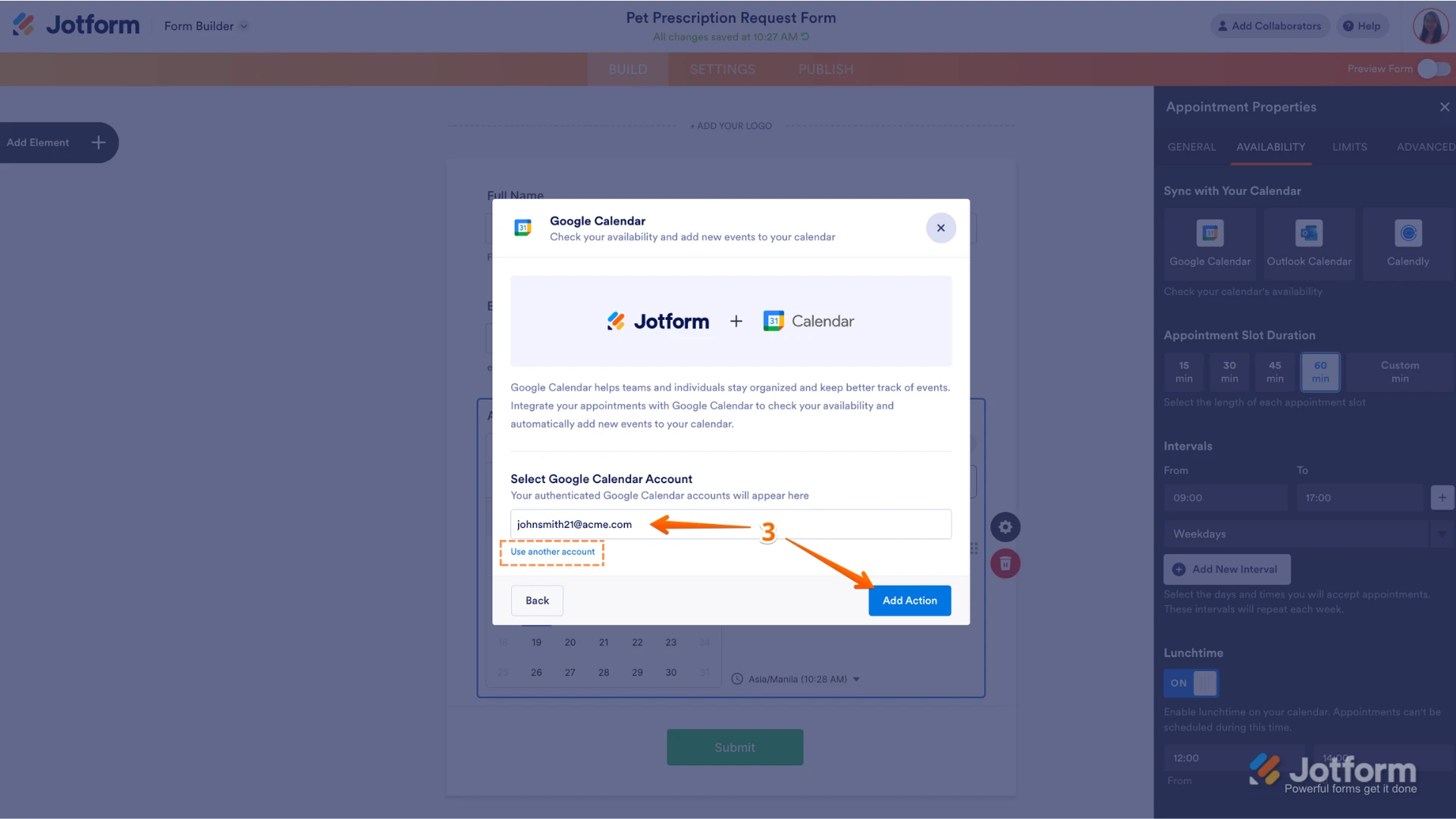
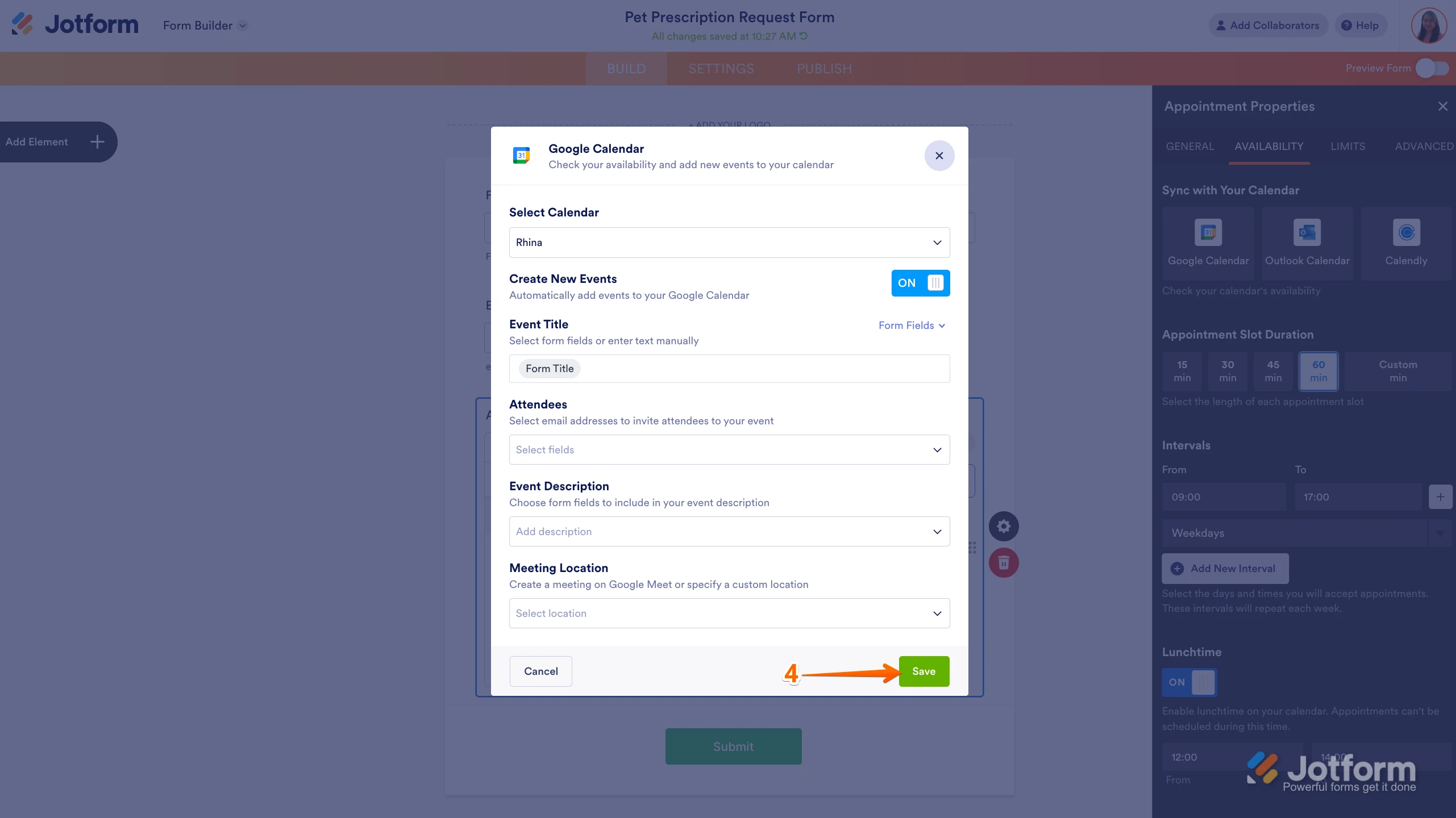
 3. Next, select an email address to use a saved Google Calendar Account, and then click on Add Action on the right. Or click on Use Another Account below the Dropdown menu to log in and allow access for a different one. 4. Set up the calendar event as you want and click on Save.
 This step by step will be the same if you like to integrate with outlook.
Let us know if you have any other questions.