-
 tracy238
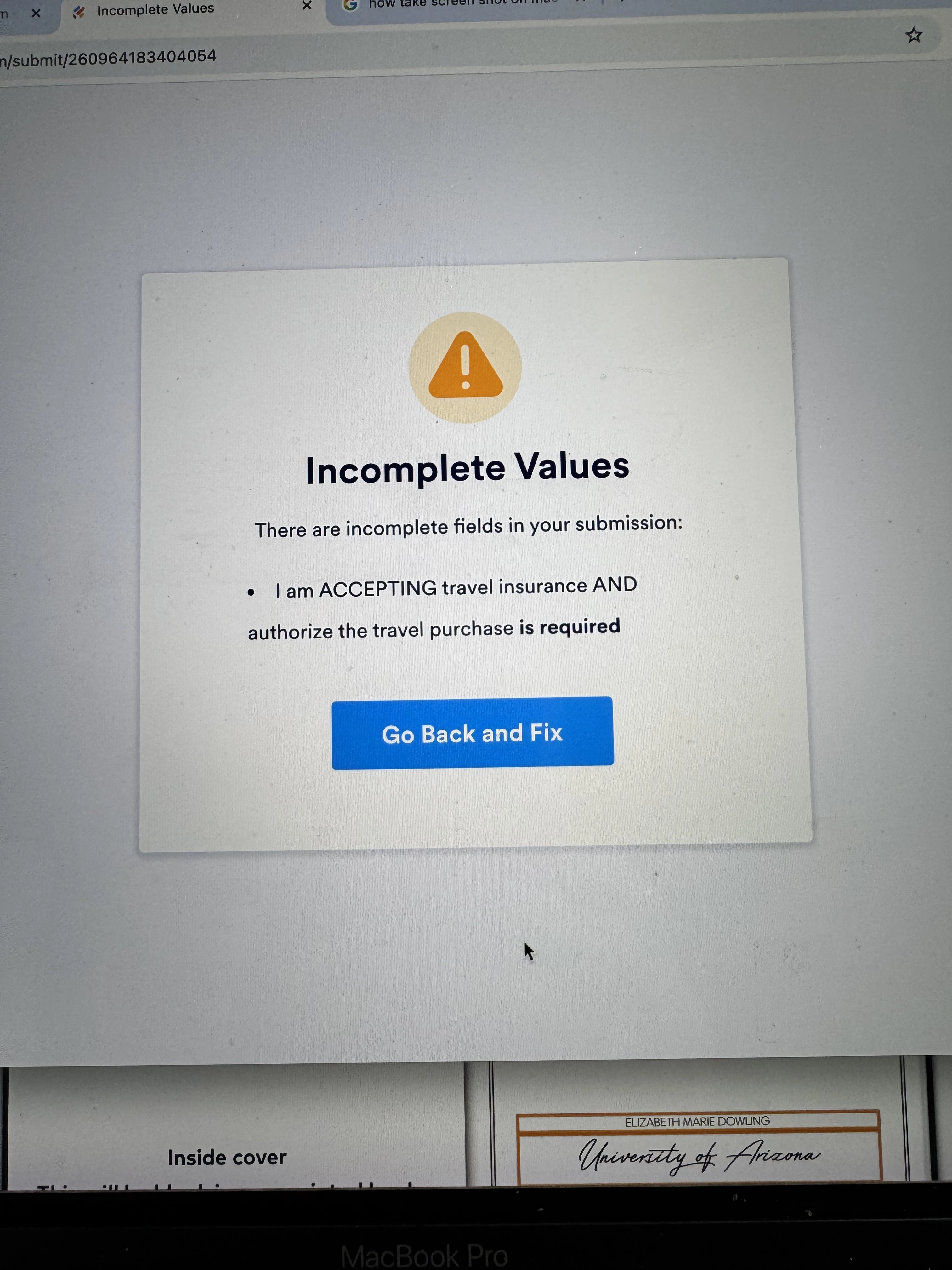
For the travel insurance section I want 2 radio buttons with the choice to approve or decline insurance and an initial box after each choice to confirm. Whether I use radio button or just normal check boxes I keep getting the attached error after the page to sign - consumer consent disclosure

-
 Podo: Support Specialist
Hi Tracy,
Thanks for reaching out to Jotform Support. I'm an AI assistant here to assist you.
For your travel insurance section, you want two radio buttons for approving or declining insurance, each followed by an initial box for confirmation. The error you encounter after the consumer consent disclosure page might be related to how the logic or fields are set up.
Here’s how to set this up properly in Jotform:
- Add two radio buttons with the options "Approve Insurance" and "Decline Insurance."
- Add two separate initial boxes (using the Initials widget) right after each radio button option to confirm the choice.
- Use conditional logic to show the corresponding initial box only when its related radio button is selected. This ensures users must initial to confirm their choice.
- Check your form's page breaks and conditions around the consumer consent disclosure to ensure no conflicting logic or required fields are causing the error.
If you want, you can also use the Terms & Conditions widget to handle consent agreements more smoothly, which requires users to accept terms with a checkbox.
If the error persists, please provide more details or a screenshot of the error message so I can help you troubleshoot further.
Give it a try and let us know how it goes.
-
tracy238Thank you -in addition to my initial request I am having an issue of verbiage showing on the published form that I don’t see when I build the form an AI says they cannot see it/remoe it.
I am trying to delete the “I am ACCEPTING travel insurance and authorize the travel purchase” underneath the initial box - I do not see this line in the build app. But it displays as soon as I publish the form.
Thank you for the assistance

... -
 Ronald JotForm Support
Hi Tracy,
Do you still more help on your initial issue about the Incomplete values or did Podo's reply already helped with the issue?
Meanwhile, I’ve gone ahead and moved your other question to a separate thread to keep things tidy, and someone from our Support Team will help you out with it here.
Keep us updated and let us know if you need any more help.