-
 AgoVires
 -
 Jeric_T
Hi Marco,
Thanks for reaching out to Jotform Support. Did you receive a notification email of the submission made on April 11th, 2026, to the present? If yes, and they don't appear on the Submission Tables and Inbox, then we need to investigate further. We'll just need access to your account to do that. Don't worry, you can disable that again after we're done checking things out. Let me show you how to do it:
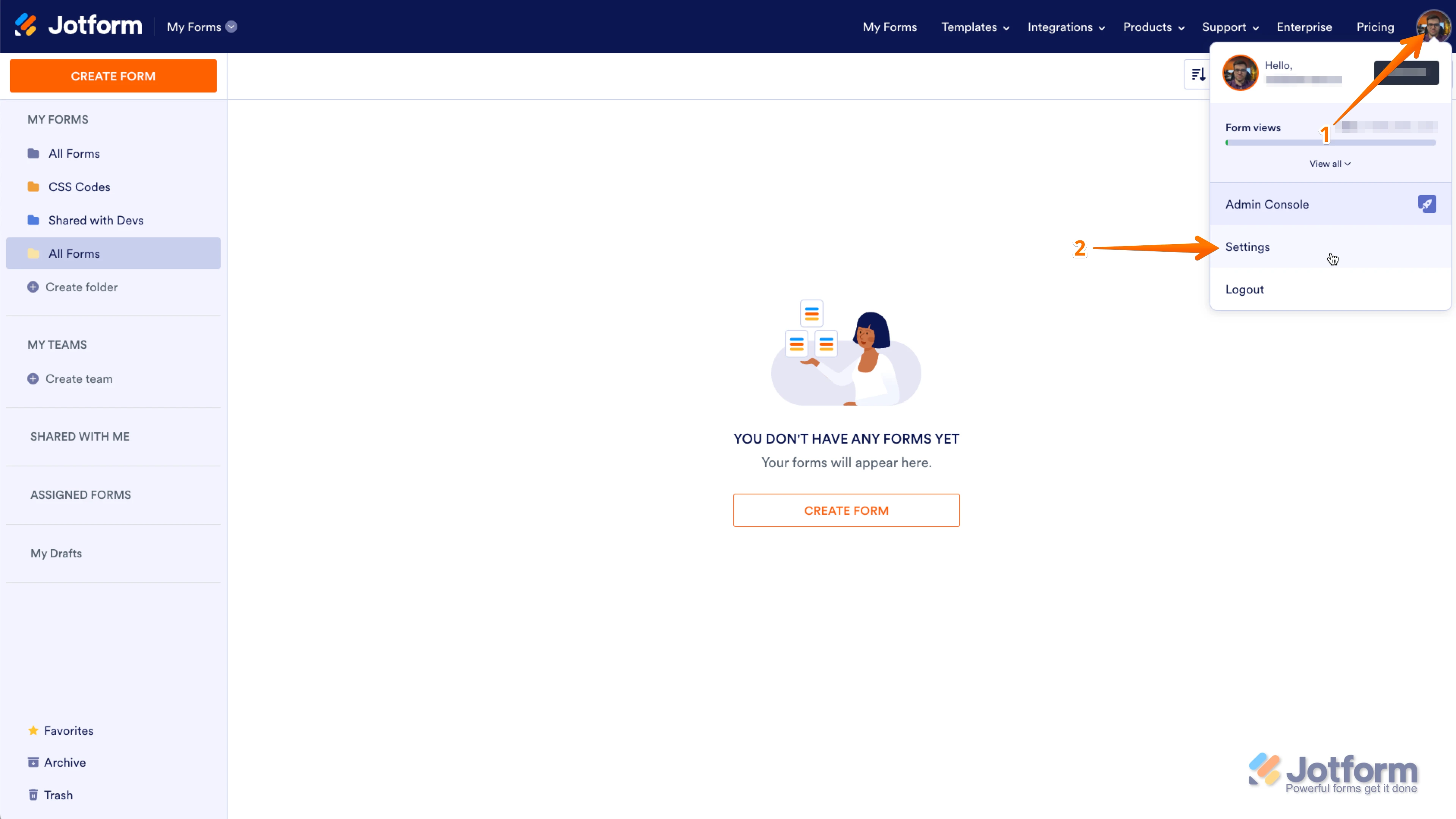
1. In the upper-right corner of your My Forms page, click on your Avatar/Profile Image icon.
2. In the small window that opens, click on Settings.

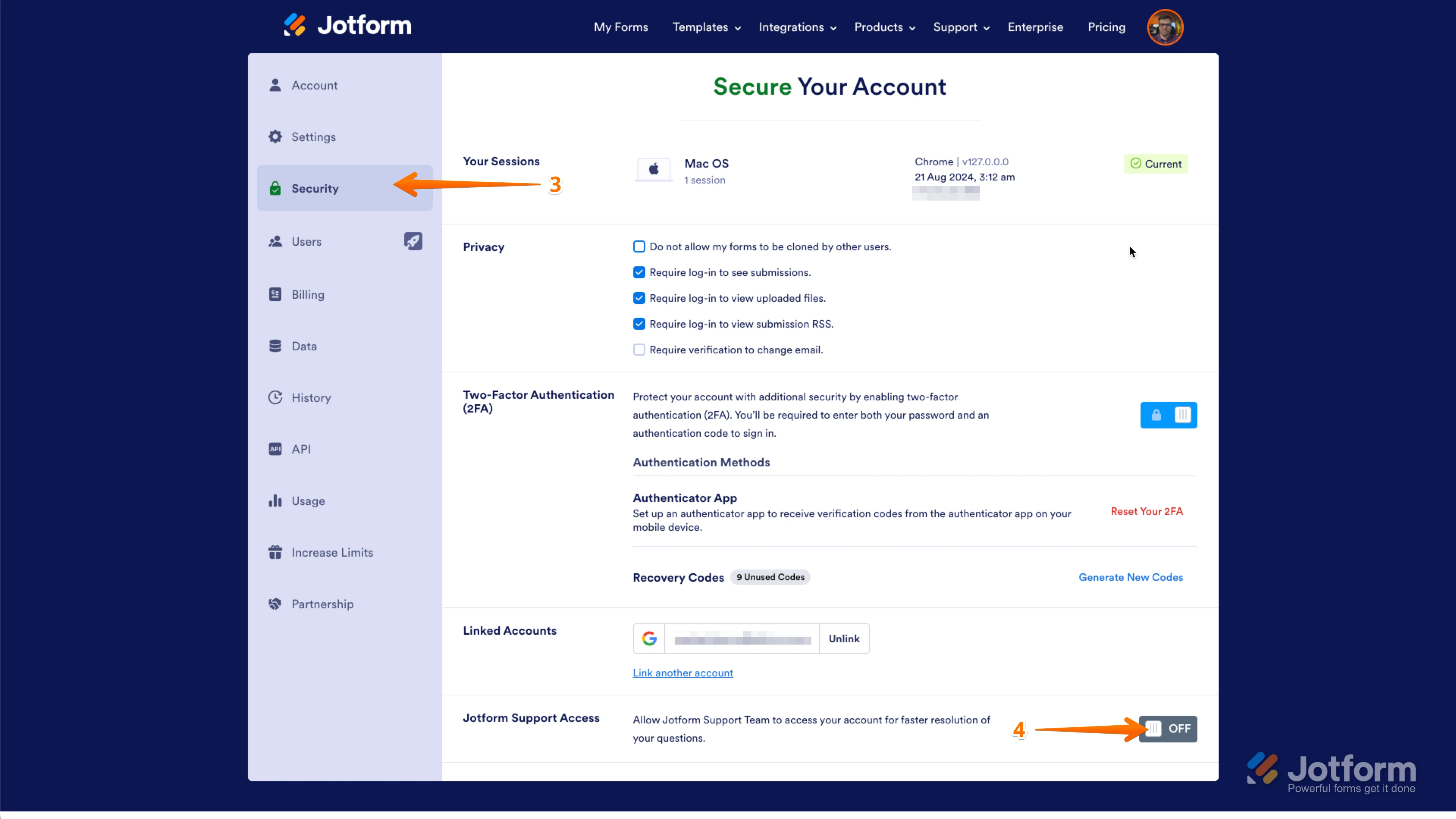
3. In the panel on the left, click on the Security tab.
4. Then, on the bottom-right side of the page, toggle Jotform Support Access to the On position.
After we hear back from you, we’ll have a better idea of what’s going on and how to help.

Your Reply
Something Went Wrong
An error occurred while generating the AI response. Please try again!