-
 CompassAccounting
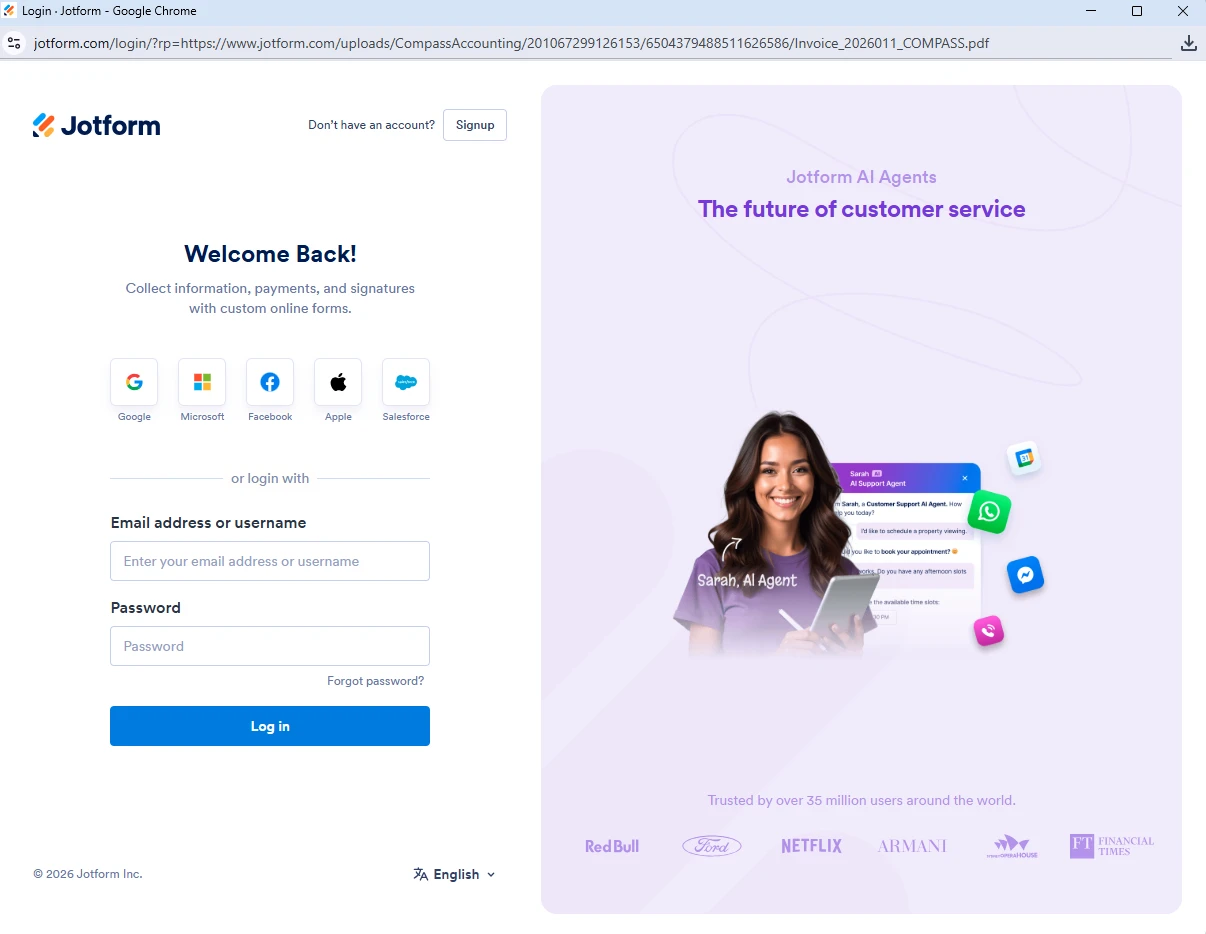
We are unable to download the attachments and Jot form is forcing us to login when we were trying to download the attachments.
Please help us to fix the issue.

-
 Podo: Support Specialist
Hi CompassAccounting,
Thanks for reaching out to Jotform Support. I'm an AI assistant here to assist you.
To prevent our system from asking you to log in before viewing or downloading submission attachments, you can Disable the Requirement to Login to View Uploaded Files. It only takes a few simple steps. Here9s how:
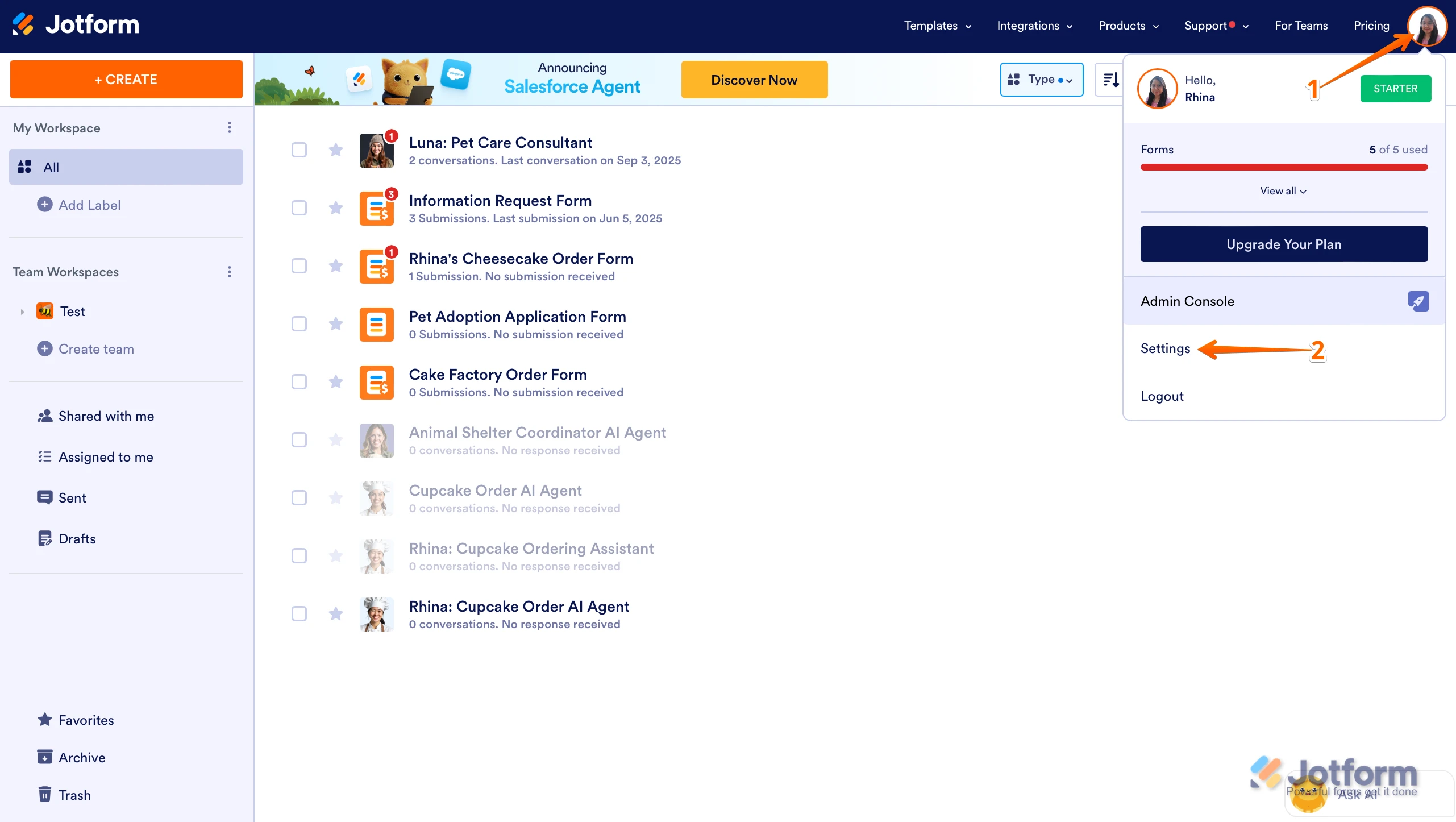
- On your Workspace page, click on your Avatar/Profile Image in the top-right corner of the screen.
- In the Dropdown menu that comes up, click on Settings.
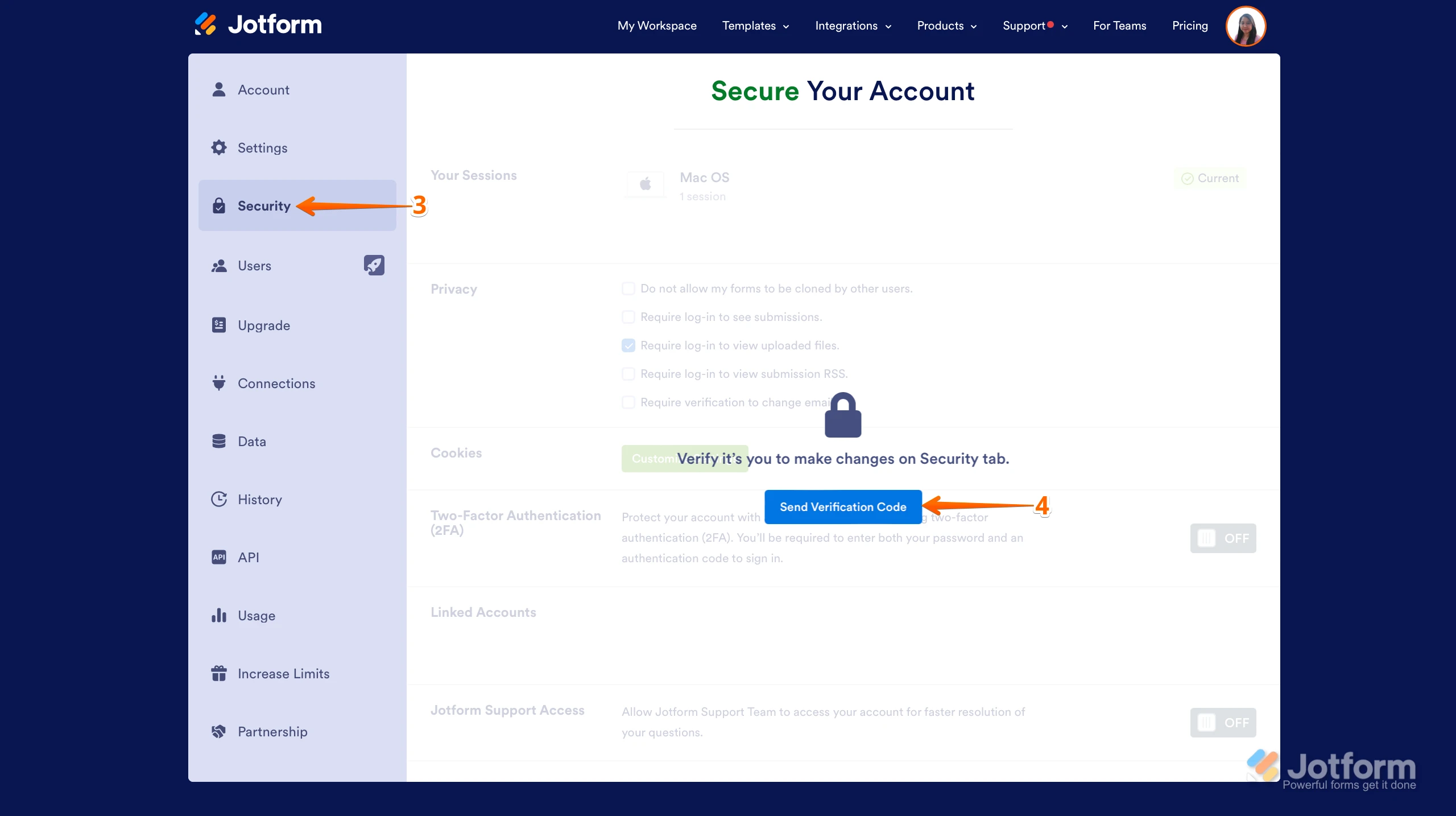
- Next, click on the Security tab on the left side of the page.
- Then, click on Send Verification Code.
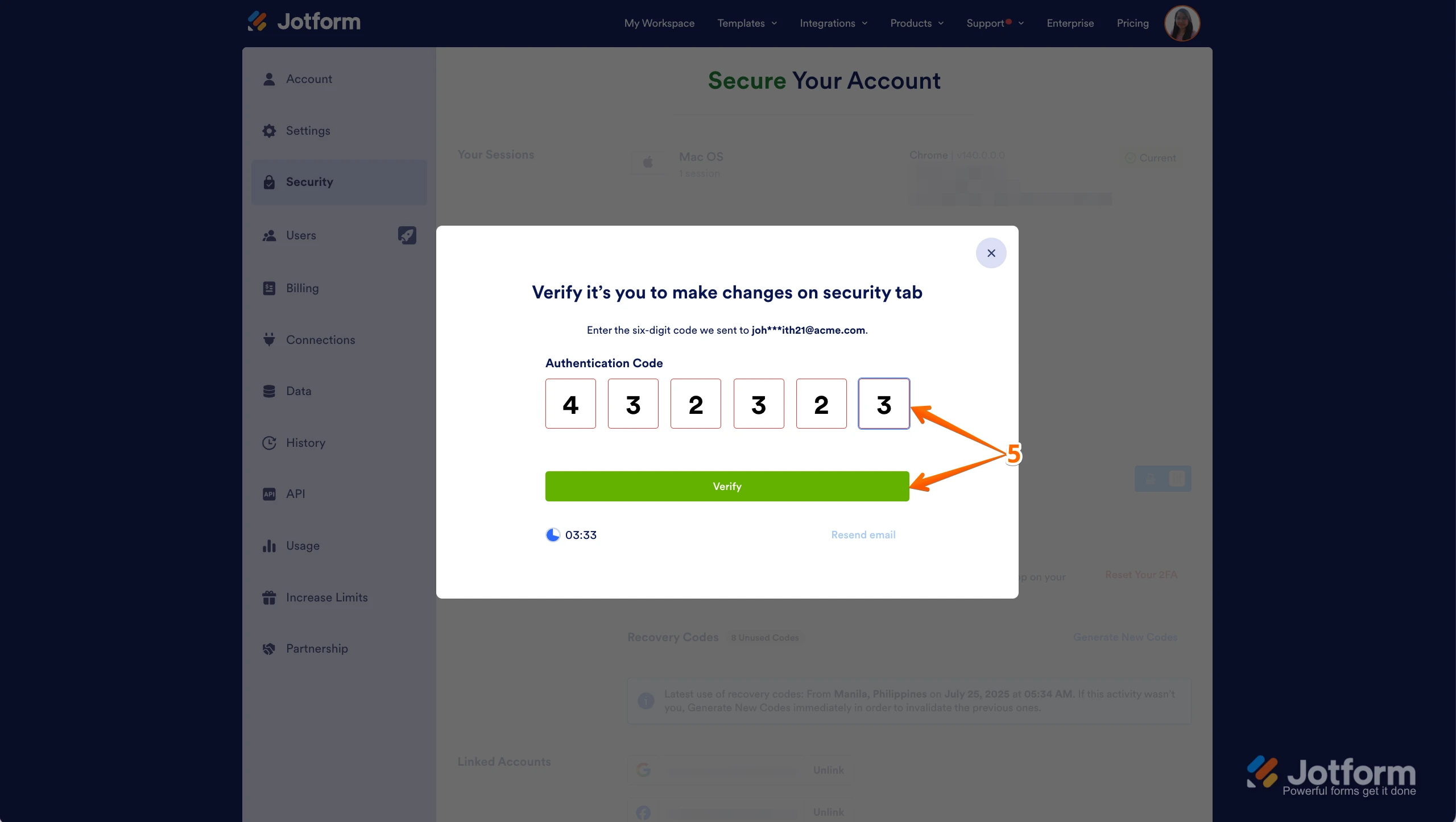
- In the Confirmation window that opens, enter the Authentication Code sent to your email and click on Verify.
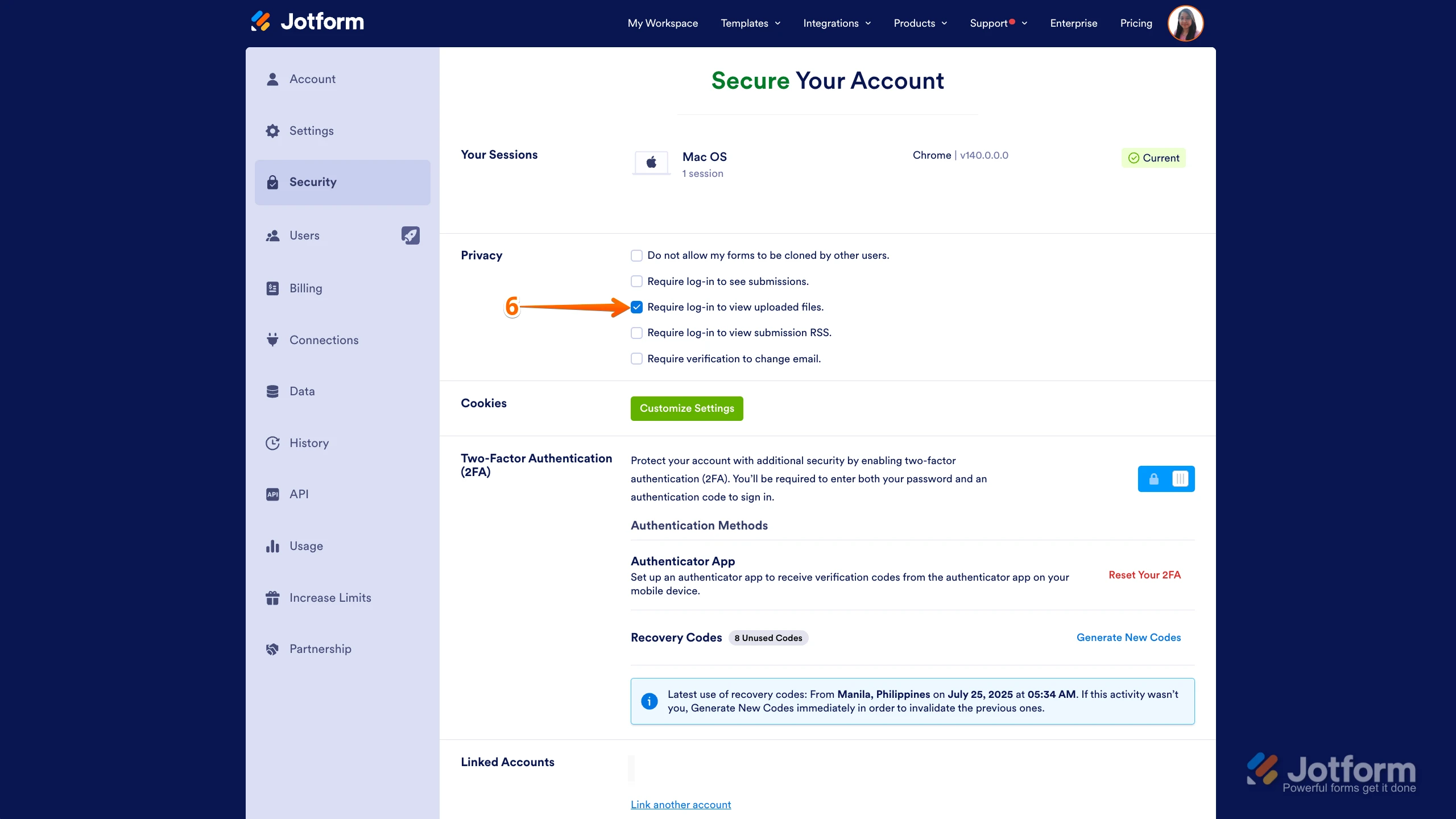
- Now, uncheck the box next to Require Log-in to View Uploaded Files. That9s it. You9re done.
Reach out again if there9s anything else we can help you with.
-
CompassAccounting
I tried these steps but I do not have permission to uncheck this option. What should I do? How to fix the issue immediately?
-
Podo: Support Specialist
Hi CompassAccounting,
If you do not have permission to uncheck the "Require Log-in to View Uploaded Files" option, it usually means you are not the account owner or do not have the necessary administrative rights to change this setting.
Here are some steps you can take to fix the issue immediately:
- Contact the account owner or administrator of your Jotform account and request them to disable the "Require Log-in to View Uploaded Files" option following the steps I previously shared.
- Check your user role and permissions within the Jotform account to ensure you have the rights to change security settings. Only account owners or users with administrative privileges can modify this option.
- Use Jotform Inbox permissions if you want to share submissions and attachments without requiring login. You can adjust the sharing settings of your Inbox link to allow collaborators or read-only access.
If you need, I can also guide you on how to change the default permission for a Jotform Inbox share link to allow easier access to submissions and attachments.
Reach out again if there9s anything else we can help you with.
-
CompassAccounting
Yes please guide where should I see my roles and assist me to change the default permissions.
-
Podo: Support Specialist
Hi CompassAccounting,
Let me help you with that:
- To check your user roles and permissions: Currently, Jotform does not have a direct user role management interface visible to all users. Typically, the account owner or administrators manage permissions and settings. You may need to ask the account owner or admin to confirm your role and permissions.
- To change the default permission for a Jotform Inbox share link:
- In Jotform Inbox, click on Share on the top-right side of the screen.
- In the Share This Inbox window, in the Link to Share section, click on Settings.
- In the Permissions section, select either Read Only or Collaborator depending on the access level you want to grant.
- Collaborators can edit and comment on submission data, while Read Only users can only view submissions.
You can also check out our guide on How to Share Your Form Inbox for more details.
Give it a try and let us know if you need any help.
-
CompassAccounting
Sorry it's not helpful
Please give me the phone number to speak with someone
-
Podo: Support Specialist
We don’t currently offer live phone support. If you have any questions, just reply to this thread and I’ll do my best to help. If my replies don’t fully address your concern, you can ask for a human agent, and your request will be handled accordingly.
-
CompassAccounting
May I know who changed this permission recently for my Jot form account?
-
Podo: Support Specialist
Hi CompassAccounting,
I don't know this information and our support team will handle your request.
-
CompassAccounting
Please raise a request with your support team
-
CompassAccounting
Please raise a request with your support team
-
CompassAccounting
How to escalate this issue?
-
 Joseph Christian JotForm Support
Hi CompassAccounting,
When you say you don't have permission to uncheck the privacy option, mind grabbing a screenshot of what you’re seeing and sending it over? Our guide on How to Post Screenshots to Our Help Center shows you how.
After we hear back from you, we’ll know what’s going on and how to help.
-
 Connor Product Triage Specialist
Hi CompassAccounting,
As your account is verified and allowed to collect sensitive information under our Terms of Use, certain security settings are required in line with our policies, applicable data protection standards, and relevant regulations. For this reason, these settings cannot be disabled. If you need to share your documents or submissions with others for your operational needs, you can share the access link or invite users via email to your Tables/Inbox.
Reach out again if you have any other questions.
-
Connor Product Triage Specialist
Hi CompassAccounting,
As your account is verified and allowed to collect sensitive information under our Terms of Use, certain security settings are required in line with our policies, applicable data protection standards, and relevant regulations. For this reason, these settings cannot be disabled. If you need to share your documents or submissions with others for your operational needs, you can share the access link or invite users via email to your Tables/Inbox.
Reach out again if you have any other questions.



Your Reply
Something Went Wrong
An error occurred while generating the AI response. Please try again!