-
 webvetseizures
i have 2 accounts - is it possible to merge these or at least transfer the 3 forms that i have on my free account to my paid account?
-
 Podo: Support Specialist
Hi Simon,
Thanks for reaching out to Jotform Support. I'm an AI assistant here to assist you.
Transferring Your Forms and Data to Another Account is easy. When you transfer a form, all its submission data moves with it, and the receiving account becomes the new owner. There are a few things you need to be aware of:
- If you're using a custom URL, it’ll automatically update from https://form.jotform.com/{yourUsername}/{your-custom-url-slug} to https://form.jotform.com/{New_Owner_Username}/{your-custom-url-slug}.
- The transfer can’t be undone unless the new owner agrees to send the forms back.
- It's not possible to transfer forms to or from HIPAA-friendly accounts.
Now, let me show you how to do it:
1. On your Workspace page, click on your Avatar/Profile Image in the top-right corner of the screen.
2. In the window that opens, click on Settings.

3. Then, click on the Data tab on the left.
4. In the Transfer Form section, click on Transfer Form.
5. Next, enter the Authentication Code that is sent to your email address, and click on Verify.
6. In the window that opens, tick the box next to the name of the form you want to transfer.
7. In the New Email Owner’s Email Address field, enter the email address of the account that you want the forms to be transferred to.
8. Now, click on Transfer Form.
Keep in mind that you can only send one form transfer at a time. You can also cancel the current transfer request. Let me show you how:1. While you are still on the Data page, click on the View Details button in the Pending Transfer section.
2. Then, click on Cancel Request.
3. Finally, click on Yes, Cancel.
Once the forms are transferred, the owner of the account receiving the forms will get an email notification. From that email, they can click on the View Transfer button, then click on Accept to complete the transfer. Check out the screencast below:Reach out again if you have any other questions.
-
 platt_simon
Ive attempted to do this but when i clicked transfer forms, it says you do not have permission for this operation
-
 Rica Support Team Lead
Hi Simon,
You currently have 4 forms in your Starter account and are allowed to transfer them. Could you try logging out and then logging back in to your Starter account, and attempt to transfer the forms again? If the issue persists, mind grabbing a screenshot of what you’re seeing and sending it over? Our guide on How to Post Screenshots to Our Help Center shows you how.
We'd also like to check if we can replicate the error on our end. To do that, we’ll need your permission to access your account. Don’t worry, you can turn it off again once we’re done. Let me show you how to do it:
1. In the top-right corner of your Workspace page, click on your Avatar/Profile Image icon.
2. Then, in the Dropdown menu that opens, click on Settings.
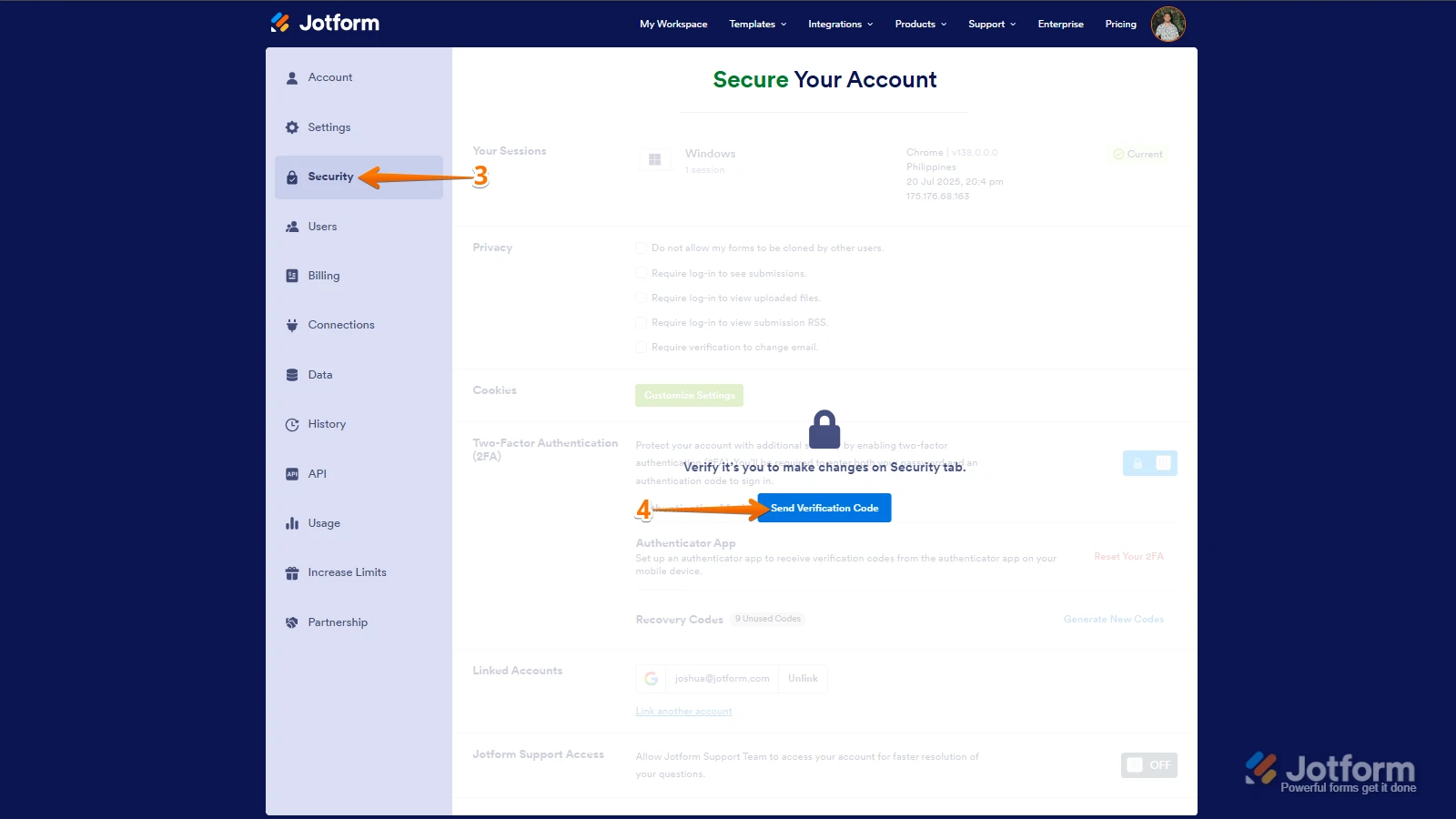
3. Next, in the panel on the left, click on the Security tab.
4. If you haven’t opened your Security page in a while, it’ll ask you to verify. To do that, click on Send Verification Code.
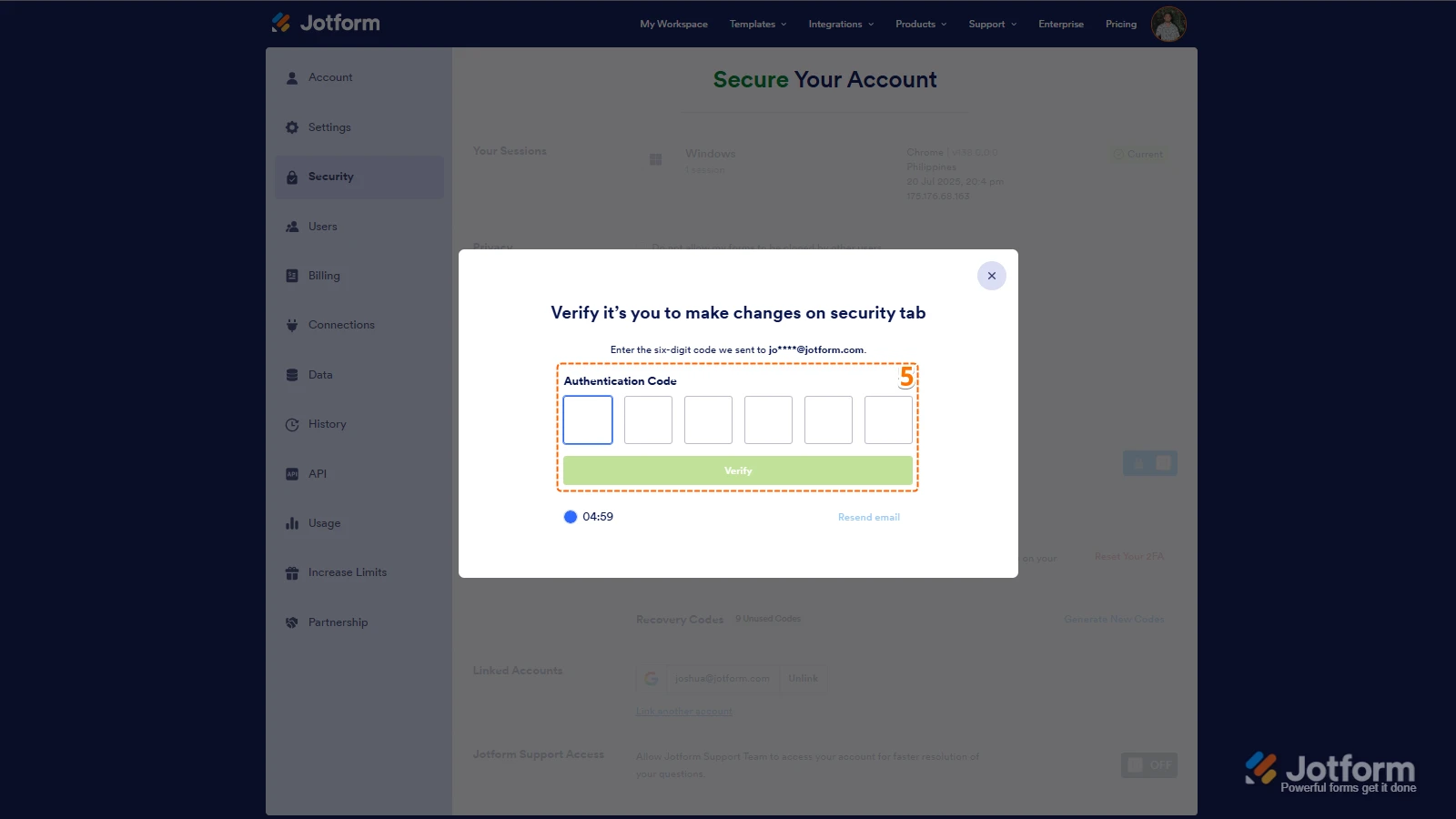
5. Then, enter the Verification Code you receive in your email.
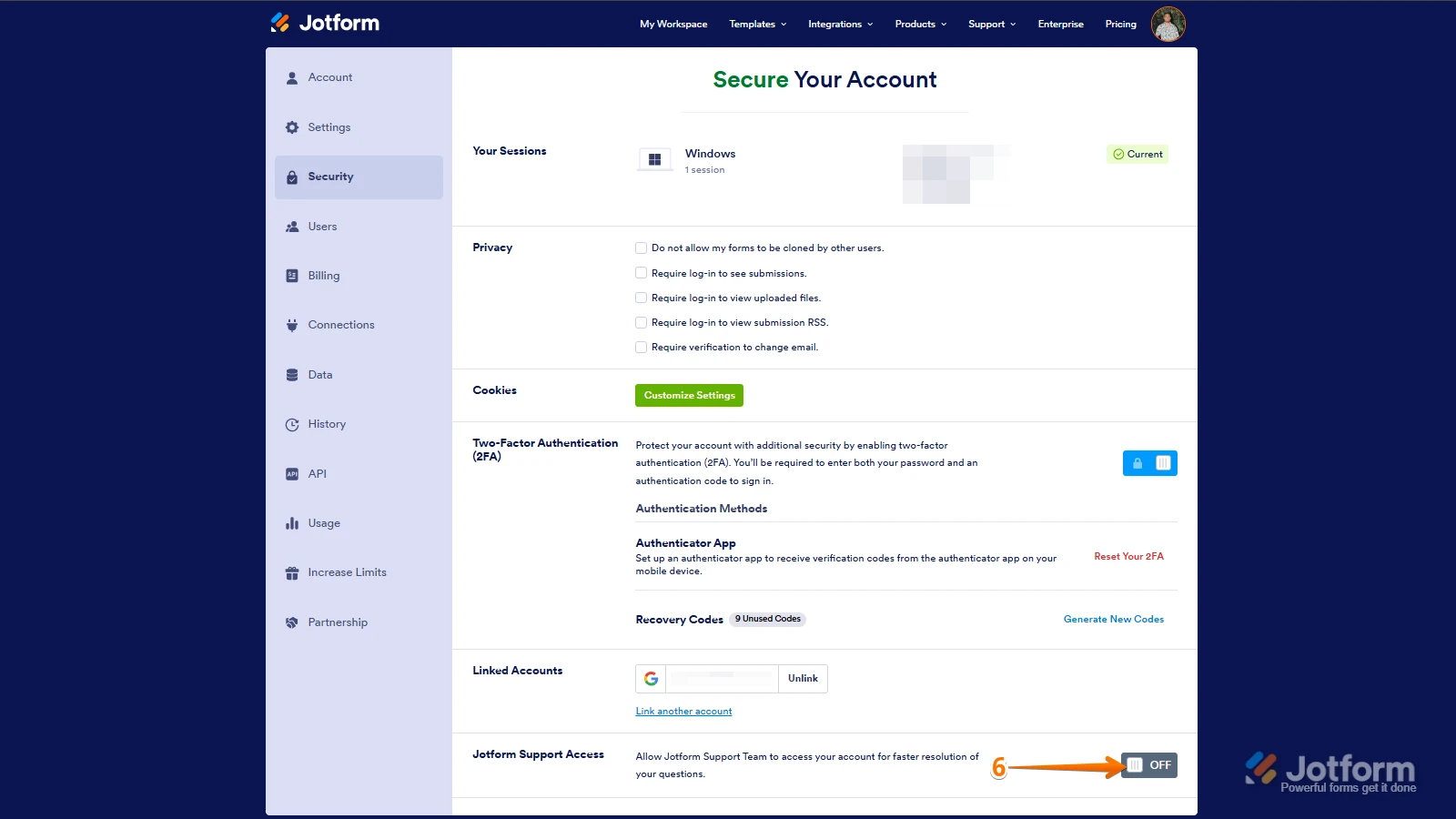
6. Finally, at the bottom of the page, toggle on Jotform Support Access.
After we hear back from you, we’ll have a better idea of what’s going on and how to help. -
platt_simon
ok great - this worked - it was getting hung up between the two accounts
many thanks for this
best wishes
Simon
-
Podo: Support Specialist
Hi simon platt,
Your request has been answered and the thread is closed.
If you have another question or need more help, feel free to reply here and we'll assist you right away.


 Keep in mind that you can only send one form transfer at a time. You can also cancel the current transfer request. Let me show you how:

 Once the forms are transferred, the owner of the account receiving the forms will get an email notification. From that email, they can click on the View Transfer button, then click on Accept to complete the transfer. Check out the screencast below: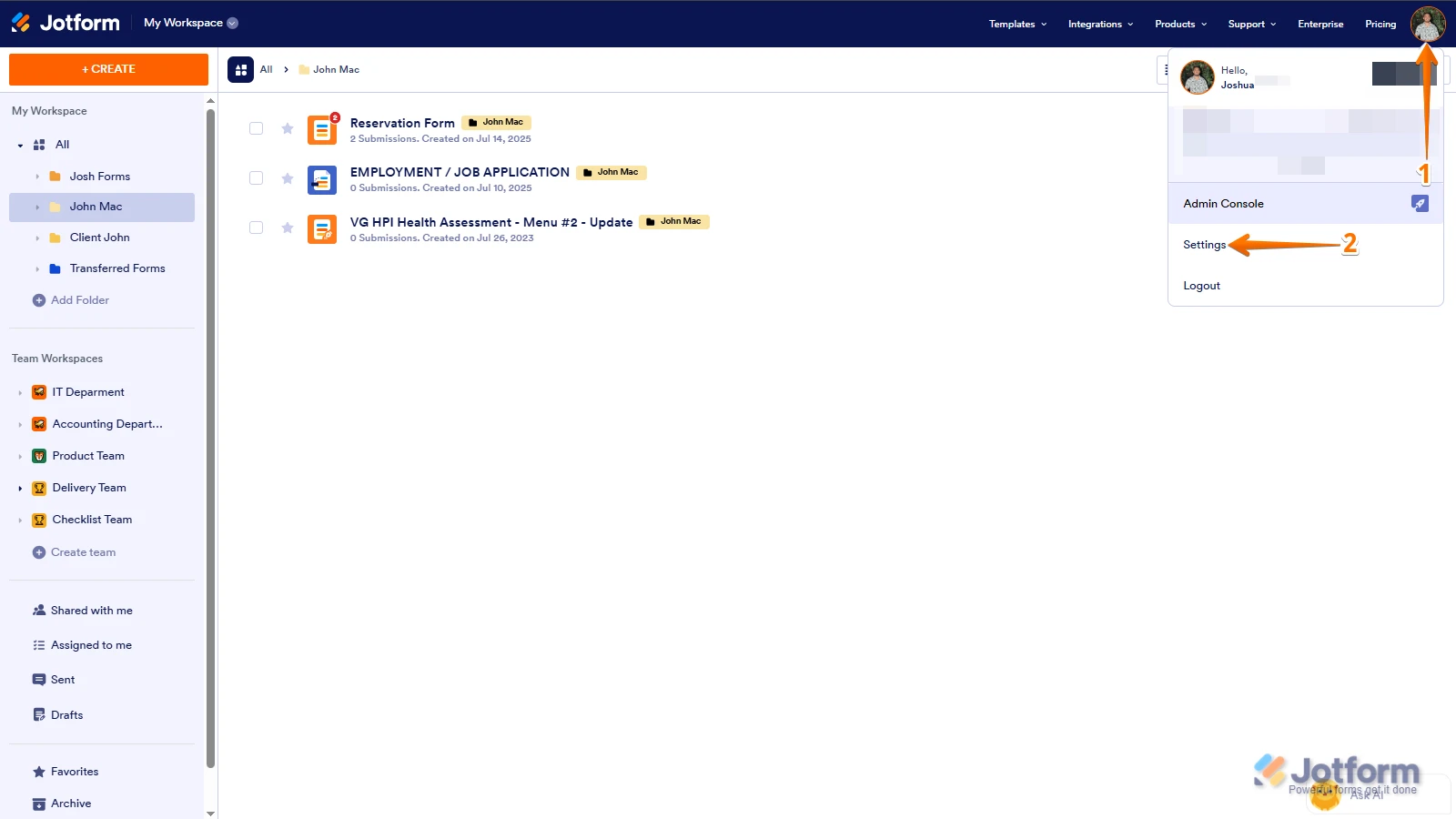
 After we hear back from you, we’ll have a better idea of what’s going on and how to help.