-
 Team_Lahti
Hello, I am trying to transfer this account to another email. It says that I have an account under laura@teamlahti.com - but I cancelled it. Can you please help, move for this service I already paid for?
Thank you!

-
 Podo: Support Specialist
Hi Laura,
Thanks for reaching out to Jotform Support. I'm an AI assistant here to assist you.
Adding a backup email to your account is easy, and it helps if you ever have issues with your main email. Let me show you how:
1. On your Workspace page, click on your Avatar/Profile Image on the top-right side of the screen.
2. In the window that opens, click on Settings.
3. Next, in the menu on the left, click on Account.
4. Then, in the Backup Email section, click on Edit in the right corner.
5. Finally, enter your backup email address in the New Backup Email field, and then click on Save.
That’s it. Reach out again if you need any other help. -
Team_Lahti
It's still not working; it says laura@teamlahti.com has an account. That account was canceled
-
Podo: Support Specialist
Hi Laura,
It seems you are encountering an issue where the system still recognizes the email laura@teamlahti.com as having an account, even though it was canceled.
To transfer your forms to another account, please follow these steps carefully:
1. On your Workspace page, click on your Avatar/Profile Image in the top-right corner.
2. Click on Settings.
3. Click on the Data tab on the left menu.
4. In the Transfer Form section, click on Transfer Form.
5. Enter the Authentication Code sent to your email and click Verify.
6. Select the form(s) you want to transfer.
7. Enter the new owner's email address in the New Email Owner’s Email Address field.
8. Click Transfer Form to complete the process.
Keep in mind that the transfer can only be done one form at a time, and the new owner will receive an email to accept the transfer.
If you are unable to proceed because the email is still linked to a canceled account, this might require further investigation by our support team.
Reach out again if you have any other questions.
-
 Eliza Enterprise Support
Hi Laura,
Thanks for reaching out to Jotform Support. You're unable to use the email address laura@teamlahti.com until it is purged from our system, which happens 30 days after the deletion. What we can do is to reactivate the deleted account, so you can log in to it and change the account email to a different one.
This way, laura@teamlahti.com will be available for use. I've gone ahead and reinstated the other account. Changing your account email address only takes a minute. Let me show you how:
1. On your Workspace page, click on your Avatar/Profile Image in the top-right corner of the screen.
2. In the Dropdown menu that comes up, click on your name.
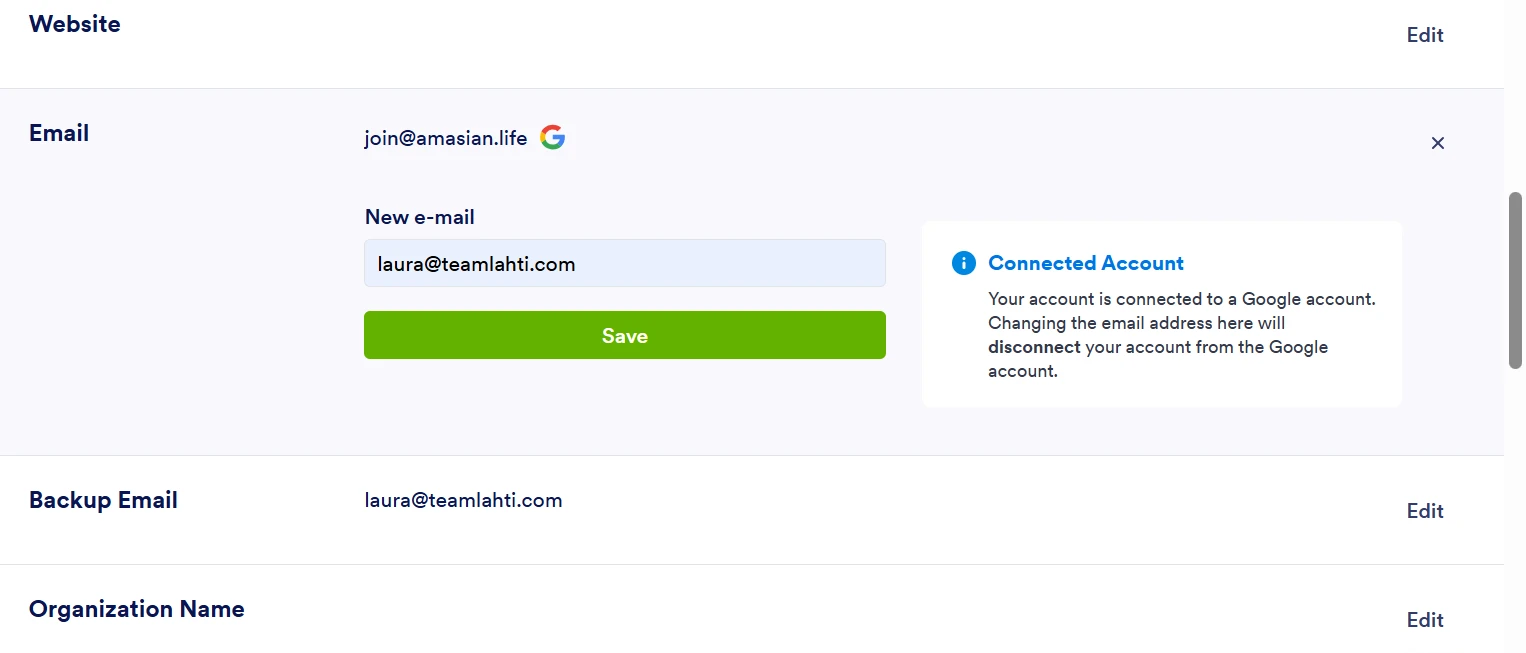
3. On the right side of the page, under the Email section, click on Edit.
4. Next, enter the new email address you want to use and click on Save.
5. In the Confirmation window that opens, enter the Authentication Code sent to your new email and click on Verify.
Reach out again if there’s anything else we can help you with. -
Team_Lahti
The current account join@amasian.life won't let me switch the email address to laura@teamlahti.com
-
Team_Lahti
It's still not working, it says I have an account under laura@teamlahti.com
-
 Skylar
Hi there!
As Eliza said, it will take about 30 days for an account to be completely purged from the system after deletion. I can look to move this up to our tech team and see if they can push this request forward for a faster turnaround.
I will let them know that the old laura@teamlahti.com account needs to be deactivated to its entirety so that you can transfer the previous account over. Thanks for your patience! Help is on the way.
-
Team_Lahti
I believe it laura@teamlahti.com is canceled, would you be able to verify? That would be great if they could push the request forward for a faster turnaround.
-
 Kamal JotForm Developer
Hi Laura,
Eliza reinstated your laura@teamlahti.com account, and I've verified that it's currently active. This is why it is currently preventing you from switching your join@amasian.life account's email to laura@teamlahti.com
Here are the steps you can follow to switch your join@amasian.life account's email to laura@teamlahti.com :
1. Log in to your laura@teamlahti.com account, and switch the email to a third email that isn't laura@teamlahti.com or join@amasian.life2. Verify the third email by following the same steps that Eliza outlined here
3. Log back into your join@amasian.life and then edit the email to be laura@teamlahti.com
Can you go ahead and try that and let us know how it goes? If you’re still having the same issue, we’ll look into it more to see if we can figure out what’s going on.



 That’s it. Reach out again if you need any other help.


Your Reply
Something Went Wrong
An error occurred while generating the AI response. Please try again!