-
 EVALUATION_CENTRAL
Again there's same issue
we are not able to submit the test -
 Kris Ann JotForm Support
Hi EVALUATION_CENTRAL,
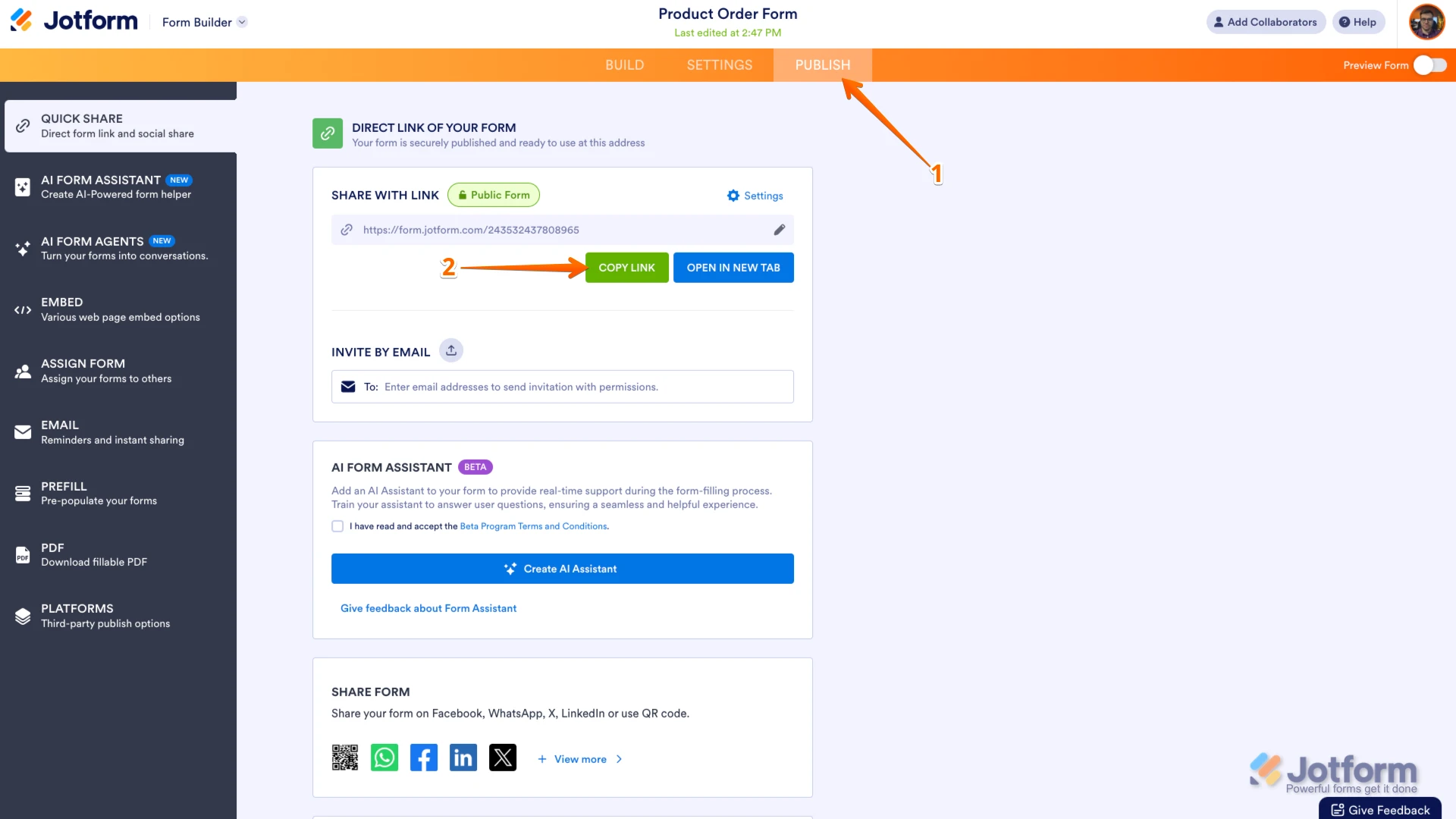
Thanks for reaching out to Jotform Support. Can you send me the link to your form so I can take a look for you? You can easily find your form's URL in Form Builder. Let me show you how:
- In Form Builder, in the orange navigation bar at the top of the page, click on Publish.
- In the Quick Share tab, click on Copy Link in the Share With Link section.
 Also, if you can take a screenshot of what’s happening, that'll help us to understand better what’s going on. Let me show you how to post a screenshot to our Help Center:
1. On the Help Center page, scroll down to the Your Answer section and click on the Image icon.
2. Drag and drop your image into the Upload box, or click on it and select your file.
3. Then, click on the Add button in the bottom-right corner of the window.
4. To resize it, click on your screenshot and then click on one of the boxes in the corners, and drag it inward.
5. Once you're finished, click on the Post Answer button at the bottom right of the Your Answer section.
-
EVALUATION_CENTRAL
-
EVALUATION_CENTRAL
-
EVALUATION_CENTRAL
We are facing an issue with the assessment submission. Whenever we try to submit the test, it automatically goes back and the submission does not get recorded.
This issue is happening on a daily basis and is affecting multiple students. Kindly look into this on priority.
-
 Sheena JotForm Support
Hi EVALUATION_CENTRAL,
Looks like you’ve also asked this on another thread. You can check out our answer and reply on that thread so we can resolve the issue.
Thanks for your patience and understanding, we appreciate it.
-
EVALUATION_CENTRAL
Thank you for your response.
I have already checked the previous thread and followed the suggested steps. However, I am still facing the same issue again. The assessment is not getting submitted and automatically goes back.
Also, it only shows the timer during the test, and once the time is over, the assessment does not get submitted.
That is the reason I raised a new ticket, as this is happening repeatedly on a daily basis and affecting multiple users.
Kindly look into this issue on priority and help us resolve it at the earliest.
-
Sheena JotForm Support
Hi EVALUATION_CENTRAL,
When I cloned and tested your form, everything worked the way it was supposed to. Take a look at the screencast below to see my results:
Is the form embedded on a website? Could you share the website URL with us? Since we cannot replicate the issue on our end, would you allow us to create a test submission in your form?
Once we hear back from you, we'll be able to help you with this.
-
EVALUATION_CENTRAL
1- From this link we are not able to submit the test
https://test.mentobrain.com/Start.aspx?107dd$8764e2- And from this we are not able to submit the test and also when a student is submitting the test we are not able to receive the unique ID of the test
Test Link: https://test.mentobrain.com/Start.aspx?107dd$256d5
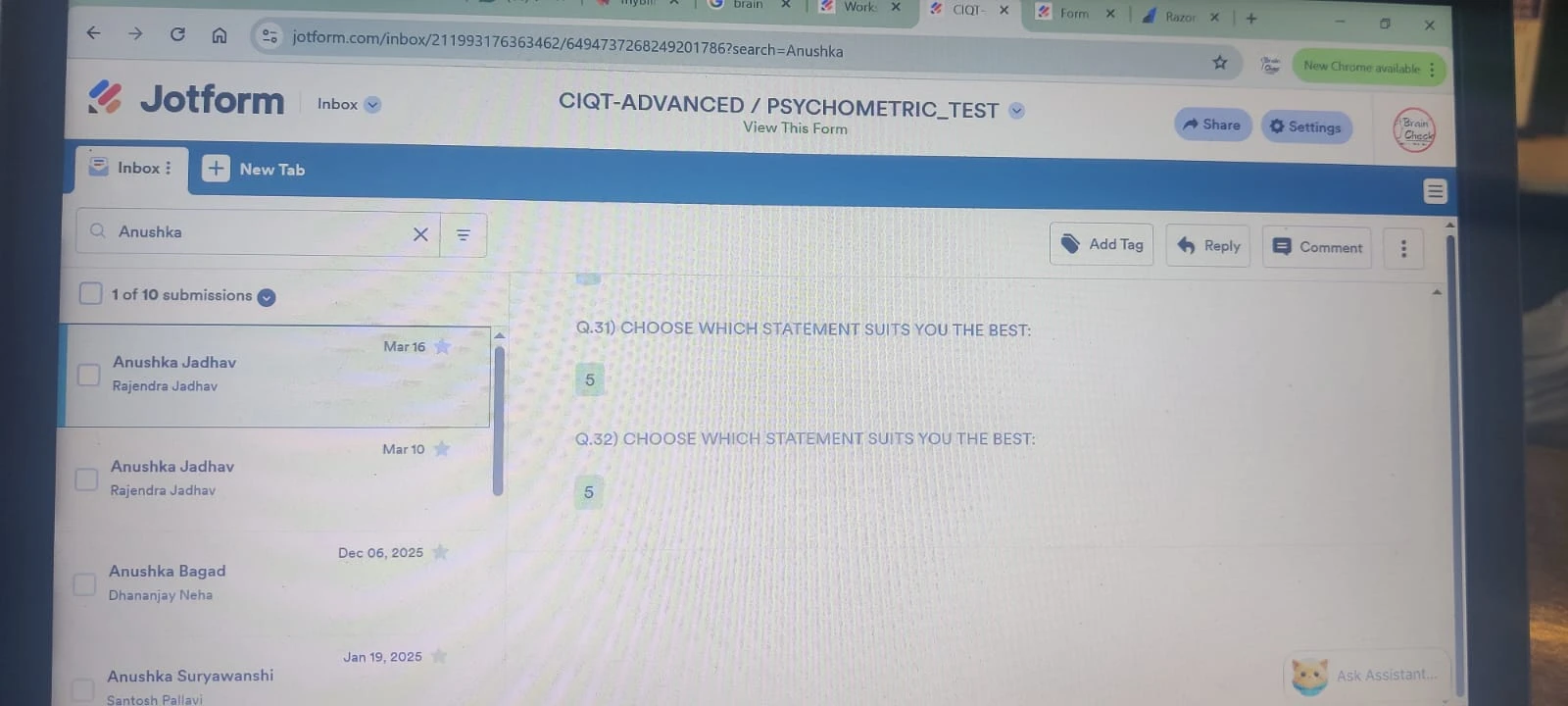
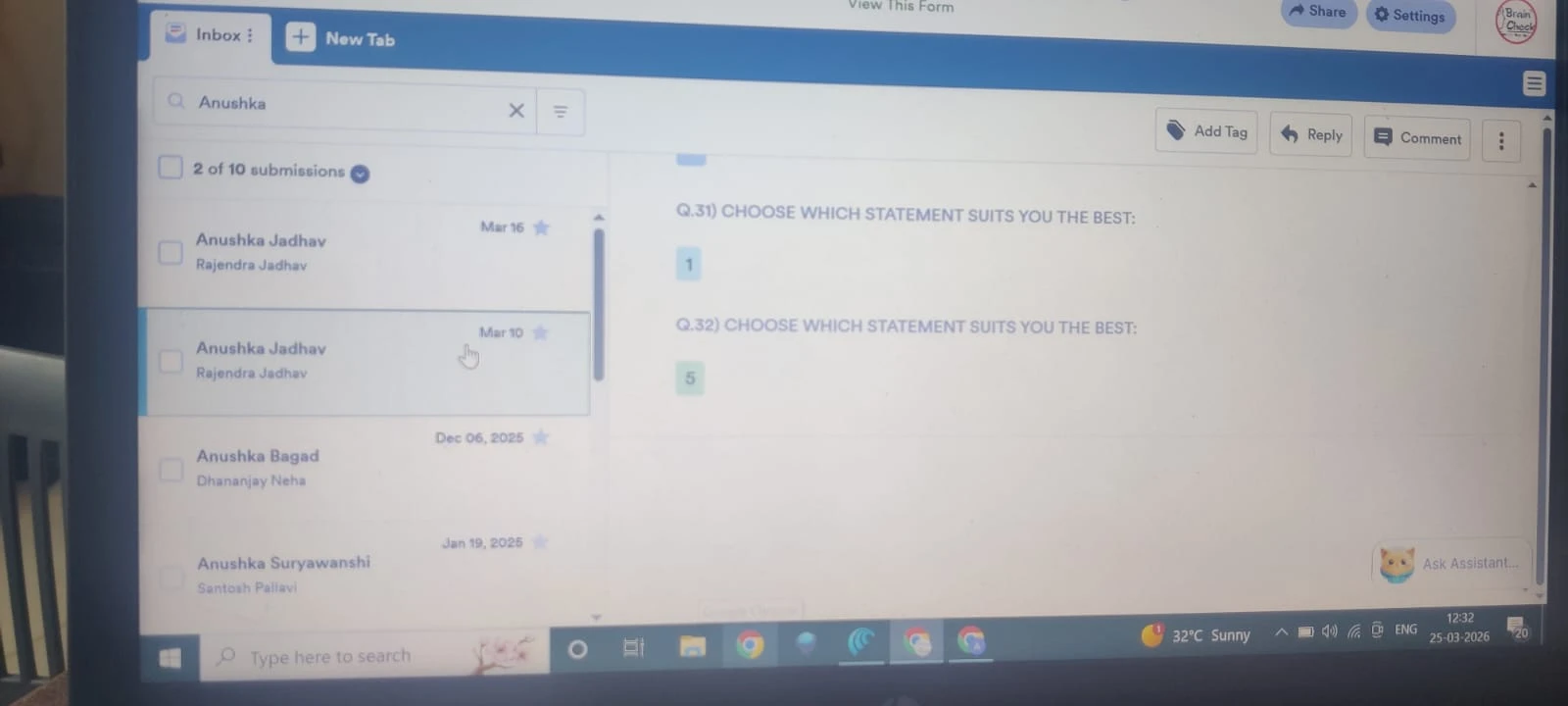
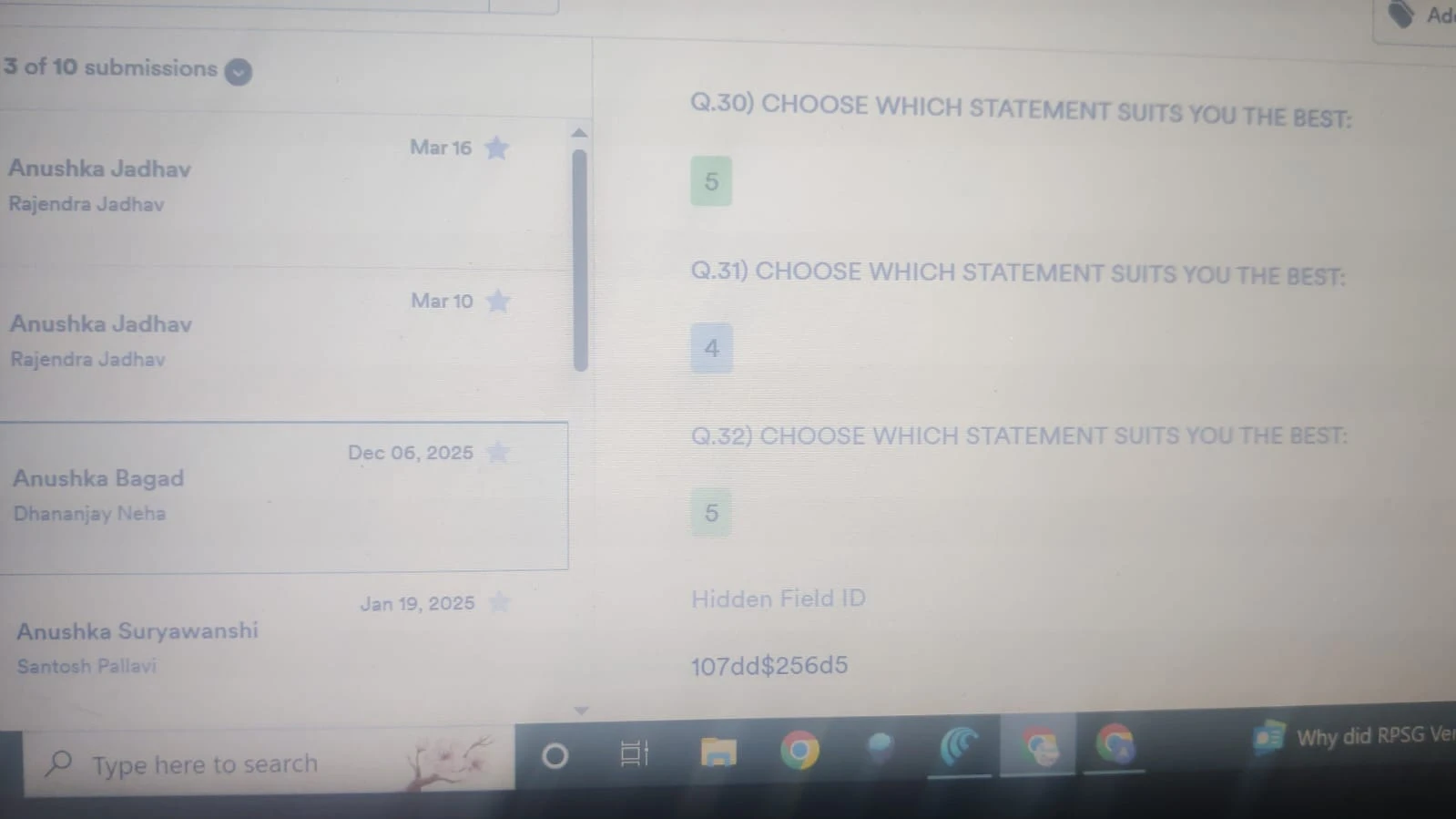
Now I have a Student Name - Anushka Jadhav she tried submitting the assessment twice 1st on March 10 and 2nd on March 16 and we have not received the Unique ID
Also I am sharing the Hidden file ID you can check it -
 Eliza Enterprise Support
Hi EVALUATION_CENTRAL,
I tried opening the Test links that you sent us and got this message in the screenshot below:
Can you share with us how you came up with these test URLs in relation to the form that's in question? Can you try making a submission using the form's direct URL, or using its custom URL? If the same thing happens, can we ask for your permission to do a test submission on your live form?Lastly, to keep the conversation organized, I moved your other question to its own thread, and someone from our Support Team will help you with it here.
Once you get back to us, we can take the next step toward solving this.
-
AAnnie
try this link
-
EVALUATION_CENTRAL
https://test.mentobrain.com/Start.aspx?107dd$256d5
Try this link -
Sheena JotForm Support
Hi EVALUATION_CENTRAL,
The link you provided is not valid. Could you share a new, correct link?
Also, if you are embedding the form on a website, we suggest using the iframe embed method as it tends to be more reliable and can help avoid submission issues. Let me show you how:- In Form Builder, in the orange navigation bar at the top of the page, click on Publish.
- In the menu on the left side of the page, click on Embed.
- Now, select iFrame, and click on Copy Code.
- Paste your code into your webpage's embed area, and that’s it.
 Also, if you can take a screenshot of what’s happening, that'll help us to understand better what’s going on. Let me show you how to post a screenshot to our Help Center:
 Can you share with us how you came up with these test URLs in relation to
  Also, if you are embedding the form on a website, we suggest using the iframe embed method as it tends to be more reliable and can help avoid submission issues.