-
 admin_Admin_admin294
I've tried the AI assistant but getting nowhere.
I have a submission date/picker field on the form that records the submission date. The default is set to current. From everything I've read, this will be static once the form is submitted in effect representing date/stamp of submission.
I have an Edit Date on the form as the players can edit the submission for changes and can do so a number of times until the form is disabled at a certain date. So I want the Edit date to record the date of the edit so it will display the last date of an edit if they edit a number of times. I've added the Get URL Page to the form(hidden) for conditional logic but I can't figure out what the conditional logic would be. AI is proposing conditional logic that doesn't exist on the options.....
Please advise on this as it's a very important issue in getting this form to work....
I've attached the link.
Thank you,
Page URL: https://form.jotform.com/260638015896162 -
 Lorenz JotForm Support
Hi admin_Admin_admin294,
Thanks for reaching out to us for help. Unfortunately, when editing the submission, the date field will always display the date it had when the form was submitted, unless the user manually change it themselves when editing the form submission.
If you simply want to get the timestamp of each submission edit, you can view them from Jotform tables by simply enabling the last update date column. Let me walk you through it:
1. In your Workspace, select the form you want to view the submissions and click on the Submissions button that appears at the top.
2. In Jotform tables, click on the Columns & AI dropdown.
3. Look for the Last Update Date and enable it by checking its box. That's it, a column containing the update date will appear.

Give it a try and let us know if you need any more help.
-
GGameprep
It's the edit date on the form that I need as I have options that will expire if the edit date is outside of the date of the option. I have been working on this for weeks on the assumption that this was doable from all the AI and posted info and now I'm stuck. I need a date stamp on the form when it's edited so I can do conditional disabling of expired options.
I'm at a loss unless you have some sort of work around for this.
Please advise.
-
 Rica Support Team Lead
Hi admin_Admin_admin294,
Unfortunately, we currently don’t have an element or widget that automatically updates the date when form users access the edit link. As a workaround, you can set the Default Date of the Last Edit Date field to None and allow users to manually select the date when editing their submission. You can then add the following conditions to show and require this field only during edits:
You can also add a Paragraph field next to the Last Edit Date field to inform form users to always update the date whenever they edit the submission. You can then confirm whether the date was updated by comparing it with the Last Update Date column in Jotform Tables.
Give it a try and let us know if you have any other questions.
-
admin_Admin_admin294
The "work around" you propose is not going to work if the player can in fact put any date in the edit field, over-ride an expired option and make changes that wouldn't show until after the fact then I have to "monitor" the changes as they come in...just not a reason alternative.
The link below - a post directly from Jotform is what I was relying on...
Per those instructions if I have a current date and a hidden date.
I set a condition on the get url form page widget that if the widget contains "edit" then show the hidden date and hide the current date which then shows the hidden date of the edit.
This is why I am unable to complete this form until I find a viable solution. If not - I'll have to scrap jotform altogether for another option.
Please advise.
Thank you
-
 Joeni JotForm Support
Hi admin_Admin_admin294,
I cloned your form to see if I could replicate the issue, but the last date is being recorded when I submit the edited form. Take a look at the screenshot below:
I also noticed that the current date isn’t being recorded. To make sure both values show up in your submission table, try setting Clear Hidden Field Values to Don’t Clear. Let me show you how:- In Form Builder, click on the Settings tab in the orange navigation bar and click on the Show More Option button.
- Then, scroll down to the Clear Hidden Field Values section, click on the Downward Arrow icon and select the Don't Clear option in the Dropdown Menu.
- In Form Builder, select the Last Edit field and click on the Gear icon.
- Now, go to the Options tab and select None option in the Default Date section.
- Then, go to the Time tab and select the None option in the Default Date section as well.
-
admin_Admin_admin294
I'm not explaining this properly. I need a date that I can use to conditionally disable options that have expired. It works for new submissions; I have submission date that is set to current date that populates when they open the form and submit.
But from when the form is submitted to when it's edited by the user, there will be options that may expire on edit date that I need to the same condition but on the edit date and not the date of the submission.
I read the solution of hiding the current and showing the edit date on edit and requiring it so the user has to pick the date. f I'm stuck with having the user enter the edit date - they could 'back date' and end up picking options that have expired. Question is if the edit date field itself (date/picker) settings are changed to not allow "past" dates, will that work to ensure they don't backdate?
Hope this is a bit clearer on my dilemma.
-
 Jeric_T
Hi admin_Admin_admin294,
Yes, that would work. Doing so ensures the user will not be able to select a past date. You can even uncheck future dates as well to ensure that they can only select the current date.
Reach out anytime if you've got more questions.
-
admin_Admin_admin294
Excellent - I can work with this option.
Quick issue though, they could edit a number of times so how would that work on say a 2nd or 3rd edit with the same field?Briefly, the form is for a particular month.
Players pick # options based on their membership. Let's just say 4. There are 16 to choose from. All dates/times. They have to pick all their member options in the initial submission but they can go back and edit to change options to other dates times within the month.
Thanks
-
 Camila JotForm Support
Hi admin_Admin_admin294,
I’ve gone ahead and moved your other question to a separate thread to keep things tidy, and someone from our Support Team will help you out with it here.
Let us know if you have any other questions.


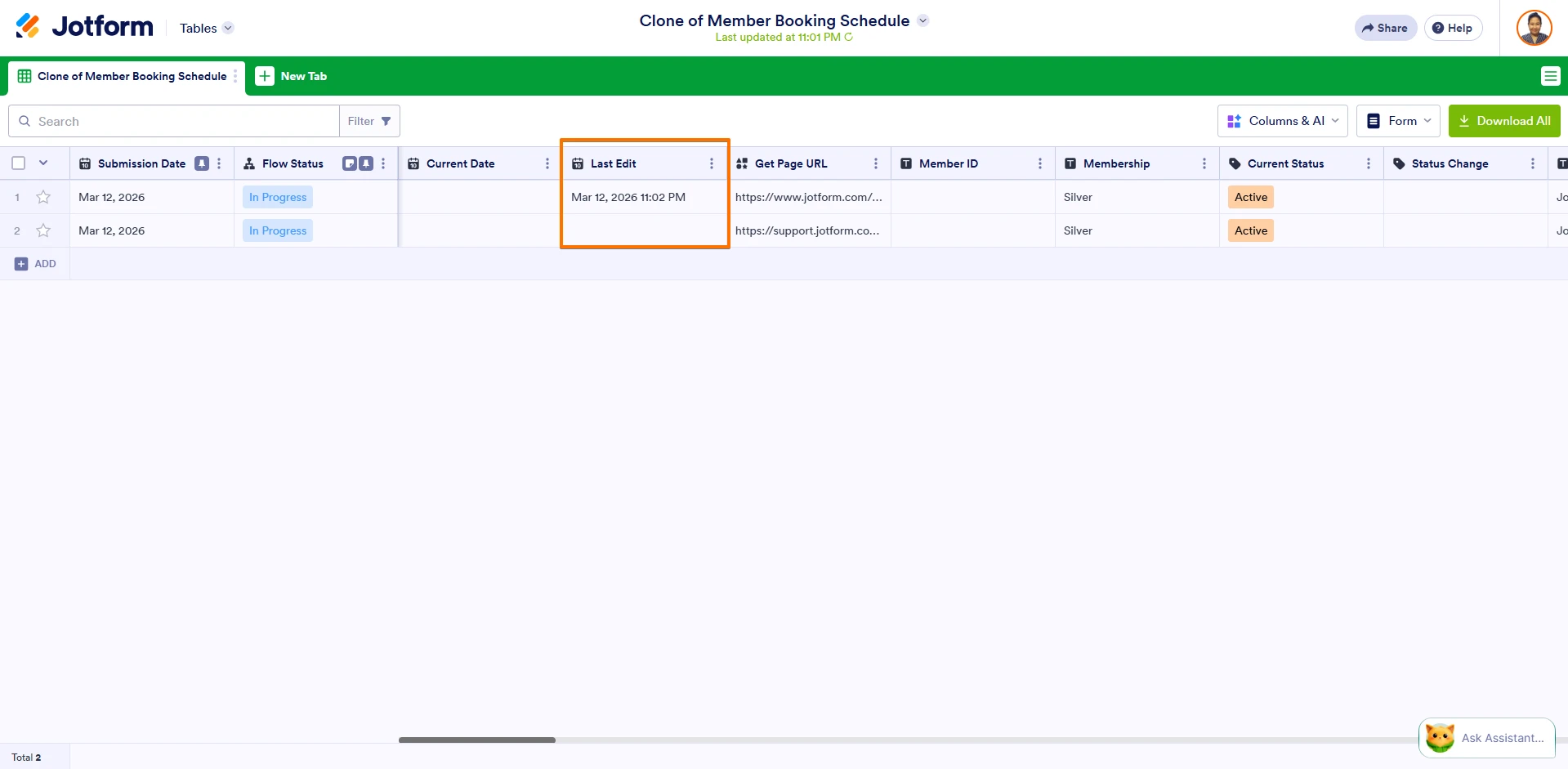 I also noticed that the current date isn’t being recorded. To make sure both values show up in your submission table, try setting Clear Hidden Field Values to Don’t Clear. Let me show you how:
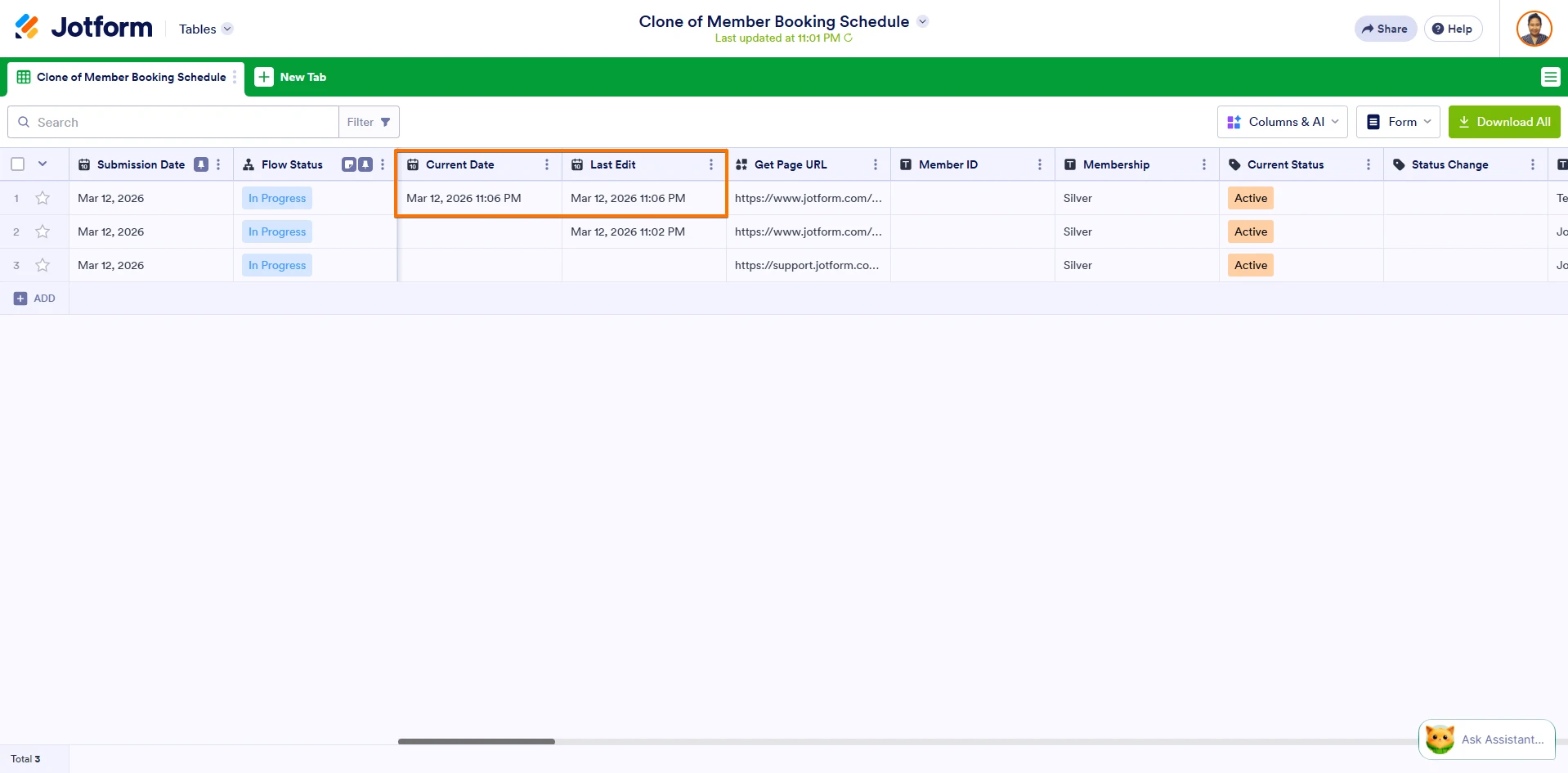 If you want to make sure the Last Edit field is captured correctly, don’t set the default date to “Current.” Instead, set it to None so the user can manually enter the date and time of the last edit. Let me show you how:
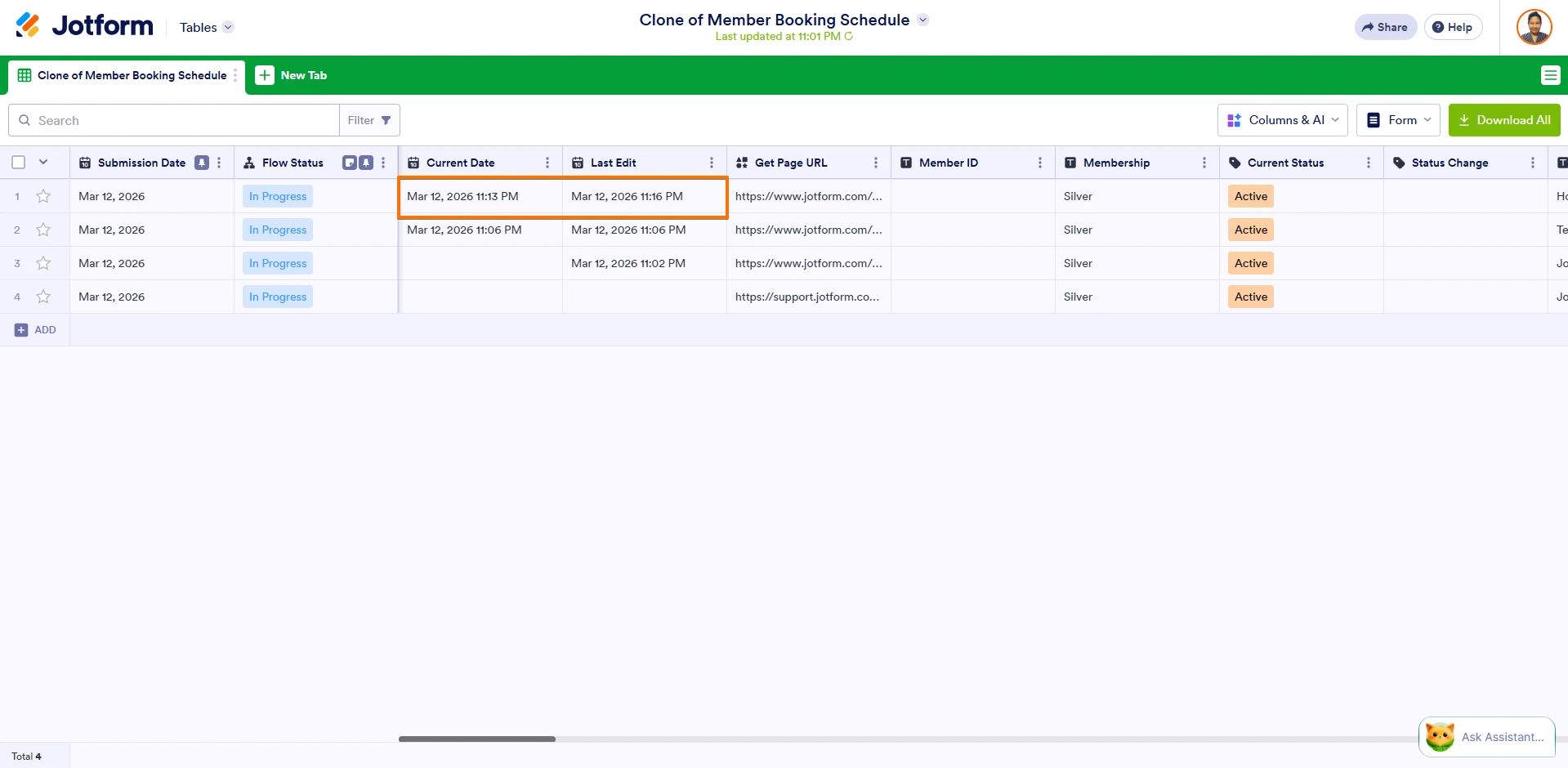 Give it a try and let us know how it goes.