-
 Kashuna
 -
 Eduardo JotForm Support
Hi Kashuna,
Thanks for reaching out to Jotform Support. Let me take a look at this for you. To do that, we’ll need your permission to access your account. Don’t worry, you can turn it off again once we’re done. Let me show you how to do it:
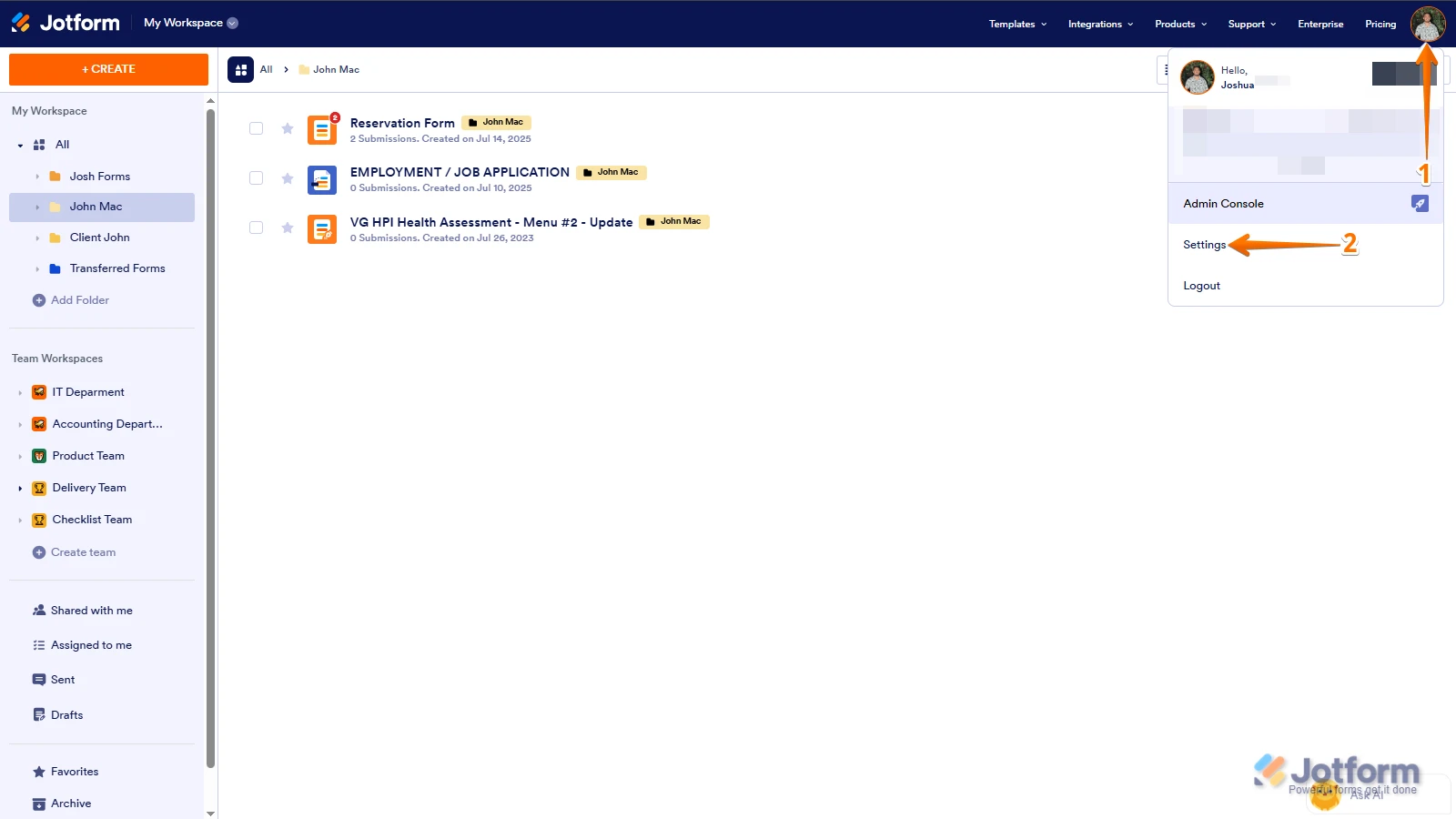
1. In the top-right corner of your Workspace page, click on your Avatar/Profile Image icon.
2. Then, in the Dropdown menu that opens, click on Settings.

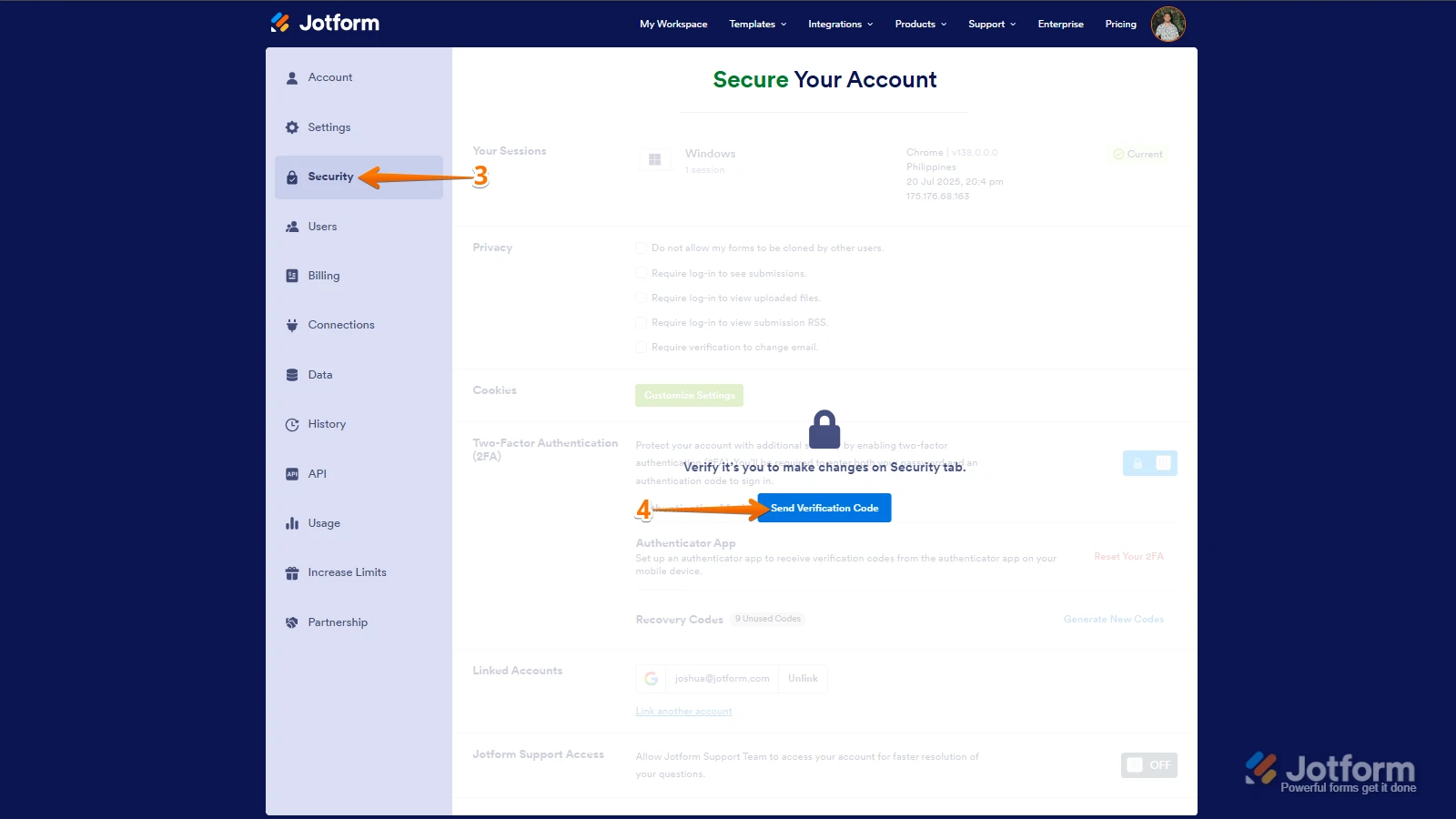
3. Next, in the panel on the left, click on the Security tab.
4. If you haven’t opened your Security page in a while, it’ll ask you to verify. To do that, click on Send Verification Code.
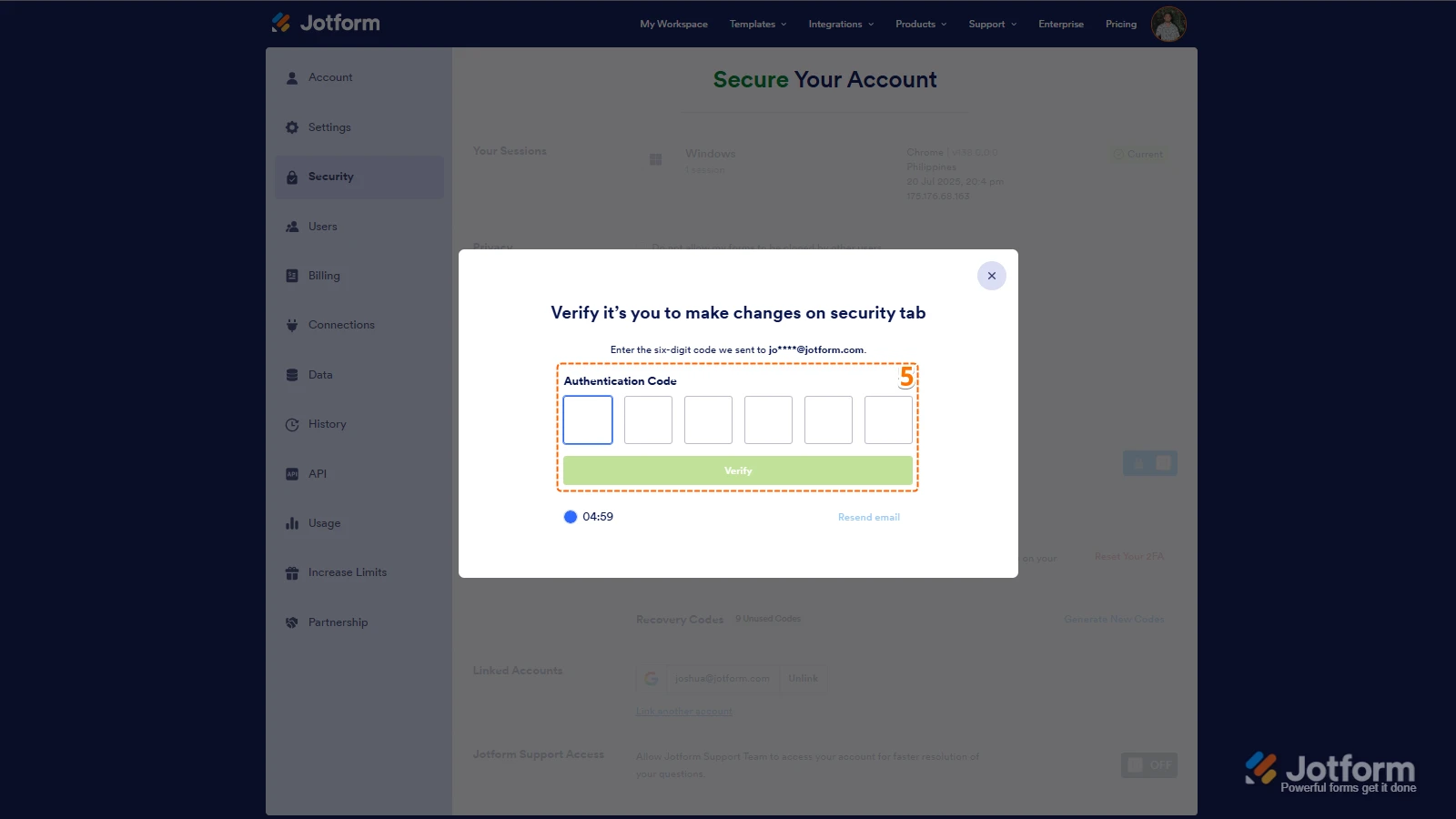
5. Then, enter the Verification Code you receive in your email.
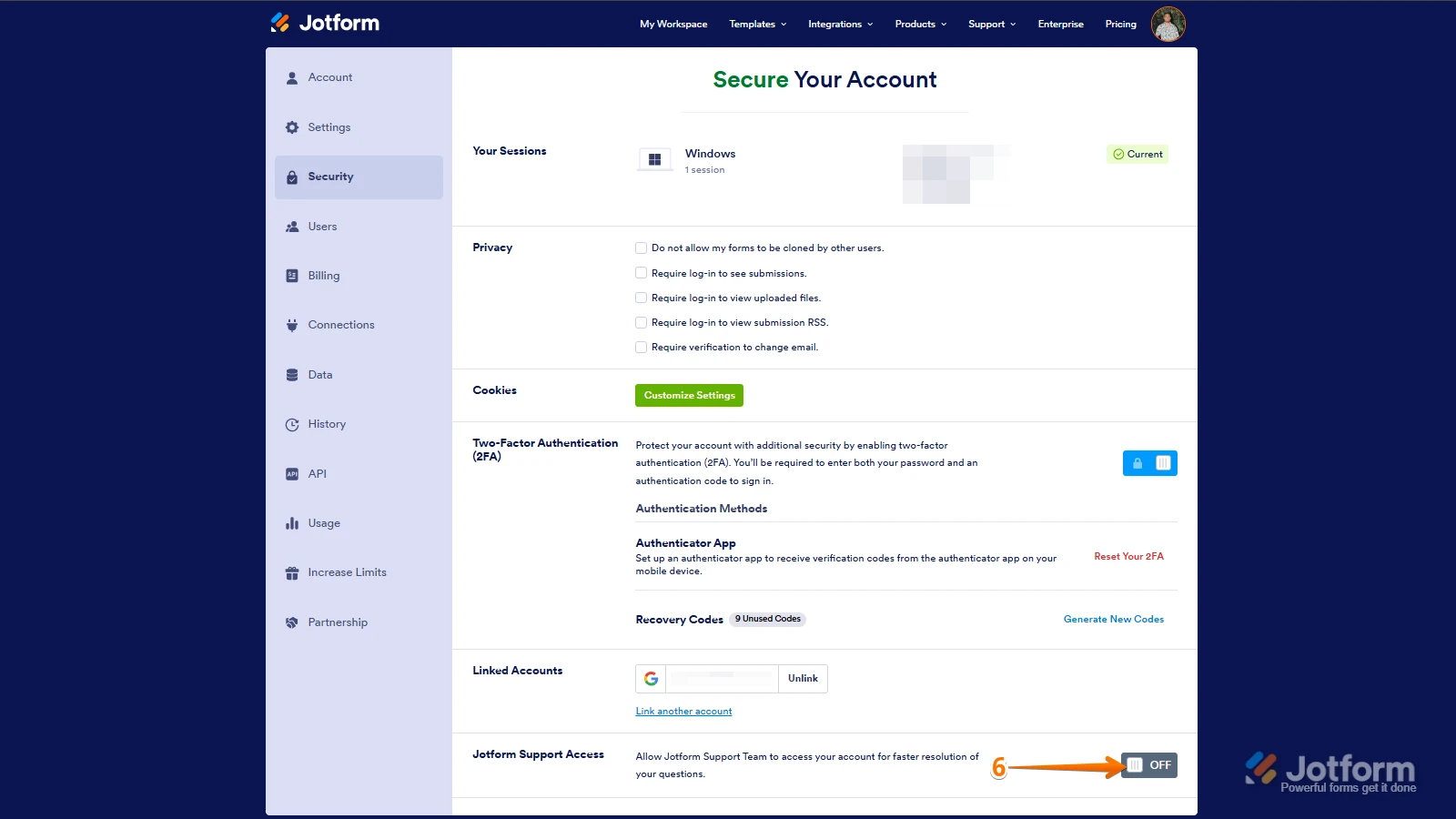
6. Finally, at the bottom of the page, toggle on Jotform Support Access.
After we hear back from you, we’ll have a better idea of what’s going on and how to help. -
Kashuna
This has been completed
-
 Lesther Support Team Lead
Hi Kashuna,
It appears that you've created a fillable PDF instead of a PDF template. Fillable PDFs are a document equivalent of online forms. It's different from the PDF template. The PDF template is the PDF copy of every form submission. Here's how to create a PDF template:
- In the PDF Editor, in the blue navigation bar at the top, click on the New PDF button.
- Choose Use Default Layout in the window that opens, and that’s it.

 After we hear back from you, we’ll have a better idea of what’s going on and how to help.