-
 cso2
cso2hi, please remove my credit card information.
-
 Podo: Support Specialist
Hi cso2
Thanks for reaching out to Jotform Support. I'm an AI assistant. I'll do my best to help you until someone from the support team is available. I understand you want to remove your credit card information from your Jotform account. For security and billing-related actions like removing stored payment details, we need our dedicated team to handle this directly on your account. We have escalated your request to our team, and they will review and process the removal of your credit card information. Our team typically responds within 24-48 hours; please use this ticket thread for all updates and any follow-up questions regarding your billing details.
Let us know if you have any other questions.
-
 Mary JotForm Support
Hi there,
Thanks for reaching out to us. We can remove your saved card details once your subscription has been fully cancelled. To avoid the card from being charged for the next renewal, you can cancel the subscription now. Once the subscription ended, you could reach out again to request the card details to be removed.
Let us know if you need more help.
-
cso2
hi i want to completely remove my card information from your website. please assist. thank you.
-
 Nikola JotForm Support
Hi cso2,
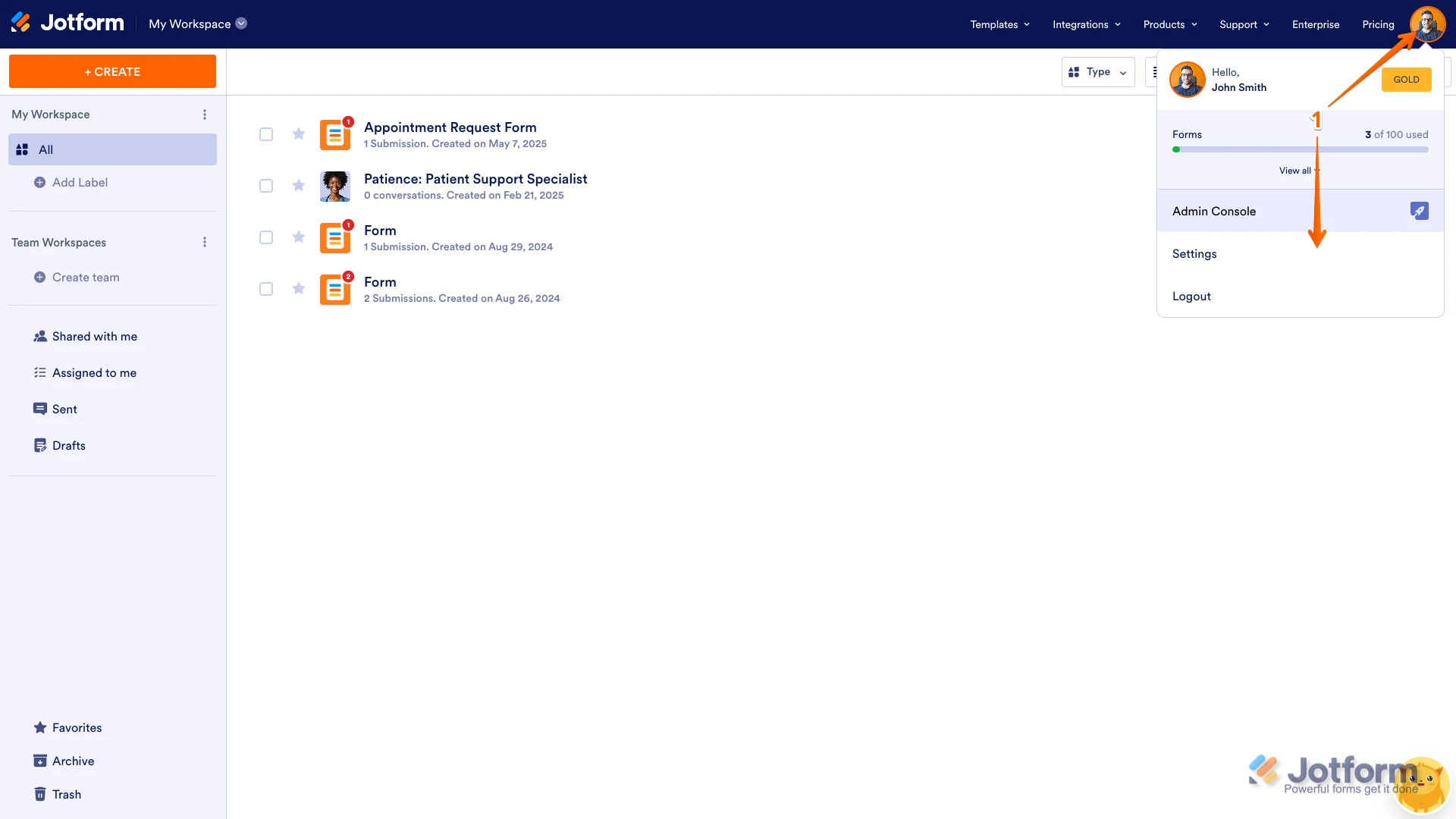
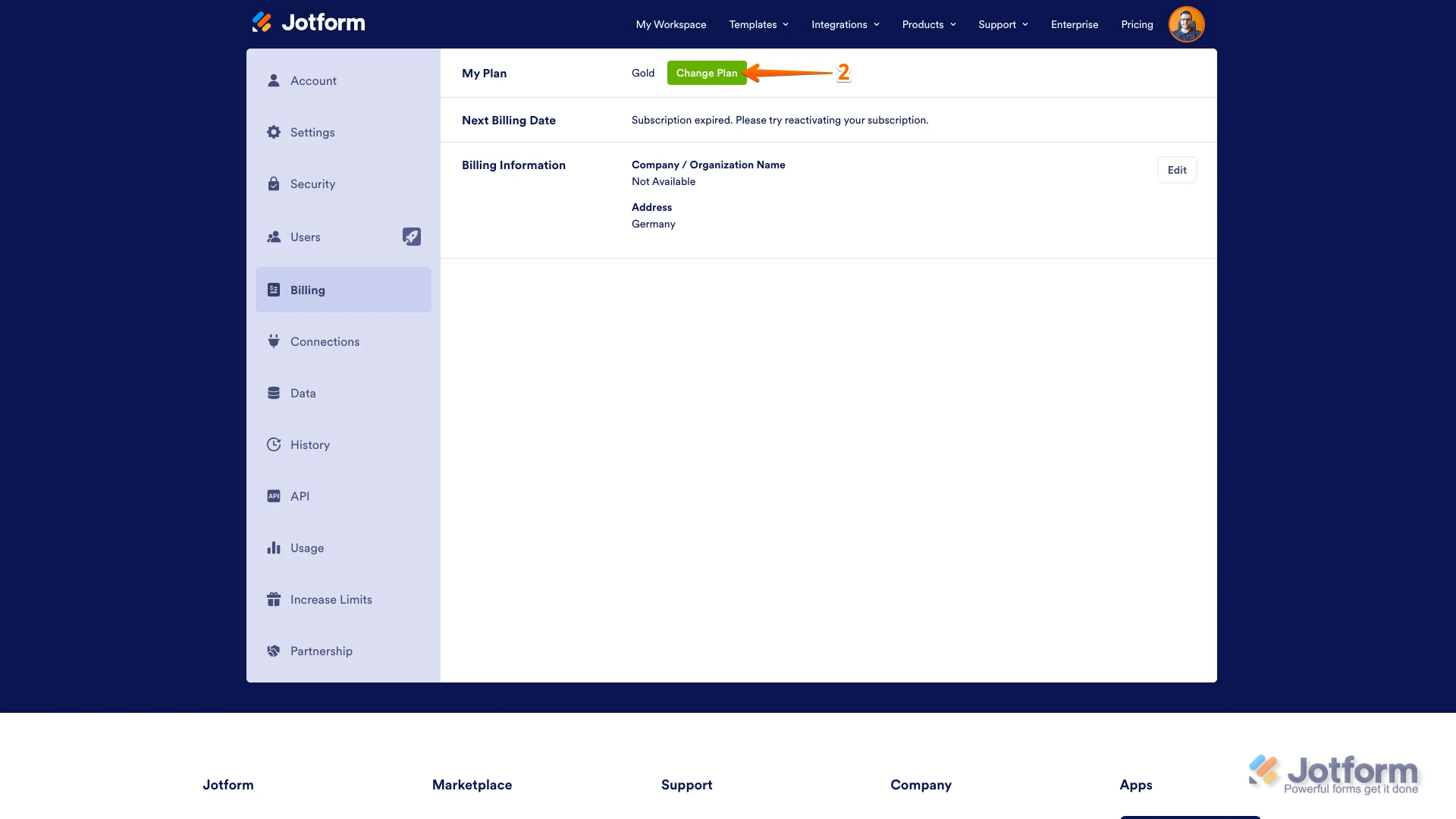
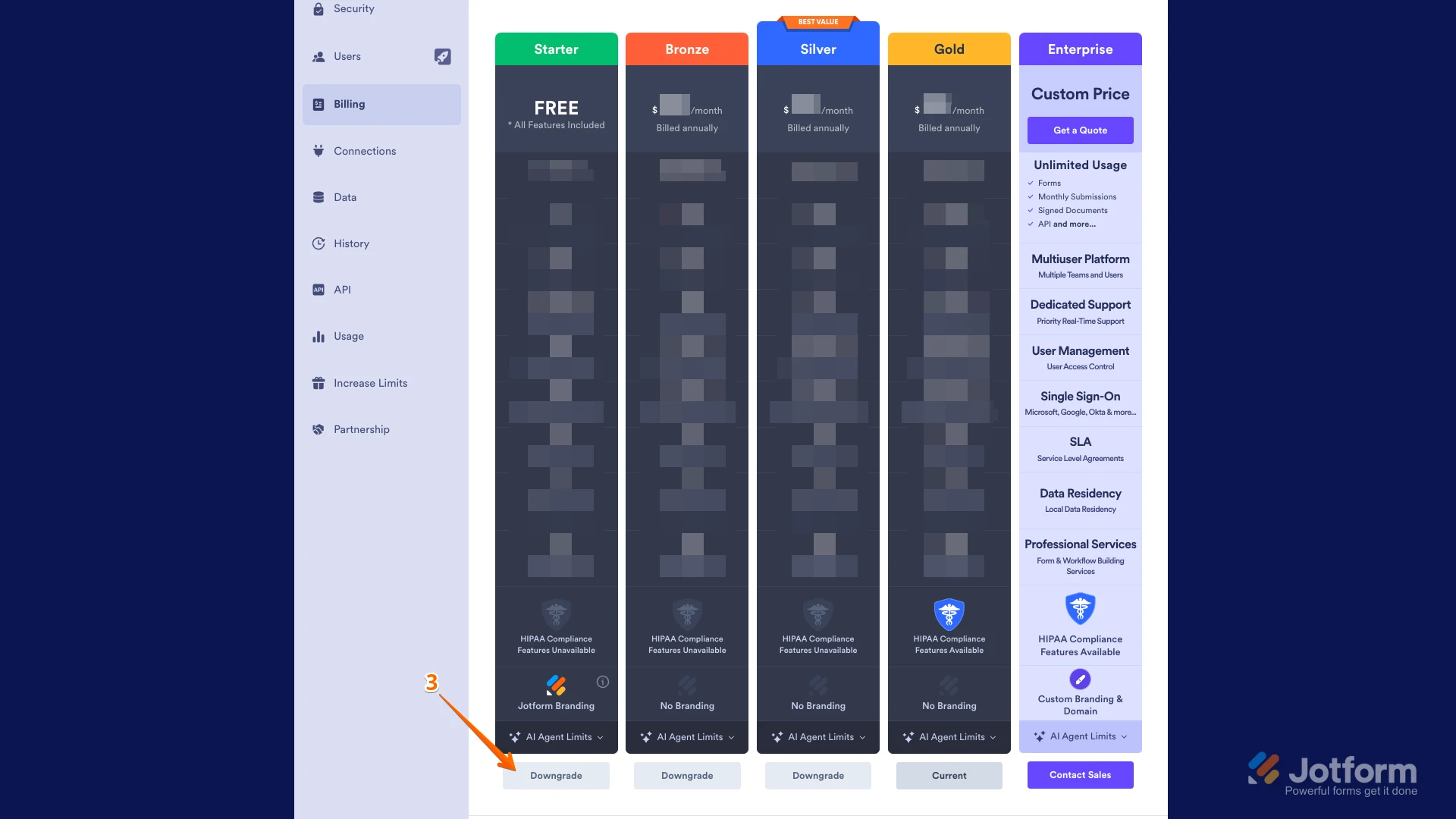
I checked, and your subscription is still active. As my colleague previously mentioned, we can remove credit card information once you cancel your subscription. You can easily Cancel Your Subscription, but you’ll need to do it on the desktop version of Jotform, as it’s not yet available on the mobile app. Let me show you how:
1. On your Workspace page, click on your Avatar/Profile Image on the top-right side of the page, and then click on Settings.

2. Under the Billing tab on the left, and beside the My Plan section, click on Change Plan.
3. Now, click on the Downgrade button to switch to the Starter (Free) Plan.
Then, you’ll see a pop-up window with extra information about the downgrade. Just follow the instructions to continue canceling your plan.Let us know once the subscription is canceled.
 Then, you’ll see a pop-up window with extra information about the downgrade. Just follow the instructions to continue canceling your plan.