

Top 7 AI tutors
Traditional classroom tutoring can sometimes feel a bit… passive. It’s not always easy to retain information, stay focused, or give and receive support exactly when it’s needed.
That’s where AI tutor apps come in.
Instead of taking a one-size-fits-all approach, AI tutors create active, personalized learning experiences. They adapt to different paces, deliver real-time feedback, and meet the learner at their level — rather than expecting them to keep up with the rest of the class. In fact, a 2025 Harvard study found that students using a structured AI tutor learned more than twice as much as those in traditional in-class lessons — and they did it in 18 percent less time.
Whether you’re tackling homework, prepping for an exam, learning something new, or supporting students in the classroom, an AI tutor app can make studying more interactive and tailored. But with so many AI tutoring tools on the market, choosing the right one can be a challenge.
To make things easier, I spent weeks researching and testing AI tutors across different learning styles, subject areas, and use cases — and narrowed them down to the best seven. For each tool, I outline what it does, what it’s best suited for, and a balanced view of its pros and cons so you can choose the best AI tutor for you.
Build faster with Jotform AIDescribe what you need, and let Jotform AI build it for you instantly.
Get Started Now
What to look for in an AI tutor
The best AI tutors are purpose-built for deep, personalized learning. Unlike general-purpose AI agents, they provide engaging learning pathways informed by the same pedagogical best practices used in one-on-one tutoring. That means that not every AI tool that provides some form of learning support qualifies as an intelligent tutoring system.
Here’s what to consider when choosing an AI tutoring platform:
- Active learning features: Such as quizzes, timed challenges, flashcards, and voice conversations that prompt students to reason through problems
- Personalization and pacing: To adapt teaching to individual performance and preferences
- Accuracy and safety: To minimize the risk of misleading information and ensure the safety of student data
How I chose the AI tutor apps on this list
I started by compiling a long list of AI tools designed for students and educators, from general-purpose AI chatbots and large language models (LLMs) to tools built specifically for tutoring. To understand how these tools performed — beyond their marketing pages — I dug into real user conversations and reviews on YouTube, Reddit, and social media to analyze feedback about features, frustrations, and actual learning value. Tools that got consistently poor feedback or functioned like generic LLMs were scratched from my list early, reducing it to 20 tools.
I signed up for all 20 platforms and spent several days testing them across different subjects and study scenarios. As I uploaded study materials, ran prompts, and evaluated how well each tool supported learning, I focused on tools that actively engaged me, adapted to my pace, and gave educators meaningful visibility into student progress. Anything that felt clunky, lacked interactivity, or had a steep learning curve was cut. While I prioritized educational technology tools I could test firsthand, I also factored in tools with a strong reputation among students that weren’t accessible for direct testing.
The result is a curated list of the seven best AI tutors for students and educators looking to make learning smarter, more personalized, and more effective.
7 best AI tutors in 2026
| Tool | Learning method | Tutor customization | File upload options |
|---|---|---|---|
 Jotform AI Tutor |
Compete, practice, and guided mode |
Customizable to any subject without writing a line of code |
PDF, PPTX, JPG, DOC, TXT |
 Google NotebookLM |
Text and voice |
Not available |
PDF, PPTX, JPG, DOC, TXT, audio |
 Penseum |
Live AI tutor and text |
Not available |
PDF, PPTX, JPG, DOC, TXT, audio |
 YouLearn |
Text and voice |
Not available |
PDF, PPTX, JPG, DOC, TXT, audio, video |
 Knowt |
Text and voice |
Not available |
PDF, PPTX, JPG, DOC, TXT, audio |
 Gauth |
Text |
Not available |
TXT, PNG, JPG |
 Khanmigo |
Text and voice |
Not available |
PNG, JPEG, screenshots, scanned documents |
1. Jotform AI Tutor
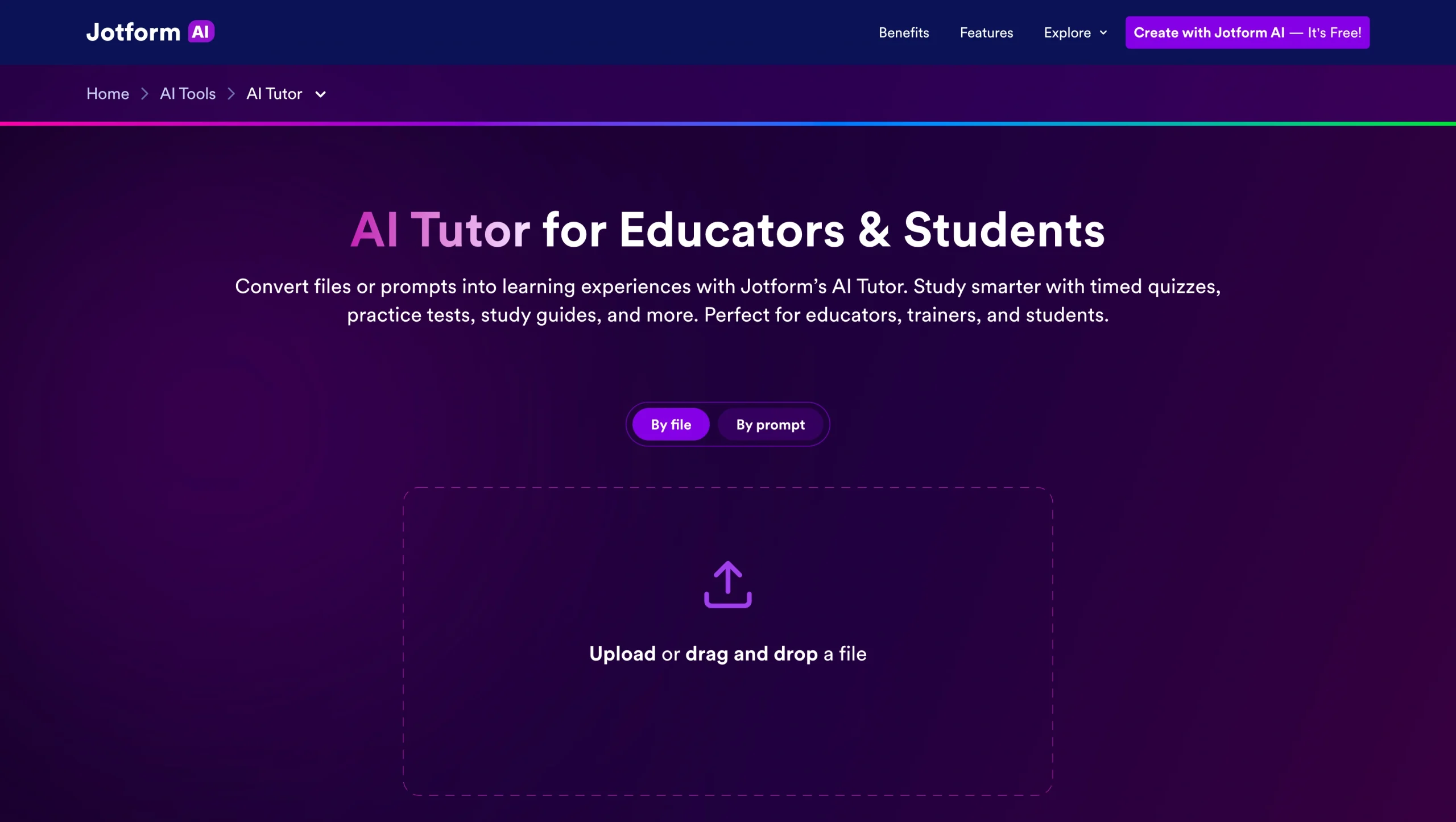
When it comes to AI tools for tutoring, Jotform AI Agents stands out because it doesn’t just give you access to an AI tutor — it allows you to build your own for any subject without writing a single line of code. The tool specializes in creating personalized AI tutors to help you study complex educational and training materials.
To start, you simply upload study material to Jotform AI Tutor in PDF, PowerPoint, text, or picture format. Alternatively, enter a detailed prompt instructing the tool. Jotform will instantly transform what you provide into a functional, interactive AI tutor ready for use on your own or to share with a class. For a step-by-step walkthrough, see Jotform’s guide on how to build an AI tutor.
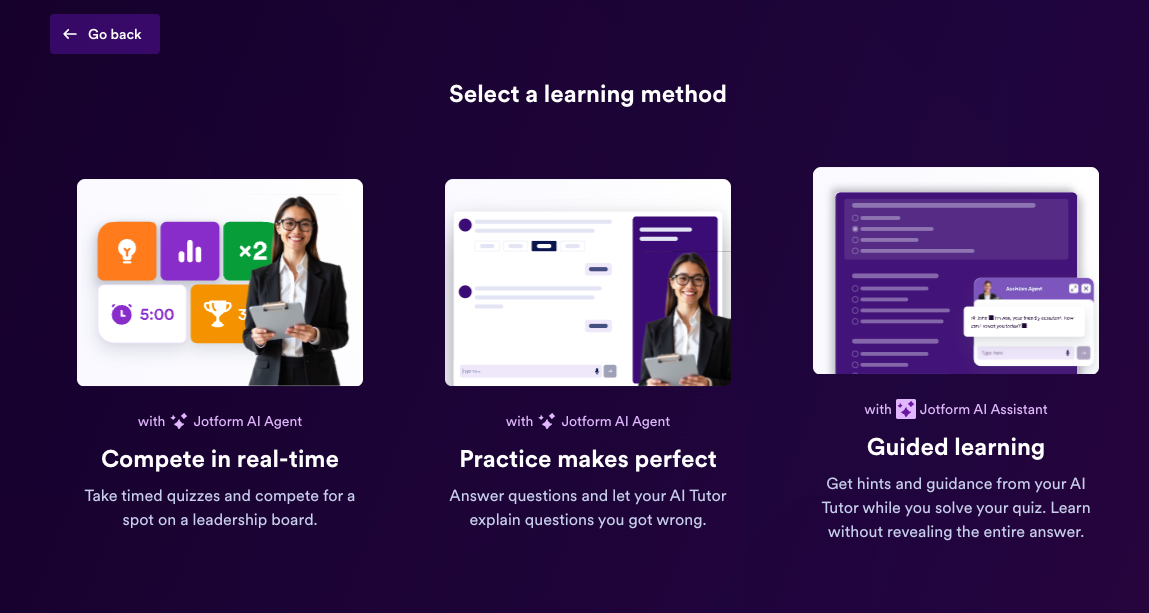
To test the platform, I uploaded some high school study material on the fundamentals of economics, and Jotform AI Tutor offered three ways to engage with the material: compete in real time, practice makes perfect, and guided learning.
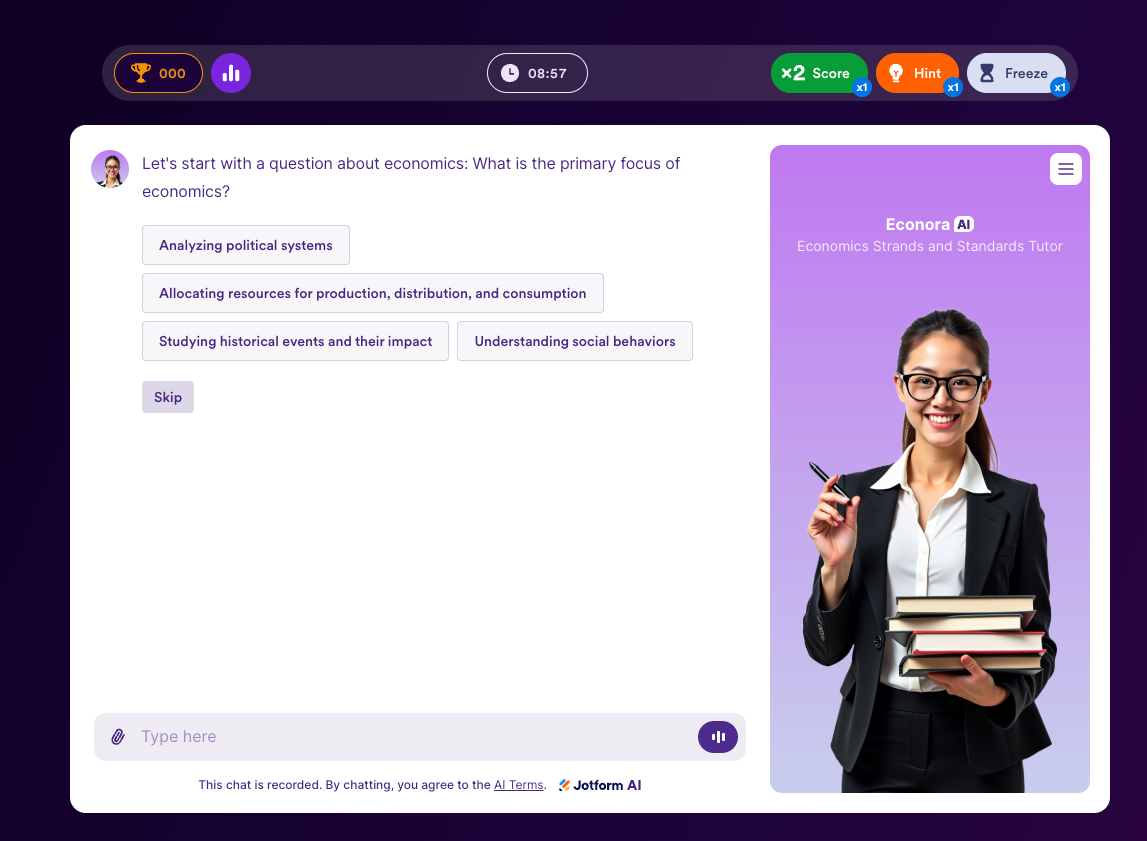
I selected “compete in real time,” and Jotform AI turned the economics material into a competitive, timed quiz — complete with multiple choice questions, leaderboards, hints, and time freezes. For students, this learning mode is ideal for self-practice or group study when you want to assess your knowledge across subjects while preparing for tests or exams. Educators and trainers can take things further by creating a public contest and sharing it with an entire class via QR code, email, or public web link.
Practice mode pairs students with a conversational AI tutor that explains wrong answers in detail rather than simply marking them incorrect. In guided mode, students can work through questions independently while the AI offers hints and discussions without giving away the answer — reinforcing critical thinking.
The AI tutor generates study questions and conversations directly from your uploaded sources, limiting the risk of hallucination. It also celebrates students as they work through the practice questions correctly. You can additionally pair the tutor with Jotform’s AI Quiz generator, making it easy for educators to automatically build quizzes and practice tests directly from their lecture notes, course PDFs, and presentations.
Every interaction students have with the AI tutor is tracked and organized in Jotform Tables to give educators a clear, structured view of student performance. Teachers can see which questions individual students practiced, the answers they submitted, and where patterns of difficulty emerge. That way, they can step in with targeted support where it’s needed most.
If you prefer to start from a prompt, the AI tutor will generate study guides and practice questions tailored to the details in your instruction. The clearer your prompt, the better the outcome. All generated questions and responses are automatically saved in a form, so you can review and modify them later.
The Jotform AI Tutor is your on-demand learning assistant. The tool is available 24-7 on mobile and desktop, so you can rerun timed contests or revisit guided conversations whenever you want. The app is free to use, too, and you can generate quizzes, tests, and study guides in any language of your choice — just upload your material or prompt in the language you prefer.
- Best for: Personalized learning experiences for both students and educators
- Key features
- Three interactive learning modes ideal for individual study, group competition, or corporate training sessions
- No-code AI tutor creation from your own materials
- Built-in performance tracking via Jotform Tables
- Pros
- Free to use even without signing up
- Works for any subject, course material, or grade level
- Highly accurate, as practice questions are drawn from your material
- Cons
- AI tutor limits apply on the free plan
- Plans/pricing:
- Free
- Bronze ($19.50 per month, billed annually)
- Silver ($24.50 per month, billed annually)
- Gold ($64.50 per month, billed annually)
- Enterprise (custom pricing)
Pro Tip
Looking to further reduce the number of hours you sink into prep? See how teachers save time with tech tools.
2. Google NotebookLM
NotebookLM is Google’s AI-powered tool for learning and research. It supports both students and educators with features to make learning and teaching more effective and impactful.
For students, setup is simple: Upload a range of sources — including lecture recordings, YouTube videos, research papers, course PDFs, and presentations — and NotebookLM will generate quizzes, flashcards, and mind maps from them in seconds.
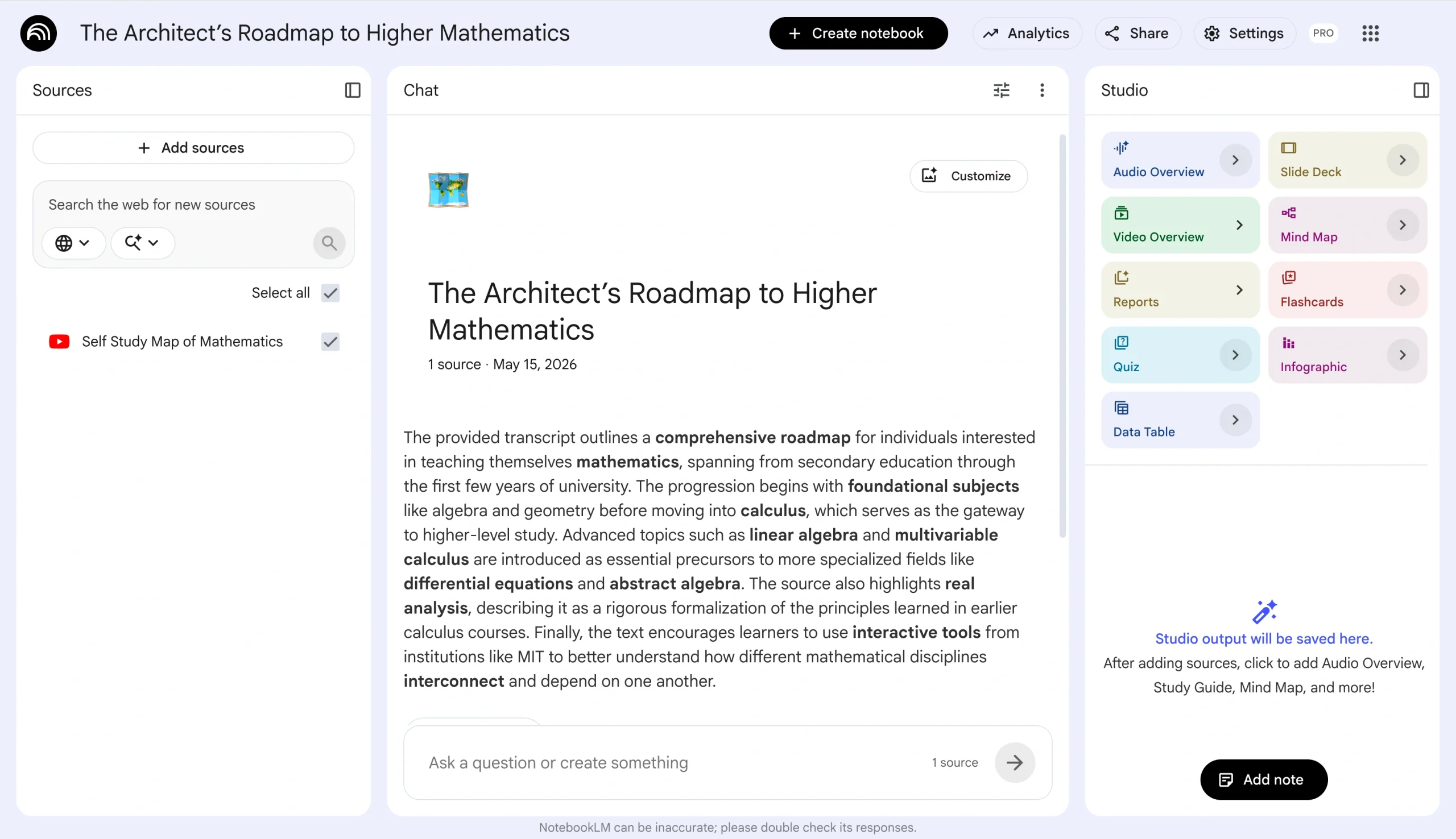
My favorite feature is the audio overviews, where two AI agents talk about your uploaded material in a podcast-style summary. They take a deep dive, explaining tricky concepts in a way that mimics traditional one-on-one tutoring. NotebookLM also allows you to interact with the AI agents, making it easy to review content on the go and get clarity on complex subjects.
Other features, such as quizzes and flashcards, are great for extracting insights from study materials. Plus, the tool has an “explain” option that provides a detailed breakdown of incorrect answers, with citations back to the source material.
Educators can use NotebookLM to create lesson plans, discussion questions, and quizzes for students and share them via email, public web links, or integrations with Google Classroom. It takes privacy seriously, so it limits its knowledge base to only your uploaded materials. Plus, nothing is saved in the AI tutor unless you explicitly save it as a note, making the tool a safer option for students handling sensitive study materials and reassuring for institutions with strict data protection requirements.
- Best for: Interactive learning
- Key features
- Source-grounded AI responses with inline citations
- Interactive study aids, including audio overview, flashcards, quizzes, and mind maps
- Integrates with Google Classroom for assigning AI-powered notebooks to students
- Pros
- Completely free for personal use with a Google account
- Highly accurate outputs grounded in your uploaded sources
- Available in over 50 languages with source processing and audio overviews in 80-plus languages
- Cons
- Free plan usage limits apply
- No dedicated mobile app, which makes studying on the go less feasible
- Plans/pricing
- Free for personal projects
- Plus, Pro, and Ultra plans are integrated into Google Workspace pricing
3. Penseum
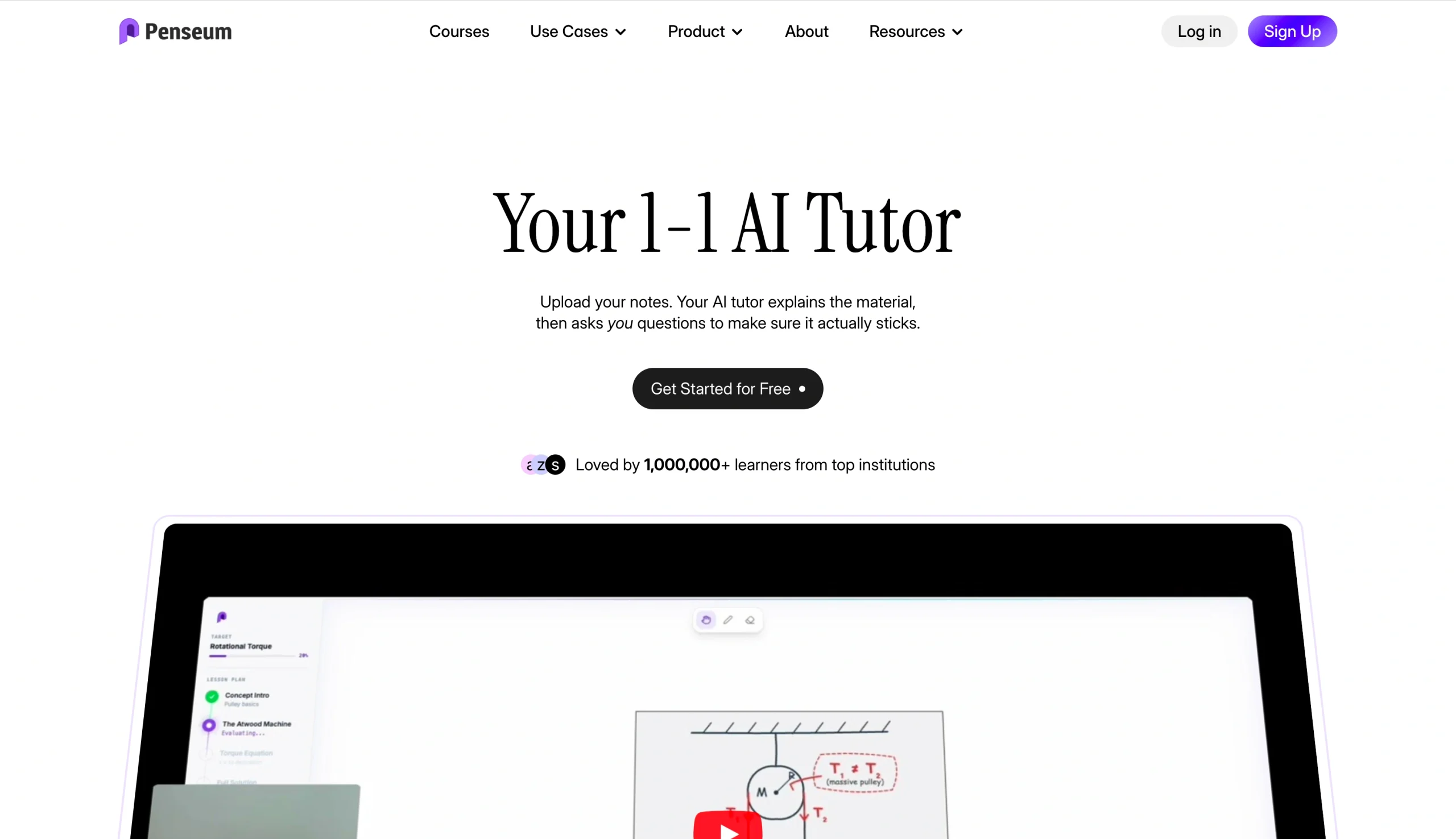
Like most AI tools for tutoring, Penseum helps students prepare for exams with quizzes. But where it goes further is by functioning as a live, voice-powered tutor that walks you through your entire study material, step by step, out loud, and in real time.
Once you set up your account and upload your lesson notes or PDF, the platform gives you two options: Take an exam or learn via an AI tutor.
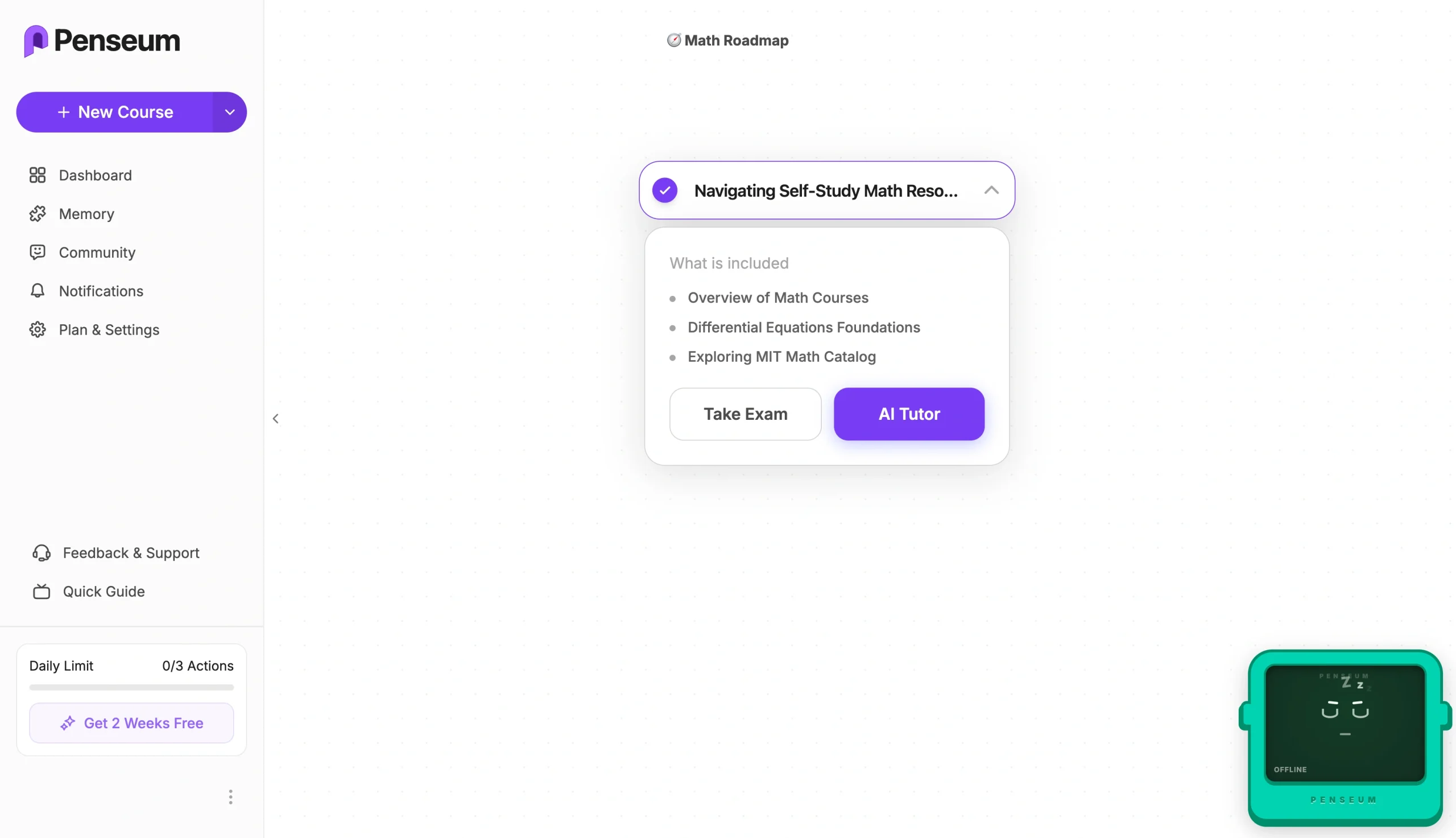
Select the tutor, and the Penseum AI tutor will appear on your screen and start explaining the course material. As it does so, it draws diagrams, annotates your screen, asks you questions, and uses your feedback to inform its explanation.
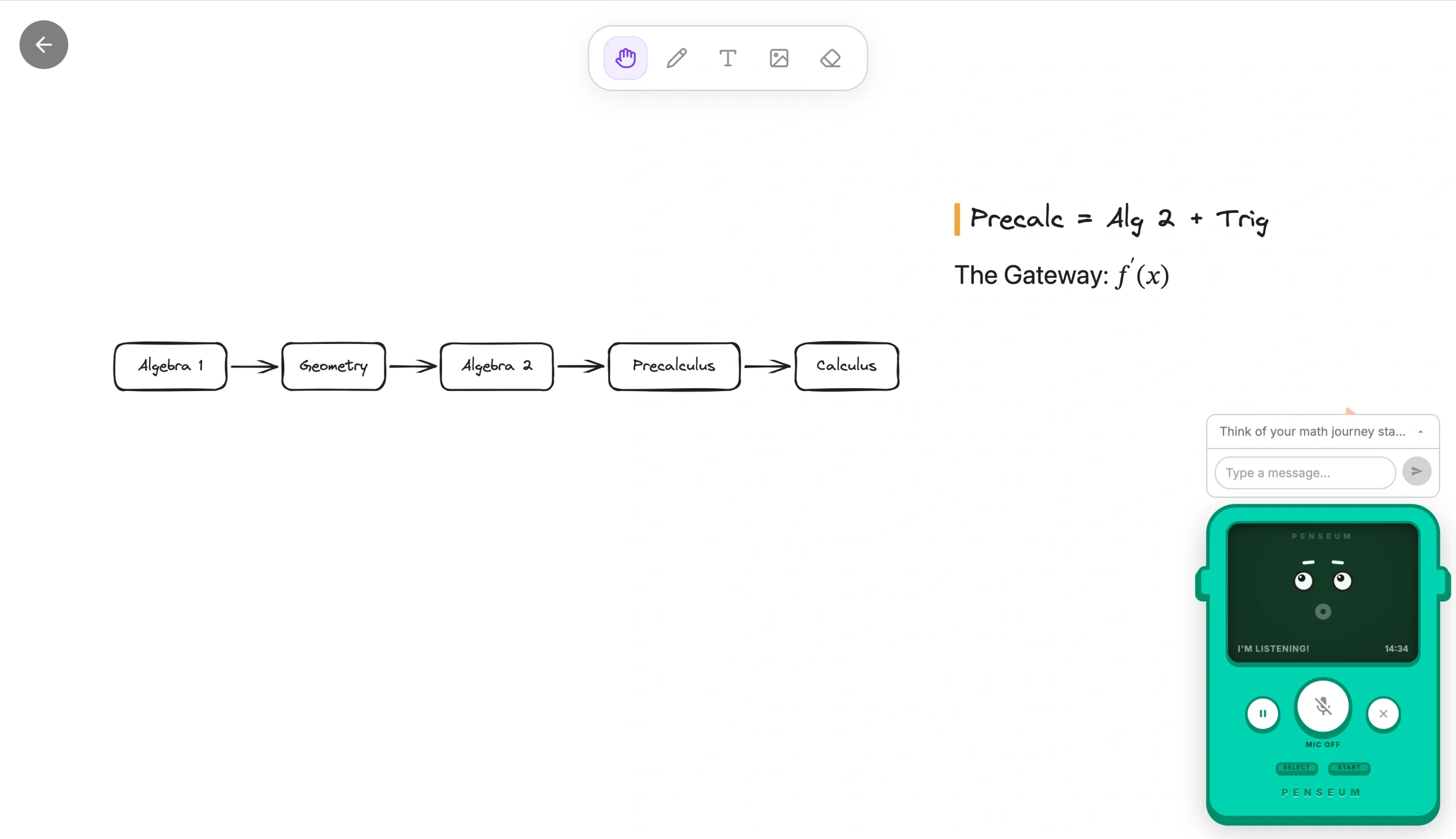
You can talk to the AI using voice or answer questions directly on the screen, and the AI will analyze your response, identify where you went wrong, explain what to fix, and prompt you to try again. The tutor continues the feedback loop until you get it right, which is close to how one-on-one tutoring works. As students study with Penseum, the AI tutor app tracks their weak spots across sessions, so each session focuses on the concepts that still need work rather than covering ground they’ve already mastered.
Penseum AI tutor focuses on social sciences, math, economics, chemistry, and biology at high school, undergrad, and master levels, and it works across 20 languages.
- Best for: Exam prep with a live AI tutor
- Key features
- Live voice explanation with real-time annotations
- Real-time mistake detection with guidance on how to correct them
- Adaptive progress tracking to make learning more impactful
- Pros
- Free to use with no credit card required to get started
- Goes beyond generating study materials to actively teaching in real time
- Works across more than 20 languages and a broad range of subjects
- Cons
- Primarily student-facing, with limited tools for educators managing a classroom
- Daily limits apply on the free plan
- Plans/pricing:
- Free
- Pro ($29.99 per month, billed monthly)
4. YouLearn
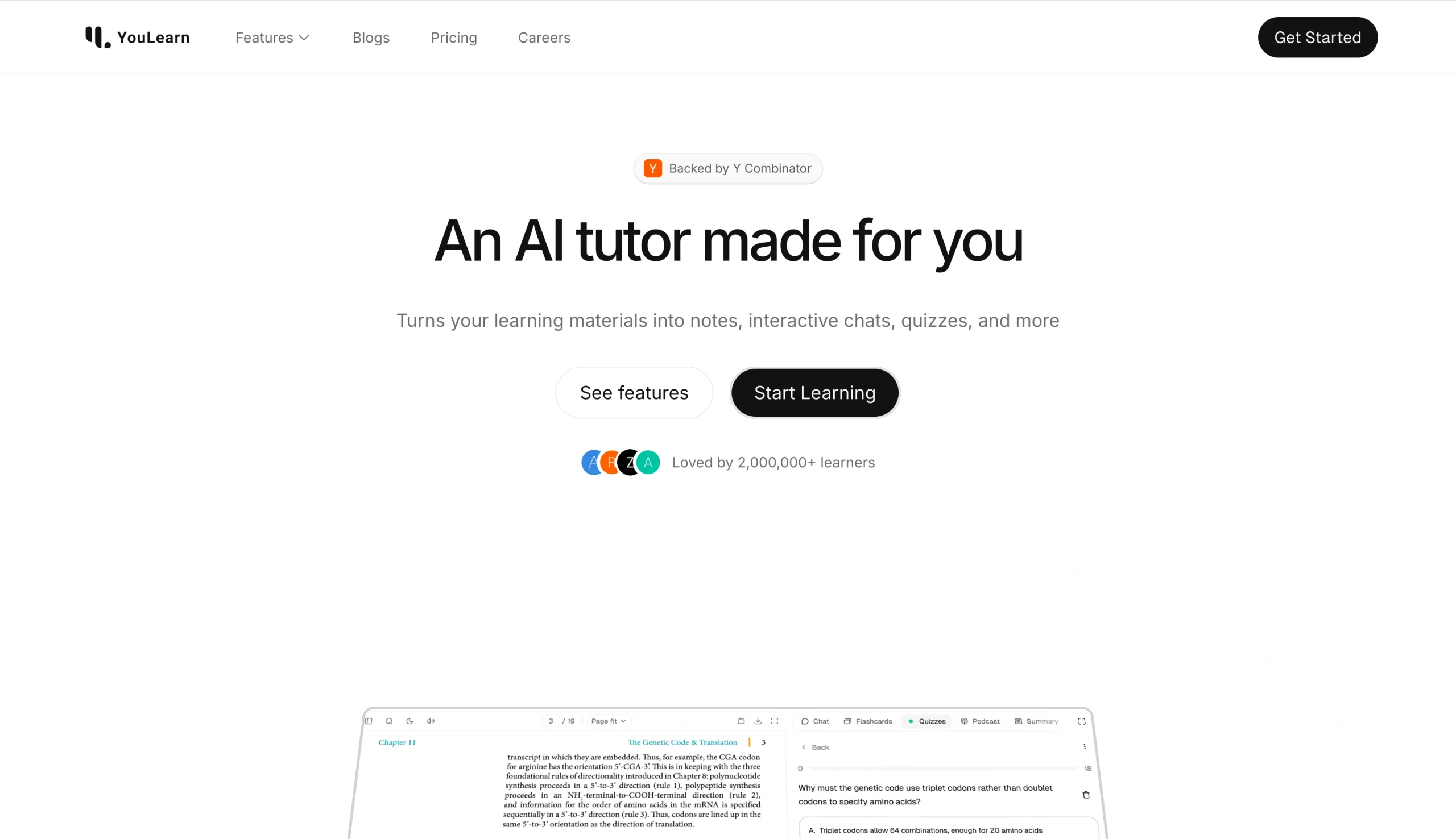
YouLearn is an intelligent tutoring system built to simplify learning for college students. It allows you to upload learning materials such as recorded lectures, textbooks, YouTube videos, and slides, before transforming them into concise notes and personalized tests.
Once your material is uploaded, YouLearn generates a summary of key concepts and lets you chat with your AI tutor based on that specific content. You can highlight parts of the material and ask YouLearn to clarify a concept, break down a dense paragraph, or walk you through a complex idea. And the tool responds with references pointing back to the source material.
If you’re studying multiple subjects, YouLearn lets you organize your study materials into Spaces and use chat to ask questions across multiple materials. You can generate quizzes and flashcards from Spaces and even create personalized practice exams with course-relevant questions to simulate a real upcoming test or exam.
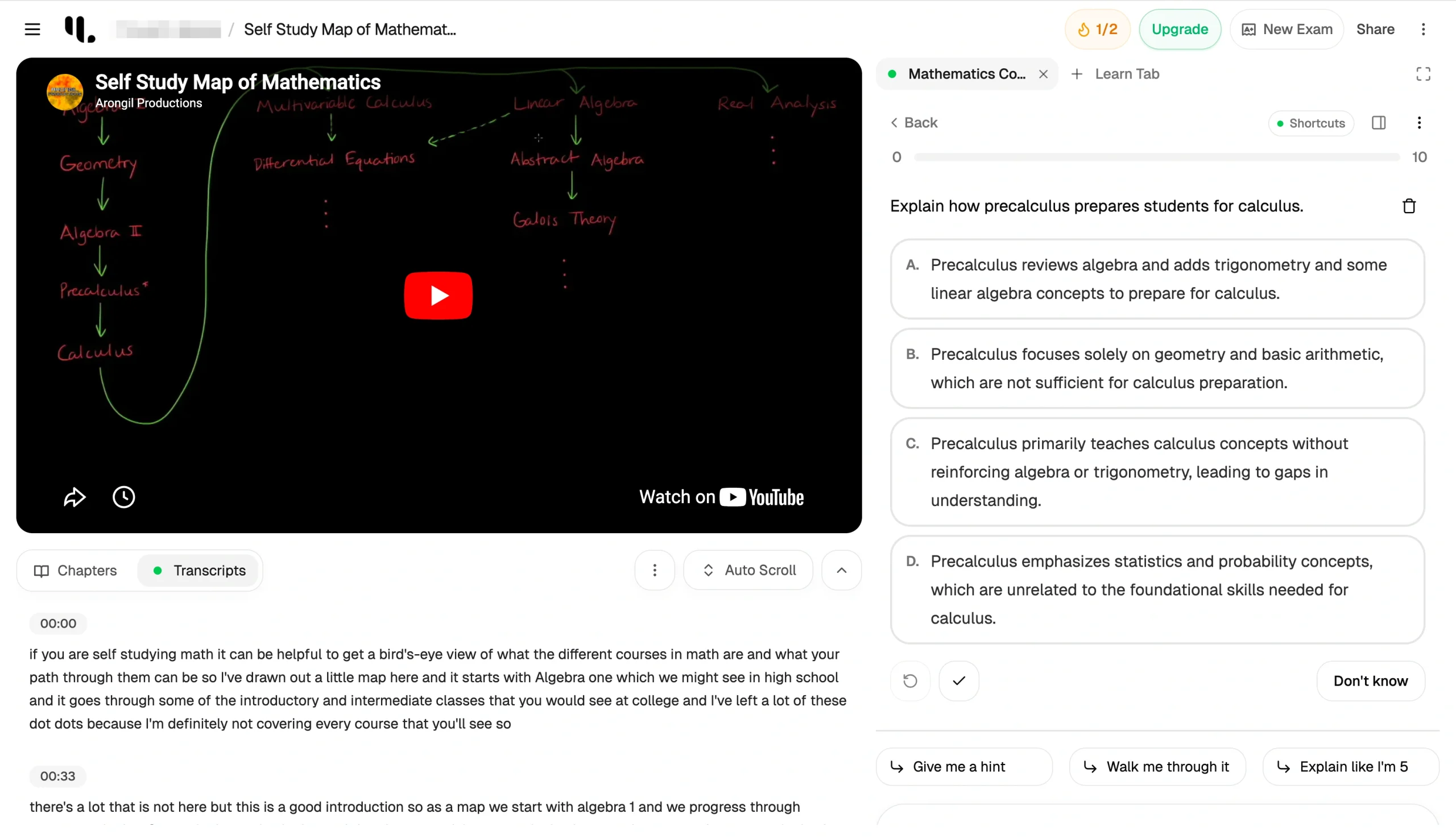
The platform also includes a conversational AI tutor that can walk you through study materials and complex subjects and answer your questions directly.
- Best for: College students looking to organize study materials
- Key features
- Dedicated spaces for organizing study materials
- Conversational AI tutor with source references
- AI podcast generation for on-the-go study
- Pros
- Works across subjects and learning levels from high school to college, and even professional development
- Available on iOS and Android, making it easy to study across devices
- Large community of users and backed by Y Combinator, signaling strong product quality and reliability
- Cons
- The free plan is restrictive for regular use, better suited to individual learners than classroom settings
- Plans/pricing
- Free
- Pro ($20 per month, billed monthly)
- Max ($60 per month, billed monthly)
5. Knowt
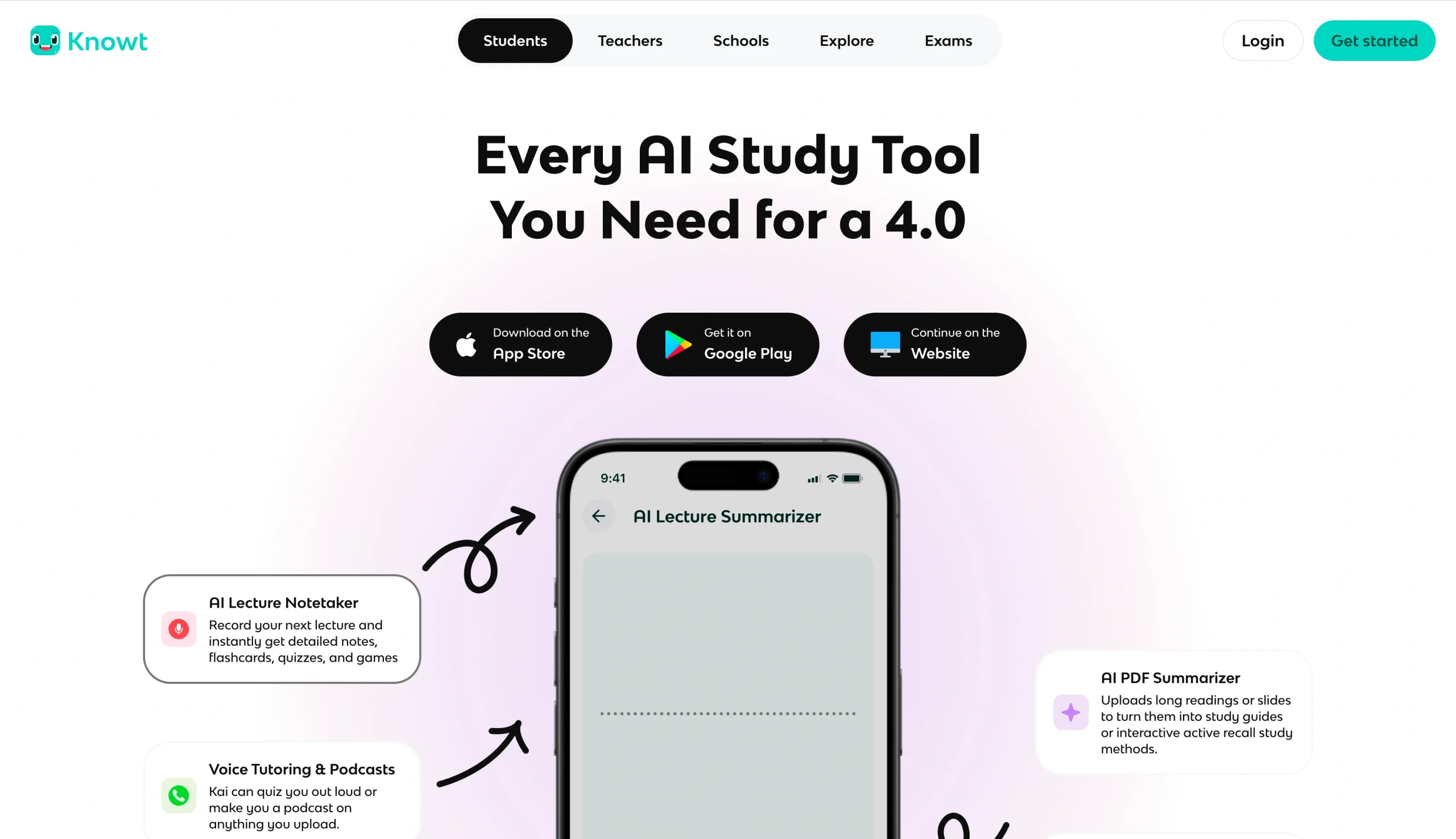
Knowt is a popular study tool among high school students preparing for AP exams. It offers dedicated AP and IB exam hubs that include study guides, flashcards, and practice tests built from materials submitted by students who have already taken the exams.
The practice Test Room allows students to run unlimited timed AP-style practice tests, while the Free Response Room offers auto-graded FRQ practice tests — an impressive level of exam-specific support that’s not available on most general AI tutor apps.
Beyond AP prep, Knowt allows students to record lectures and upload notes, slides, and PDFs. Its AI — called Kai — then instantly transforms them into study guides, flashcards, and practice tests with spaced repetition. Kai can quiz students aloud in voice mode, generate audio podcasts from uploaded materials, and answer questions about specific content.
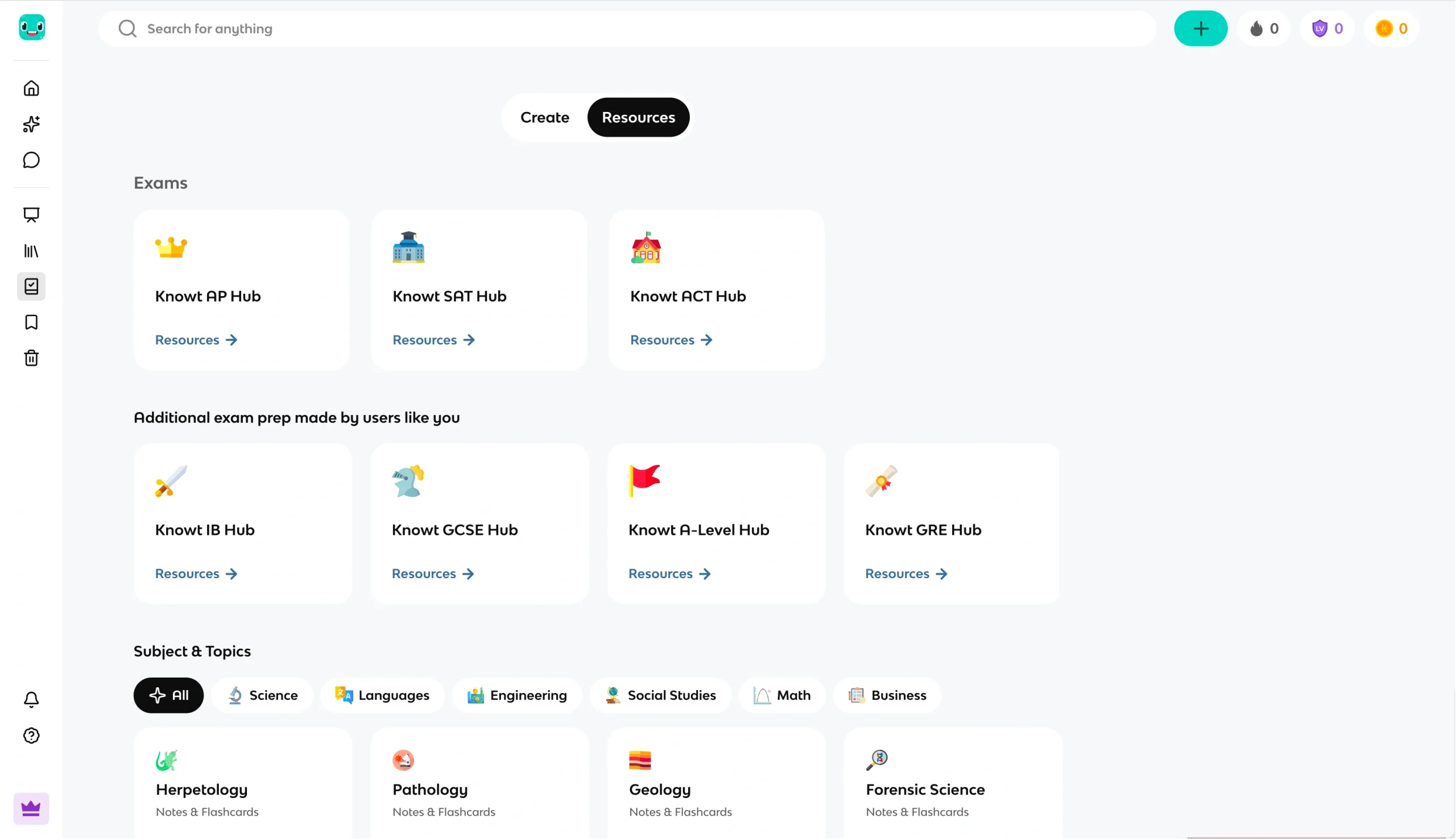
Students can also import existing quiz sets from Quizlet, Kahoot, Wayground, and more, and practice them in Knowt without needing a paid subscription.
Educators can also use the platform to generate flashcards, live games, notes, formative assessments, and more, and share them with students. They can assign AP, SAT, and ACT mock exams to students in the classroom and get analytics instantly as students practice.
- Best for: High school and AP exam students
- Key features
- AI lecture notetaker records live lectures and generates notes, flashcards, and quizzes from them
- Dedicated exam prep content
- Kai’s voice tutoring and podcasts from uploaded materials
- Pros
- Core study features are completely free
- Library of over 5 million student-created notes and flashcards across subjects
- Works across any subject and supports multiple languages
- Cons
- Primarily built for high school and AP students, not college-level or professional learning
- Limits apply for teachers on the free plan — unlimited access requires an Ultra subscription
- Plans/pricing
- Free
- Ultra ($24.99 per month, billed monthly)
- School/district license (from $2.75 per student)
6. Gauth
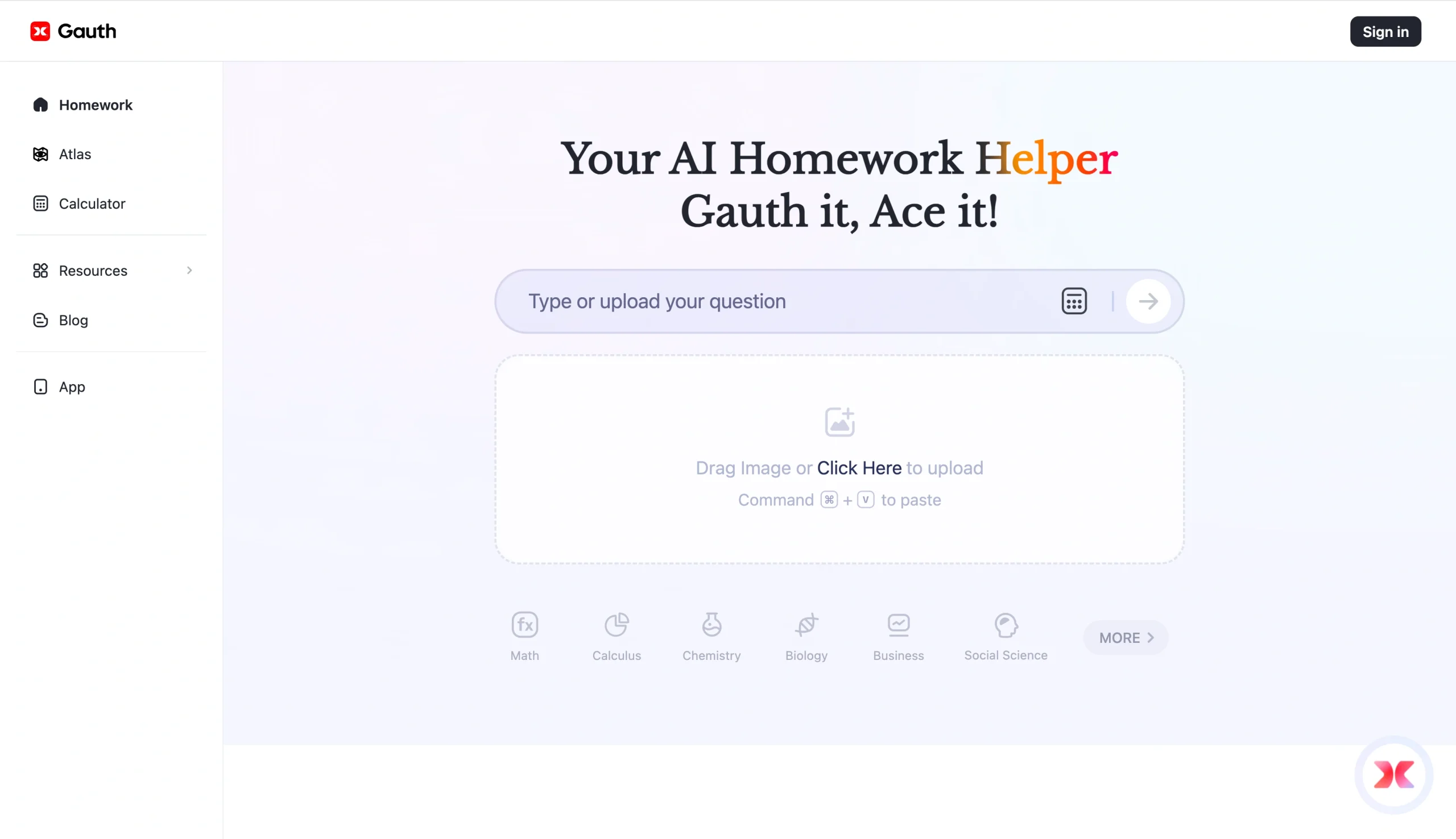
Gauth is an AI homework tool that covers math, physics, chemistry, biology, economics, writing, and the social sciences. It helps students solve academic problems using AI and offers optional access to human experts when more support is needed.
Using Gauth is simple. Take a photo of your homework or type it in, and the AI tutor returns a solution in seconds alongside the reasoning behind the answer.
I tested Gauth with a couple of math homework questions, including this one:
“Solve for x if 2x² + 5x – 3 = 0.” Gauth walked me through the logic clearly, factoring the equation and identifying each step before arriving at the correct answer.
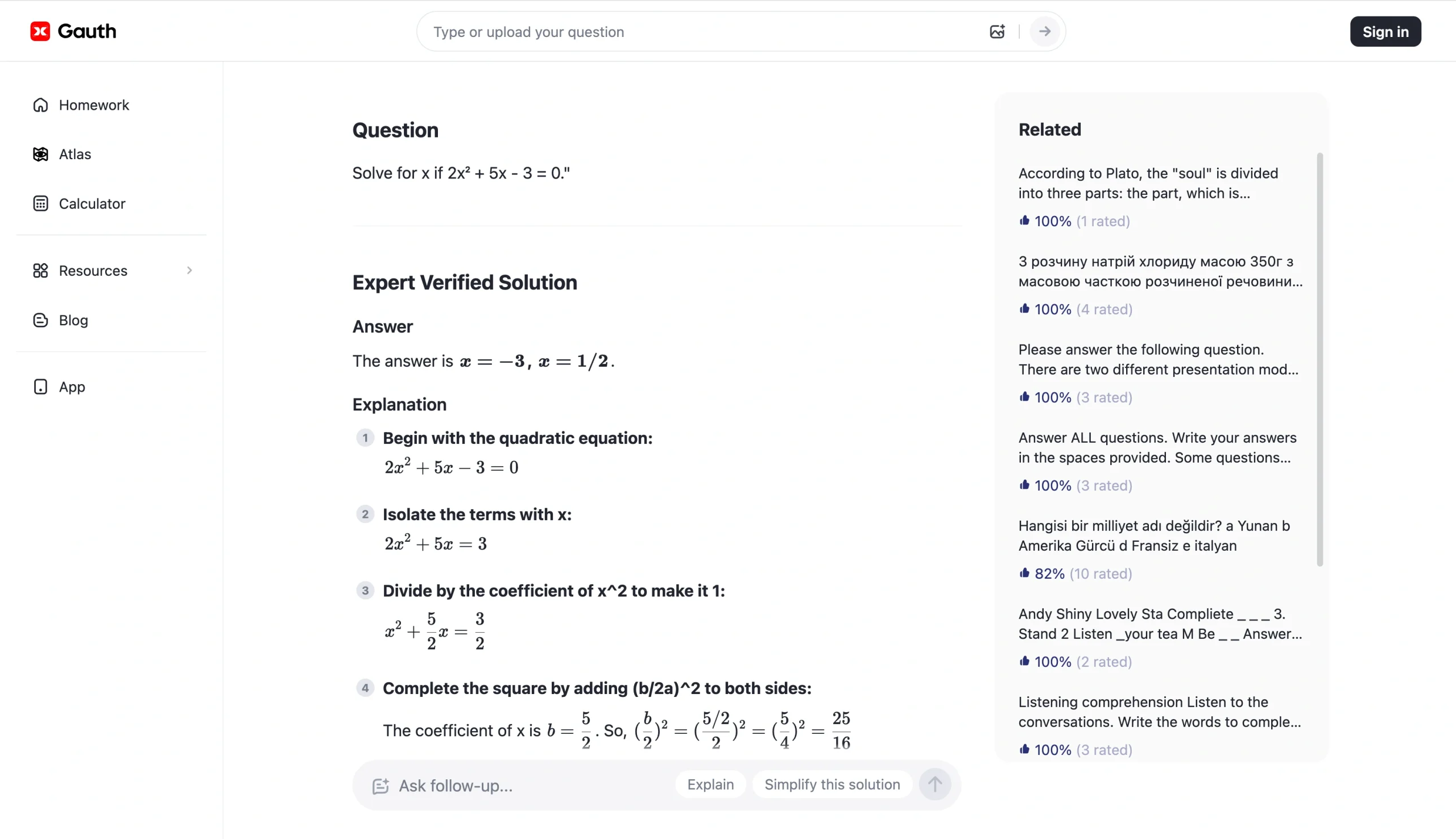
When using Gauth, you can follow up with the AI tutor conversationally, asking why it took a step a certain way or what happens if a variable changes. The AI will respond in context. For tougher problems that the AI struggles with, Gauth can connect students to live human tutors who respond within minutes.
Gauth is available for free on your browser — no sign-up required. It also includes a homework planner for organizing assignments, and a searchable bank of over 100 million previously solved questions available to paid users.
- Best for: Students’ homework
- Key features
- Photo and text input
- Conversational follow-ups to ensure clarity and contextual responses
- Live human tutor escalation for complex problems that the AI can’t handle reliably
- Pros
- Broad subject coverage, from calculus and chemistry to economics, writing, and social sciences
- Completely ad-free, even on the free tier
- Available in iOS, Android, and as a browser extension
- Cons
- Students with a heavy workload will hit the free plan quickly: 11 questions per day
- Accuracy drops on complex or non-standard problems, especially advanced calculus and subjective humanities questions
- Plans/pricing:
- Free
- Plus ($99.99 per year, billed annually)
7. Khanmigo
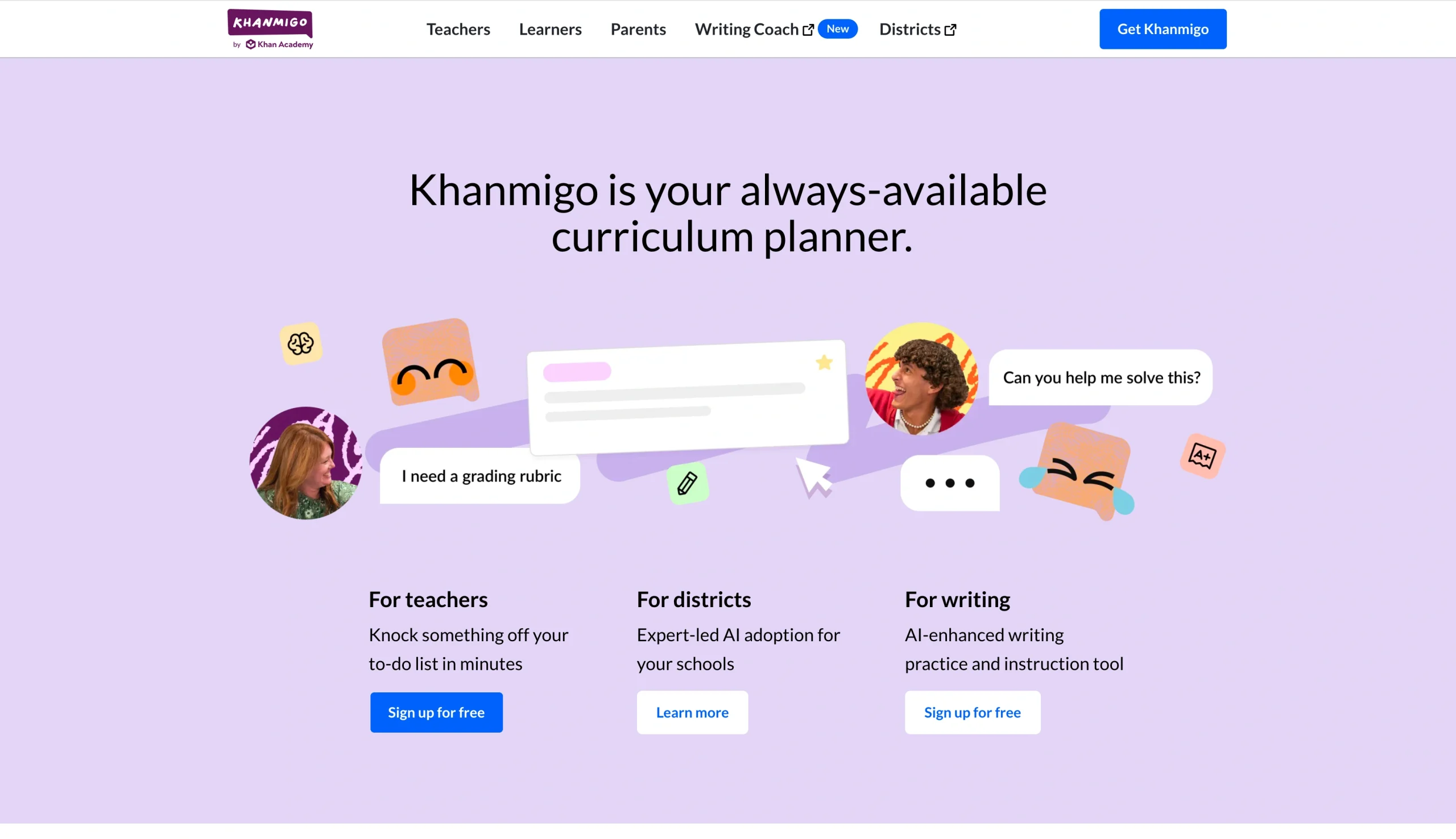
Khanmigo is Khan Academy’s AI-powered tutor and teaching assistant, and one of the most trusted names in e-learning. The AI tutor for students stands out for its Socratic method — guiding learners to discover solutions themselves through critical thinking, rather than handing them the answers. This Socratic method is baked into how the tool works across every subject it covers — from math and science to coding, history, and humanities — and from elementary school through to college.
Khanmigo acts as an always-available study partner. It works within Khan Academy’s content library, so help is always tied to curriculum-relevant material rather than the broader internet. And it includes a Writing Coach feature that gives students real-time feedback on essay structure, argumentation, and tone, to guide revisions rather than rewrite the whole thing. Both are accessible via text or voice.
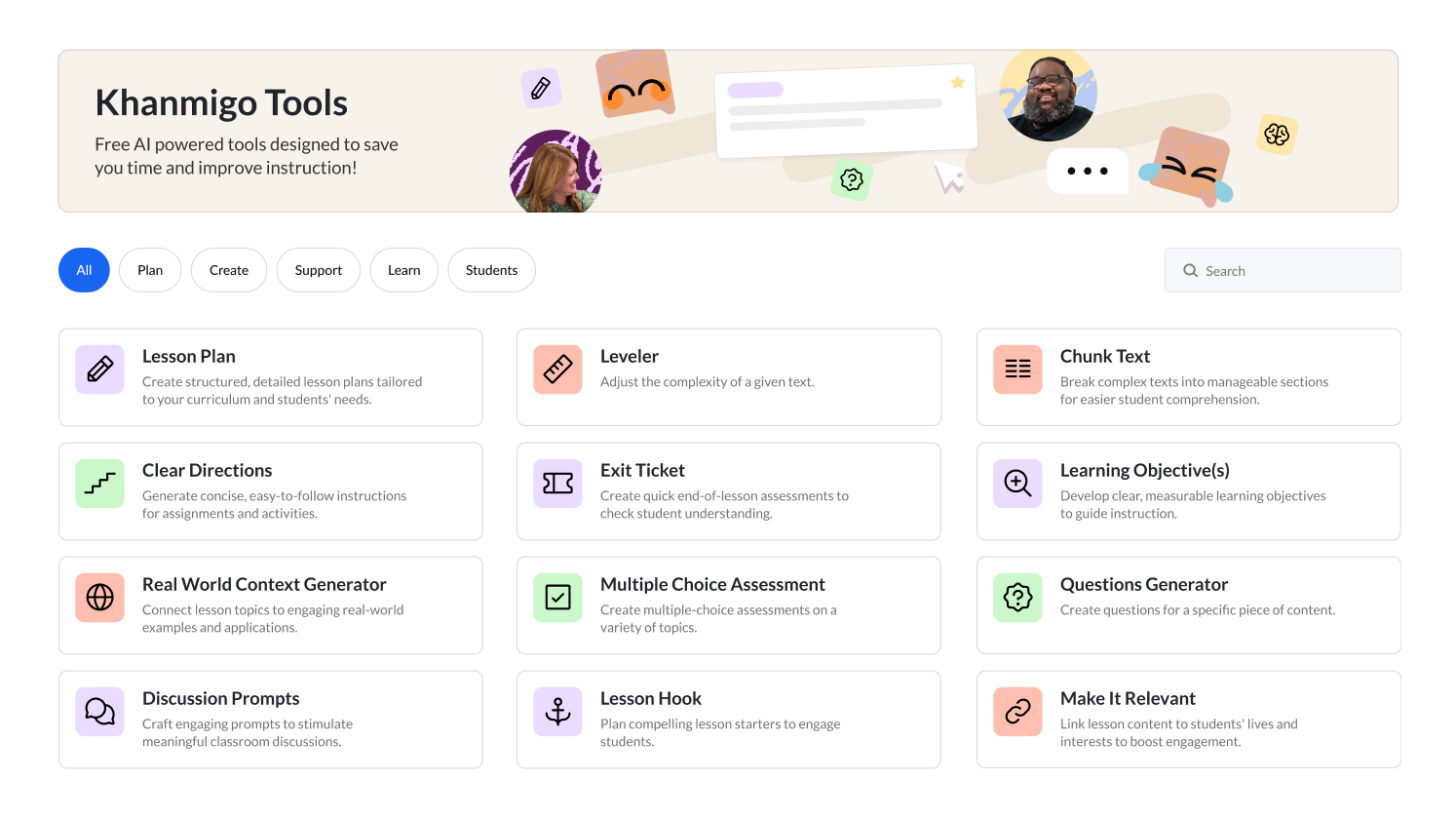
Khanmigo for educators is totally free, and teachers can use it to handle the time-consuming parts of lesson prep, such as generating standards-aligned lesson plans, differentiation strategies, rubrics, exit tickets, and student progress summaries on demand.
- Best for: Socratic-style tutoring for K-12 students
- Key features
- Socratic-style tutoring that guides students to answers rather than providing them directly
- Writing coach for real-time feedback on structure, argument, and tone
- Free teacher tools for lesson prep
- Pros
- Tightly integrated with Khan Academy’s trusted content library, so learning is curriculum-relevant and on-topic
- Cons
- Individual student access is limited to U.S. users
- Classroom access requires a school or district partnership
- Plans/pricing:
- Free for teachers
- Students ($44 per year, billed annually)
- Families ($44 per year, billed annually)
Pro Tip
For educators exploring how to integrate AI tools in their workflow, our guide on AI in the classroom is a useful starting point.
Turn your notes into an AI tutor instantly
Every tool on this list does something well, whether it’s creating flashcards or simplifying complex source material. But most of them are built for one audience — the student — and optimized for one workflow: consuming content.
Jotform AI Tutor is different. It’s the only tool on this list that lets you create a fully customized AI tutor from your own materials without writing a single line of code — and then share it with an entire class in seconds. This makes Jotform AI Tutor as useful for a high school teacher building a quiz from lecture notes as it is for a student preparing for a final exam alone at midnight.
The three learning modes — compete, practice, and guided — cover the full spectrum of how people study: competitive timed challenges for engagement, conversational practice for understanding, and guided questioning for critical thinking. Because every practice question is drawn directly from your uploaded material, the risk of misleading AI-generated content is significantly reduced. And with every student interaction automatically tracked in Jotform Tables, educators get the kind of performance visibility most AI tutoring apps simply don’t offer.
Jotform AI Tutor is free to use, requires no account to get started, works in any language, and is available on mobile and desktop 24-7. No matter if you’re a student looking to study smarter or an educator building more engaging learning experiences, Jotform AI Tutor gives you everything you need in one place.
Pro Tip
If you’re looking for more free tools to support your studies, check out our roundup of top free software for students.
Ready to turn your study materials into a personalized AI tutor? Get started with Jotform AI Tutor for free.
Frequently asked questions about AI tutors
The best AI tutor depends on what you need it for. For building and sharing custom AI tutors from your own materials, Jotform AI Tutor is the strongest option — particularly for educators and students who want personalized, source-grounded learning experiences.
Knowt is a great option thanks to its dedicated AP and IB exam hubs. But for students who want to create their own exam simulations from personal study materials, Jotform AI Tutor’s contest mode and quiz generator make it a strong option, especially for group study sessions before a big test.
It depends on the subject. For STEM homework help, Gauth delivers fast, accurate step-by-step solutions. For broader subject coverage, including social sciences, economics, and writing, Jotform AI Tutor handles a wide range of topics well.
This article is for students, lifelong learners, and educators searching for the best AI tutor to personalize learning, explain complex topics, and study more efficiently with AI.















































































Send Comment: