

Top AI store builders
The best AI store builders let you create e-commerce stores in just a few minutes. They make store creation accessible even if you’re a first-time store builder without tech or design skills, or a busy business owner short on time.
There are hundreds of AI online store builders, and plenty are excellent at what they do. Each has a different focus, so you’ll need to find the best store builder for your specific needs. I’ve tested lots of them, so here are my picks for the best AI store builders for different use cases and business needs.
| AI store builder | Payment integrations | Store setup methods | Free plan/trial |
|---|---|---|---|
 Jotform AI Store Builder |
PayPal, Stripe, native integrations with 40+ payment providers |
|
Free plan available |
 Shopify AI Store Builder |
Shopify Payments, PayPal, Stripe, Apple Pay |
|
No free plan, 3-day free trial |
 Wix AI eCommerce Builder |
Wix Payments, PayPal, Stripe |
|
Free plan available |
 Squarespace AI eCommerce |
Stripe, PayPal, Apple Pay |
|
No free plan, 14-day free trial |
 Genstore AI Shop Builder |
Stripe, PayPal, standard e-commerce processors |
|
Free plan available |
1. Jotform AI Store Builder
Best for: Creating quick AI-generated online stores from product lists without writing code
Jotform AI Store Builder is one of the best AI store creators because you can quickly turn your product list into a fully functioning online store in minutes without coding. To see how Jotform stacks up against competitors, I created a fashion store with the builder.
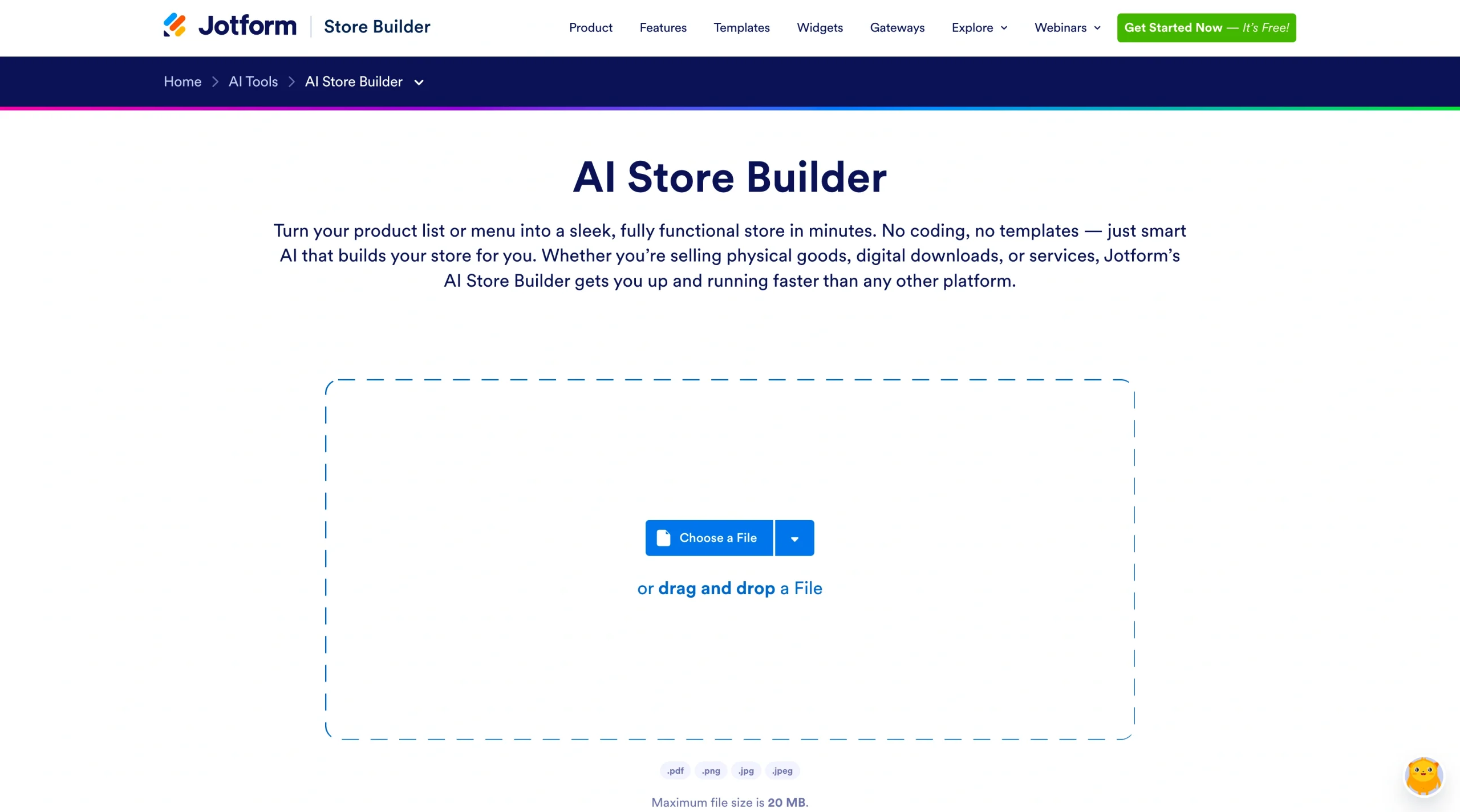
You don’t even have to sign up for an account to test whether Jotform’s AI Store Builder is the right tool for you. On the tool’s homepage, the builder asks you to upload your product list.
I uploaded a PDF of a fashion product list. You can also drag and drop product images in PNG, JPG, or JPEG formats, and the AI will do the rest.
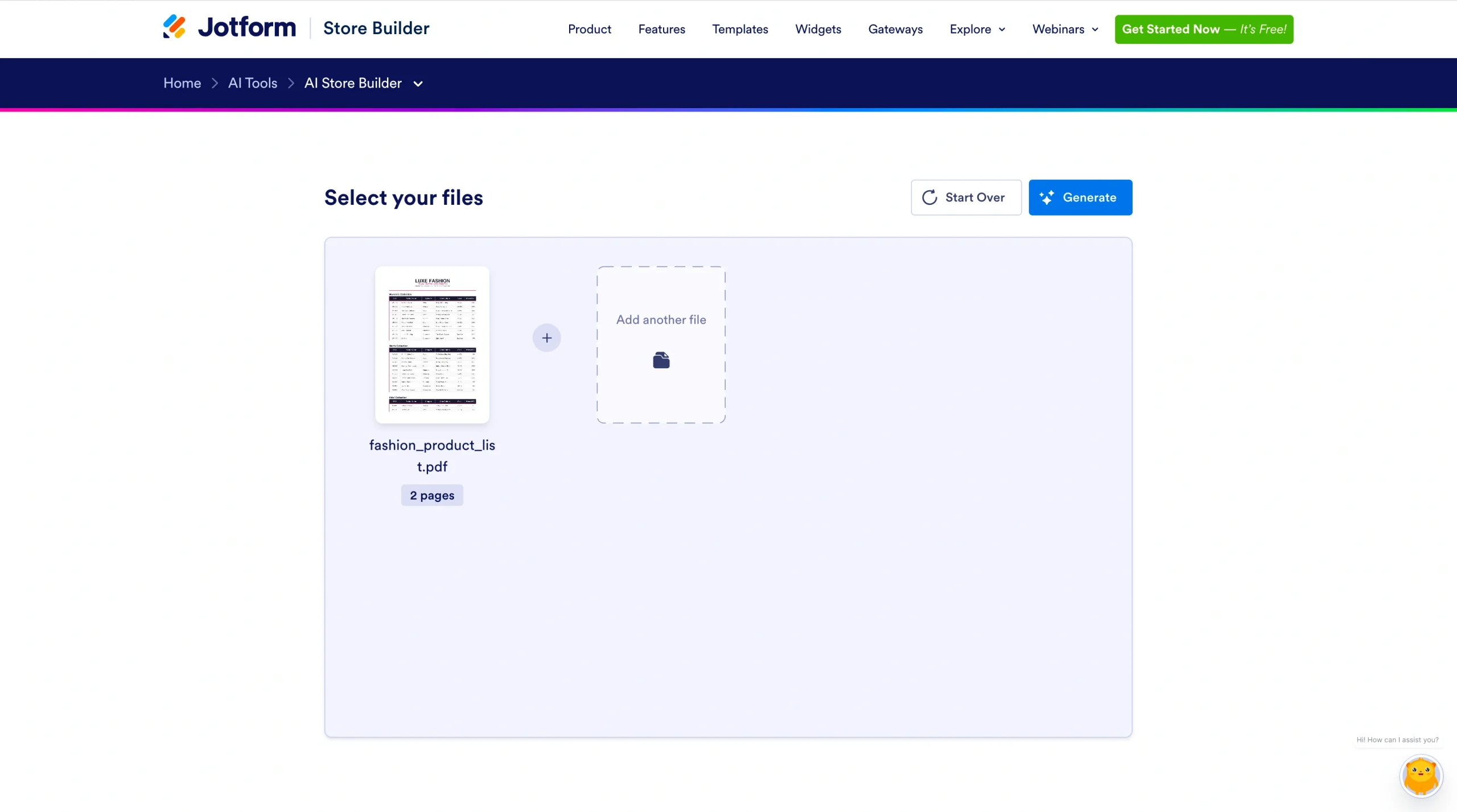
Then I clicked Generate. Within a minute, I had a mobile-friendly, responsive store design.
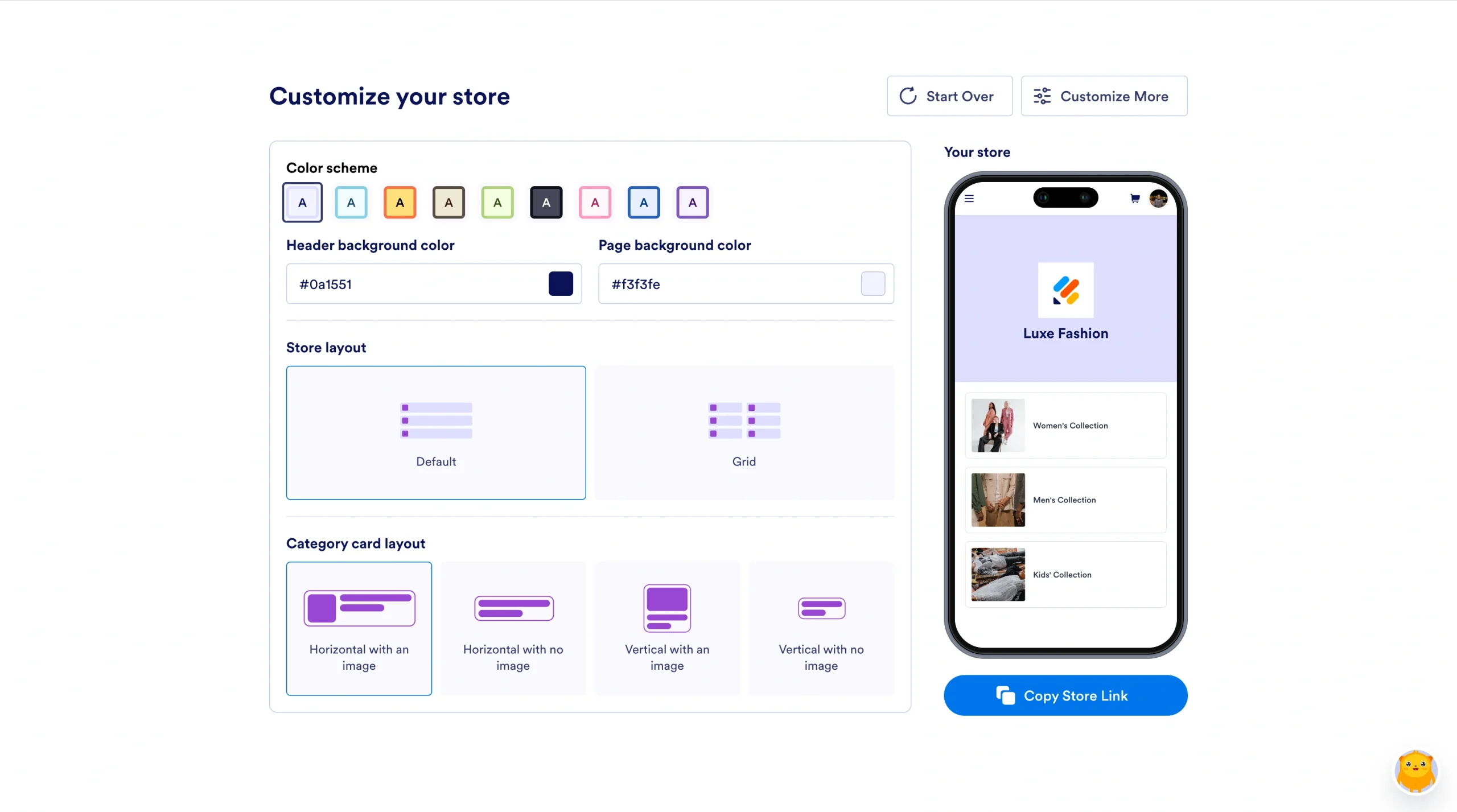
The Jotform AI e-commerce store builder automatically generated my store layout, product categories, and checkout. It also offered a no-code editor to customize the store.
To match your branding, you can customize
- Header background color
- Page background color
- Store layout
- Category card layout
To check all my customization options, I clicked Customize More. The page opened in a new tab, with more options for my catalog and store design.
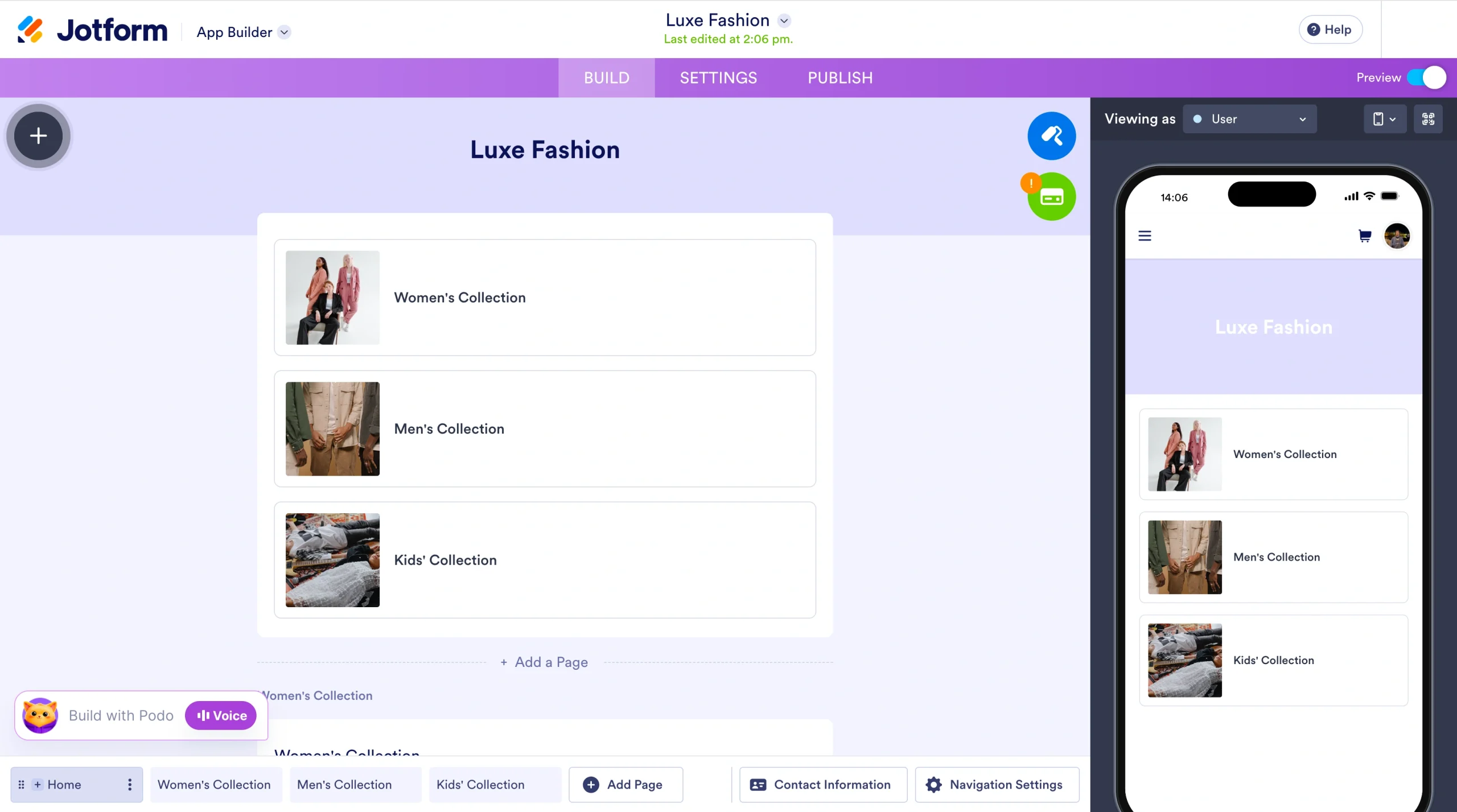
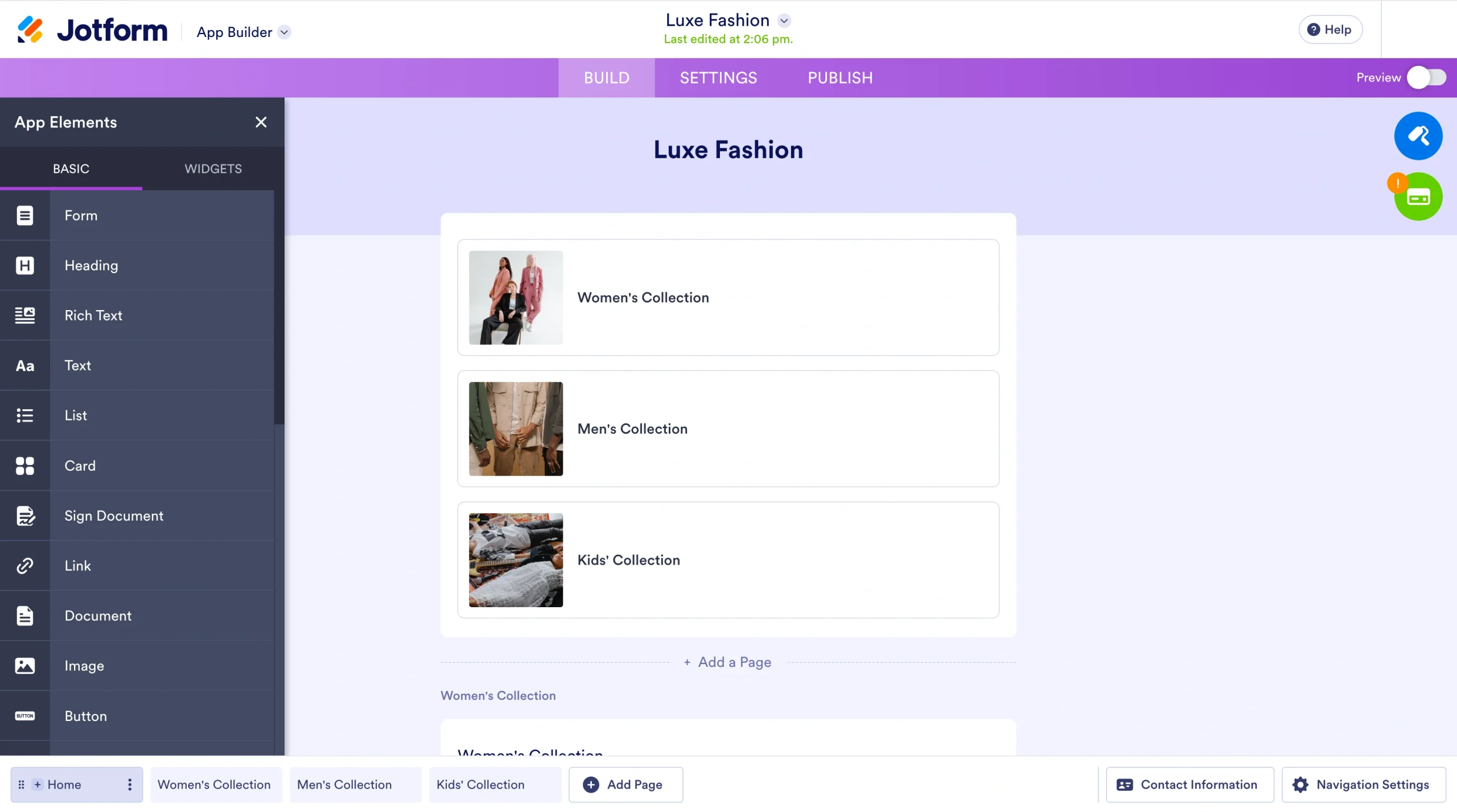
I clicked the Add icon and opened a pane that let me add forms, headings, text, and more.
For advanced design customization, you can click the Painting Roller icon.
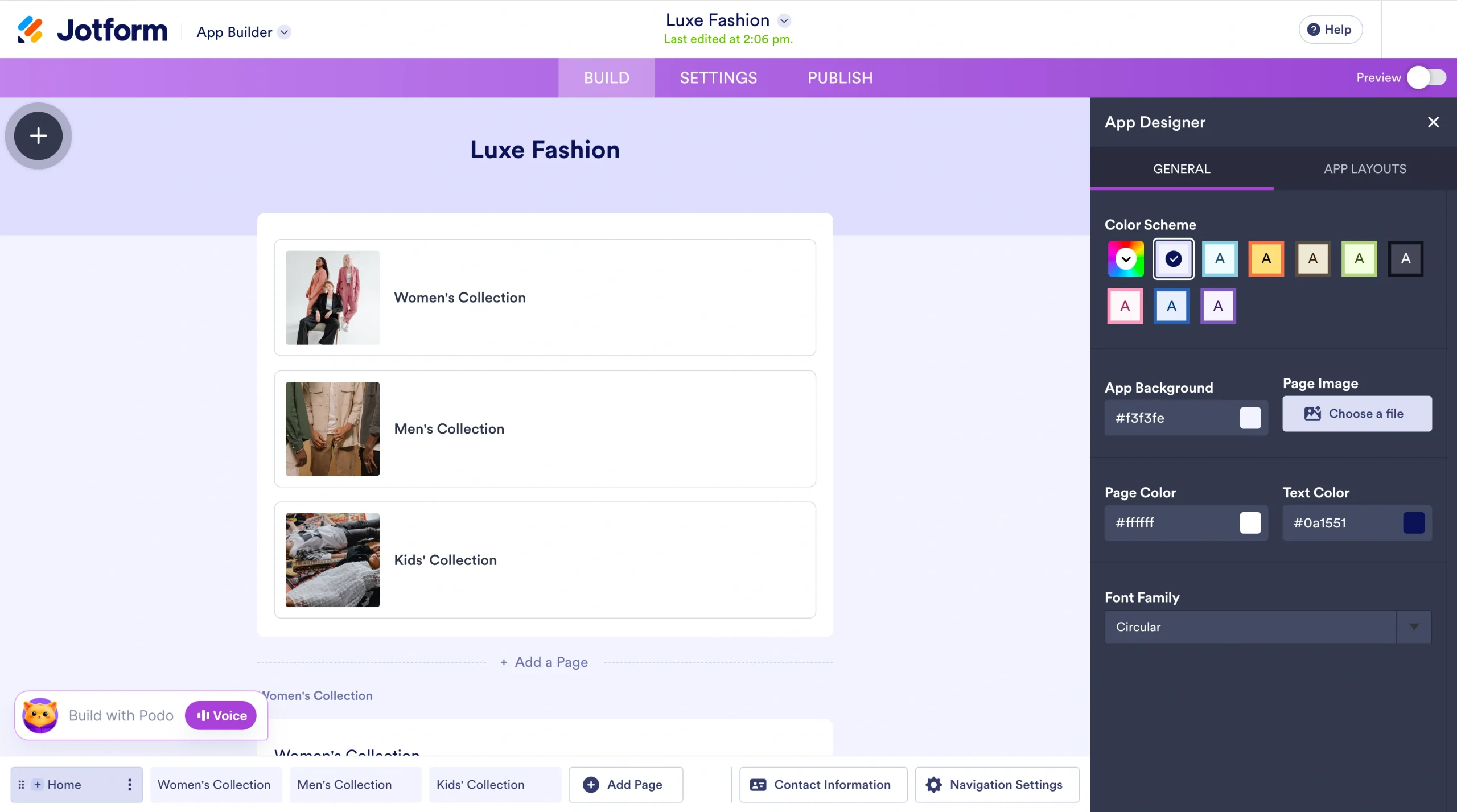
You can edit colors, font, and layout to meet your branding needs. You also get more than 40 built-in payment methods for a seamless checkout experience. More important, you can add other AI tools, such as AI chatbots and AI Agents, for e-commerce workflow automation.
After customizing your design and elements, you can click the Settings tab to configure your store.
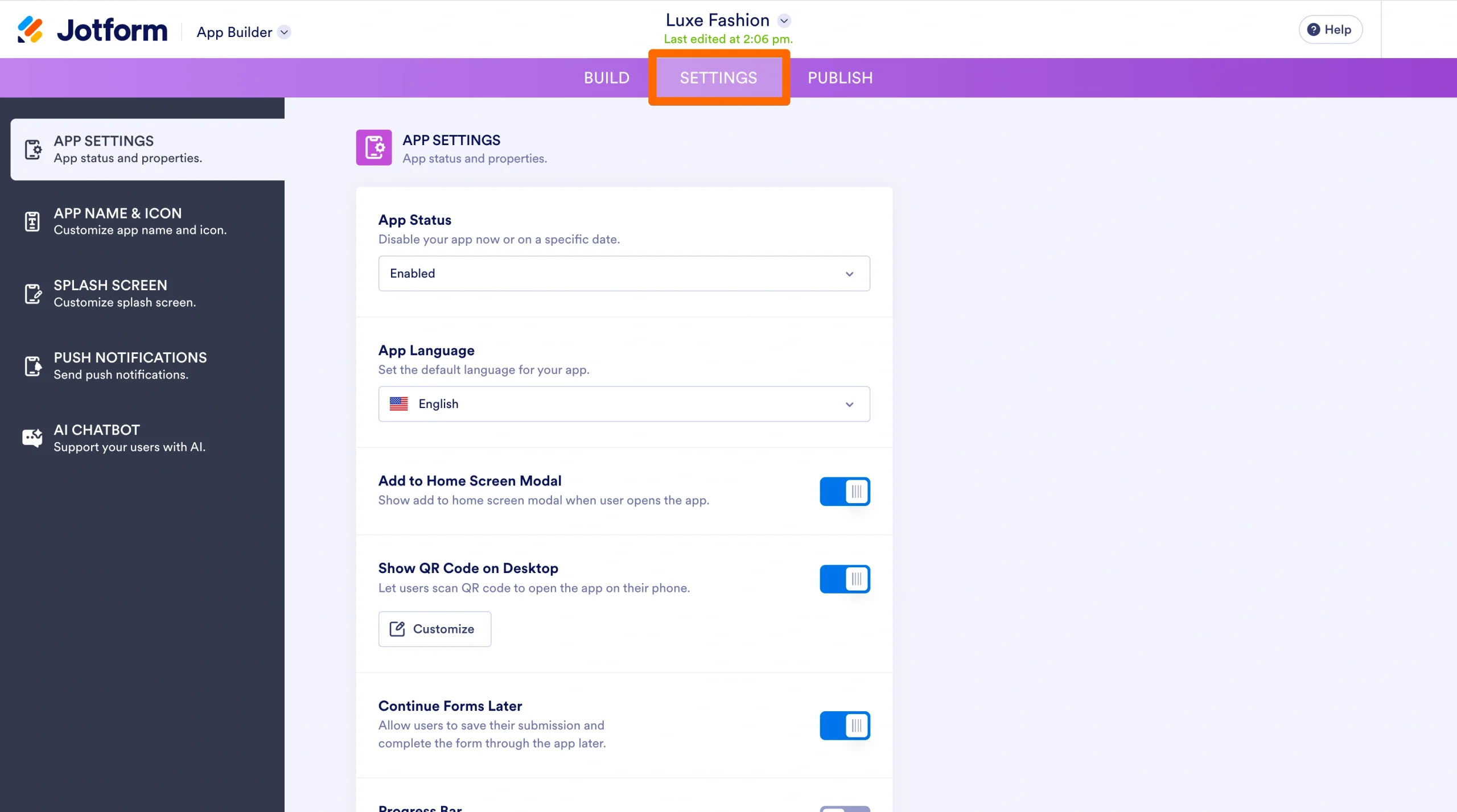
In this window, you can set your site language, name your online store, customize your site icon, enable push notifications, and add an e-commerce business AI chatbot.
After customization, go to the Publish tab. You’ll get a link to your store that you can share. If you don’t have an account yet, you’ll need to make one to publish your store.
- Key features
- Instant store creation from documents
- No coding or tech skills needed
- Mobile-ready online store by default
- Integration with Jotform AI Agents for workflow automation
- Pros
- No coding required
- Built-in flexible payment options
- Highly customizable AI-generated stores
- Cons
- Jotform branding on Free plan
- Capped payment submissions, depending on your plan
- Pricing
- Free Starter plan: One user; includes five forms, 100 fields per form, 10 monthly payment submissions, Jotform branding
- Bronze plan: $34 per month; 25 forms, 250 fields per form, 100 monthly payment submissions, no Jotform branding
- Silver plan: $39 per month; 50 forms, 500 fields per form, 250 monthly payment submissions
- Gold plan: $99 per month; 100 forms, 1,000 fields per form, 1,000 monthly payment submissions
- Custom Enterprise plan: Unlimited usage, multiuser access, dedicated support, and user access control
- G2 rating: 4.7/5
Build faster with Jotform AIDescribe what you need, and let Jotform AI build it for you instantly.
Get Started Now
2. Shopify AI Store Builder
Best for: Full-scale e-commerce businesses and dropshipping stores
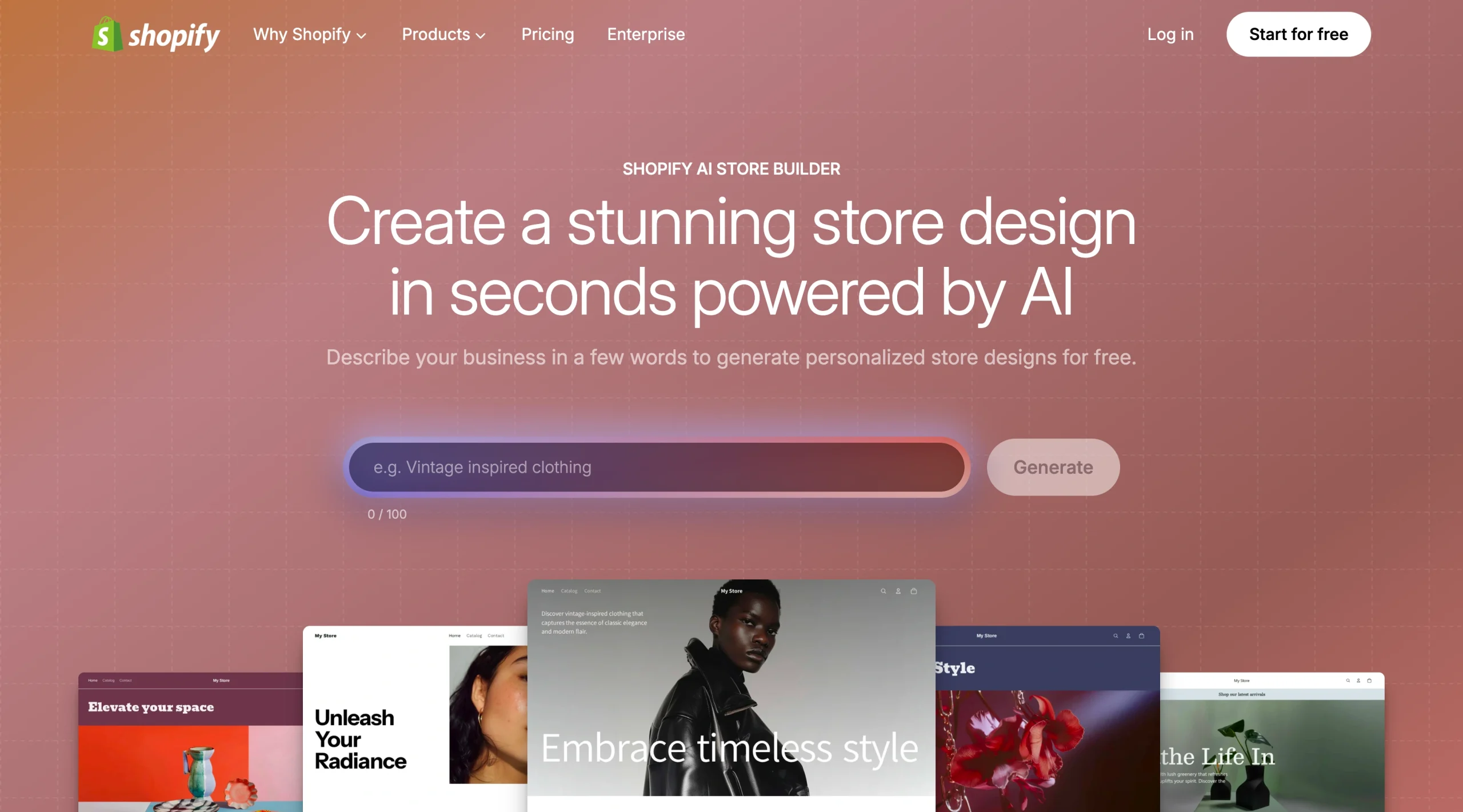
It’s hard to discuss how to build online stores with AI without mentioning Shopify. This retail platform giant is a major player in the e-commerce space and powers nearly 7 million online stores. Its AI store creator is prompt-based, but its prompts are limited to only 100 characters. This means you can’t be as descriptive as you’d like.
And unlike Jotform, Shopify’s AI Store Builder requires you to sign up and add a payment method to access its AI store-building capabilities. To put it to the test, I asked Shopify to create a pet supply store.
When I clicked Generate, the AI tool processed my request in a few minutes and returned three store options for me to choose from.
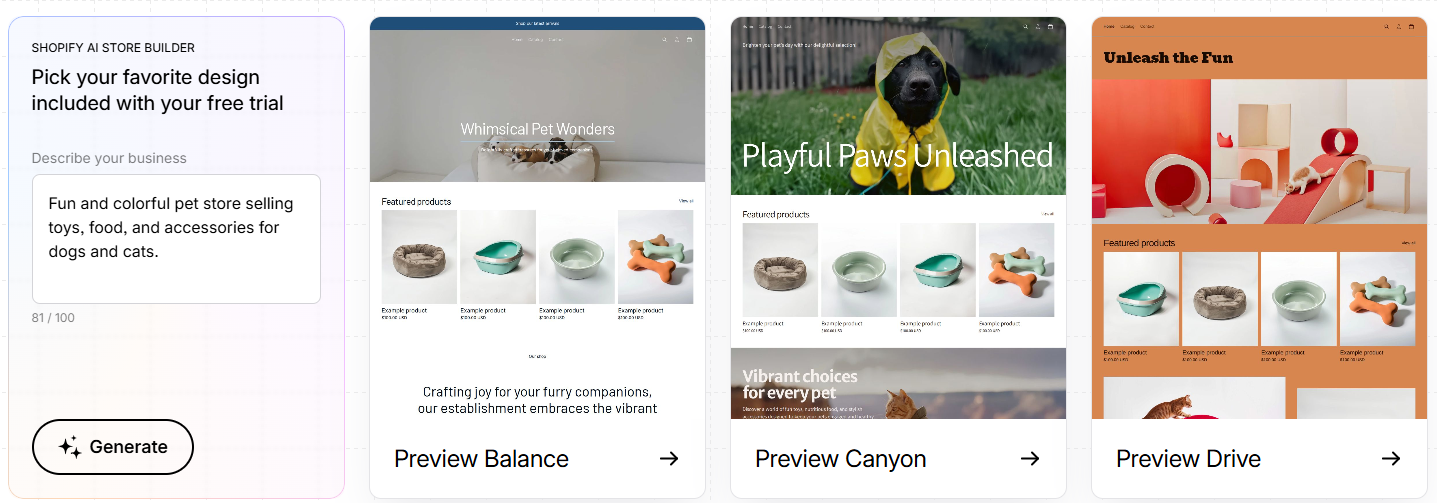
I previewed the three generated sites and picked the first option.
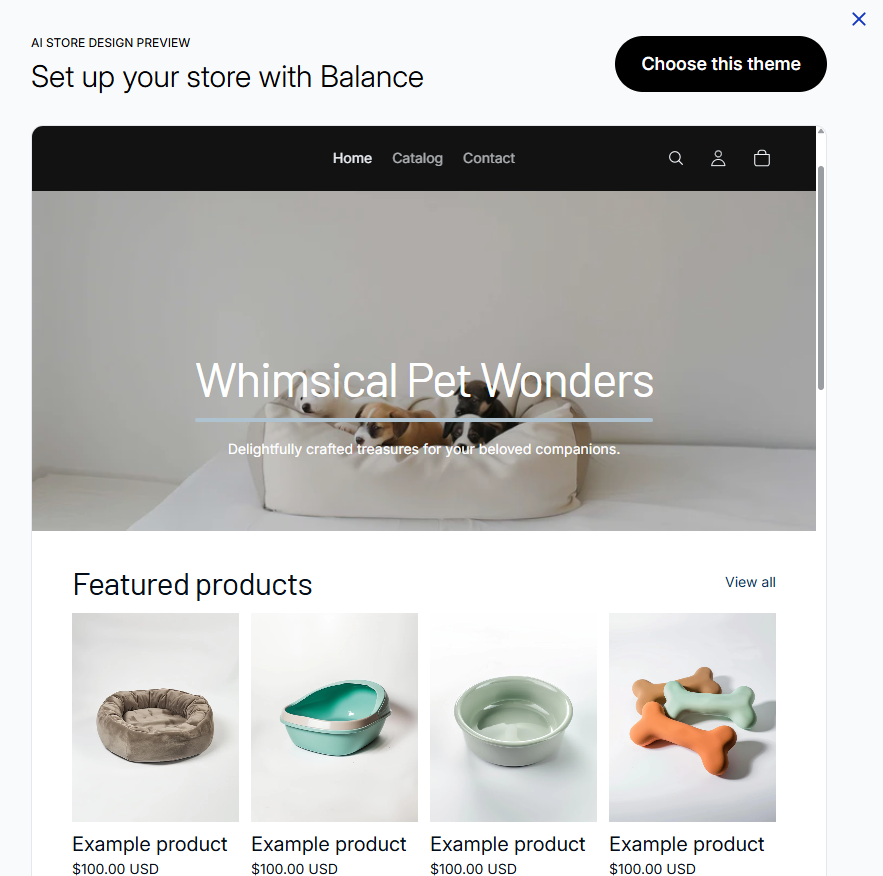
The generated e-commerce website was professional and ready for customization. When I clicked Choose this theme, Shopify prompted me to sign up and enter my payment details to continue editing the store.
After I entered payment information, Shopify prompted me to choose a plan, with each offering a three-day free trial, then $1 per month for the first three months.
Once I picked a plan, the generator asked me where I’d like to sell. I selected An online store.
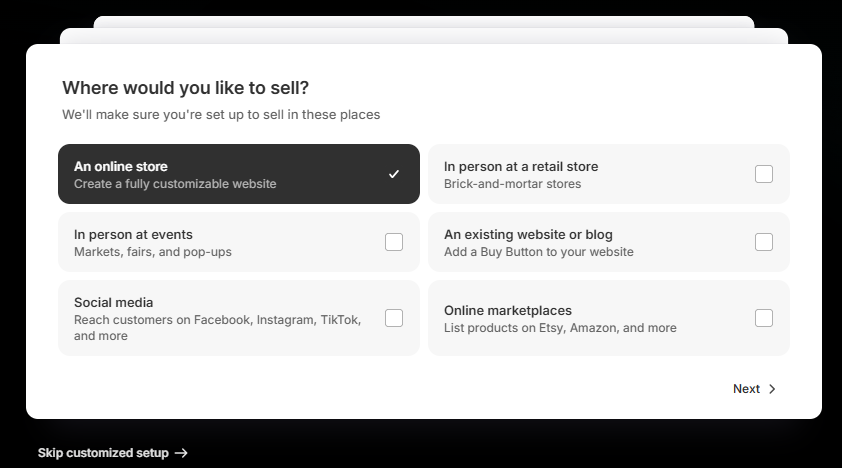
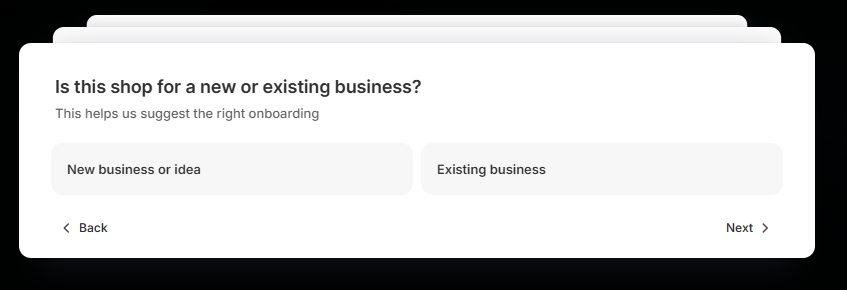
Then I specified that my store was a new shop.
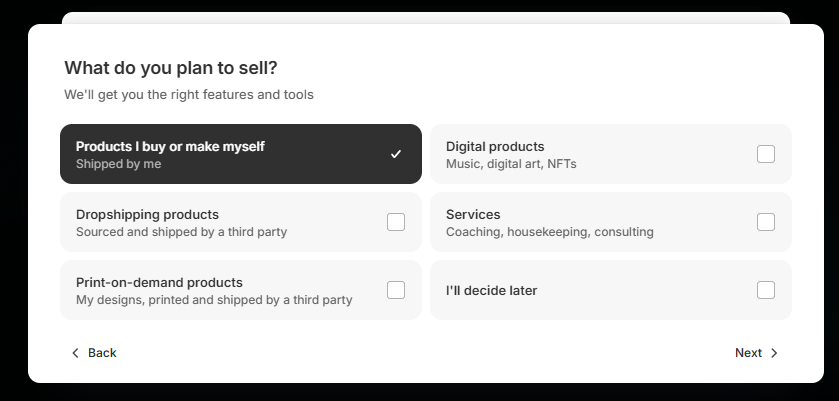
To customize your site’s e-commerce experience, Shopify asks about what you plan to sell. I chose the Product I buy or make myself option.
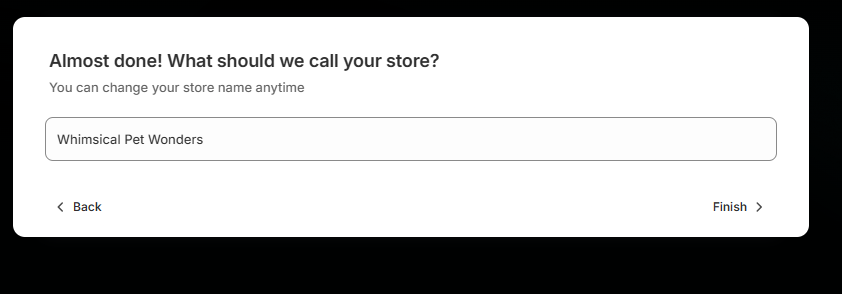
Then I entered my store name when prompted and clicked Finish.
I wanted to see more customization options, so I clicked the Edit button.
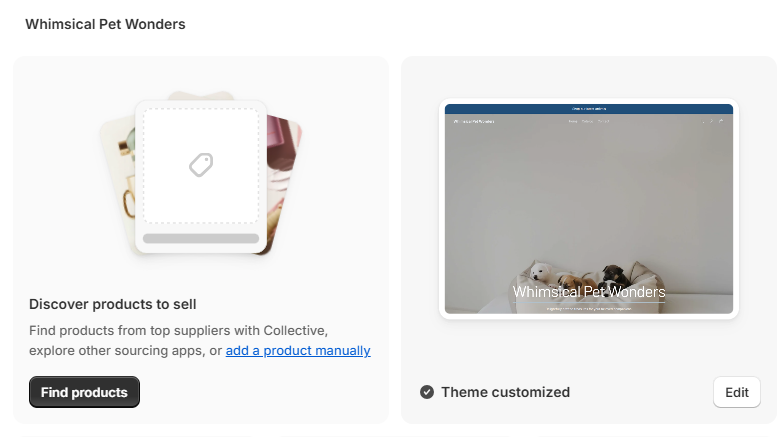
Then I selected Edit Theme.
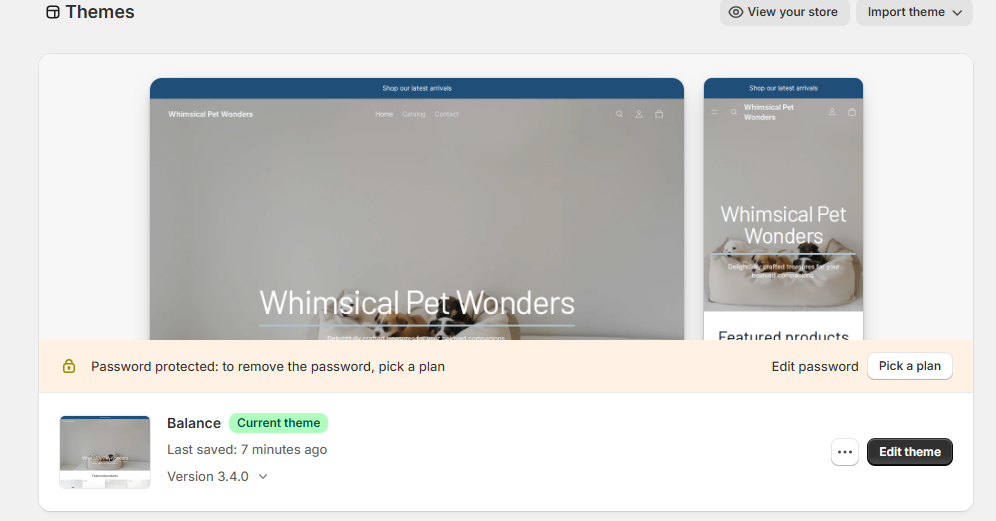
A side panel opened with options for customizing my site’s
- Announcement bar
- Header
- Hero section
- Featured collection
- Footer
Shopify also lets you buy a unique domain for your store, activate Shopify Payments, and review your shipping rates.
- Key features
- A hybrid of AI prompt and template site creation
- Mobile-optimized stores
- Integrated checkouts, payments, and apps
- Pros
- Strong e-commerce ecosystem
- Beginner-friendly
- Professional, conversion-focused templates
- Cons
- No free plan
- Limited control with short prompt input
- Pricing
- Basic plan: $19 per month; includes core e-commerce tools, AI store setup features, 10 inventory locations, 24-7 chat support, 2 percent fee per transaction when using a third-party payment provider
- Grow plan: $54 per month; Basic plan features, 1 percent fee per transaction when using a third-party payment provider, five staff accounts
- Advanced plan: $299 per month; Grow plan features, 0.6 percent fee per transaction when using third-party payment provider, enhanced 24-7 support, local storefronts by markets, 15 staff accounts
- Plus plan: $2,300 per month; Advanced plan features, 200 inventory locations, priority 24-7 phone support, unlimited staff accounts, fully customizable checkouts
- G2 rating: 4.4/5
3. Wix AI Website Builder
Best for: Beginners and small businesses looking for an easy setup
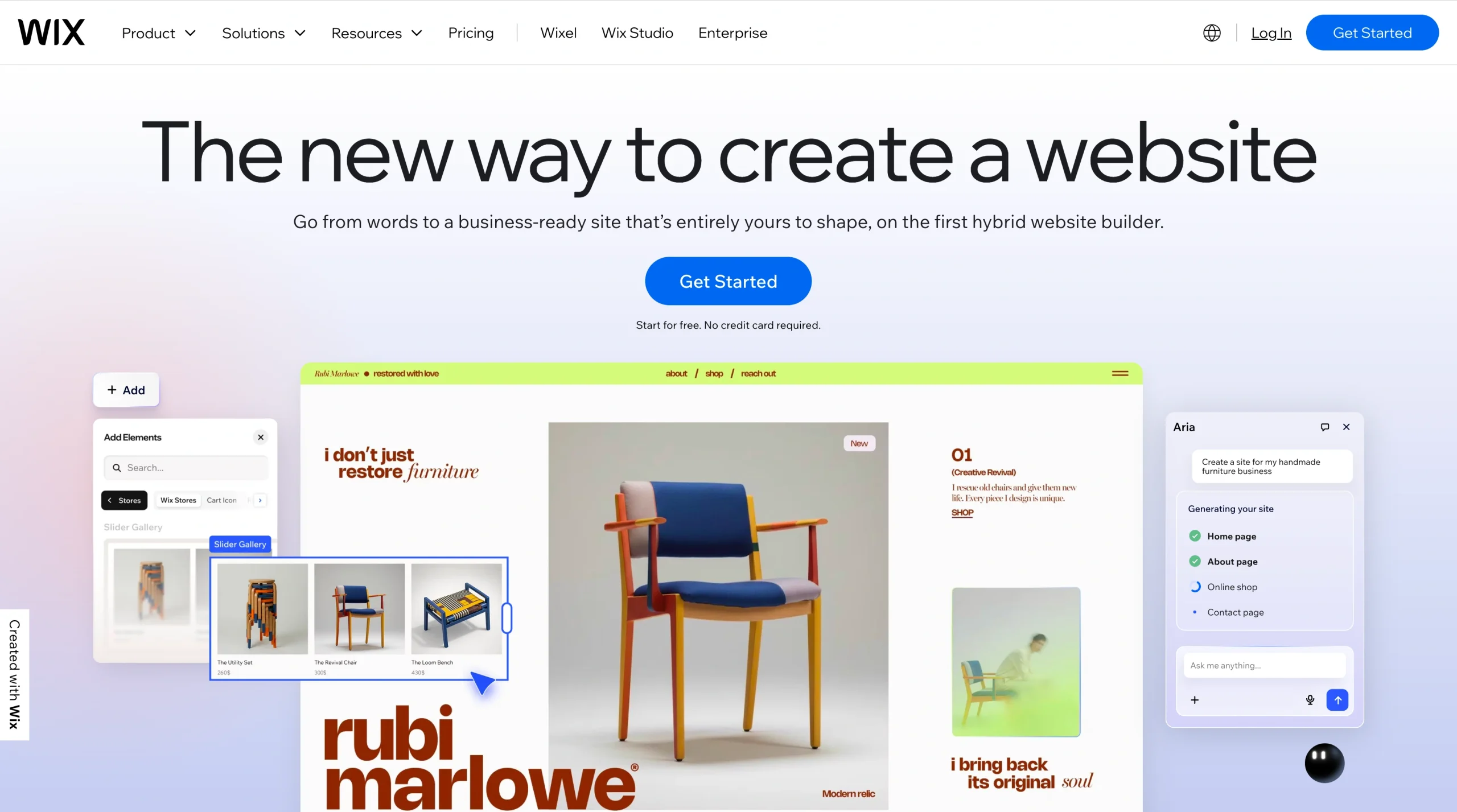
Wix is one of the best free AI store builders. As with the Jotform AI shop builder, you can assess whether Wix’s free AI generation capabilities match your needs, without entering payment information. However, you’ll have to create a free account.
Once you’ve created an account, Wix asks whether you want to build your e-commerce store from a prompt or through a hybrid approach that combines vibe coding and drag-and-drop editing.
To assess the Wix AI website builder for e-commerce, I selected the prompt option and asked it to create an online beauty and skincare store.

Then I clicked the Right Arrow icon, and within minutes, the tool generated a full store with Home, Shop, About, and even Blog pages.

To edit the generated site, you can use prompts or the visual editor. I was curious about the prompt-based editor. To test it, I asked it to change the “Curated Favorites” header to “Best Beauty Product of 2026”
A few minutes later, the editor automatically made the update.

However, on the free plan, AI editing is limited to five edits. Once you deplete AI credits, you have to upgrade to get more. But you can make manual edits on your AI-created store on Wix with the visual editor.
You can customize fonts, logos, color palettes, and nearly every other aspect of your site to fit your branding needs. Once you’re satisfied with the design work, you can click the Dashboard tab on the top left menu to connect your store to your custom domain, add payment options, check your site analytics, and access more automation.
You can preview your store to see how your shop will appear to visitors. If you’re satisfied, click the Publish button at the top right of the page to make your site live.
- Key features
- AI prompt-based online store creation
- AI-prompt-based store editing
- Vast online store template library
- Intuitive editing
- AI design partner for creating a unique look
- Pros
- Fully free test of AI store builder
- No need for technical or design skills
- Production-ready site in minutes
- Cons
- Difficult migration to another platform
- The free plan cannot accept payment
- Pricing
- Free plan: Includes Wix drag-and-drop editor, 2,000+ templates, AI building, 500 MB storage, 1 GB bandwidth, free SSL, Wix branding
- Light plan: $17 per month; Free plan domain for one year, 2 GB storage, multi-cloud hosting, two site collaborators, Light marketing suite
- Core plan: $29 per month; Light plan features, 50 GB storage, basic marketing suite, accepted payments, basic e-commerce, scheduling and services, five site collaborators
- Business plan: $39 per month; Core plan features, 100 GB storage, standard marketing suite, standard e-commerce, 10 site collaborators
- Business Elite plan: $159 per month; Business plan features, unlimited storage, advanced marketing suite, advanced e-commerce, advanced developer platform, 100 site collaborators
- G2 rating: 4.2/5
4. Squarespace AI Website Builder
Best for: Design-focused brands and creators selling products online
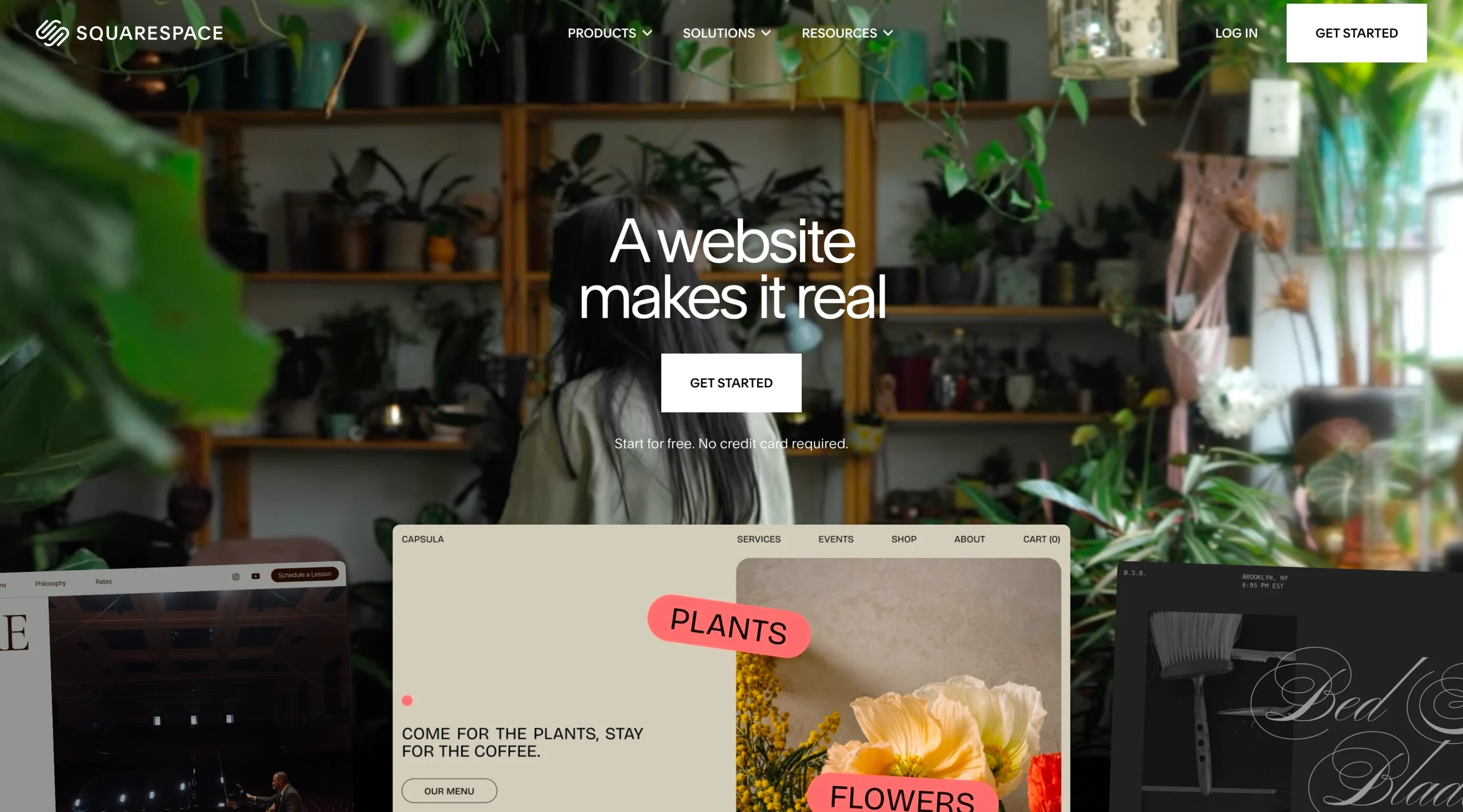
If you’re focused on creating the perfect store design, you’ll love the design flexibility of Squarespace’s AI online store builder. You can regenerate your store (both the overall look and individual pieces of content) as often as you like.
The first thing I noticed on the homepage is that the AI website builder for e-commerce is available only on desktop.
As with Wix, you can try the AI tool without adding any payment information, but you must create an account. Once you click Get Started, the AI shop builder asks you what your site is about. I specified that I wanted an online store selling smart tech gadgets.
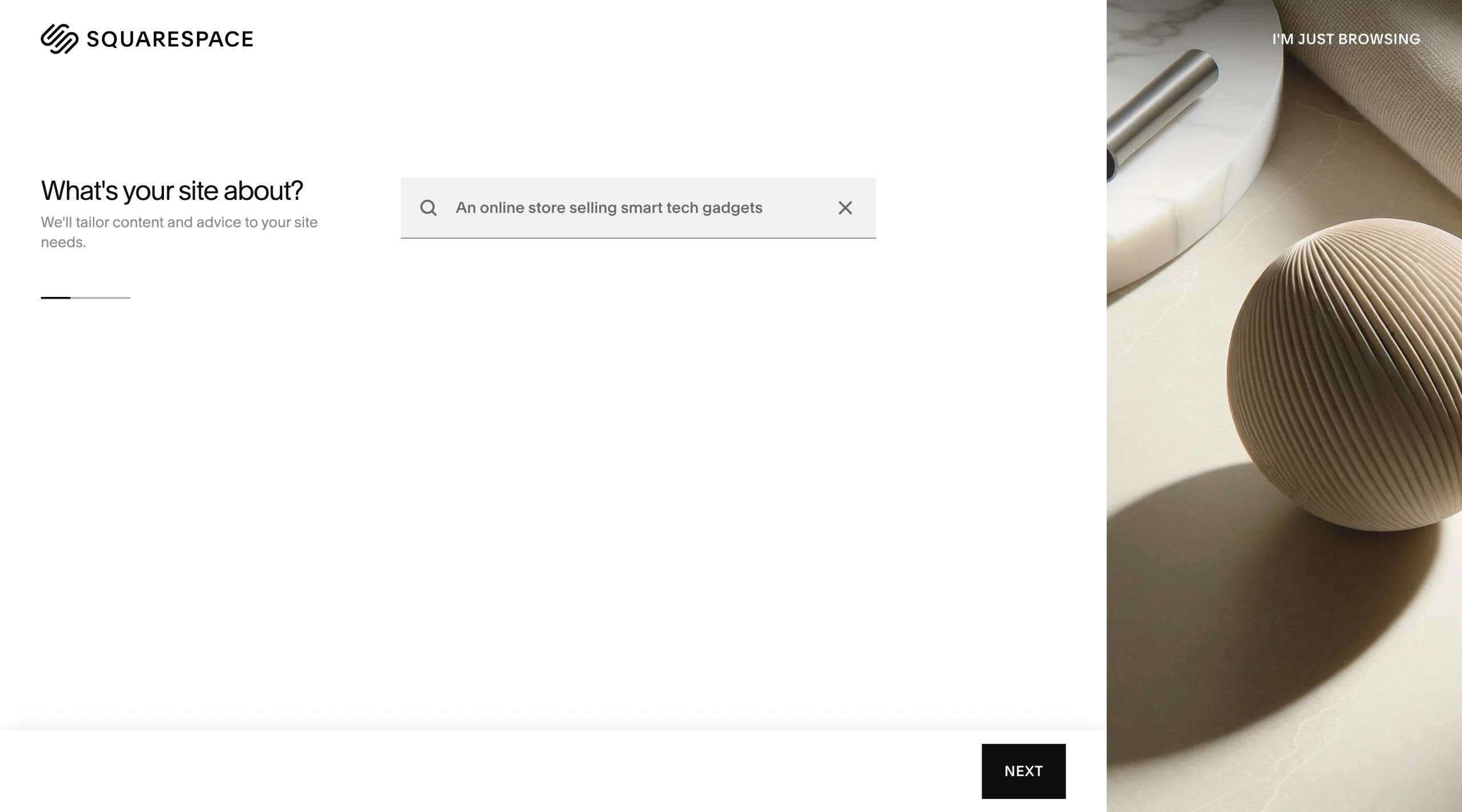
Then the generator asked what I wanted to do with my store. I selected Sell products. When I clicked Finish, the generator went to work. But to see the site it generated, I had to sign up for Squarespace.
I signed up, and the tool prompted me to enter my site description. So I entered Retail Equipment and Technology.
I entered my site title and brand personality when prompted.
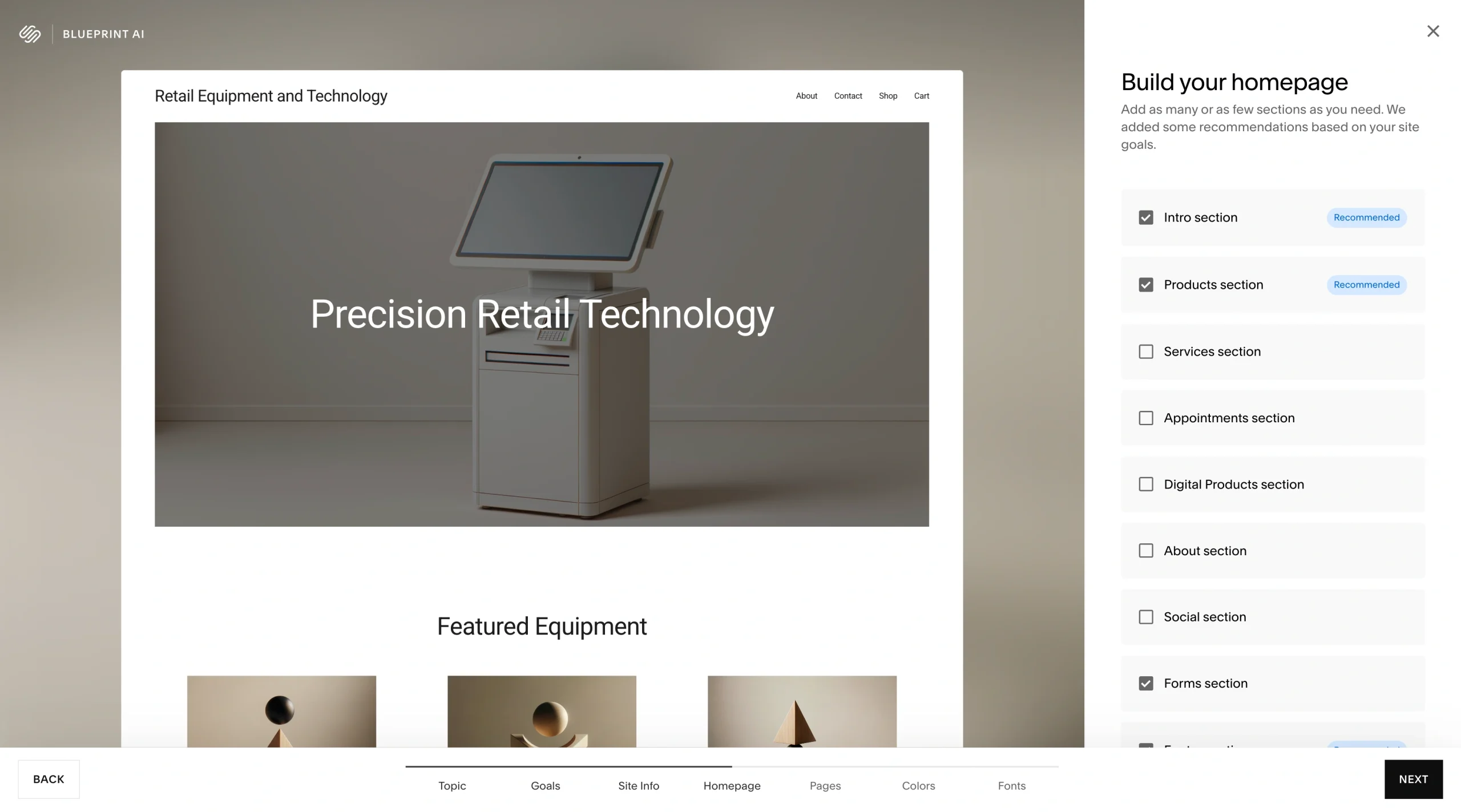
The tool then asked for sections to include on the homepage. You can pick as many as you want. As you pick, the sections will automatically preview.
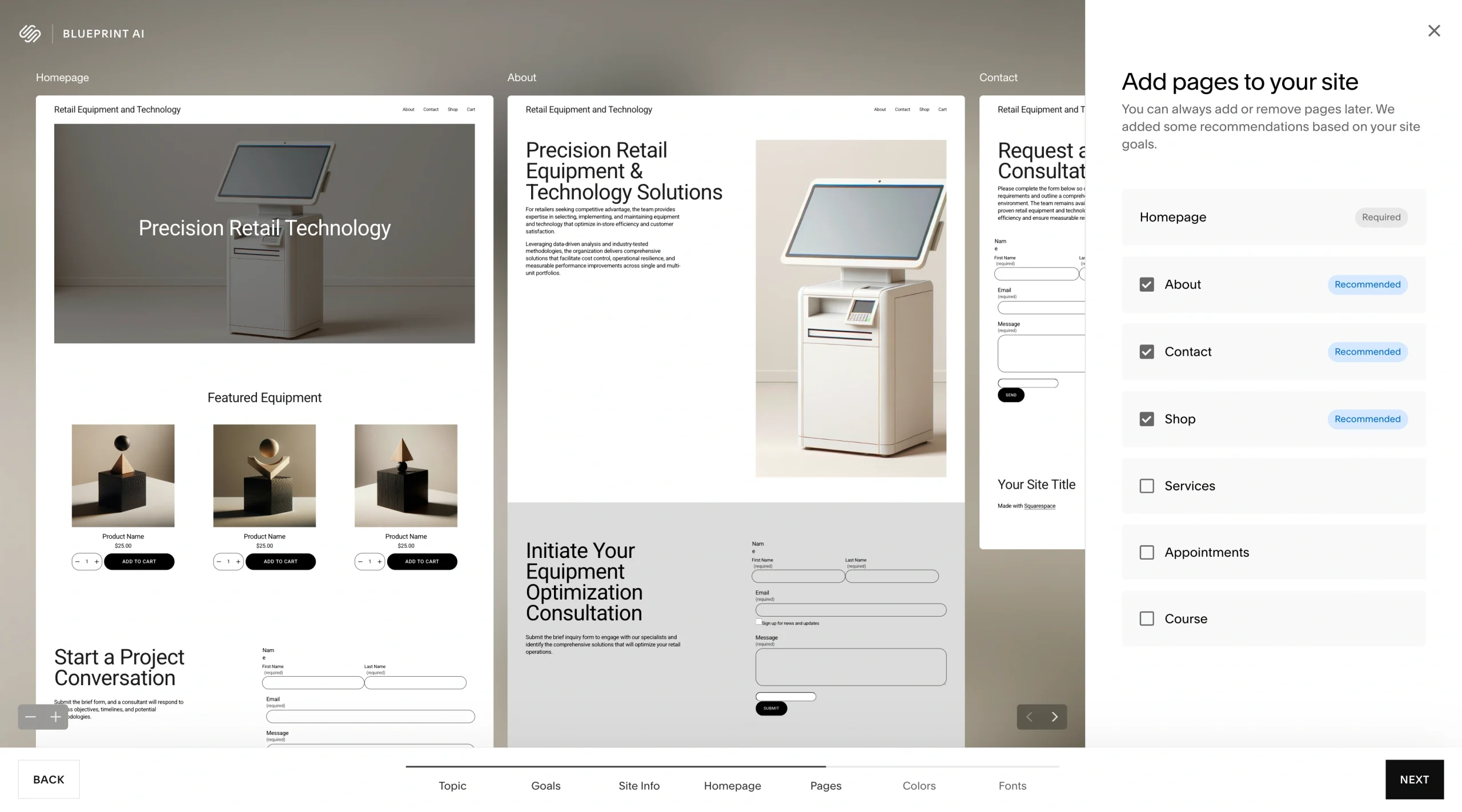
Next, the generator asked me which pages to include in my online store. You can always add or remove a page later. I picked About, Contact, and Shop pages.
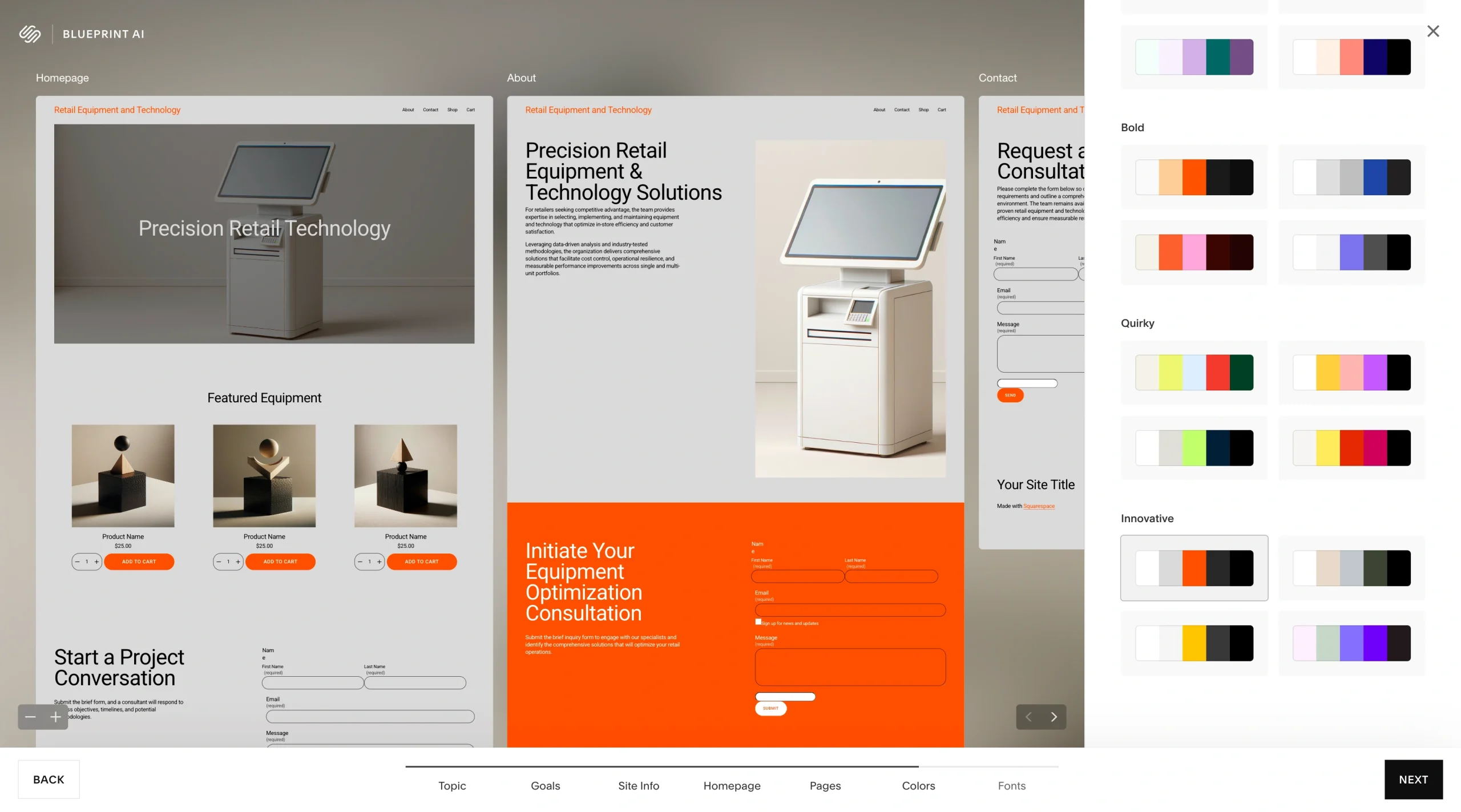
Next, you can choose a color palette that aligns with your branding.
You can also customize your store fonts to fit your branding needs.
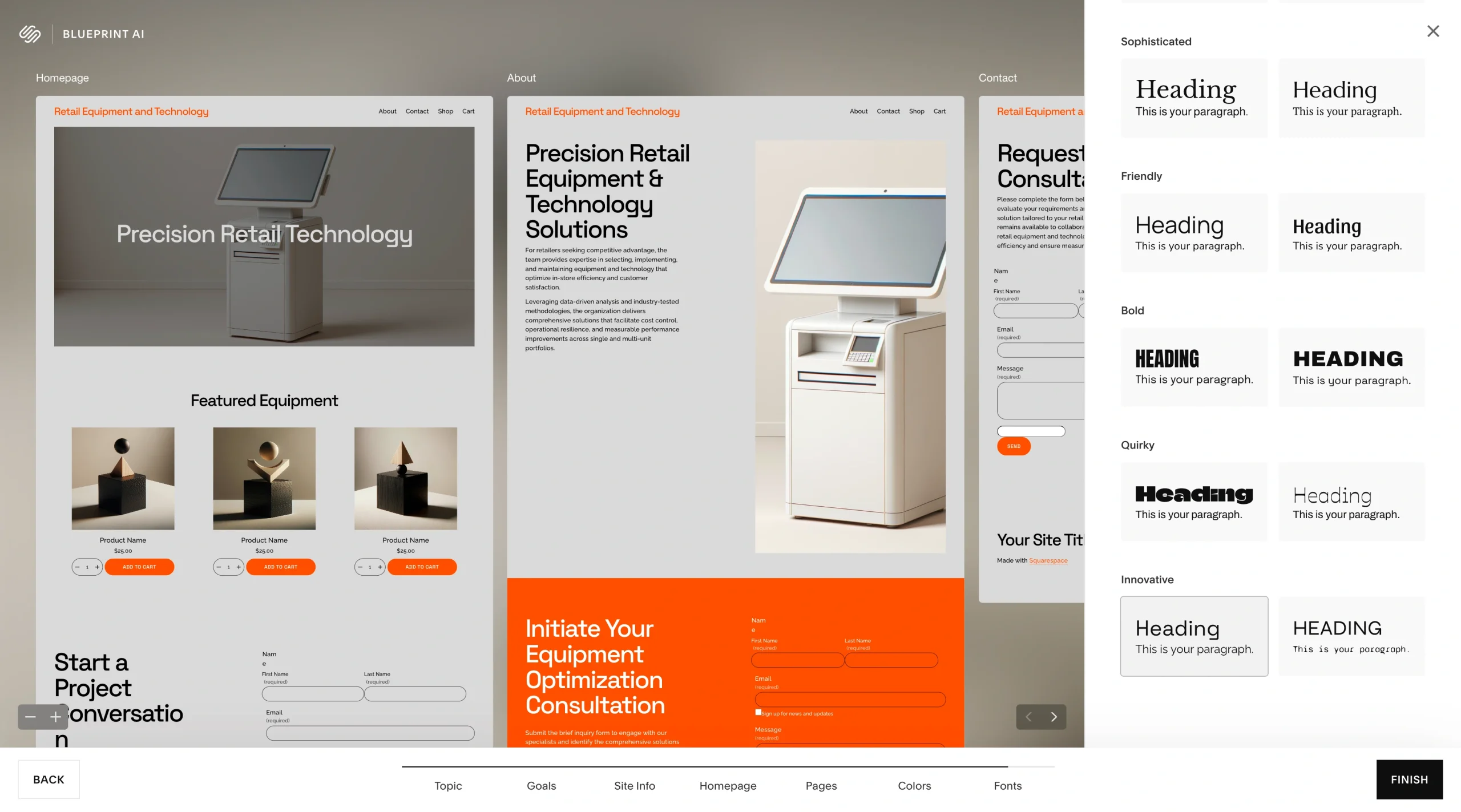
Then I clicked Finish, and the AI generator created my store in minutes. Once your site has been created, you can add your products, connect a payment processor, add a fulfillment method, and manage site navigation before you publish your store.
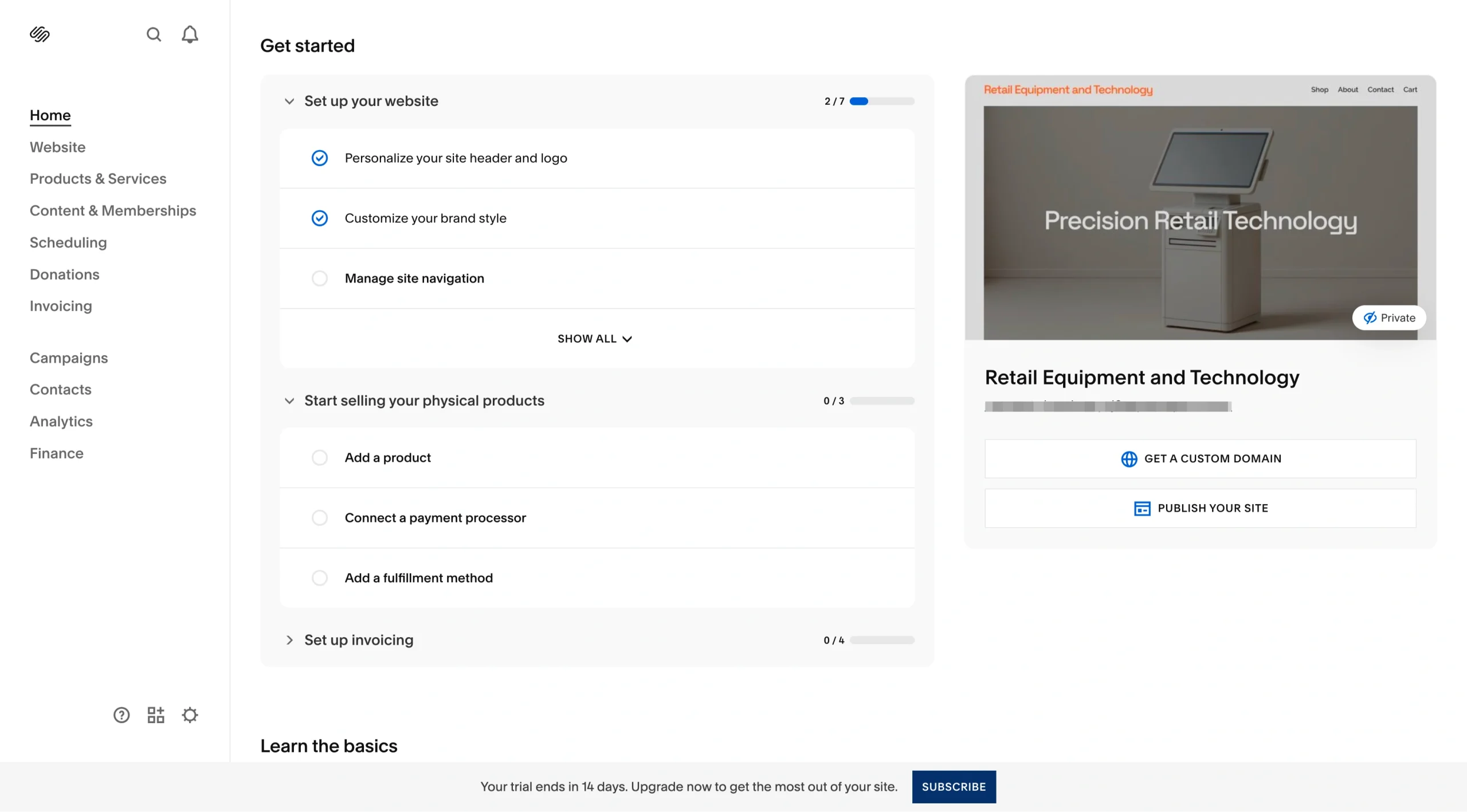
To publish your store on Squarespace, you must upgrade to a paid plan, because the platform doesn’t offer a free plan.
- Key features
- Collaborative AI online store builder
- Design-centric approach
- Integrated e-commerce features
- Pros
- All-in-one e-commerce platform
- Fast site creation with AI Built-in e-commerce tools
- Cons
- AI store generator on desktop only
- No free plan
- Pricing
- Basic plan: $12 per month; includes drag-and-drop store builder, Squarespace AI, up to two contributors, free custom domain, 2 percent online store transaction fee, 7 percent transaction fees on digital content and membership sales
- Core plan: $17 per month; Basic plan features, unlimited contributors, advanced website analytics, complete customization with CSS and JavaScript, professional email, 0 percent online transaction fee, 5 percent transaction fees on digital content and membership sales
- Advanced plan: $25 per month; Core plan features, 0 percent transaction fees on digital content and membership sales, API integrations, and ability to link your own shipping carrier
- G2 rating: 4.4/5
5. Genstore AI Shop Builder
Best for: AI-generated dropshipping stores and automated e-commerce
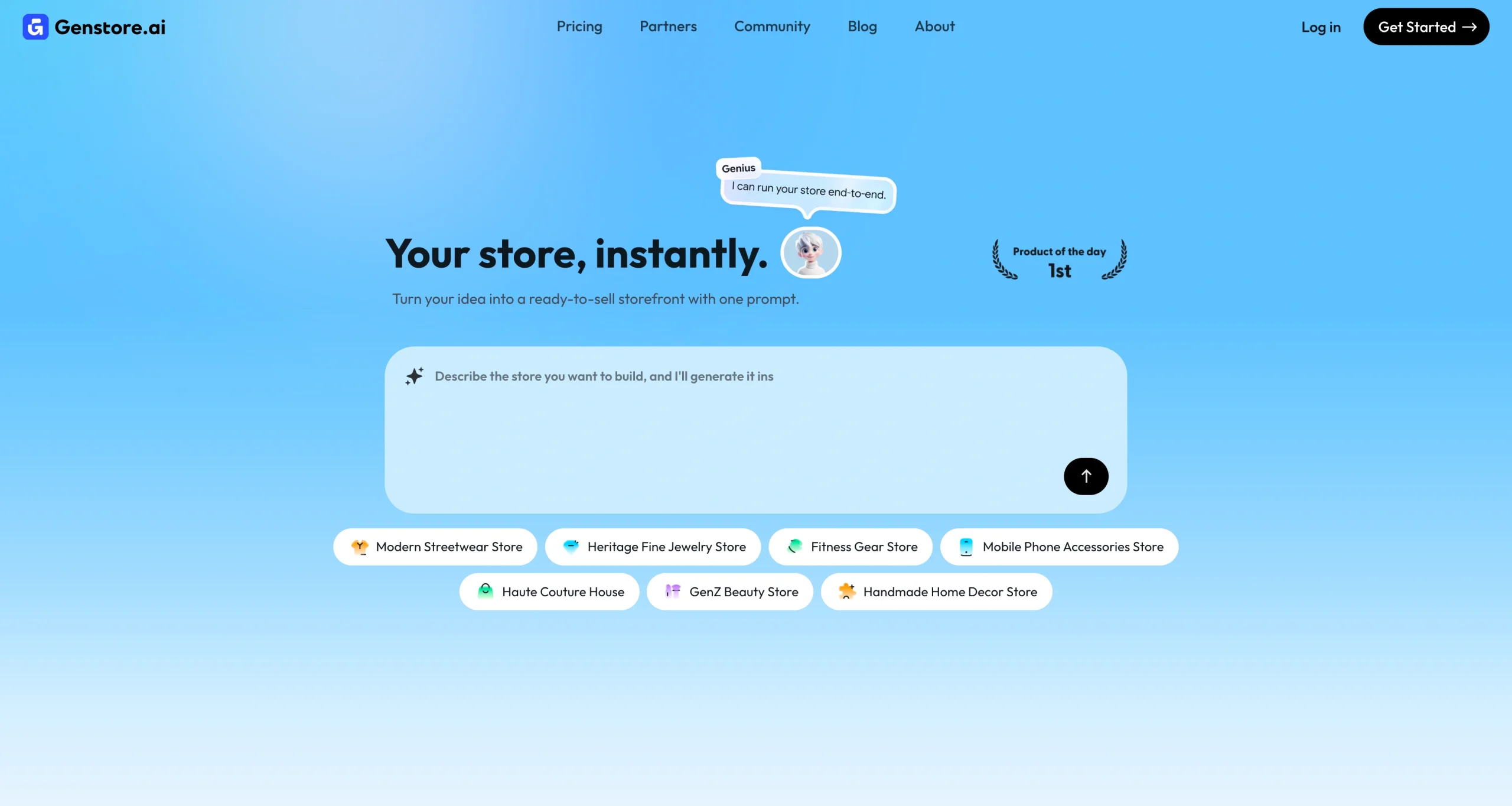
If you want to start an online store without inventory, Genstore is a good fit. It is a relatively new player in the e-commerce site-building niche, but it’s highly rated for automatically creating and managing online dropshipping stores. You don’t have to worry about how to build an online store because this platform uses AI agents and promises to help you create one in two minutes.
To see if Genstore holds up to its claim, I went to its homepage and prompted it to create a home decor store.
When I clicked the Up arrow icon, the generator redirected to a signup page. I signed up, and the generator immediately kicked in, creating a dropshipping store from my prompt.
You can start uploading your products before the generator completes the store generation. Because I was creating this site for demo purposes, I skipped product upload. The generator ran for a few minutes.
The product section was professional, and my store was mobile-ready.

I could preview the generated store and customize it.
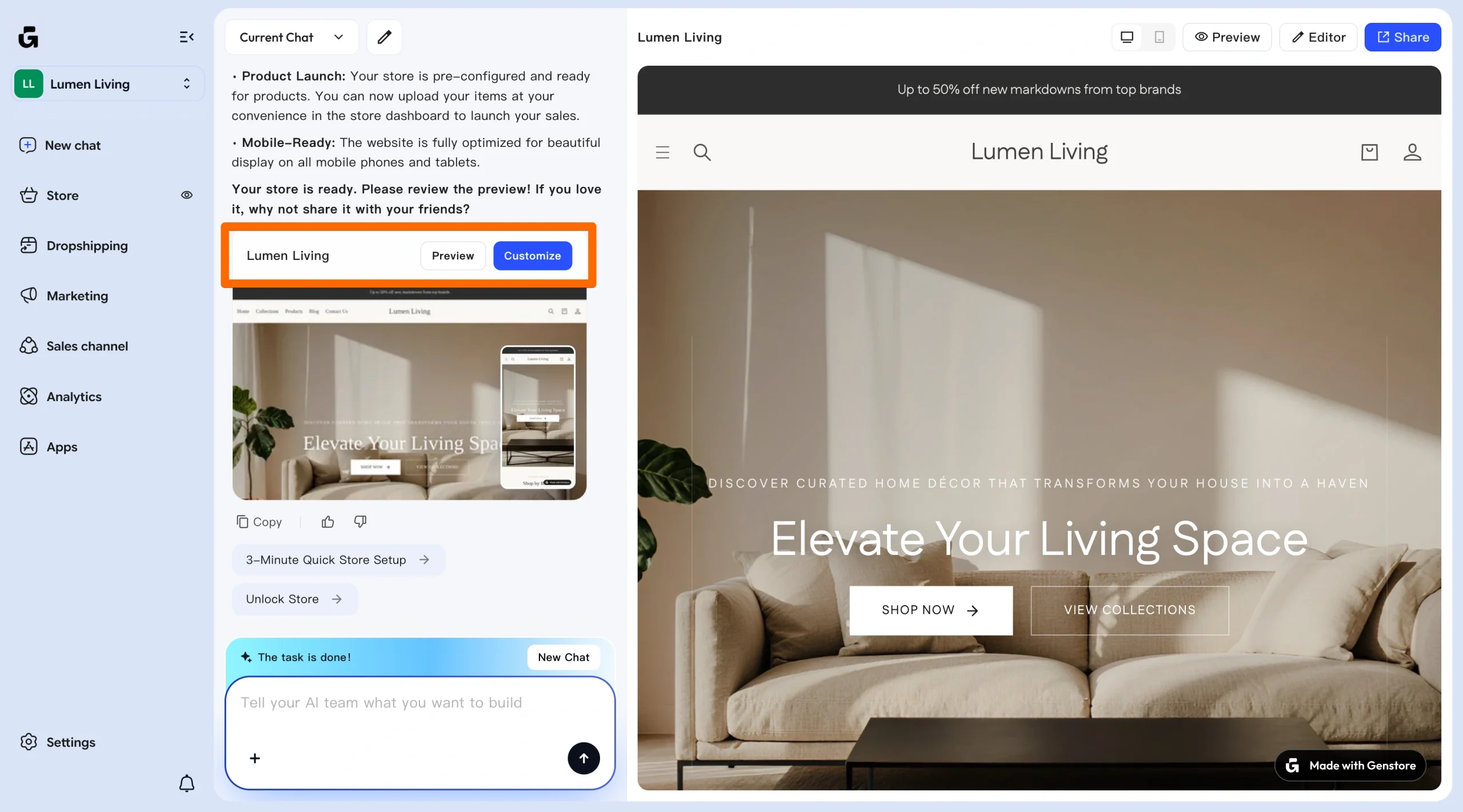
Hitting the Customize button opens a prompt editor, which lets you make edits.
I asked it to change the hero section headline to “Where Every Room Tells a Story” and update the background to a warm terra-cotta and cream gradient.
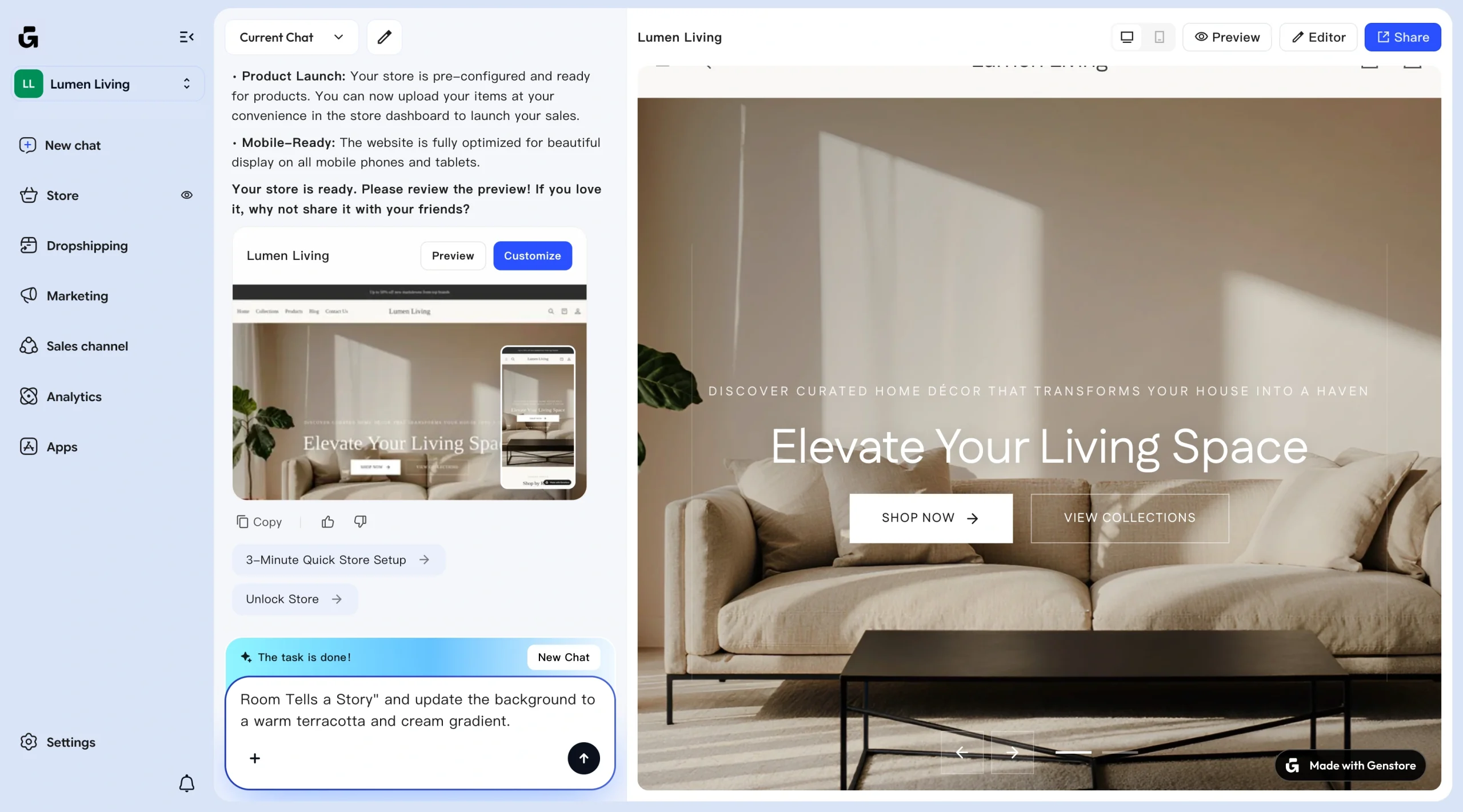
The AI editor executed the changes I requested in a few minutes.
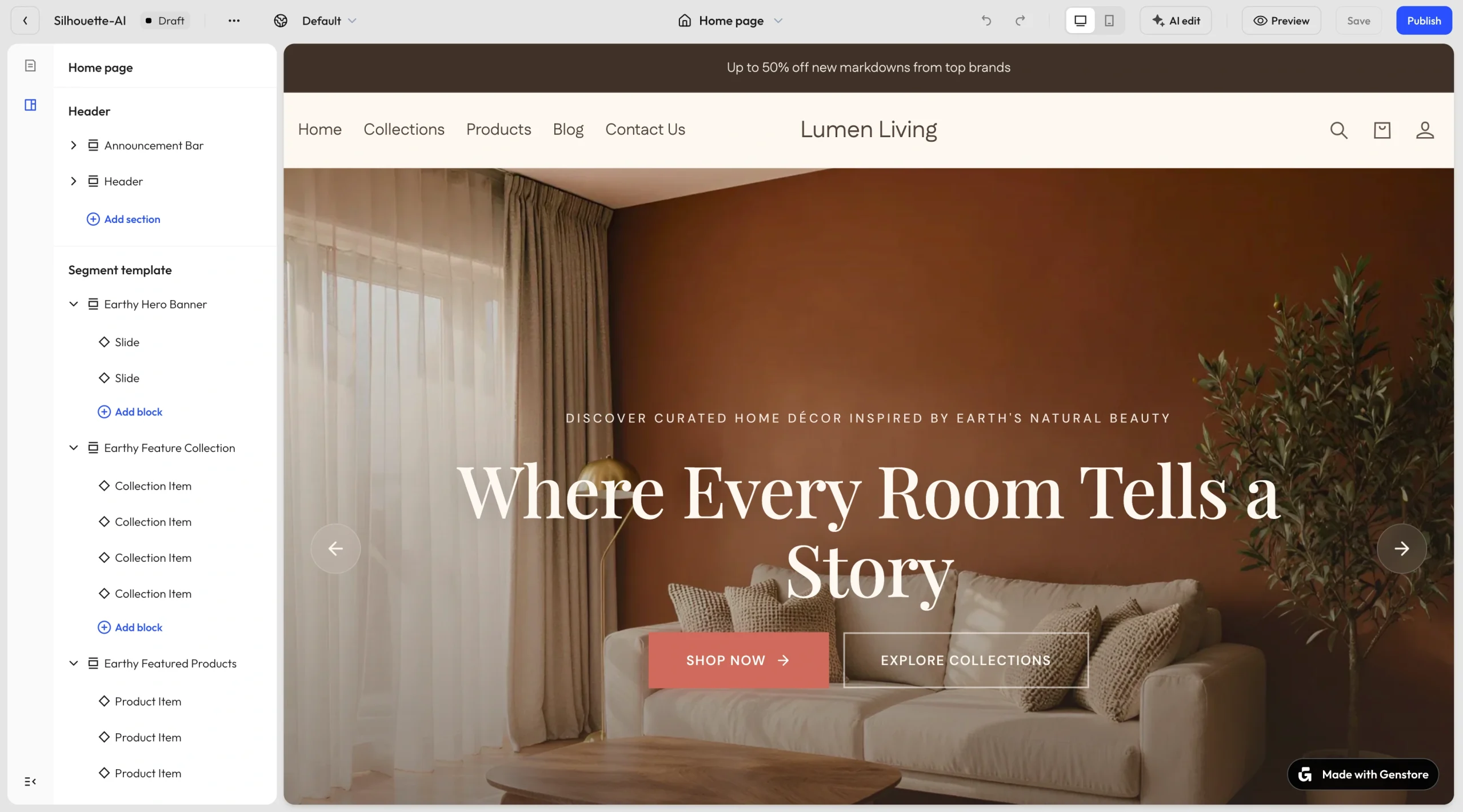
With the visual editor, I could
- Add a section the AI online store builder left out
- Include an Announcement bar
- Customize featured items
- Edit the footer
I could also click items in the generated store to open an edit tab and further customize my online shop.
- Key features
- Prompt-based AI online store builder
- Prompt-based online store editor
- Automated product curation
- Supplier setup integration
- Highly customizable store designs
- Pros
- Intentional feel to AI-native flow
- Practical built-in print on demand
- Automated workflows beyond store creation
- Cons
- The free plan doesn’t accept payment
- New platform with a small ecosystem
- Pricing
- Free plan: Includes five daily credits, store builder, AI Agents, up to 20 products, Genstore branding, no live payments, single inventory location, single localized market, 10 dropshipping products
- Lite plan: $1 for first month, then $25 per month; Free plan features, 50 monthly credits, accepted payments, unlimited products, one additional staff account, two inventory locations, two localized markets, 2.8 percent + $0.30 per transaction, plus 2 percent for third-party payment providers
- Growth plan: $1 for first month, then $75 per month; 200 monthly credits, 100 dropshipping products, 10 staff accounts, 15 inventory locations, three localized markets, 2.6 percent + $0.30 per transaction, plus 1 percent for third-party payment providers
- Scale plan: $1 for first month, then $199 per month; 700 monthly credits, 1,000 dropshipping products, 20 staff accounts, 25 inventory locations, five localized markets, 2.5 percent + $0.30 per transaction, plus 0.6 percent for third-party payment providers
- G2 rating: 4.3/5
How we evaluated these AI store builders
To compare the best AI store builders, we focused on the factors that affect how quickly you can launch an online shop and how well your store performs. Here’s what we looked for:
Store design quality
The engine behind an AI store creator needs to produce consistently high-quality store designs that require minimal edits before publication. While all the tools on this list generate visually appealing, publish-ready store designs with a few branding tweaks, Jotform AI Store Builder and Wix stand out. With just a product list or a prompt, these two tools create high-quality store designs in a few steps and with minimal detail.
UX capabilities
We also evaluated ease of use and user experience (UX). For our UX assessment, we focused on how quickly you can set up a store and how easily you can edit it. Jotform is the most straightforward AI store generator because it’s the only option that doesn’t require signup before creating a store. You just upload your list, and the Jotform AI App Generator takes care of the rest. You get several customization options for personalizing your store to your branding and design specifications. You also have the option to add other AI agents to automate some of your e-commerce workflows.
Customization options
The site AI generates is just a draft, and you should be able to make edits to meet your needs. We assessed the customization options a tool offers. While nearly all builders in our list offer drag-and-drop editing, we also considered AI-prompted editing so you can customize layouts and flows without workarounds. Genstore and Wix stand out because they let you edit with a visual editor and prompts to refine design and content without wondering where to make changes in the editor.
E-commerce integrations
In an online shop, you should integrate e-commerce functionalities, including a payment gateway, product management, scalability, and order fulfillment. Shopify excels with this, thanks to its robust e-commerce ecosystem and scaling features.
Conversion optimization
Last, we considered conversion optimization opportunities: how well each builder supports checkout flows, lead capture, and the user journey. Jotform AI Store Builder stands out with its conversion-driven forms. With Jotform, you can simplify the checkout experience, personalize buying flows, natively integrate several payment methods, and streamline inventory management.
Turn ideas into sales with Jotform AI Store Builder
If you’re ready to make your e-commerce site sell items, Jotform AI Store Builder will help you with both creation and conversion. Powered by Jotform AI, it offers conversion-focused features, such as conditional logic and payment integration, to guide your store visitors from interest to completed orders.
Try Jotform AI Store Builder for free today to launch your online store in minutes and start turning visitors into customers even if you don’t have coding or design skills.
FAQ about AI store builders
ChatGPT can help you generate content or code for your e-commerce website, but it won’t fully build and run a live online store on its own. You’ll need a dedicated AI website builder for e-commerce to publish and manage your store.
Key features of a high-converting online store include
- Simple and fast checkout process
- Mobile-friendly design
- Clear product pages with appealing visuals
- Multiple payment options
- Trust signals
- Optimized user experience and navigation
AI store builders can help you launch your online shop quickly, with minimal effort. Even traditional e-commerce platforms such as Shopify have an AI store builder to simplify setup while still offering drag-and-drop editors so you have the best of both worlds.
This article is for Entrepreneurs, every kind of seller, non-profits, small business owners, dropshippers, and creators looking for the best AI store builder to quickly launch and manage an online store without coding.





































































































Send Comment: