
# Static QR Code Generator | Jotform QR Code Generator

# Static QR Code Generator

## Create static QR codes instantly

Generate static QR codes for your business, personal projects, or marketing campaigns with Jotform’s free Static QR Code Generator. Share your content with an easily scannable code.
## How do I create a static QR code?

![Image 1: Choose a QR code type](https://cdn.jotfor.ms/image/r/aHR0cHM6Ly93d3cuam90Zm9ybS5jb20vdXBsb2Fkcy9ncm93dGhUZWFtLzI0MzM3MTUyODYxMjk2MC82MTE5NzgxMzk4NTAxNjEwMDY2L2hvdzEucG5n/how1.png?w=40&t=1)

### Choose a QR code type

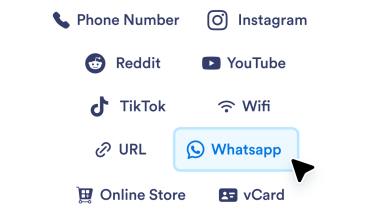
Choose the appropriate options for the type of content you’d like to link to (for example, a website, social media profile, phone number, or file), and enter the URL or other information into the designated field. If you want to link your QR code to a file, you can upload one.
![Image 2: Customize the design](https://cdn.jotfor.ms/image/r/aHR0cHM6Ly93d3cuam90Zm9ybS5jb20vdXBsb2Fkcy9ncm93dGhUZWFtLzI0MzM3MTUyODYxMjk2MC82MTE5NzgxMzk4NTAxNjEwMDY2L2hvdzIucG5n/how2.png?w=40&t=1)

### Customize the design

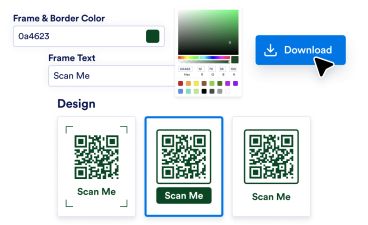
Adjust the color, border, and format of your QR code to match your branding or project needs. You can even add your logo to it.
![Image 3: Download and share](https://cdn.jotfor.ms/image/r/aHR0cHM6Ly93d3cuam90Zm9ybS5jb20vdXBsb2Fkcy9ncm93dGhUZWFtLzI0MzM3MTUyODYxMjk2MC82MTE5NzgxMzk4NTAxNjEwMDY2L2hvdzMucG5n/how3.png?w=40&t=1)

### Download and share

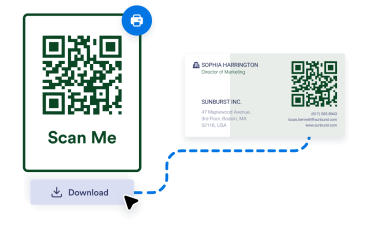
Instantly download your high-quality QR code and share it anywhere.

## Easy-to-use interface

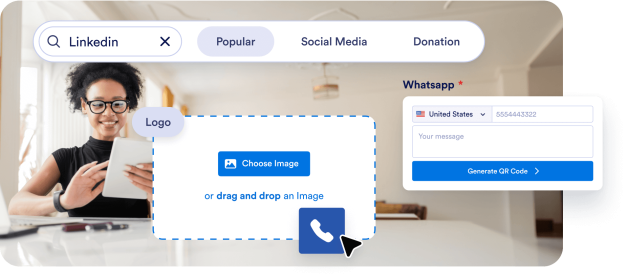
Jotform’s Static QR Code Generator is designed for simplicity. Create a custom QR code in seconds without any technical expertise. Just add your link, choose from various format options, and generate your code — it’s that easy!
![Image 4: Easy-to-use interface](https://cdn.jotfor.ms/image/r/aHR0cHM6Ly93d3cuam90Zm9ybS5jb20vdXBsb2Fkcy9ncm93dGhUZWFtLzI0MzM3MTUyODYxMjk2MC82MTE5NzgxMzk4NTAxNjEwMDY2L2JlbmVmaXRzMS5wbmc=/benefits1.png?w=40&t=1)

## Versatile use cases

Use our Static QR Code Generator for websites, product promotions, event invitations, business cards, and more. It’s a multipurpose tool that adapts to any project’s requirements.

![Image 5: Versatile use cases](https://cdn.jotfor.ms/image/r/aHR0cHM6Ly93d3cuam90Zm9ybS5jb20vdXBsb2Fkcy9ncm93dGhUZWFtLzI0MzM3MTUyODYxMjk2MC82MTE5NzgxMzk4NTAxNjEwMDY2L2JlbmVmaXRzMi5wbmc=/benefits2.png?w=40&t=1)

## High-quality output

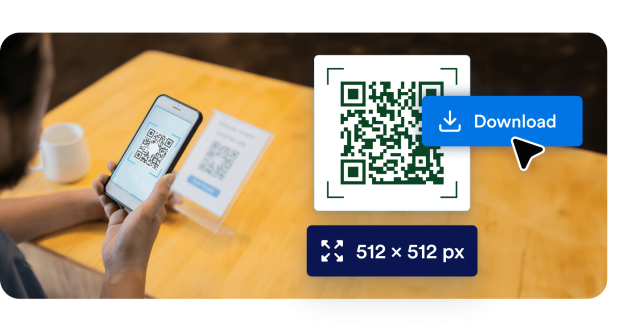
Ensure your QR codes look professional and remain scannable across devices. Jotform’s QR Code Generator lets you adjust colors and borders and download high-quality files.
![Image 6: High-quality output](https://cdn.jotfor.ms/image/r/aHR0cHM6Ly93d3cuam90Zm9ybS5jb20vdXBsb2Fkcy9ncm93dGhUZWFtLzI0MzM3MTUyODYxMjk2MC82MTE5NzgxMzk4NTAxNjEwMDY2L2JlbmVmaXRzMy5wbmc=/benefits3.png?w=40&t=1)

## Powerful features of Jotform QR Code Generator

Create, customize, and share QR codes with ease

### Create customizable QR codes

Personalize your QR codes with logos, brand colors, and unique designs to align with your branding.

### Share forms via QR code

Share your Jotform Form with a QR code. Simply use the **Share form** option in the Publish tab. Or generate QR code from Google Docs and more for easy sharing.

### Add QR codes to physical and digital media

Display your QR codes on flyers, posters, business cards, or websites to enhance accessibility and engagement.

### No coding required

Create and manage QR codes effortlessly with Jotform’s user-friendly, intuitive interface. No coding required!

### Add your logo to QR codes

Add your logo to your QR code for better brand recognition and a more personalized, professional touch.

### Embed social media links

Use QR codes to drive traffic to your social media pages, boosting your online presence and engagement.

### Make QR codes for multiple uses

Link QR codes to videos, documents, payment portals, forms, and more, providing versatile solutions for business and personal needs.

### Increase user engagement

Direct customers to interactive content, like videos, slideshows, or promotional offers, to grow more meaningful relationships with your audience.

### Create customizable QR codes

Personalize your QR codes with logos, brand colors, and unique designs to align with your branding.

### Share forms via QR code

Share your Jotform Form with a QR code. Simply use the **Share form** option in the Publish tab. Or generate QR code from Google Docs and more for easy sharing.

### Add QR codes to physical and digital media

Display your QR codes on flyers, posters, business cards, or websites to enhance accessibility and engagement.

### No coding required

Create and manage QR codes effortlessly with Jotform’s user-friendly, intuitive interface. No coding required!

### Add your logo to QR codes

Add your logo to your QR code for better brand recognition and a more personalized, professional touch.

### Embed social media links

Use QR codes to drive traffic to your social media pages, boosting your online presence and engagement.

### Make QR codes for multiple uses

Link QR codes to videos, documents, payment portals, forms, and more, providing versatile solutions for business and personal needs.

### Increase user engagement

Direct customers to interactive content, like videos, slideshows, or promotional offers, to grow more meaningful relationships with your audience.

## What type of QR codes can I create?

Find the perfect QR code for your needs.

[QR code generator Create personalized QR Codes with endless customization for links, webpages, and more! Try QR code generator](https://www.jotform.com/qr-code-generator/)[Link to QR code Quickly generate a QR Code for any link or webpage. Try Link to QR code](https://www.jotform.com/qr-code-generator/link/)[Google Form QR code Generate a QR Code that links directly to your Google Form. Try Google Form QR code](https://www.jotform.com/qr-code-generator/google-form/)[LinkedIn QR code Generate a LinkedIn profile or company page QR Code. Try LinkedIn QR code](https://www.jotform.com/qr-code-generator/linkedin/)[Instagram QR code Share your Instagram profile or post with an easy-to-scan code. Try Instagram QR code](https://www.jotform.com/qr-code-generator/instagram/)[Facebook QR code Direct users to your Facebook page or post instantly. Try Facebook QR code](https://www.jotform.com/qr-code-generator/facebook/)[QR code with logo Add your logo for branded and personalized QR Codes. Try QR code with logo](https://www.jotform.com/qr-code-generator/qr-with-logo/)[YouTube QR code Share videos easily by creating a QR code for your YouTube link. Try YouTube QR code](https://www.jotform.com/qr-code-generator/youtube/)[Transparent QR code Create QR codes with transparent backgrounds. Try Transparent QR code](https://www.jotform.com/qr-code-generator/transparent/)[White QR code Generate minimal and clean white QR codes. Try White QR code](https://www.jotform.com/qr-code-generator/white/)[Google Docs QR code Quickly direct others to your Google Docs pages. Try Google Doc QR code](https://www.jotform.com/qr-code-generator/google-doc/)[Venmo QR code Easily share your Venmo profile or request payments with a customized QR code. Try Venmo QR code](https://www.jotform.com/qr-code-generator/venmo/)[Spotify QR code Create a QR code to share your favorite playlists, songs, or artist profiles instantly on Spotify. Try Spotify QR code](https://www.jotform.com/qr-code-generator/spotify/)[Payment QR code Quickly generate a custom QR code to accept payments effortlessly. Share it with anyone to receive payments instantly. Try Payment QR code](https://www.jotform.com/qr-code-generator/payment/)[Linktree QR code Easily share your Linktree profile and connect with all your links using a customizable QR code. Try Linktree QR code](https://www.jotform.com/qr-code-generator/linktree/)[Video QR code Instantly generate a QR code to share your videos effortlessly. Scan to watch anytime, anywhere! Try video QR code](https://www.jotform.com/qr-code-generator/video/)[Restaurant Menu QR Code Create QR codes for your restaurant menu and transform your dining experience with instant digital access. Try restaurant menu QR code](https://www.jotform.com/qr-code-generator/restaurant-menu/)[PayPal QR code Generate PayPal QR codes for seamless transactions. Share codes with customers, clients, or friends and accept payments securely without the need for cash or card swipes. Try PayPal QR code](https://www.jotform.com/qr-code-generator/paypal/)[Etsy QR code Generate Etsy Shop QR codes for instant store access. Share codes with customers and drive traffic to your shop effortlessly. Try Etsy QR code](https://www.jotform.com/qr-code-generator/etsy-shop/)[Resume QR Code Generator Generate Resume QR codes for instant professional access. Share codes with recruiters and showcase your qualifications effortlessly. Try resume QR code](https://www.jotform.com/qr-code-generator/resume/)[Audio QR code Link to your music, podcasts, or audio recordings with a QR code that anyone can scan to start listening. Perfect for artists, educators, marketers, and businesses that want to share audio content with ease. Try Audio QR code](https://www.jotform.com/qr-code-generator/audio/)[TikTok QR code Turn your TikTok profile, videos, or shop into a scannable QR code that fans and customers can access instantly. Whether you’re a creator, an influencer, or a business, TikTok QR codes make it easier to grow your audience and engagement. Try TikTok QR code](https://www.jotform.com/qr-code-generator/tiktok/)[Black QR code Make your QR codes stand out with a clean, professional, black design that works across mediums. Perfect for businesses, events, or personal projects where you want your code to be both functional and stylish. Try Black QR code](https://www.jotform.com/qr-code-generator/black/)[X (Twitter) QR code Make it easy for people to follow you, read your tweets, or join your conversation with an X (Twitter) QR code. Perfect for creators, brands, and marketers looking to grow their reach and engagement. Try X (Twitter) QR code](https://www.jotform.com/qr-code-generator/twitter/)[Google Maps QR code Make it easy for people to find you with a scannable Google Maps QR code. Perfect for businesses, events, and personal use when you want to share a location instantly. Try Google Maps QR code](https://www.jotform.com/qr-code-generator/google-maps/)[Zoom QR code Share your Zoom meetings, webinars, or recordings instantly with a scannable QR code. Perfect for remote teams, event organizers, and educators who want quick and seamless access. Try Zoom QR code](https://www.jotform.com/qr-code-generator/zoom/)[Google Business review QR code Generate Google Business review QR codes for instant feedback collection. Share codes with customers and boost your online reputation effortlessly. Try Google Business review QR code](https://www.jotform.com/qr-code-generator/google-business-reviews/)[Shopify Store QR code Turn your Shopify store into a scannable experience with a QR code that links directly to your shop, product pages, or discount campaigns. Perfect for driving traffic and boosting sales both online and offline. Try Shopify Store QR code](https://www.jotform.com/qr-code-generator/shopify-store/)[TripAdvisor QR code Make it easy for customers to find your Tripadvisor listing, leave reviews, or explore your services with a QR code. Perfect for restaurants, hotels, attractions, and travel businesses that want to build trust and boost visibility. Try TripAdvisor QR code](https://www.jotform.com/qr-code-generator/tripadvisor/)

View more View less

*   QR code generator 
    
Create personalized QR Codes with endless customization for links, webpages, and more!

    *   [Try QR code generator](https://www.jotform.com/qr-code-generator/)

*   Link to QR code 
    
Quickly generate a QR Code for any link or webpage.

    *   [Try Link to QR code](https://www.jotform.com/qr-code-generator/link/)

*   Google Form QR code 
    
Generate a QR Code that links directly to your Google Form.

    *   [Try Google Form QR code](https://www.jotform.com/qr-code-generator/google-form/)

*   LinkedIn QR code 
    
Generate a LinkedIn profile or company page QR Code.

    *   [Try LinkedIn QR code](https://www.jotform.com/qr-code-generator/linkedin/)

*   Instagram QR code 
    
Share your Instagram profile or post with an easy-to-scan code.

    *   [Try Instagram QR code](https://www.jotform.com/qr-code-generator/instagram/)

*   Facebook QR code 
    
Direct users to your Facebook page or post instantly.

    *   [Try Facebook QR code](https://www.jotform.com/qr-code-generator/facebook/)

*   QR code with logo 
    
Add your logo for branded and personalized QR Codes.

    *   [Try QR code with logo](https://www.jotform.com/qr-code-generator/qr-with-logo/)

*   YouTube QR code 
    
Share videos easily by creating a QR code for your YouTube link.

    *   [Try YouTube QR code](https://www.jotform.com/qr-code-generator/youtube/)

*   Transparent QR code 
    
Create QR codes with transparent backgrounds.

    *   [Try Transparent QR code](https://www.jotform.com/qr-code-generator/transparent/)

*   White QR code 
    
Generate minimal and clean white QR codes.

    *   [Try White QR code](https://www.jotform.com/qr-code-generator/white/)

*   Google Docs QR code 
    
Quickly direct others to your Google Docs pages.

    *   [Try Google Doc QR code](https://www.jotform.com/qr-code-generator/google-doc/)

*   Venmo QR code 
    
Easily share your Venmo profile or request payments with a customized QR code.

    *   [Try Venmo QR code](https://www.jotform.com/qr-code-generator/venmo/)

*   Spotify QR code 
    
Create a QR code to share your favorite playlists, songs, or artist profiles instantly on Spotify.

    *   [Try Spotify QR code](https://www.jotform.com/qr-code-generator/spotify/)

*   Payment QR code 
    
Quickly generate a custom QR code to accept payments effortlessly. Share it with anyone to receive payments instantly.

    *   [Try Payment QR code](https://www.jotform.com/qr-code-generator/payment/)

*   Linktree QR code 
    
Easily share your Linktree profile and connect with all your links using a customizable QR code.

    *   [Try Linktree QR code](https://www.jotform.com/qr-code-generator/linktree/)

*   Video QR code 
    
Instantly generate a QR code to share your videos effortlessly. Scan to watch anytime, anywhere!

    *   [Try video QR code](https://www.jotform.com/qr-code-generator/video/)

*   Restaurant Menu QR Code 
    
Create QR codes for your restaurant menu and transform your dining experience with instant digital access.

    *   [Try restaurant menu QR code](https://www.jotform.com/qr-code-generator/restaurant-menu/)

*   PayPal QR code 
    
Generate PayPal QR codes for seamless transactions. Share codes with customers, clients, or friends and accept payments securely without the need for cash or card swipes.

    *   [Try PayPal QR code](https://www.jotform.com/qr-code-generator/paypal/)

*   Etsy QR code 
    
Generate Etsy Shop QR codes for instant store access. Share codes with customers and drive traffic to your shop effortlessly.

    *   [Try Etsy QR code](https://www.jotform.com/qr-code-generator/etsy-shop/)

*   Resume QR Code Generator 
    
Generate Resume QR codes for instant professional access. Share codes with recruiters and showcase your qualifications effortlessly.

    *   [Try resume QR code](https://www.jotform.com/qr-code-generator/resume/)

*   Audio QR code 
    
Link to your music, podcasts, or audio recordings with a QR code that anyone can scan to start listening. Perfect for artists, educators, marketers, and businesses that want to share audio content with ease.

    *   [Try Audio QR code](https://www.jotform.com/qr-code-generator/audio/)

*   TikTok QR code 
    
Turn your TikTok profile, videos, or shop into a scannable QR code that fans and customers can access instantly. Whether you’re a creator, an influencer, or a business, TikTok QR codes make it easier to grow your audience and engagement.

    *   [Try TikTok QR code](https://www.jotform.com/qr-code-generator/tiktok/)

*   Black QR code 
    
Make your QR codes stand out with a clean, professional, black design that works across mediums. Perfect for businesses, events, or personal projects where you want your code to be both functional and stylish.

    *   [Try Black QR code](https://www.jotform.com/qr-code-generator/black/)

*   X (Twitter) QR code 
    
Make it easy for people to follow you, read your tweets, or join your conversation with an X (Twitter) QR code. Perfect for creators, brands, and marketers looking to grow their reach and engagement.

    *   [Try X (Twitter) QR code](https://www.jotform.com/qr-code-generator/twitter/)

*   Google Maps QR code 
    
Make it easy for people to find you with a scannable Google Maps QR code. Perfect for businesses, events, and personal use when you want to share a location instantly.

    *   [Try Google Maps QR code](https://www.jotform.com/qr-code-generator/google-maps/)

*   Zoom QR code 
    
Share your Zoom meetings, webinars, or recordings instantly with a scannable QR code. Perfect for remote teams, event organizers, and educators who want quick and seamless access.

    *   [Try Zoom QR code](https://www.jotform.com/qr-code-generator/zoom/)

*   Google Business review QR code 
    
Generate Google Business review QR codes for instant feedback collection. Share codes with customers and boost your online reputation effortlessly.

    *   [Try Google Business review QR code](https://www.jotform.com/qr-code-generator/google-business-reviews/)

*   Shopify Store QR code 
    
Turn your Shopify store into a scannable experience with a QR code that links directly to your shop, product pages, or discount campaigns. Perfect for driving traffic and boosting sales both online and offline.

    *   [Try Shopify Store QR code](https://www.jotform.com/qr-code-generator/shopify-store/)

*   TripAdvisor QR code 
    
Make it easy for customers to find your Tripadvisor listing, leave reviews, or explore your services with a QR code. Perfect for restaurants, hotels, attractions, and travel businesses that want to build trust and boost visibility.

    *   [Try TripAdvisor QR code](https://www.jotform.com/qr-code-generator/tripadvisor/)

## Who benefits from static QR codes?

### Small business owners


![Image 7: Small business owners](https://cdn.jotfor.ms/image/r/aHR0cHM6Ly93d3cuam90Zm9ybS5jb20vdXBsb2Fkcy9ncm93dGhUZWFtLzI0MzM3MTUyODYxMjk2MC82MTE5NzgxMzk4NTAxNjEwMDY2L3NsaWRlcjEucG5n/slider1.png?w=40&t=1)

Small businesses can use static QR codes to link to essential information, like menus, operating hours, and promotions. QR codes offer customers an easy-to-use, contactless way to access information.

### Teachers and instructors


![Image 8: Teachers and instructors](https://cdn.jotfor.ms/image/r/aHR0cHM6Ly93d3cuam90Zm9ybS5jb20vdXBsb2Fkcy9ncm93dGhUZWFtLzI0MzM3MTUyODYxMjk2MC82MTE5NzgxMzk4NTAxNjEwMDY2L3NsaWRlcjIucG5n/slider2.png?w=40&t=1)

Static QR codes assist teachers and instructors in distributing materials, assignment links, and feedback forms. Educators can include QR codes in worksheets, presentation slides, and classroom displays, making it simple for students to access information.

### Charities and advocacy groups


![Image 9: Charities and advocacy groups](https://cdn.jotfor.ms/image/r/aHR0cHM6Ly93d3cuam90Zm9ybS5jb20vdXBsb2Fkcy9ncm93dGhUZWFtLzI0MzM3MTUyODYxMjk2MC82MTE5NzgxMzk4NTAxNjEwMDY2L3NsaWRlcjMucG5n/slider3.png?w=40&t=1)

Organizations running campaigns or events can use static QR codes to link to donation pages, awareness promotions, event registrations, and more. These codes are easy to incorporate into posters, banners, and newsletters, helping to promote your cause effectively.

## FAQ about Jotform’s Static QR Code Generator

*    
### What is a static QR code? A static QR code contains fixed information that cannot be modified after creation. Once generated, the data embedded in the QR code, such as a URL or contact details, remains permanent.   
*    
### What are the advantages of using static QR codes? Static QR codes are simple, free to generate, and require no external database or subscription. They are ideal for permanent information such as website URLs, product information, or text messages.   
*    
### Are static QR codes secure? Yes, static QR codes are secure because they don’t rely on an external server or database. The data is directly embedded within the QR code itself.   
*    
### Can I track scans with a static QR code? No, static QR codes cannot track scans or provide analytics. They are meant for sharing fixed information without requiring monitoring.   
*    
### Can static QR codes expire? No, static QR codes do not expire as long as the data they link to (e.g., a URL) remains valid. For example, a static QR code linking to a website will work as long as the website URL is active.   
*    
### What type of information can I embed in a static QR code? You can embed various types of data, including URLs, email addresses, plain text, phone numbers, and Wi-Fi credentials, in a static QR code.   
*    
### Are static QR codes editable after they are created? No, static QR codes cannot be edited once they are generated. If you need to make changes, you will need to create a new QR code.   
*    
### Can I use static QR codes for offline purposes? Yes, static QR codes are ideal for offline use, such as embedding Wi-Fi credentials, contact details, or event details, since the data is stored directly in the QR code.   
*    
### Do static QR codes have a size or data limit? Yes, static QR codes have a limit to the amount of data they can store. The more data you embed, the more complex the QR code becomes, which may make it harder to scan.   
*    
### Are static QR codes compatible with all QR code scanners? Yes, static QR codes are universally compatible with all QR code scanners, including those on mobile devices and dedicated QR code reading tools.   
*    
### What resolution are static QR codes generated in? Static QR codes generated with Jotform are high-resolution, ensuring they are scannable and clear, even when printed in large formats.   
*    
### Can static QR codes include branding elements like logos? Static QR codes can be customized in appearance, including adding colors or logos, but this must be done during the generation process, as they cannot be modified afterward.   
*    
### What are common use cases for static QR codes? Static QR codes are commonly used for linking to websites, providing digital business cards, sharing social media profiles, embedding event details, and showcasing text-based information.   
*    
### Can static QR codes be scanned offline? Yes, static QR codes can be scanned without an internet connection. However, if the QR code links to online content, an internet connection will be required to access that content.   
*    
### Do I need any special tools to generate a static QR code? No, you can generate static QR codes easily using Jotform’s free tool without needing additional software or tools.   

View More

## Ready to create static QR codes?

Effortlessly create customized QR codes to connect with your audience. Static QR codes are perfect for marketing campaigns, educational materials, content sharing, and more.

Generate Static QR Codes Now