Jotform’s Unique Field feature helps prevent duplicate submissions by limiting repeated answers in specific form fields. This is useful when you want to accept only unique responses, like email addresses, usernames, ID numbers, or other important information entered by form fillers.
When enabled, Jotform checks each new submission and blocks duplicate entries based on the field you choose. The Unique Field feature is currently available for the Email, Short Text Entry, Dropdown, and Number elements, making it easier to collect cleaner and more reliable data.
You can limit duplicate submissions by selecting a field that should only accept unique values. Setting it up takes no time at all—here’s how:
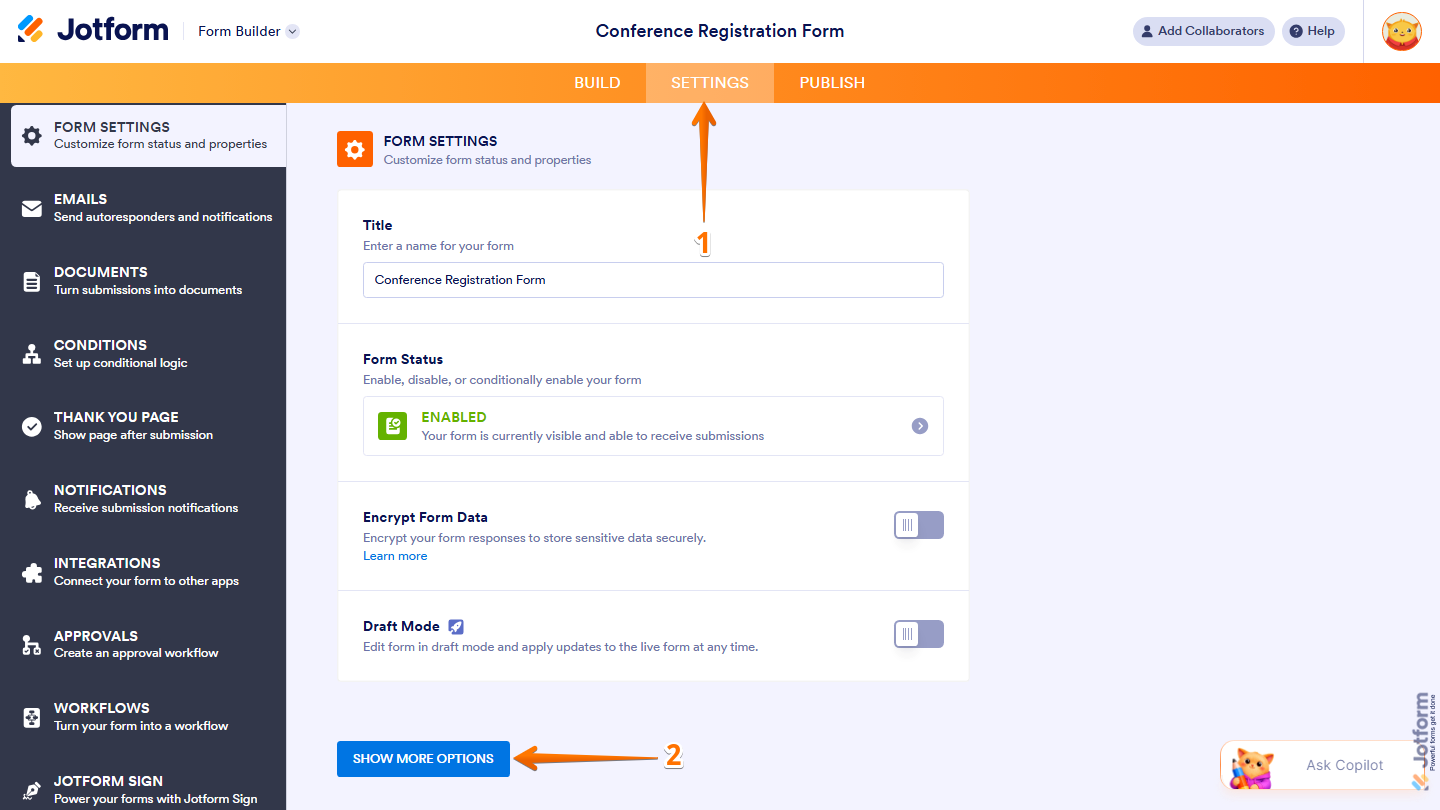
- In Form Builder, in the orange navigation bar at the top of the page, click on Settings.
- Then, click on Show More Options.
- Now, scroll down to the Unique Field section and select the field you want to use and you’re done.
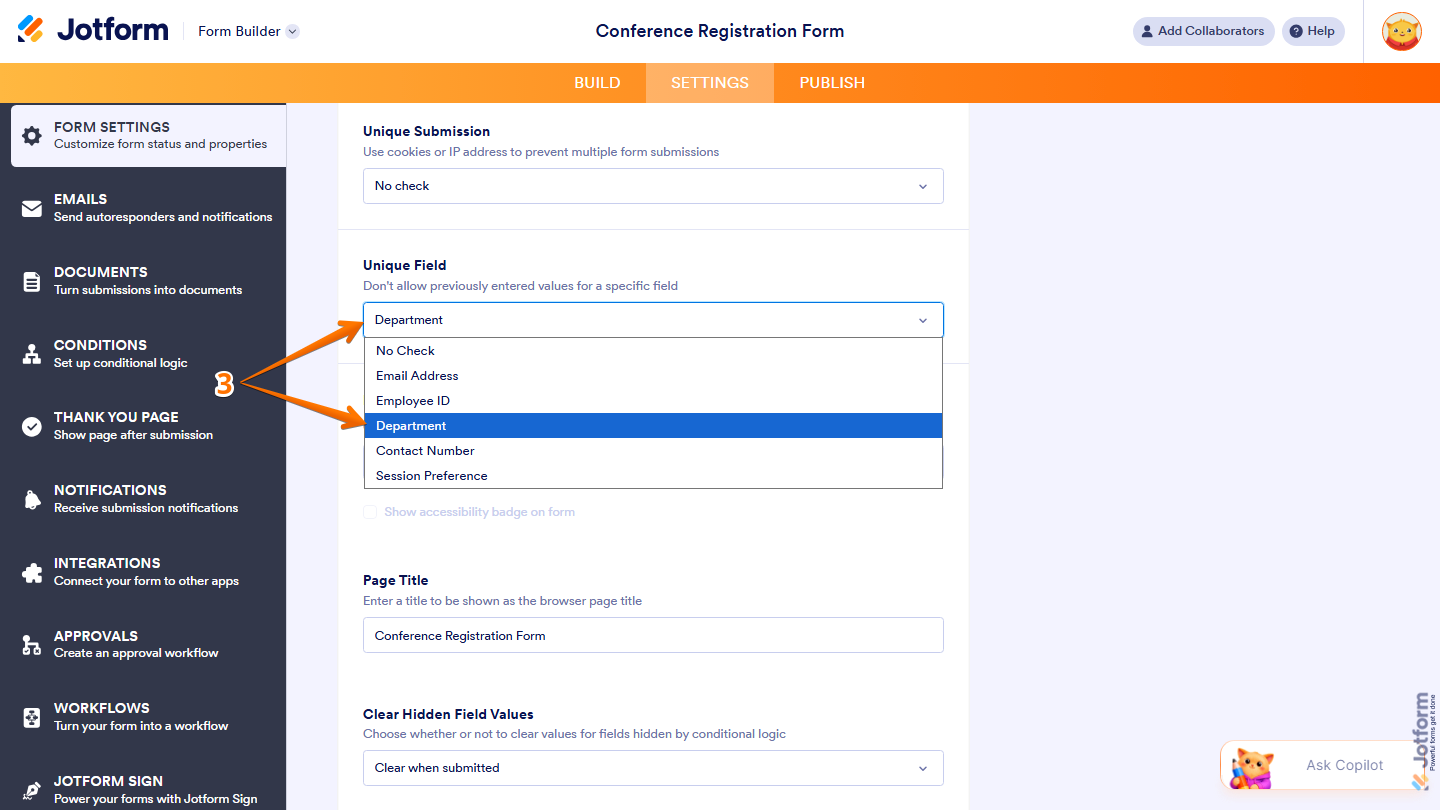
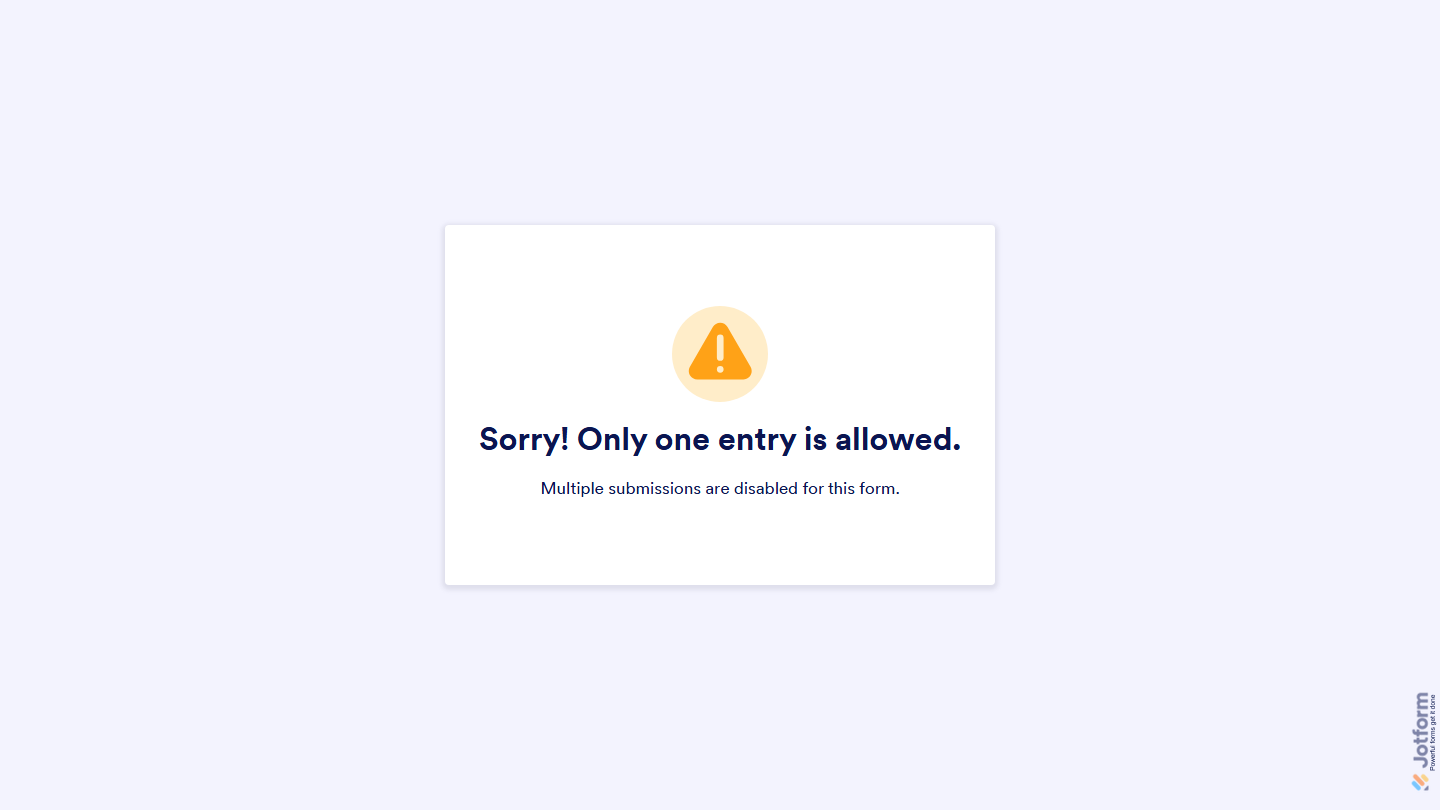
That’s it! You’ve successfully set up a Unique Field on your form. From now on, when someone tries to submit your form with the same information from the selected field, they’ll see a warning message letting them know that the entry already exists.
Pro Tip
- You can customize the warning message that appears when a duplicate entry is detected. Check out our guide on How to Change Form Warnings to learn more about it.
- If you want to prevent multiple submissions from the same network or browser instead, you can enable the Unique Submission limit on your form. This is especially useful for sign-up forms with limited slots to help prevent duplicate registrations. Take a peek at our guide on How to Set Unique Submissions on Your Form to learn more.

Send Comment:
16 Comments:
April 3, 2025
Hi am I able to limit the unique ID per day and refresh the next day?
For example starting the ay with queue number 1000-1999. Tomorrow this will refres with the same number series, allowing 1000-1999 again.
I want to achieve no duplication of this series of numbers for the day
March 26, 2025
Is there any option to directing page if the result after submiting form with result "warning message"?,... just like when we can directing to other page when the respondent succesfuly submiting form?
January 22, 2025
My unique field only have No check why?
December 5, 2024
How do I ensure that only form recipients can fill out and submit the form and not forward them to anyone else?
August 21, 2024
I presume you have to have the data stored in the table? We clear out our data after a certain time threshold.
August 14, 2024
How do I ensure that only form recipients can fill out and submit the form and not forward them to anyone else?
July 18, 2024
hi, I'm also interested in wanting to give people up to 3 tries before the form prevents them from completing it again. Do you have anything new?
February 15, 2024
Hi, I want to give people up to 3 tries before the form prevents them from completing it again. How can I set this up or modify the unique field allowance?
January 29, 2024
What if i'm using this in kiosk mode and we get a repeated reply? I get the error message and no way to reset the form without closing the app. Is there any workaround?
April 28, 2023
Is there a way to use the unique field based on a calculated value? or one that is a hidden field?
January 8, 2023
Is there a way to choose multiple unique questions?
December 16, 2022
Hello, to follow up on Toni's question, we are having the same issue of someone not knowing the form title is not unique until they hit submit, and going back wipes all their responses. Is there a way to check whether a response is unique before clicking submit, without taking them to a new page?
December 7, 2022
hello! is there a way to have the unique question field like on a timed basis? for example, if we want people to be able to resubmit the form once per month (but not more than once per month), can it be auto-reset monthly? or is there a manual way to do that?
October 14, 2022
As far as I understand, this check comes only when the final submit button is pressed.
Is there any way to check the value uniqueness right in the moment when the field is filled, so we can prevent a user to fill the entire module if s/he try to use, say, an already used email?
October 17, 2021
captcha doesnt work guys
August 27, 2021
Hi thanks for the fast reply,
We were looking at using this for on an on-site form where a sales person would discuss with a client the appropriate product / extras for their use. This form would then be submitted and sent to Pipedrive to create a deal. This issue is that if we have already had business with this client we would want the deal to be placed within the business page. Is this possible currently?