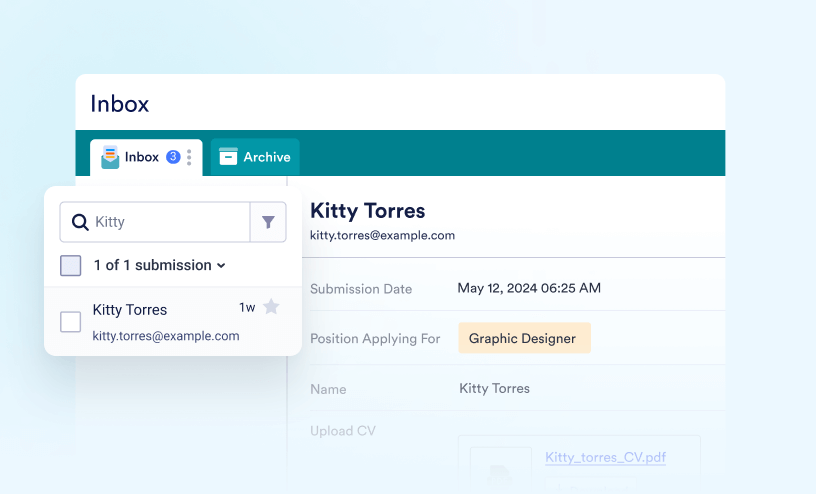
Jotform Inbox
Guides
How to Access Jotform Inbox
Jotform Inbox introduces an innovative approach to viewing and managing form submissions. It offers advanced search and filter options that make finding, sorting, and grouping your submissions easy. It also allows you to add comments or tags,...

How to Download Submissions in Jotform Inbox
Jotform Inbox makes it easy to download your submissions so you can review, share, or store them outside of Jotform. Whether you need to export a few submissions or download everything at once, Jotform Inbox gives you flexible options to fit your...
How to Share Your Form Inbox
Jotform Inbox allows you to share your form inbox with colleagues, making it easier to view, collaborate, and manage form data together. You can assign specific permissions to users, enabling them to either view or edit the inbox content. You...

How to Organize Your Inbox With Tabs
Jotform makes it easy to organize your form submissions with tabs in Jotform Inbox. With this feature, you can group, sort, and filter entries based on different criteria, so it’s quicker to find the information you need. Tabs help you keep...

How to Search and Filter Submissions in Jotform Inbox
Jotform Inbox allows you to search and filter submissions easily. Use the search bar to find entries based on your specified terms. To perform an advanced search, you can filter submissions and search results by dates, tags, field values, or...

How to Add Comments in Jotform Inbox
Jotform Inbox makes it easy to collaborate with your team by adding comments to submissions. Comments can help you share feedback, ask questions, provide updates, or discuss submission details without leaving Jotform Inbox. Depending on what...
How to Email Entries in Jotform Inbox
You can send emails from Jotform Inbox without having to leave your dashboard. This allows you to reply to or forward submissions by sending emails to form fillers or teammates. To reply to or forward a submission In Jotform Inbox, select...

How to Access and Change the Settings of Jotform Inbox
Jotform Inbox offers a few additional options that let you change the alignment of the question and answers, line spacing, show or hide elements, and replace the header with different information other than the name and email. While it's...

How to Archive and Unarchive Submissions in Jotform Inbox
With Jotform Inbox, managing your form submissions has never been easier. In addition to organizing and viewing them, Jotform Inbox allows you to Archive and Unarchive them with ease. When a submission is archived, it’s hidden from your main...
How to Restore Deleted Submissions in Jotform Inbox
Jotform Inbox keeps deleted submissions in the Trash section for up to 30 days before they are permanently removed. This gives you time to recover submissions that were accidentally deleted and restore them back to your Inbox when needed....
How to Use Tags in Jotform Inbox
With Jotform, you can easily organize and categorize your form submissions using Tags in Jotform Inbox. Tags help you quickly sort conversations, group related responses, and find exactly what you’re looking for without digging through your...