
Class Attendance App helps teachers and training coordinators record attendance, manage a student roster, and review attendance history in one place. Use it in K–12 classrooms, tutoring centers, after-school programs, coaching sessions, and recurring workshops where you need a reliable roll-call flow and quick access to student lists. With dedicated areas to take attendance, add students, and open records, it supports day-to-day routines while keeping participation details organized for follow-ups, reporting, and student support.
Built with Jotform, this app template turns routine tracking into a clear self-service experience that works on any device. Customize pages with a no-code app builder and a drag-and-drop interface, then connect your roster and attendance data collection to forms and tables for a smooth workflow. Share the app with staff using a link or QR code, keep records consistent across classes, and update the layout as your program grows.
Related templates
School Attendance App
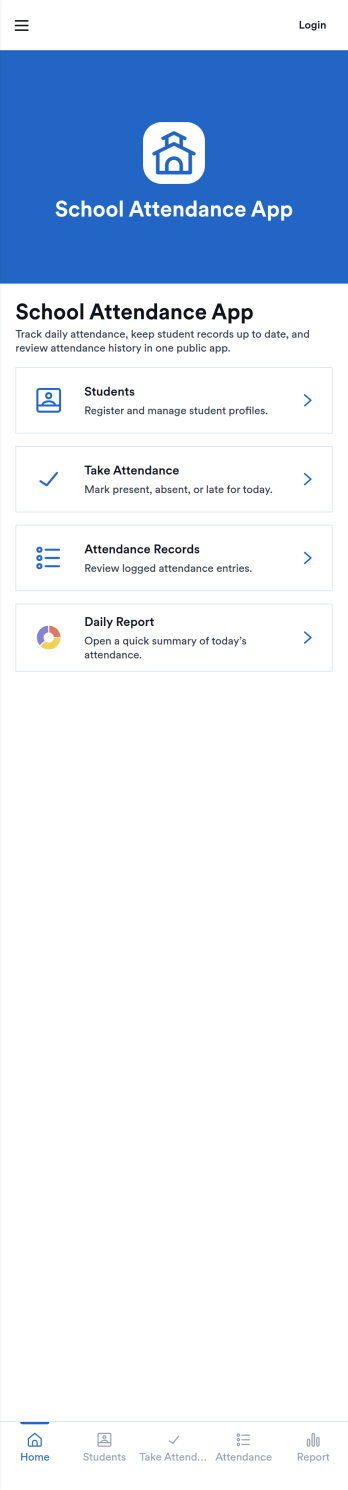
School Attendance App helps schools take daily attendance, keep organized records, and follow up on absences without juggling paper rosters or scattered spreadsheets. Use it to quickly mark attendance, review individual student entries, and keep absence notes in one place, making it easier to spot patterns like frequent tardiness or repeat absences. It’s a practical fit for teachers, homeroom advisors, front offices, and school administrators who need a consistent routine for tracking presence across classes, dates, or student groups.Built with Jotform, this app template can be customized with a no-code app builder and a drag-and-drop interface so your team can match the layout to your attendance process. Connect it to forms for data collection, route updates through a simple workflow, and share a self-service link with staff who need access. As your needs change throughout the school year, you can update pages, add fields, and keep attendance information easy to find and manage from anywhere.
Go to Category:School Management Apps
Student Tracking App
A student tracking app brings key classroom details into one place so educators can keep up with who is enrolled, who is attending, and what progress notes have been recorded. This template organizes a student roster you can browse into individual student details, then connects that view to an attendance log and academic notes so patterns are easier to spot over time. It fits K–12 classrooms, tutoring centers, after-school programs, and small academic teams that need a simple way to stay consistent with recordkeeping without digging through scattered spreadsheets or paper binders.Jotform makes it easy to turn this Student Tracking App into a working, shareable experience using App Templates and a no-code app builder. With a drag-and-drop interface, you can adjust navigation, add or remove pages, and connect the app to forms and tables for ongoing data collection and workflow needs. Share the app as a self-service hub for staff, keep attendance entries organized, and maintain up-to-date student information as your program changes throughout the year.
Go to Category:School Management Apps
Class Scheduling App
A class scheduling app makes it easier for students to register for classes from their smartphone, tablet, or computer. Whether you’re looking to streamline class registrations for your school, gym, or certification program, do it with Jotform’s free Class Scheduling App. This readymade app template includes a class registration form, course evaluation form, discount ad, and links to social networking sites. Students will be able to download the app and fill out your class forms from any device. Submissions will be received instantly and stored in your secure and easily-accessible Jotform account.Make this Class Scheduling App your own with our easy-to-use builder. No coding knowledge required — simply drag and drop to add forms, documents, links, images, videos, discounts, and much more. You can also upload logos, update fonts and colors, and change the app icon and name to match your branding. Share your app with students by sending email invites or posting the app link on your website or social media accounts. Stay organized and simplify online class scheduling for students and teachers alike with a custom Class Scheduling App.
Go to Category:Booking Apps
Classroom Management App
A classroom management app is used by schools and educational institutions for recording students’ attendance and progress. This all-in-one Classroom Management App contains four useful forms: teachers can mark attendance with a Student Attendance Tracking Form, record student progress with a Student Progress Report Form, keep track of student evaluations with a Student Performance Evaluation Form, and report incidents with a School Incident Report Form.This app template can be easily customized to suit your school or classroom’s particular needs. Using our drag-and-drop interface, you can add or swap out form elements, change text, choose fonts and colors, upload images, and more — all without any coding. After you’re done, you can share your app with a link or embed it in an internal website for teachers to access and download on any device. Stay on top of your students’ progress and performance with this free Classroom Management App from Jotform.
Go to Category:Classroom Management Apps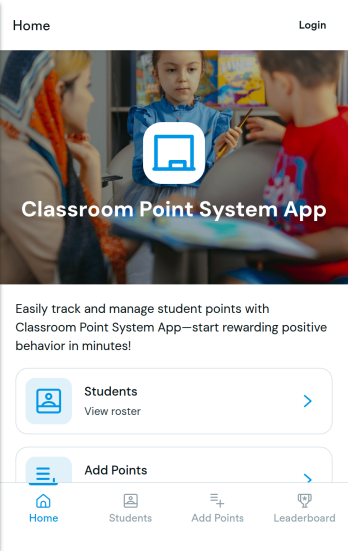
Classroom Point System App
Classroom Point System App helps teachers track student points for behavior, participation, and classroom goals in one place. Use it to keep a student list, quickly add points during lessons, and keep motivation high with a simple leaderboard students can understand. It works well for elementary classrooms, middle school teams, after-school programs, tutoring centers, and anyone using PBIS-style incentives or class rewards who wants a clear, consistent way to recognize positive actions.Built with Jotform, this app template is easy to tailor with a no-code app builder and a drag-and-drop interface, so you can match your rules and routines without technical work. Connect the app to your data collection forms for adding students and recording points, keep records organized, and share the self-service experience with co-teachers or support staff. Jotform makes it simple to publish updates fast and manage your classroom workflow from anywhere.
Go to Category:Classroom Management Apps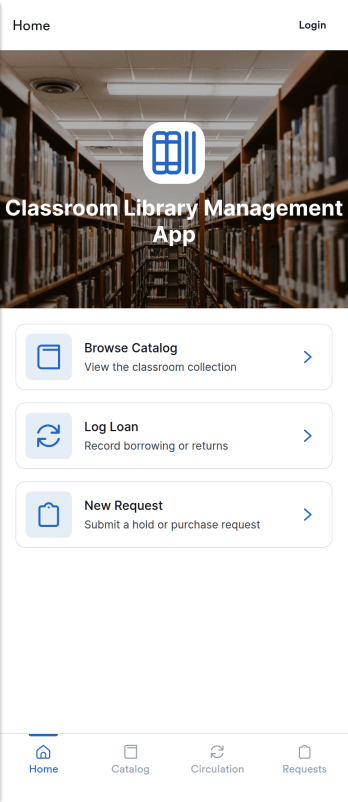
Classroom Library Management App
Classroom Library Management App helps teachers and school staff organize a classroom book collection and keep lending activity easy to follow. Students can browse the catalog, while you keep a clear record of who has which title, when it was loaned, and what is currently checked out. Use it to cut down on lost books, reduce time spent searching shelves, and create a simple routine for borrowing and returning that works during busy class periods, reading centers, or independent study time.Built with Jotform App Templates, this app template can be tailored in minutes with a no-code app builder and a drag-and-drop interface. Connect the app to your existing data collection workflows so you can add new books to your catalog, log loans as they happen, and review activity in one place. Share a single link for self-service access, keep information up to date, and manage day-to-day classroom library tasks without extra tools.
Go to Category:Classroom Management Apps