-
 Aletta516
 -
 Kim Enterprise Support
Hi Heather,
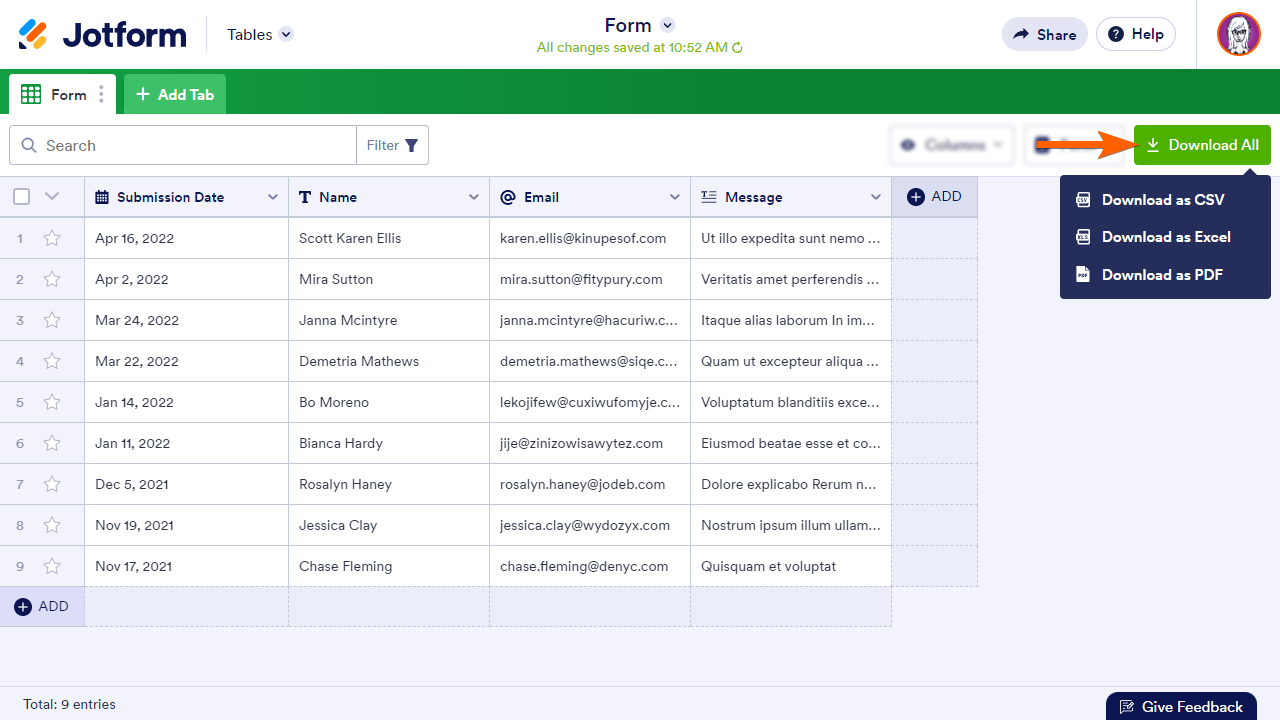
Thanks for patiently waiting. You can download your submission data as CSV or Excel by following this guide. Let me show you how to do that:
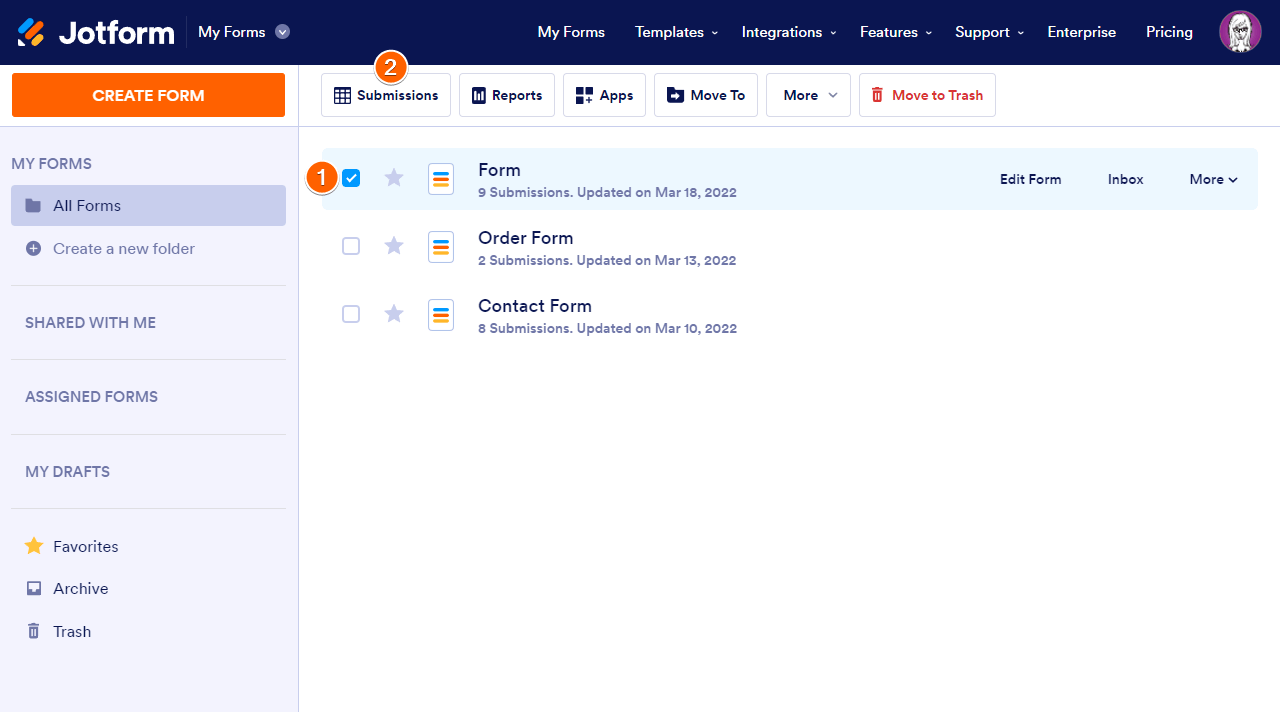
1. Go to My Forms and select the form.
2. Click on Submissions at the top. 3. In Tables, click on Download All in the upper-right corner.
4. Choose your desired file format from the menu to begin the download process.
Reach out again if you have any other questions.
 3. In Tables, click on Download All in the upper-right corner.