-
 jenniferlow
Hi,
Is there a function where I can scan customer's business card to prefill some basic information on a lead generation form?
-
 Jude_P
Hi Jennifer,
Thanks for reaching out to Jotform Support. I suggest trying to use the QR Code reader. But if you're looking for an OCR-type functionality, Unfortunately, Jotform has no OCR widget yet. We've escalated your request to our developers, but when or if it's developed depends on their workload, how viable it is, and how many other users also request it. If there are any updates, we'll let you know here.
Let us know if you have any other questions.
-
jenniferlow
Hi Jude,
Thank you for the reply.
I do not think the QR Code reader is suitable. I am looking for a way to prefill a lead form faster instead of the visitors typing their info into the individual fields.
I was hoping that Jotform has a way to capture information from an existing business card to prefill their contact info into the form.
-
 Israel_Ma
Hello Jennifer,
Thanks for proving your requirements. My colleague escalated your request to our Developer Team. When or if it's developed depends on their workload, how viable it is, and how many other users request it. If there are any updates, we’ll circle back to this thread and let you know.
Thanks for your patience and understanding, we appreciate it.
-
 laurahr2
This is something that would be really useful especially given the integration with hubspot. Just commenting as you say the developers consider how many people may want this function as to whether they will develop it or not
Thanks
-
 Brice_Wheeler
 -
 Mary JotForm Support
Hi Brice_Wheeler,
Thanks for reaching out to Jotform Support. I have moved your concern to a new thread and will help you with that here.
Let us know if you have any other questions.
-
jenniferlow
Hi,
I understand that the pre-filled feature is already available for Jotform? Refer to this link: https://www.jotform.com/prefill-forms/
May I know if this is available for the Free version or which Jotform package includes this feature?
Thank you.
-
 Rahul JotForm Support
Hi Jeniffer,
Thanks for getting back to us. I moved your other question to a new thread and helped you with that here.
-
 ahmetbas JotForm Data Scientist
Hi,
Great news, we've implemented the OCR Autofill widget you asked for. This widget lets respondents take a photo or upload a file, then uses AI to extract matching details and populate supported fields automatically. Additionally, adding it to your form takes just a few seconds.
Open the Form Builder and follow these steps:
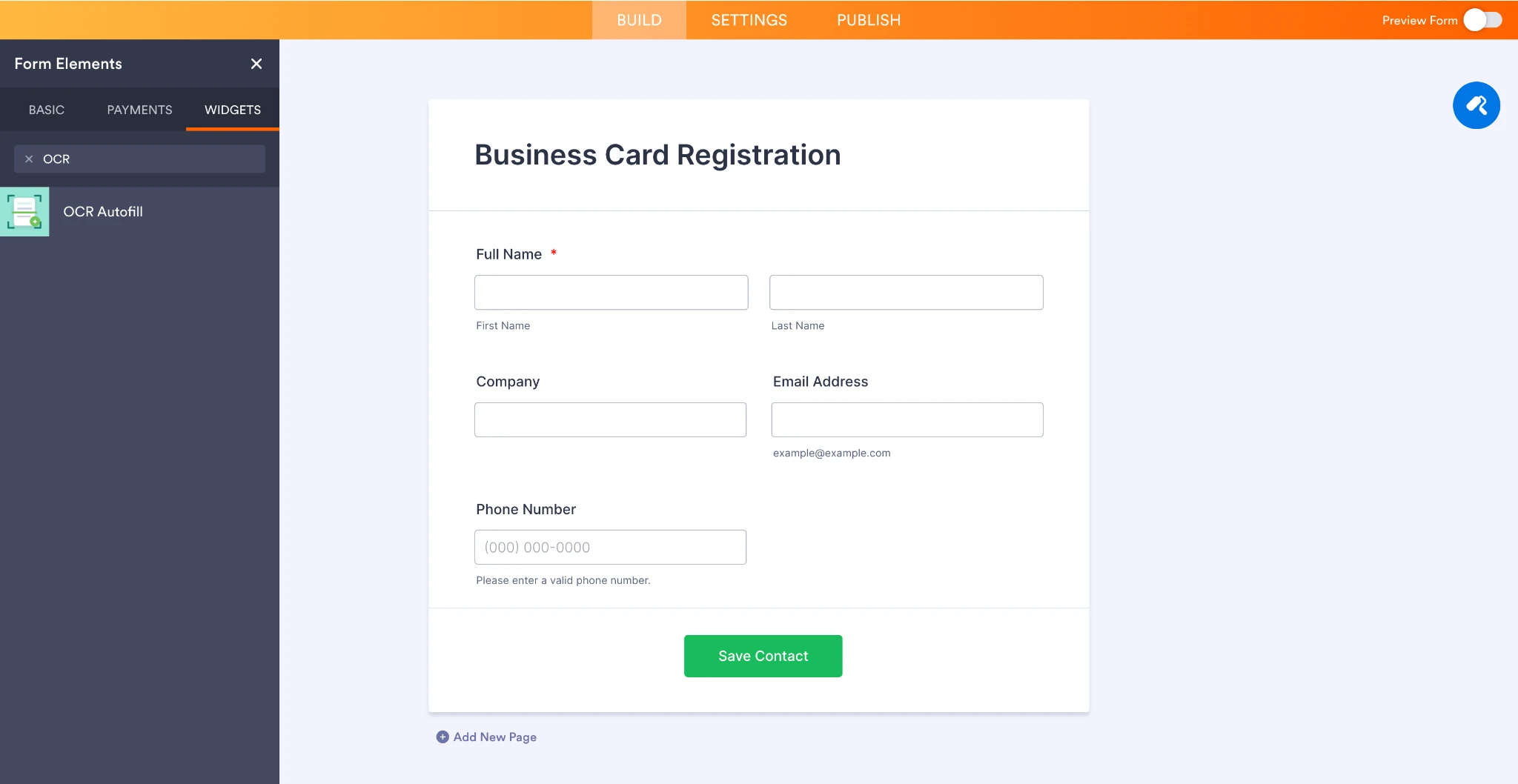
1. Click Add Element on the left panel.
2. Navigate to the Widgets tab.
3. Search for OCR Autofill.
4. Click the widget to add it to your form automatically.
- You can find the widget directly from the Widgets search panel:

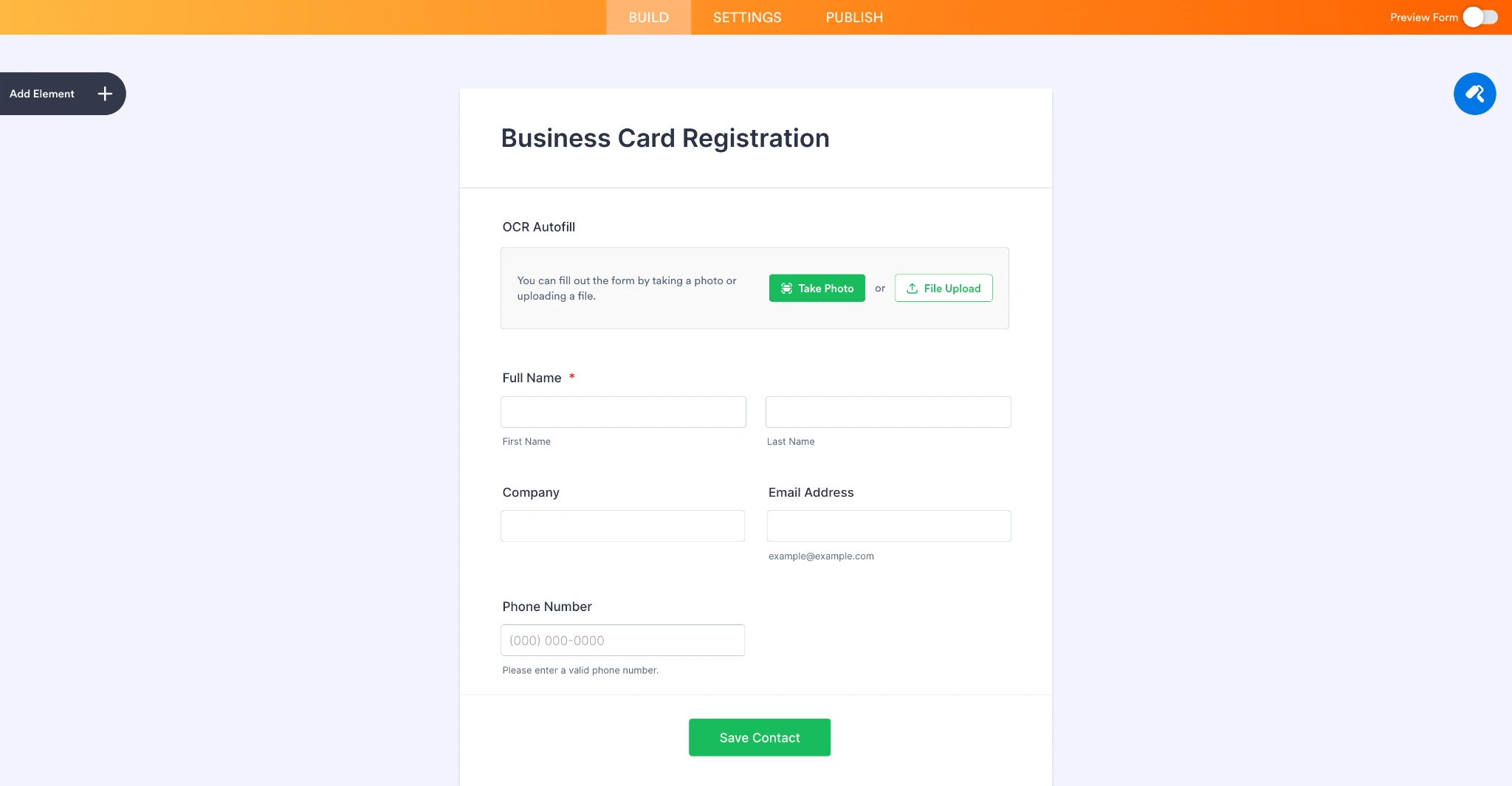
- Once added, the OCR Autofill widget can sit alongside regular form fields. In this example, it is used in a sample Business Card Registration form with fields such as Full Name, Company, Email Address, and Phone Number.
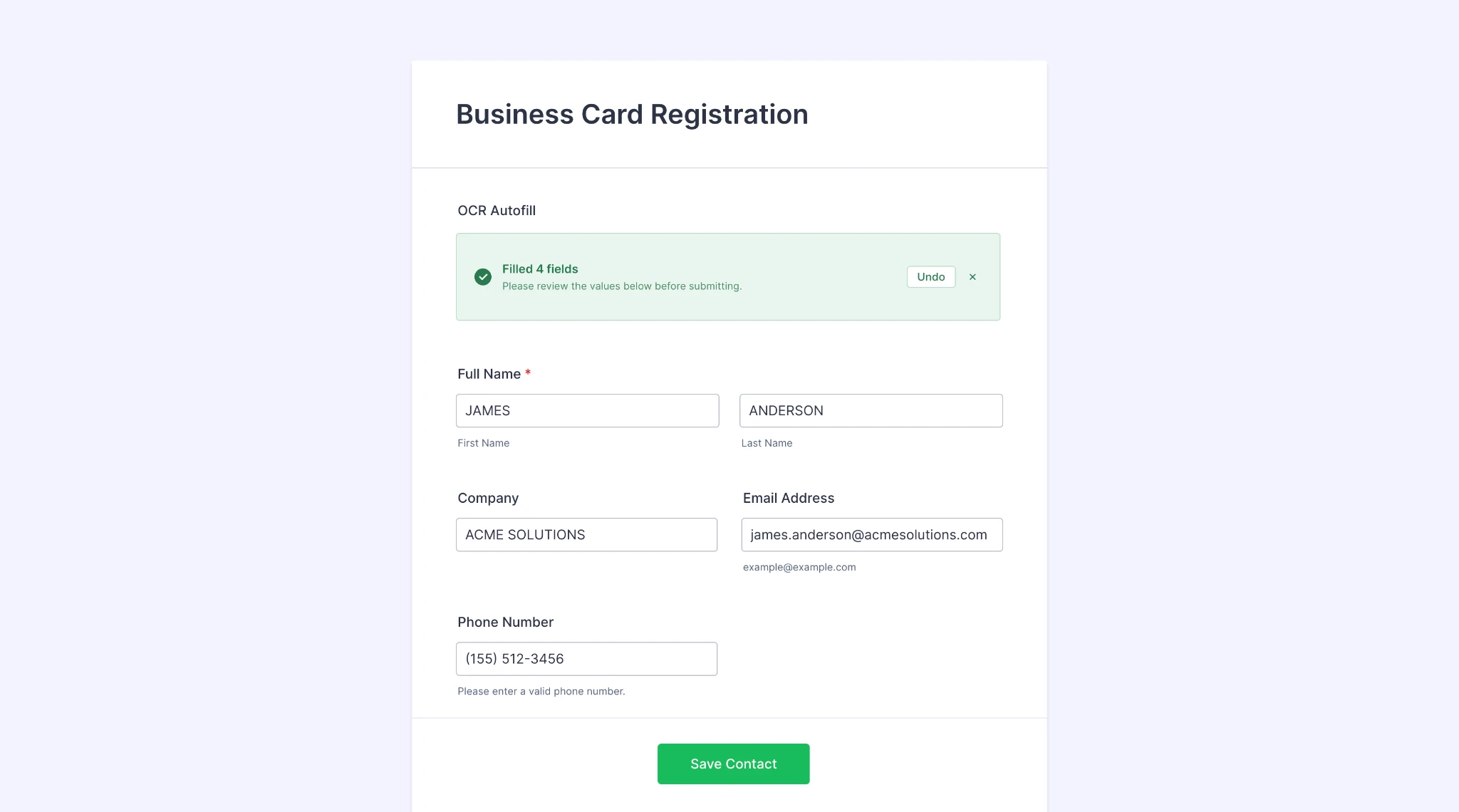
- A sample business card image is uploaded, and the OCR Autofill widget extracts the relevant contact details and fills the matching form fields automatically:
We hope the OCR Autofill widget proves useful for your forms. We’d appreciate any feedback from users after trying it out, especially regarding supported document types, extracted field accuracy, and any additional use cases they would like to see supported.
Best,