-
 McGeeKevin
Is there a widget or third party integration that can identify certain fields when an image document is uploaded in the form?
-
 Richard_A
Hello Kevin,
Thanks for reaching out to Jotform Support. If I understood this correctly, are you looking for an element, widget, or integration that would convert or identify the uploaded images into text? Unfortunately, Jotform doesn't have this functionality yet; however, you might want to try using a third-party app such as Zapier to achieve this result. Check out this guide about How to connect Jotform + Nanonets OCR via Zapier.
While the feature you’re looking for isn’t currently available, rest assured we’re always working to add new services and features to Jotform. Therefore, I've gone ahead and escalated your request to our Developer Team. When or if it's developed depends on their workload, how viable it is, and how many other users request it. If there are any updates, we’ll circle back to this thread and let you know.
-
 ahmetbas JotForm Data Scientist
Hi Kevin,
Great news, we've implemented the OCR Autofill widget you asked for. This widget lets respondents take a photo or upload a file, then uses AI to extract matching details and populate supported fields automatically. Additionally, adding it to your form takes just a few seconds.
Open the Form Builder and follow these steps:
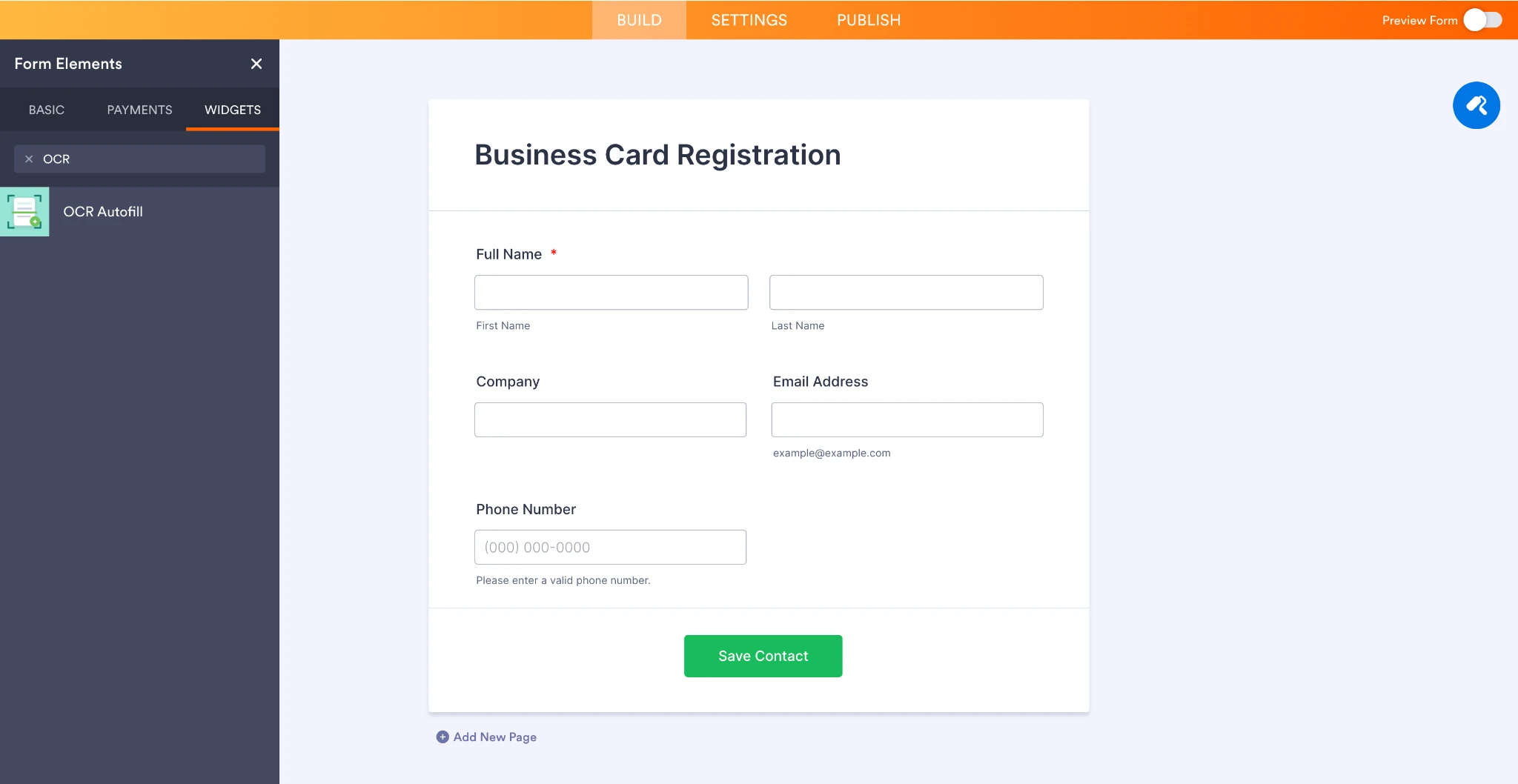
1. Click Add Element on the left panel.
2. Navigate to the Widgets tab.
3. Search for OCR Autofill.
4. Click the widget to add it to your form automatically.
- You can find the widget directly from the Widgets search panel:

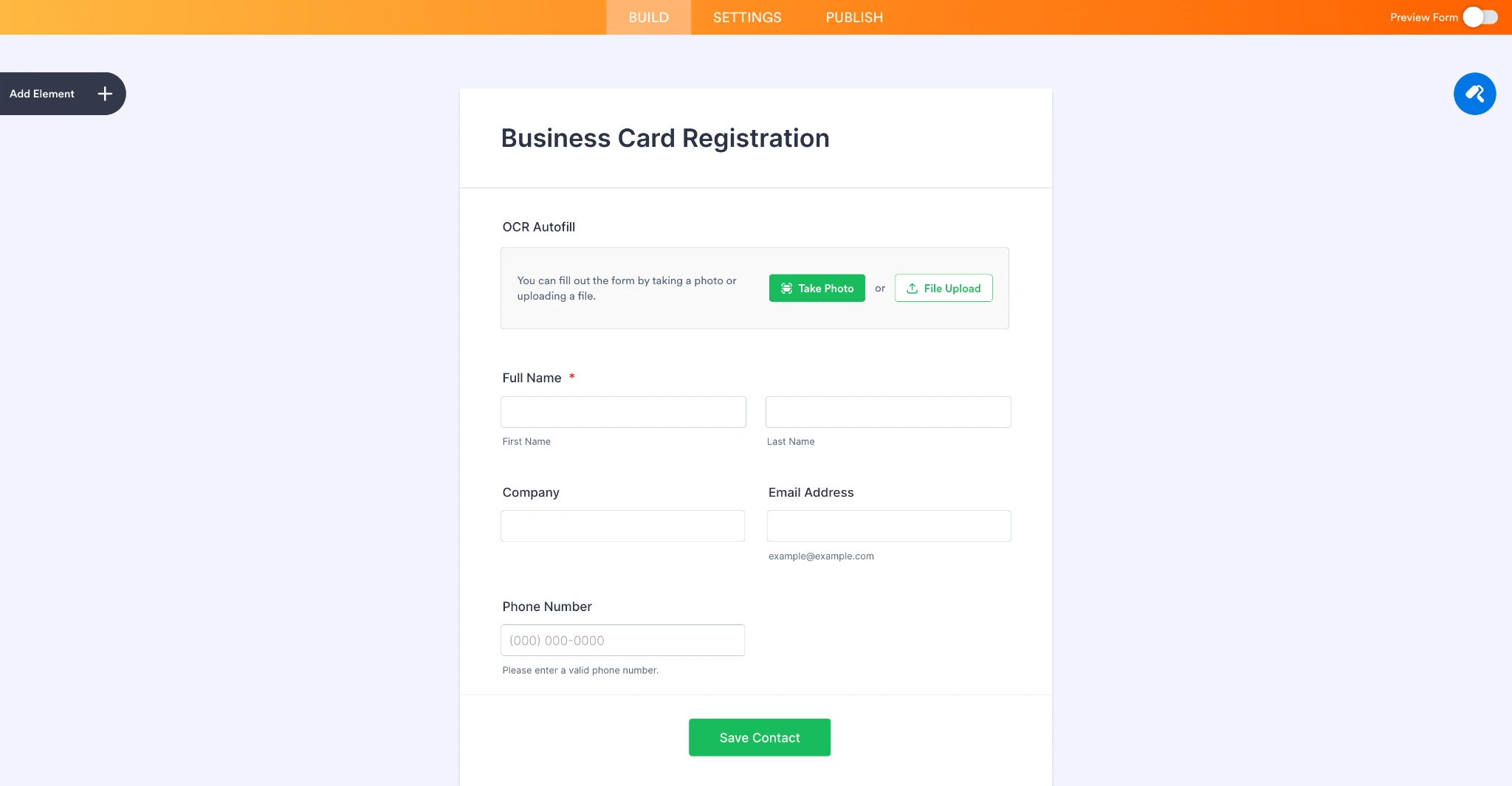
- Once added, the OCR Autofill widget can sit alongside regular form fields. In this example, it is used in a sample Business Card Registration form with fields such as Full Name, Company, Email Address, and Phone Number.
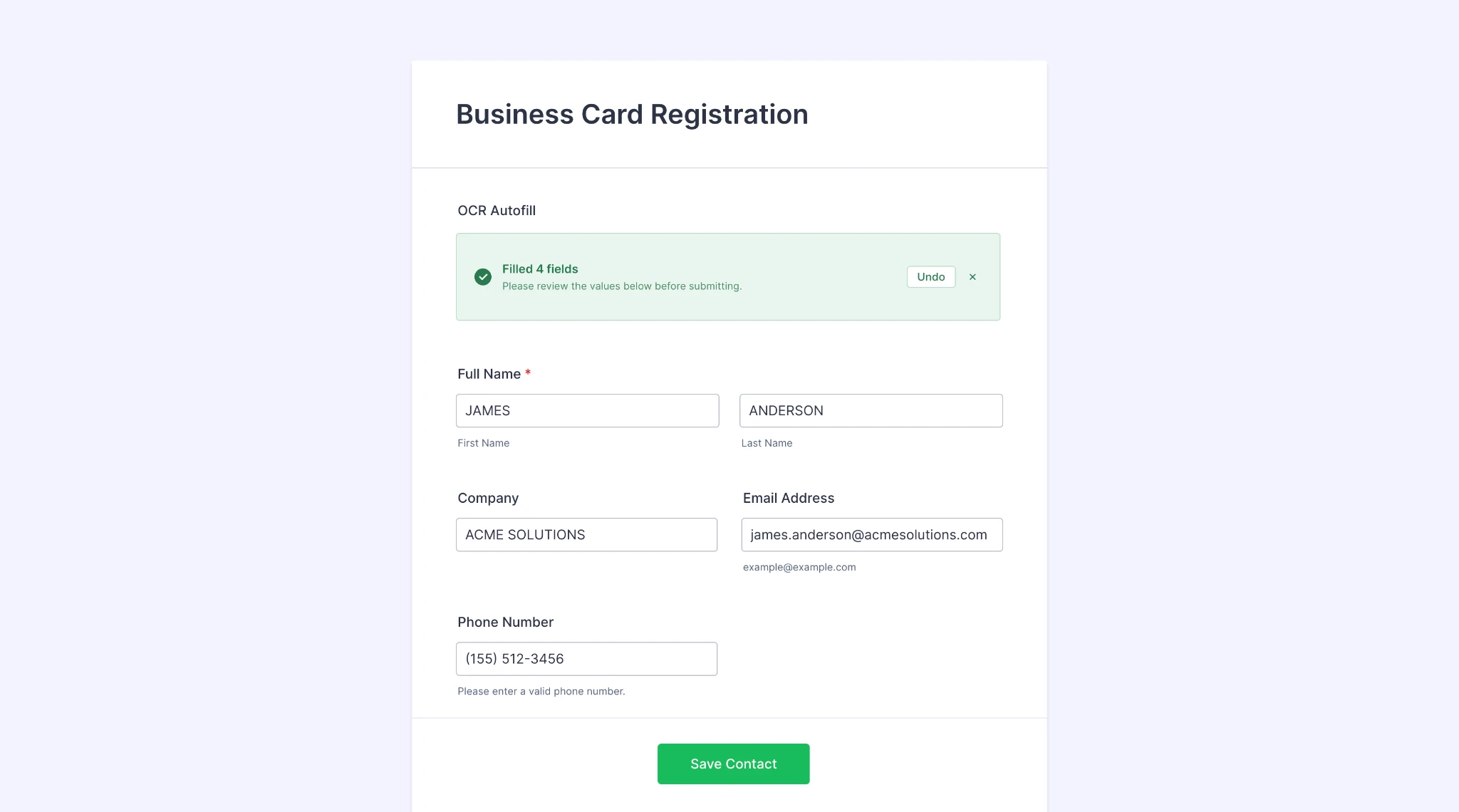
- In preview mode, a sample business card image is uploaded, and the OCR Autofill widget extracts the relevant contact details and fills the matching form fields automatically:
We hope the OCR Autofill widget proves useful for your forms. We’d appreciate any feedback from users after trying it out, especially regarding supported document types, extracted field accuracy, and any additional use cases they would like to see supported.
Best,