-
RRadhyia Booker
Thank you very much for replying quickly. After I have attempted to reset my password using the link provided, it tells me the link expired and to request a new link? I do apologize for being annoying. Thank you.
-
 Podo: Support Specialist
No worries at all, you’re not being annoying — this can definitely happen if the reset link is opened after some time or in a different browser/device.
To help you further, I’ll need to check your account details on our side.
• First, please tell me the email address or username you use to log in to Jotform.
Once you share that, I can guide you step-by-step and make sure you get a fresh, working password reset link.
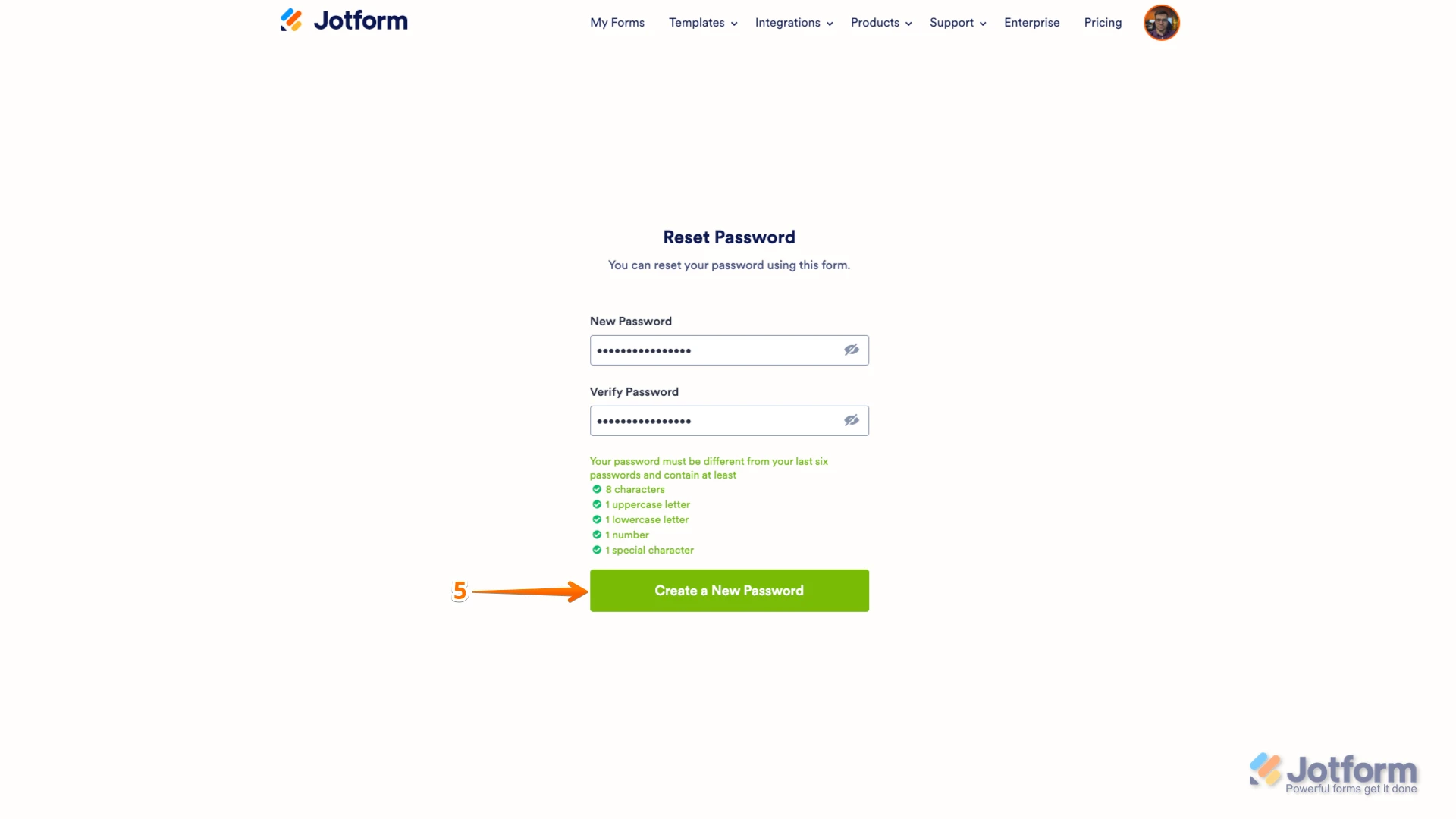
In the meantime, here’s the standard way to request a new link, just so you have it handy: • Go to the Jotform Login page: https://www.jotform.com/login/ • Click Forgot Password. • Enter your username or email, then click Send Reset Instructions. • Open the new email from Jotform and click the Reset Password button right away in the same browser. • Enter your new password and click Create a New Password.
Send me your email/username and we’ll sort this out together.
-
RRadhyia Booker
The email address is "radhiya781@gmail.com". I honestly don't remember the username.
-
Podo: Support Specialist
Hi Radhyia,
Thanks for sharing your email, and no need to apologize at all. Since the previous reset link expired, you’ll just need to request a fresh one using that email address.
Let me walk you through it:
Hi Radhyia,
Resetting your Jotform account password is easy to do. Let me walk you through it:
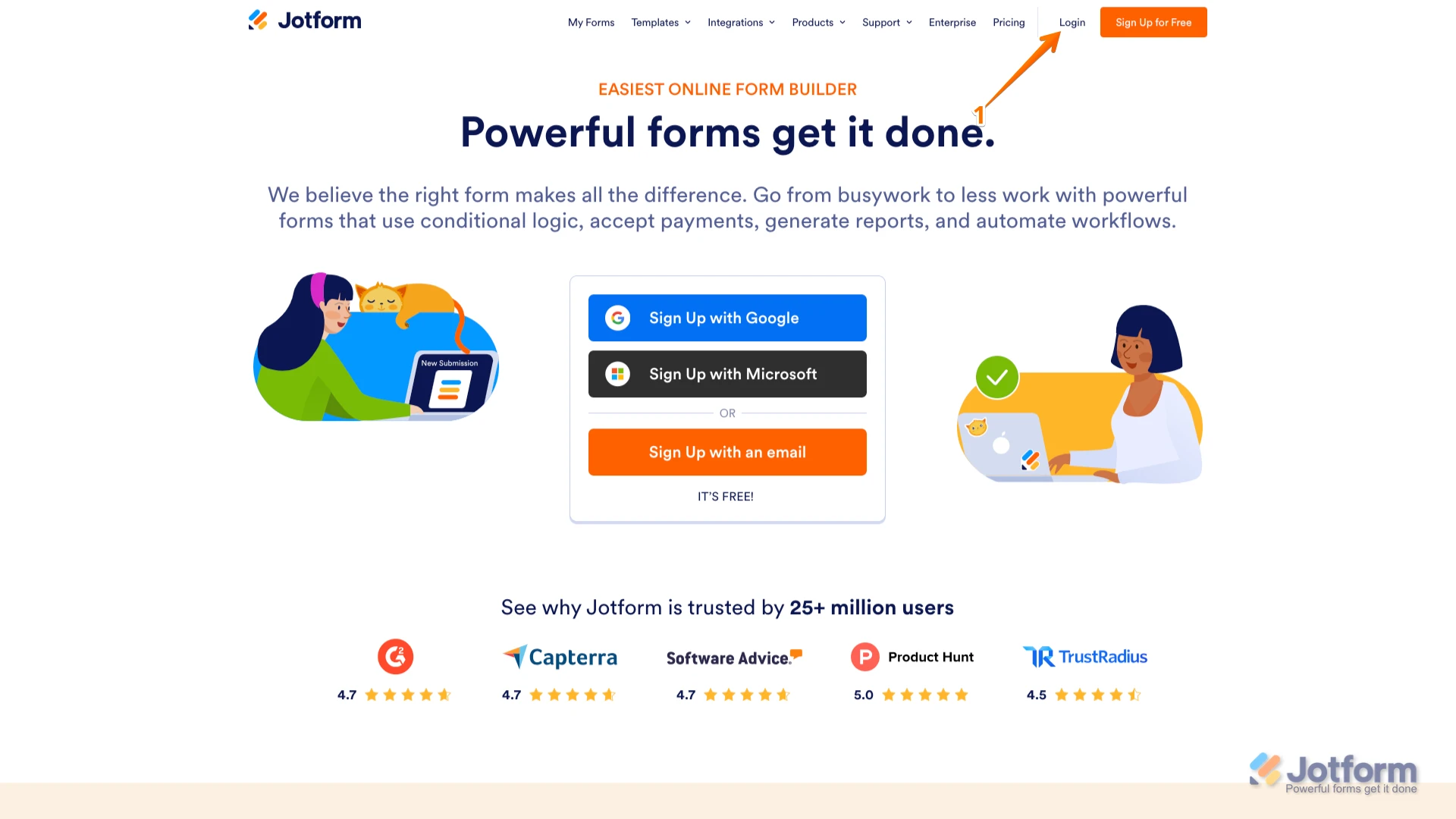
1. Go to the Jotform Main page and click on Login at the top-right corner of the page.

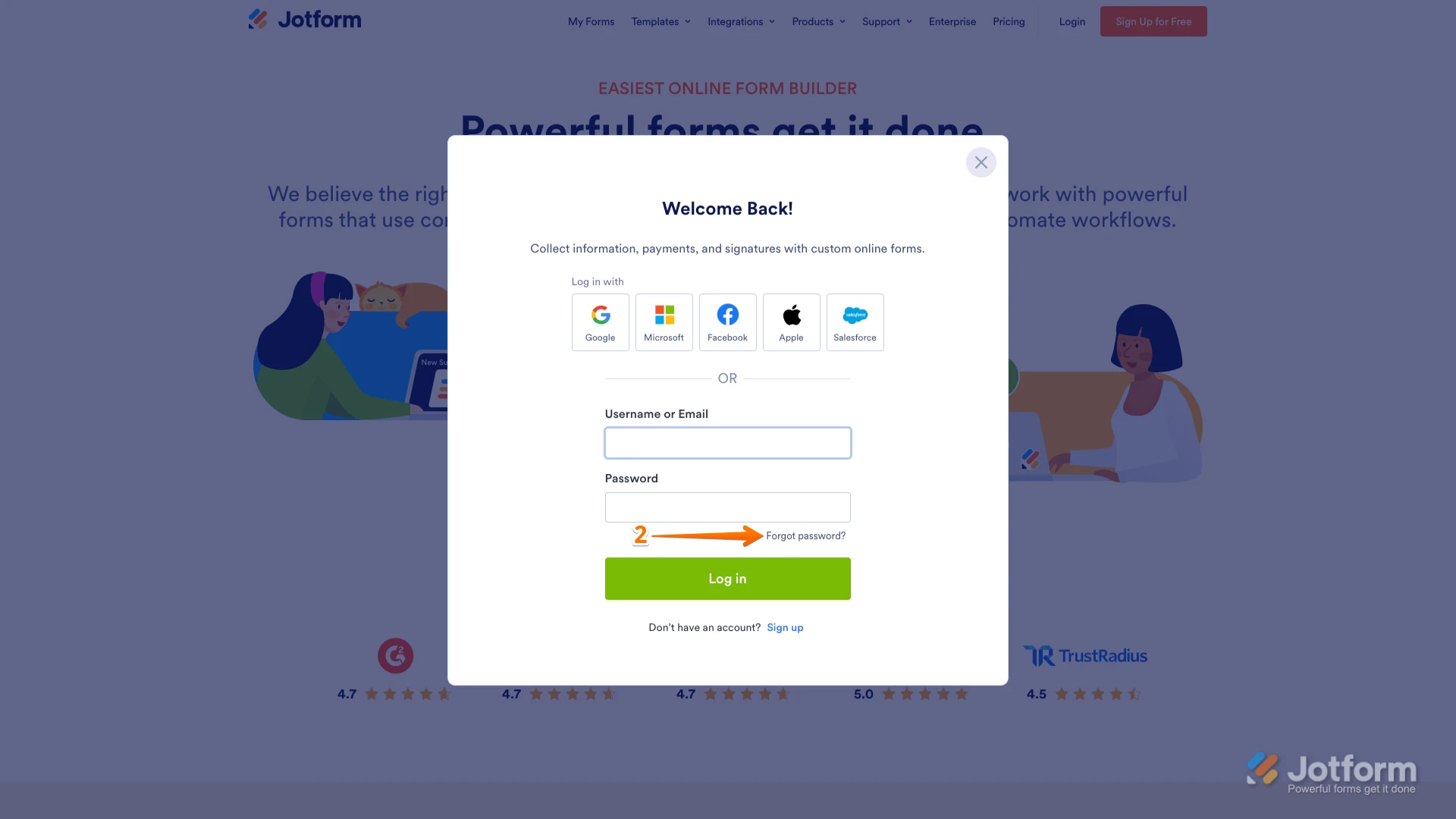
2. In the window that opens, click on Forgot Password?.
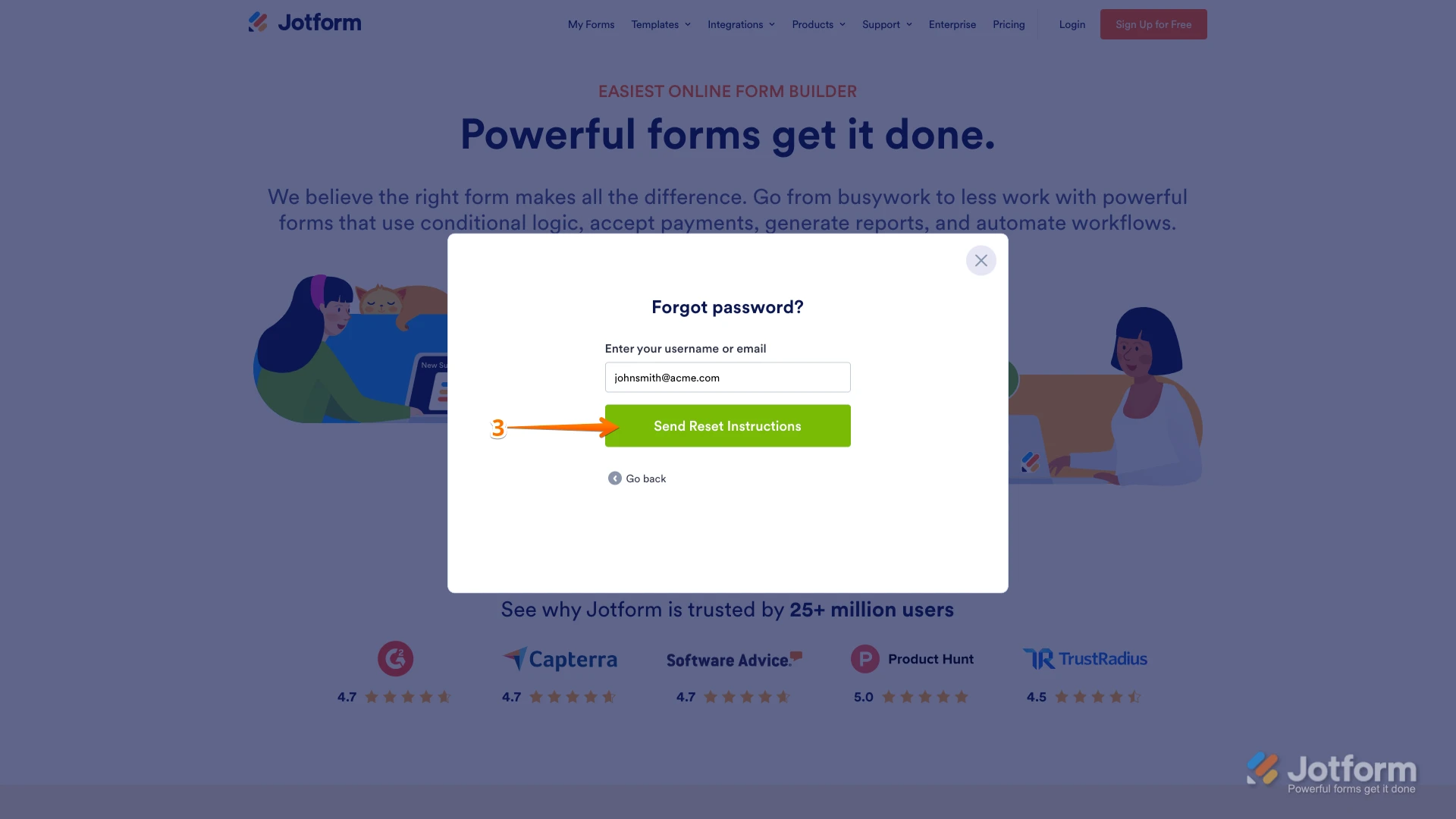
3. Enter your email address, and then click on Send Reset Instructions.
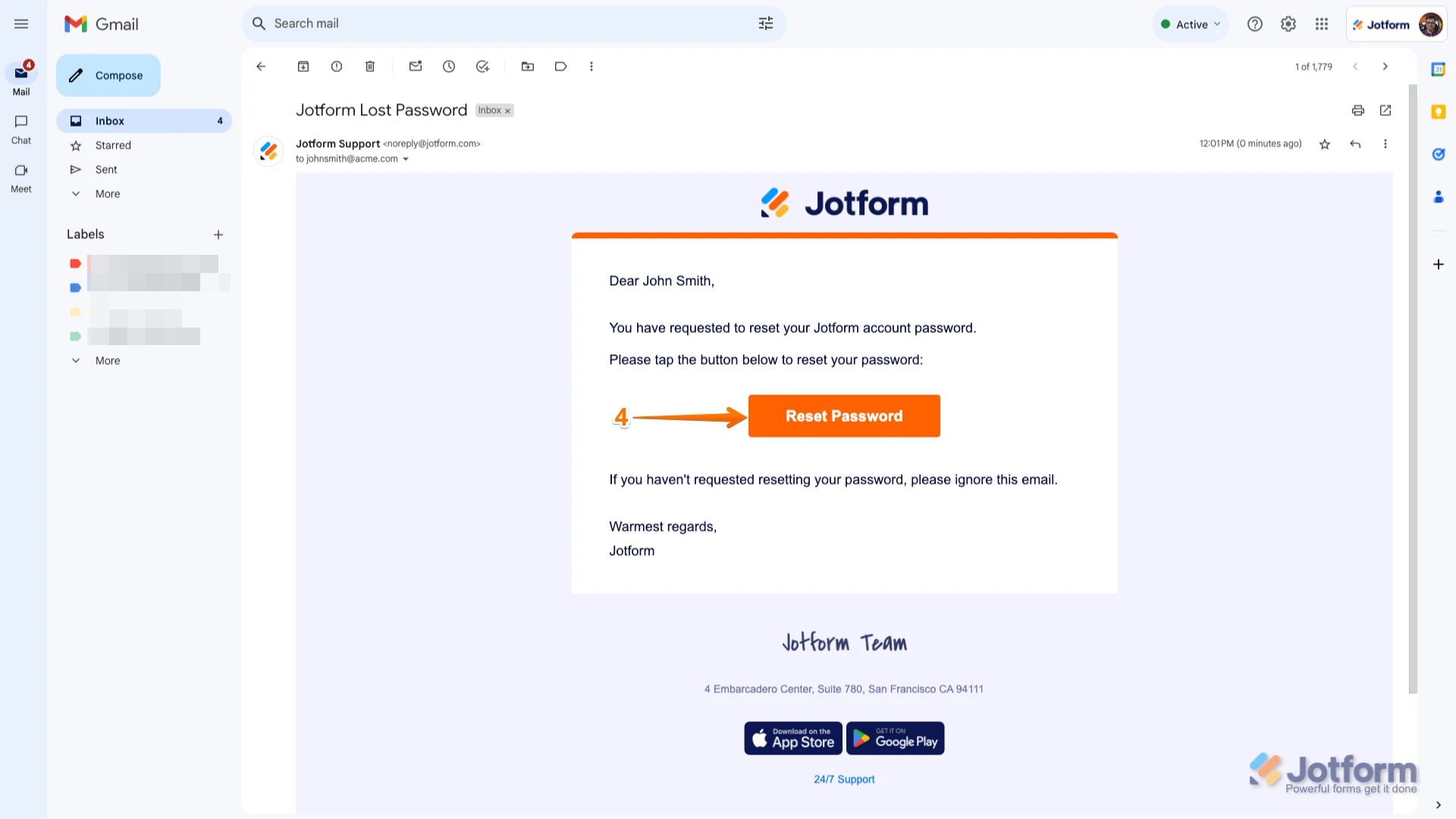
4. You'll receive an email with instructions on how to reset your password. Open the email and click on the Reset Password button.
5. Enter your new password, enter it again to verify it, and then click on Create a New Password.
There you go. Your new password is now set, and you can use it to log into your Jotform account. You can also check out our How to Reset Your Jotform Password guide for more information.Reach out again if you need any other help.
Your Reply
Something Went Wrong
An error occurred while generating the AI response. Please try again!