-
 dmbo2023
 -
 Rene JotForm Support
Hello dmbo2023,
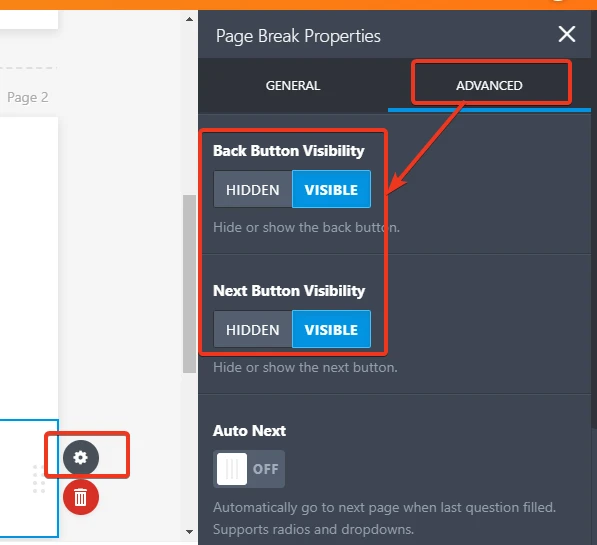
Thank you for choosing Jotform. Unfortunately, it is not possible to disable/ hide the previous button on the Card Forms. However, if you want to have the possibility to disable/ hide the back button you will need to change the layout of your form to the Classic Form, then to add the page breaks between your questions and to set the Back Button Visibility option to Hidden. Please follow the steps and screencast shown below:
- Open the Form Designer panel.
- Go to the Layout tab.
- Select Card Form.

4. Add the page breaks between your questions and to set the Back Button Visibility option to Hidden
If you need further assistance, please let us know.
-
dmbo2023
Thank you so much Rene for the information