-
 jcaple5526
In our form Summer Camp 2026 Registration - part 2 - the payment link has all of a sudden stopped working. Payments were just fine until a few days ago now customers can't enter the card name and number into the fields they are greyed out.
I've tried deleting and reinstalling the widget, I've tried changing from Stripe to Square and changing to Square is just spinning forever and not getting me to the log in point to even try it.
HELP!!!

-
 Podo: Support Specialist
I’m Podo from Jotform, let’s get this fixed. The greyed‑out card fields and the Square spinner usually point to a payment connection or browser pop‑up issue.
First, I need to take a look at the exact form you’re using.
• Please send me the form URL or the direct link you share with parents for “Summer Camp 2026 Registration - part 2” so I can check the payment integration on that specific form.
Once I have that, I’ll walk you through: • Checking and reconnecting your Stripe/Square connection. • Making sure pop‑ups are allowed so the Square login can open. • Verifying that the correct payment location/account is selected so the card fields show properly.
Send me the form link whenever you can and we’ll go step by step from there.
-
jcaple5526
-
Podo: Support Specialist
Hi Julie,
Let me help you with that:
Hi Julie,
Usually, if we remove the Square integration and then set it up again, it starts working properly. First, let me show you how to do remove connection:
- In Form Builder, click on Add Element on the left side of the page.
- Under the Payments tab, click on Square and select Payment Settings.
- In the menu on the right, click on the Gear icon at the top right corner.
- Click on Connected, and then click on Reconnect.
- While in the Square Integration menu, click on Connect.
- In the window that pops-up, sign in to your Square account.
- Once you sign in, click on Continue at the bottom right of the menu.
-
jcaple5526
This is not how it is trying to connect and I'd rather connect with Stripe anyway that's what is was before and was working fine until a few days ago.
-
jcaple5526
This is not helpful can I please speak with a human
-
 Kyle JotForm Support
Hi Julie,
To clarify, what Podo meant was to try removing your current Stripe integration and then adding it back to refresh the connection. The example Podo shared was specifically showing the process with a Square payment connection. It’s easy to delete a reusable payment connection from the form. Let me show you how:
- In Form Builder, click on the Product List field, then click on the Credit Card icon.
- Then, in the menu that comes up on the right side of the page, choose Sell Products on the Payment Type section, and select Yes, Change.
- Click on the Trash Can icon in the Payment Connection section.
- Now, click on Yes, Remove.
Give it a try and let us know if you have any other questions.
-
jcaple5526
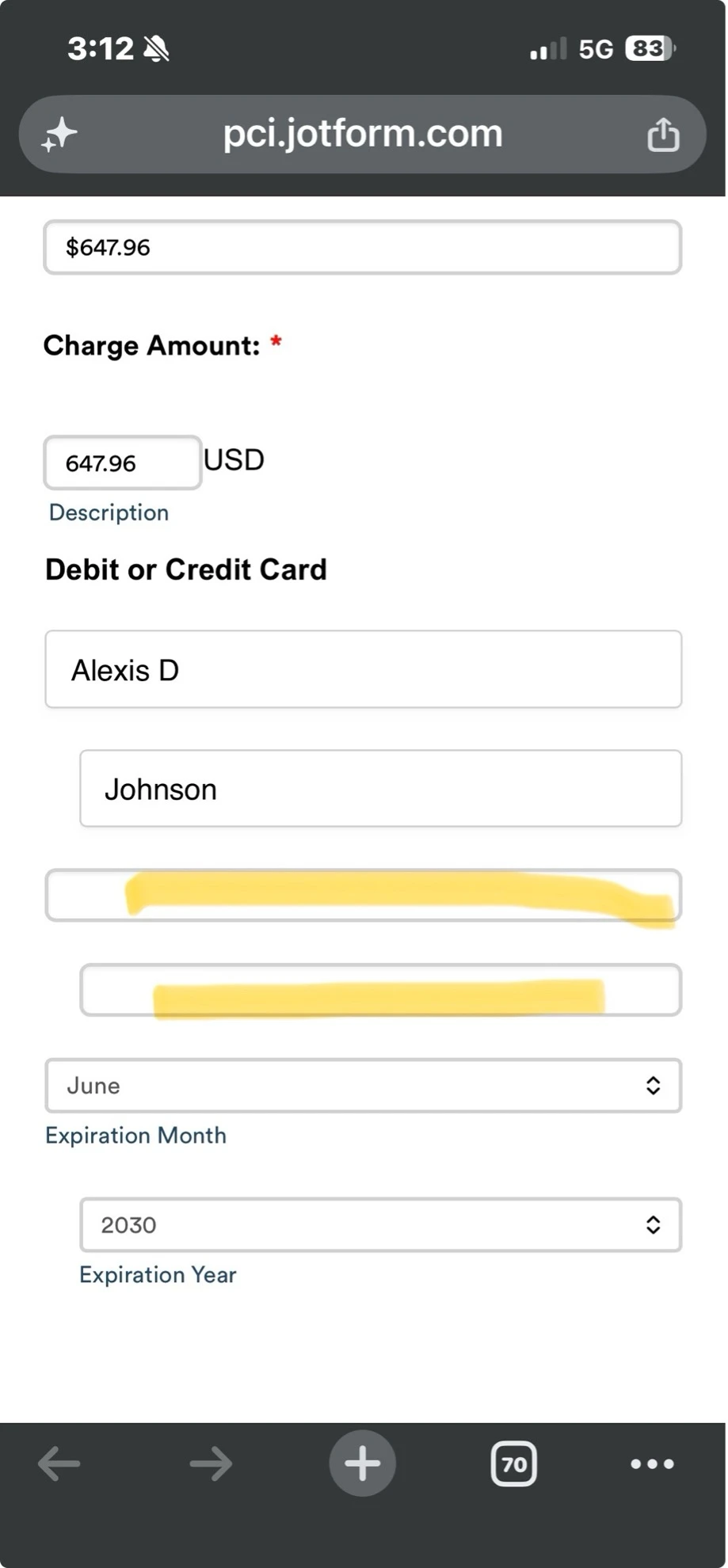
I've done that three times now and it's still not working within the form.
Expiration Month and Expiration year fields work but the Top two fields show no information and are greyed out.
I've attempted to do a screen shot but my Mac is not cooperating.
-
Kyle JotForm Support
Hi Julie,
I checked your form, and the console logs show resource errors that explain why the card fields are greyed out. Check out my screenshot below:
Can you follow the guide I shared above to refresh the Stripe connection, as that should reinitialize the payment fields? You can also try using a different browser or device.
Try that out and get back to us if you have any issues.
-
SSandi Plaisted
I have done this reset now 6 times exactly as it was shown above - 4 times before you told me to do it and 2 since you told me to do it. I have changed to a different computer to do it (switched from Mac to PC even) and it is still not working. It had been working for months until a few days ago and no changes have been made to the form it just stopped working.
-
 Joeni JotForm Support
Hi Julie,
I tested your form and ran into the same issue. Take a look at the screencast below:



Your Reply
Something Went Wrong
An error occurred while generating the AI response. Please try again!