-
 Paddy_Morgan
Hi,
I've crated an "App" to present three forms but the background colour of the forms displays incorrectly when viewing them through the "App".
When I view the forms directly in a web browser the bg colour is correct but not when viewed via the "app" either in a desktop or mobile browser. I've tried multiple devices and OSs.
Thanks.
 Page URL: https://form.jotform.com/260562328715054
 -
 Podo: Support Specialist
Hi Paddy,
Thanks for reaching out to Jotform Support. I'm an AI assistant here to assist you.
Let me help you with that:
What you are seeing is likely related to how the form’s colors are configured versus how they appear when embedded or opened inside Jotform App. To make sure the background color is explicitly set and consistent, you can adjust the form colors directly in Form Builder and, if needed, in the mobile app as well.
Here’s how to review and adjust your form colors in Form Builder:
- Go to your form in Form Builder.
- Click on the Paint Roller icon (Form Designer) in the upper-right corner.
- Under the Colors section, make sure Page Color and Form Color are set to the exact background color you want (not left as transparent or auto).
If you are also editing from the Jotform Mobile App, you can double-check the same color settings there so the appearance is consistent:
- Open the form in Form Builder inside the Jotform Mobile App.
- Tap on the Paint Roller icon at the bottom-right corner of the screen.
- Under the Colors tab, adjust the Color Scheme, Page Color, and Form Color to match what you see when opening the form directly in a browser.
If the issue persists after explicitly setting those colors, it would help to see:
- A link to your Jotform App.
- A link to one affected form.
- Screenshots showing how the background looks in the browser vs inside the App.
Once we hear back from you, we’ll have a better idea of what’s going on and how to help.
Let us know if you have any other questions.
-
Paddy_Morgan
I've checked my settings and they are all correct.
Link to app: https://www.jotform.com/app/260562319421351
Link to form: https://form.jotform.com/260562328715054
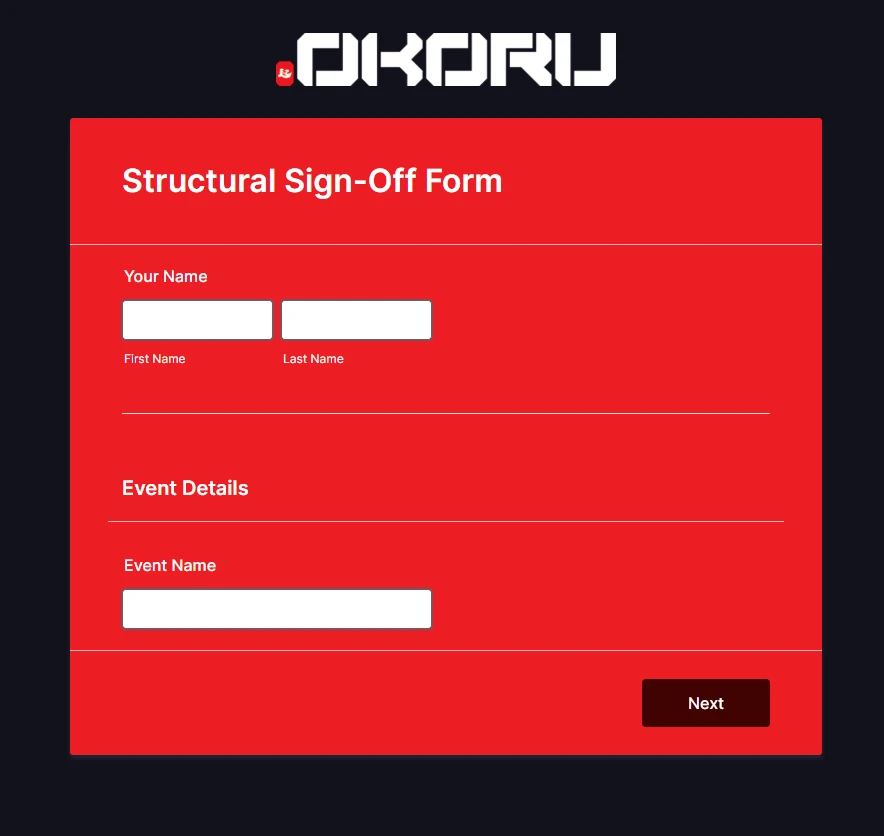
How form should look (directly linked):
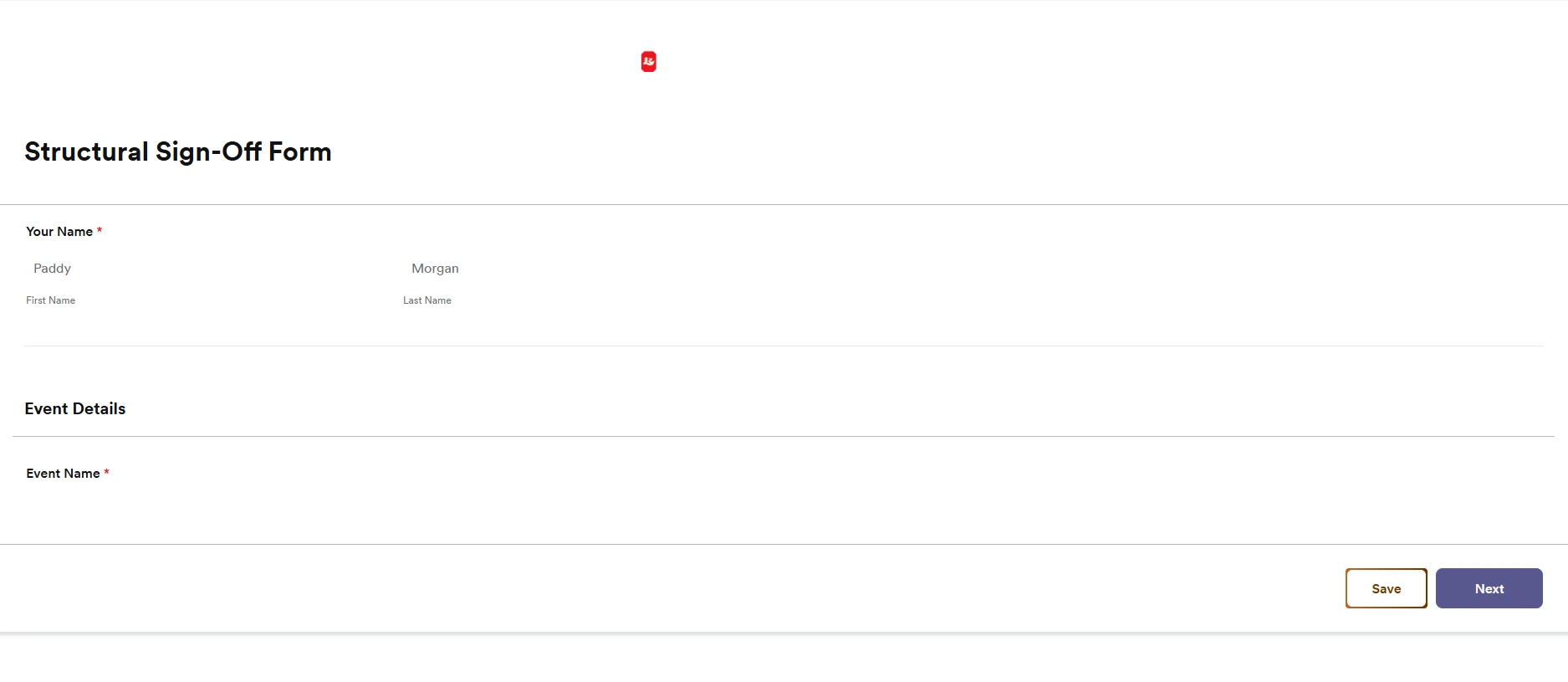
How Form looks through app:
Background colour AND layout are totally incorrect. -
Podo: Support Specialist
Hi Paddy,
Our support team will handle your request from here, and a team member will follow up with you shortly in this thread.
Reach out again if you need any other help.
-
 Sheena JotForm Support
Hi Paddy
I created a ticket and escalated this to our Developers. Although we don't know exactly when it'll be fixed, we’ll circle back to this thread when we have an update. When adding forms to an app, the App Builder automatically adjusts the form's style to match the app's theme. In the meantime, you can the app's Form element to use your own Form layout. Here's how:
- In App Builder, click on Add Element on the left side of the page.
- Then, under the Basic tab, click on Form, and then select the form you want to use.
- Now, click on Add Forms and click on Gear icon to open Form Properties.
- Under Styles Tab, toggle on Use Original Form Styles.
-
 Theo Product Operations Specialist
Hi Paddy,
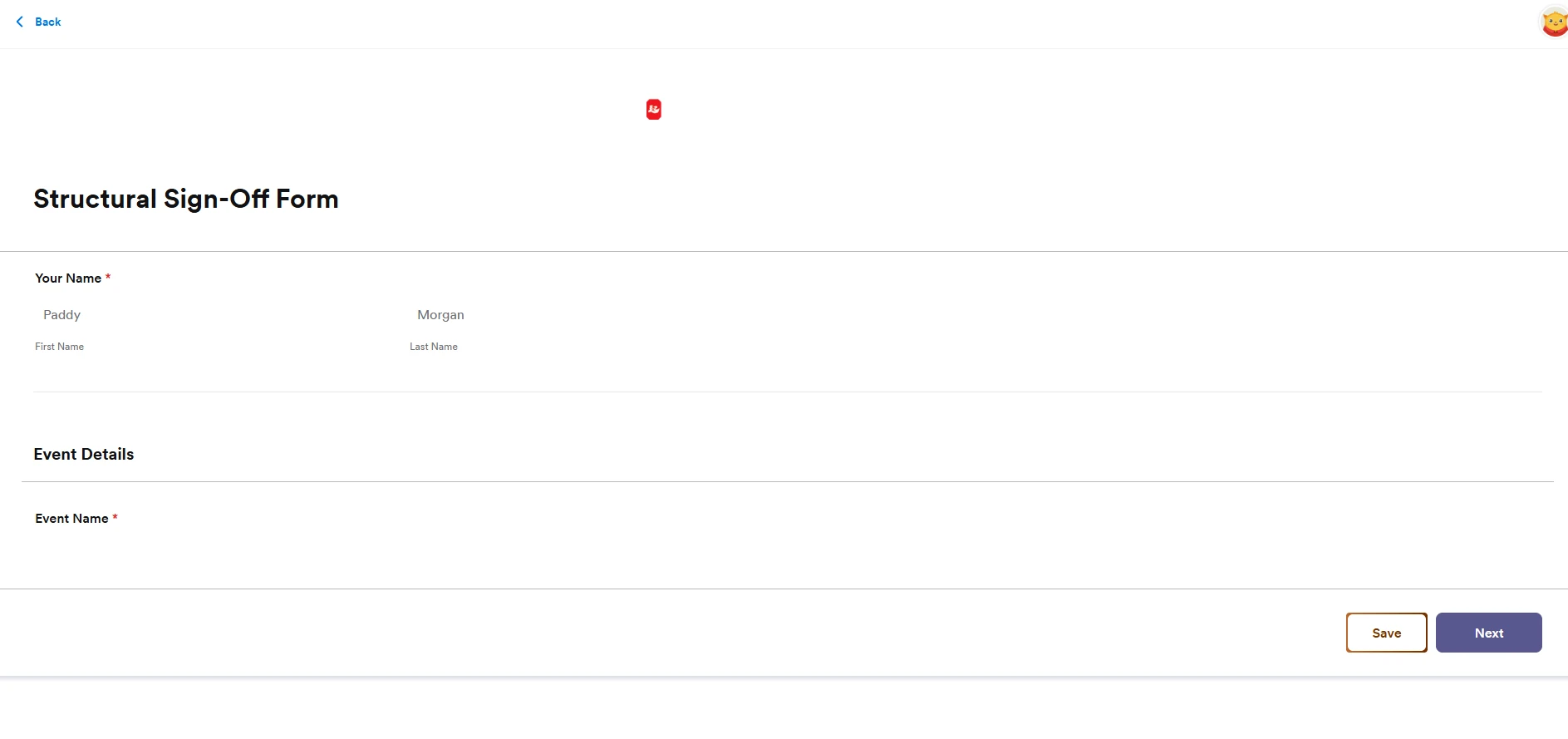
Thanks for patiently waiting while we were looking into this. I've just heard back from our Developers team that the issue should now be resolved. I've gone ahead and tested it out on my end to see whether it's still replicable, but everything seems to be working properly. Take a look at the screenshot below:
Can you give it a try and let us know how it goes? -
Paddy_Morgan
Hi There,
Thanks for looking into this for us. I can confirm the issue is now fixed on a desktop browser but persists on mobile devices. I have tried several mobile devices and still have the same issue with incorrect styling. I have tried scanning a QR code to go directly to the app with the same issue. We really need this working on mobile devices so please let me know if there's anything else we can do to fix this.
Thanks!
-
Sheena JotForm Support
Hi Paddy,
I tested your app on a mobile device but I was not able to encounter the issue on my end. Here’s a screenshot from my test showing the form styling displaying correctly:
Since it appears to be working properly here, it may be related to how the app is currently installed or cached on your devices. You may try the following on one of the affected phones:
- Delete the existing app shortcut or icon from your home screen.
- Open the app URL again in your mobile browser.
- Add it back to your home screen as a new shortcut.
After doing this, check if the background color and layout now match what you see on desktop. If the issue persists, let us know your device model, OS version, and browser so we can continue investigating.
Give it a try and let us know how it goes.
-
Paddy_Morgan
Hi,
I'm a bit confused by your response Sheena. The screenshot you've posted is clearly not showing the styling the same as the desktop version;
- The page background is white not black (meaning our white logo does not show up correctly).
- The form background is white not red
- The text is black not white
If you can't see these differences then I think I need someone else to look at this issue for me. Please can you escalate this to your supervisor.
-
Theo Product Operations Specialist
Hi Paddy,
We've enabled Use Original Form Styles option for the Forms that are integrated to Card Elements via Open Form action. It really easy to enable. Here's how to do it:
- In App Builder, select Card Element and click on Gear icon.
- Then, in the screen that opens, click on Action.
- Now, right under the integrated Form, toggle Use Original Form Styles into On position.
That's it. Check out the screencast below to see my result:Can you give it a try once again and let us know how it goes?
-
Paddy_Morgan
That has fixed it. Thanks.

 Can you give it a try and let us know how it goes?


Your Reply
Something Went Wrong
An error occurred while generating the AI response. Please try again!