-
FFRANCISCO MANRUBIA TORRA
Hello! I'm trying to generate a widget with AI. The widget is generated when I write the prompt, but I don't have access to edit the widget afterward. It says that I don’t have access to this feature.
-
 Danilo Enterprise Support
Hi FRANCISCO,
Thanks for reaching out to Jotform Support. I am not sure which form you're referring to. Can you share the URL of the form? You can easily find your form's URL in Form Builder. Let's walk through this together:
- In Form Builder, in the orange navigation bar at the top of the page, click on Publish.
- In the Quick Share tab, click on Copy Link in the Share With Link section.
 Can you share a quick screen recording of what’s happening so we can try to replicate it on our end? You can upload it to Google Drive, Dropbox, or record with Loom and send us the link.
Once you share the form URL with us, we’ll be able to help you better with this.
-
 fmanrubia
Hello! Is in the app builder. I created a widget with IA, but when it's already created i saw this message: And i can't edit the widget created too.
-
Danilo Enterprise Support
Hi FRANCISCO,
When I cloned your app, named Whale Spray App, I was able to edit the widget you're referring to. Check out the screencast below:
Once we hear back from you, we can help you sort this out.
-
fmanrubia
Hello, as i said before, on the app builder i can add a widget ai, i can write the prompt and create that. BUt when is created there are an alert as you can see on the left that says: "You need acces", so then i can't edit the widget... Please can you solve that? or tell me how can i use this.
-
 Sheena JotForm Support
Hi Francisco,
It looks like you have already deleted the widget from your app. Can you add the AI widget again and see if the same issue appears? After adding it back, try logging out of your Jotform account and then logging in again to help troubleshoot any temporary session issues. If the issue persists after you re-add the widget and log out and back in, will you allow us to access your account directly?
To do that, we’ll need your permission to access your account. Don’t worry, you can turn it off again once we’re done. Let me show you how to do it:
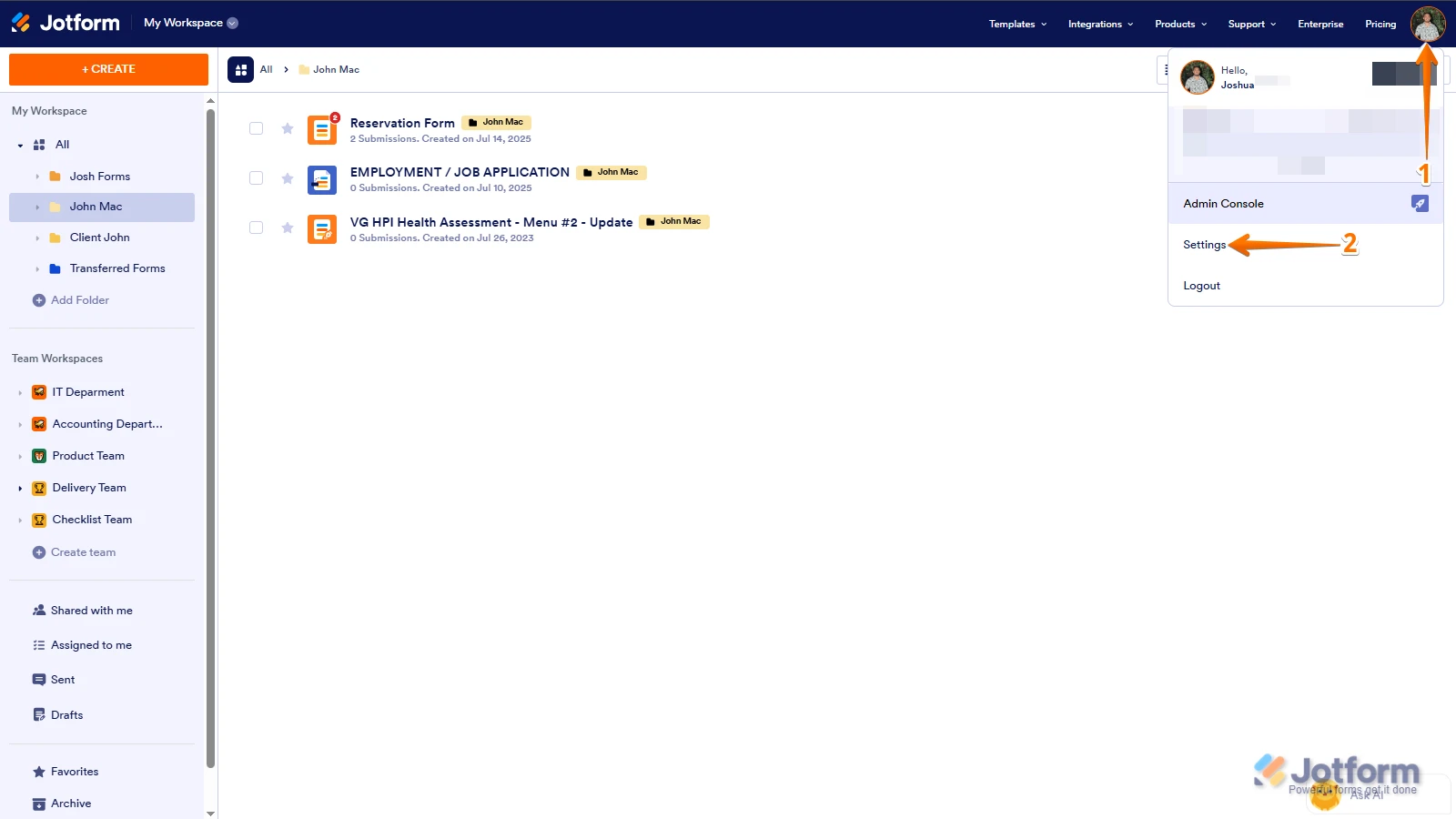
1. In the top-right corner of your Workspace page, click on your Avatar/Profile Image icon.
2. Then, in the Dropdown menu that opens, click on Settings.
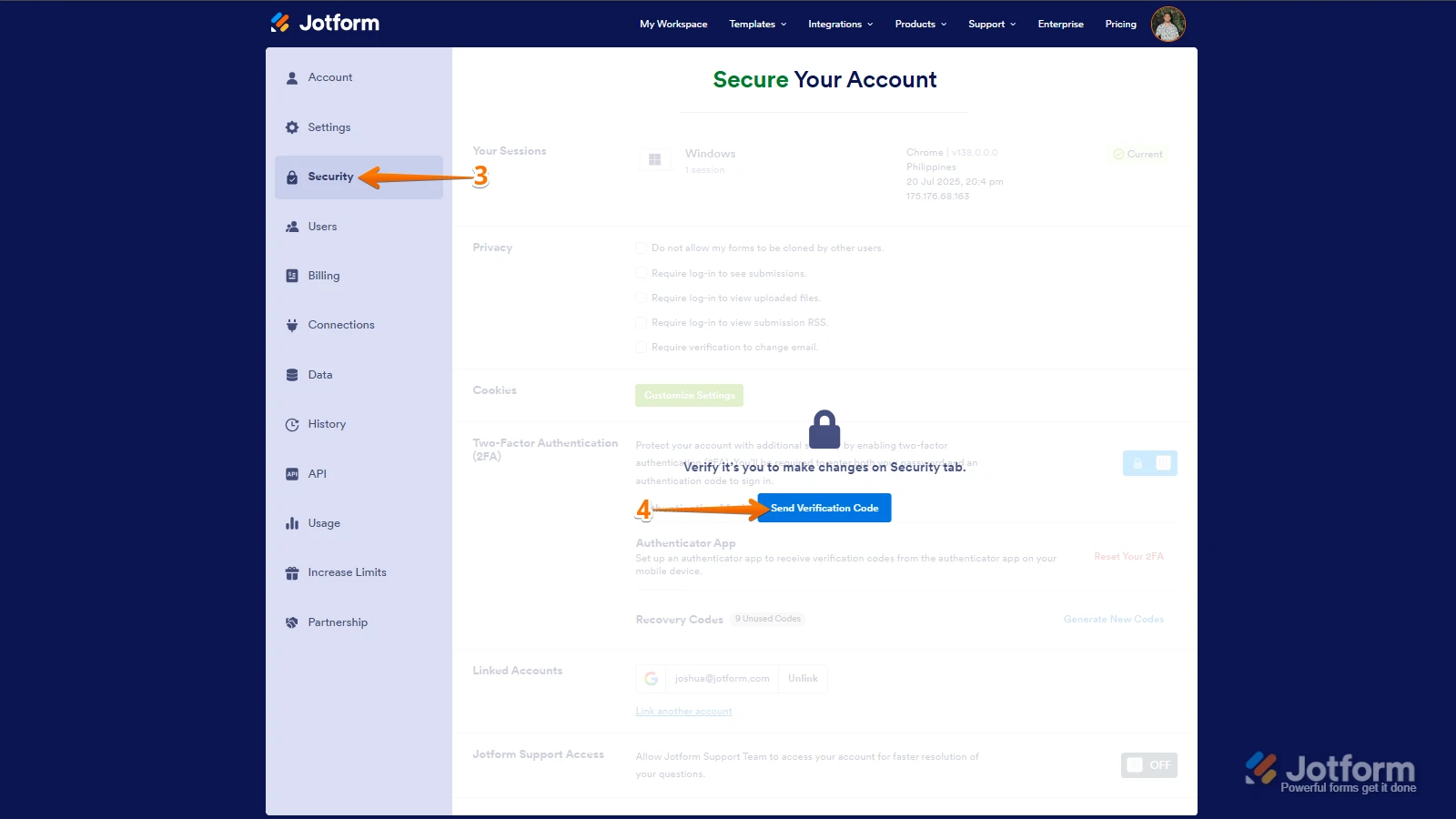
3. Next, in the panel on the left, click on the Security tab.
4. If you haven’t opened your Security page in a while, it’ll ask you to verify. To do that, click on Send Verification Code.
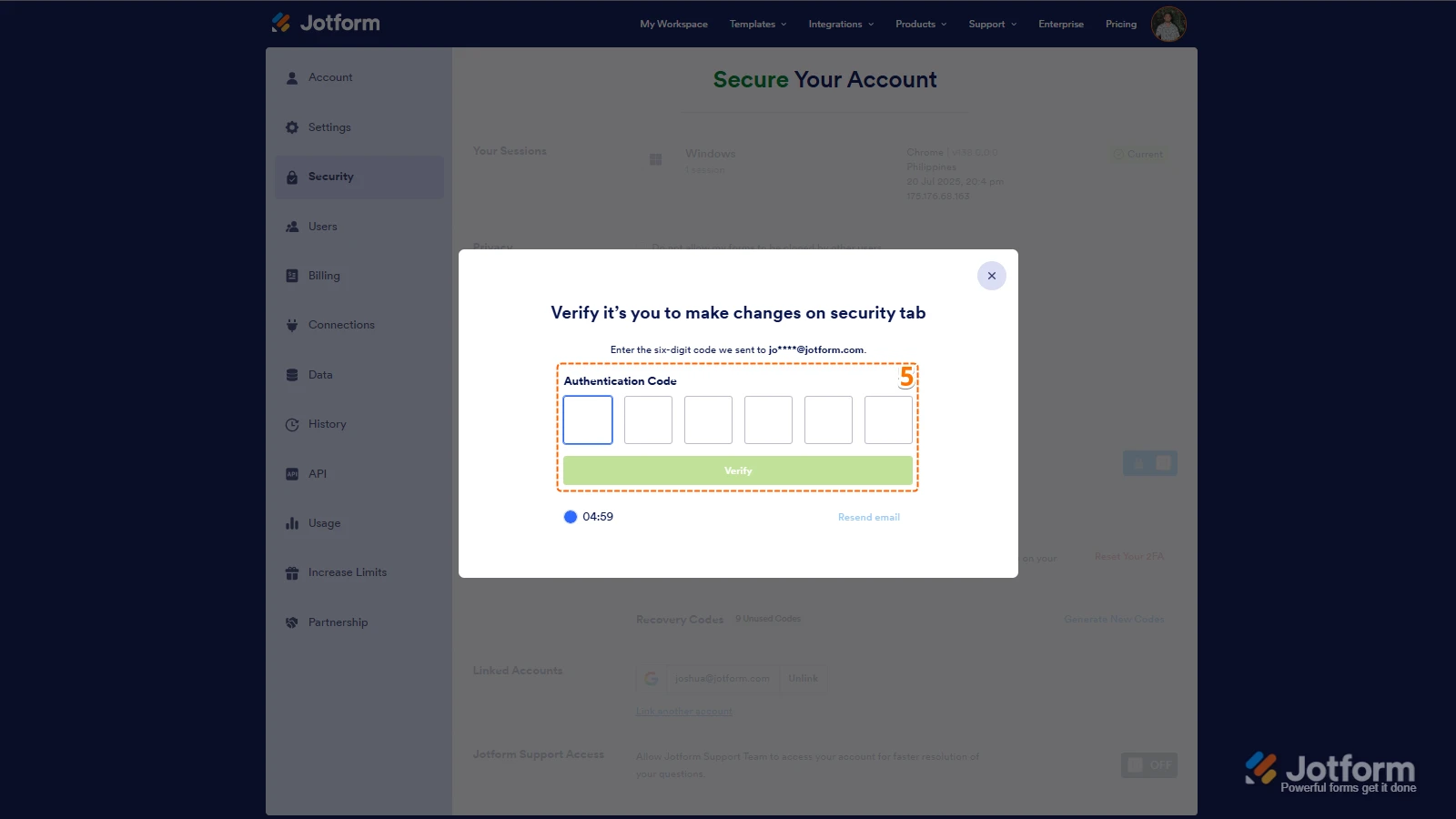
5. Then, enter the Verification Code you receive in your email.
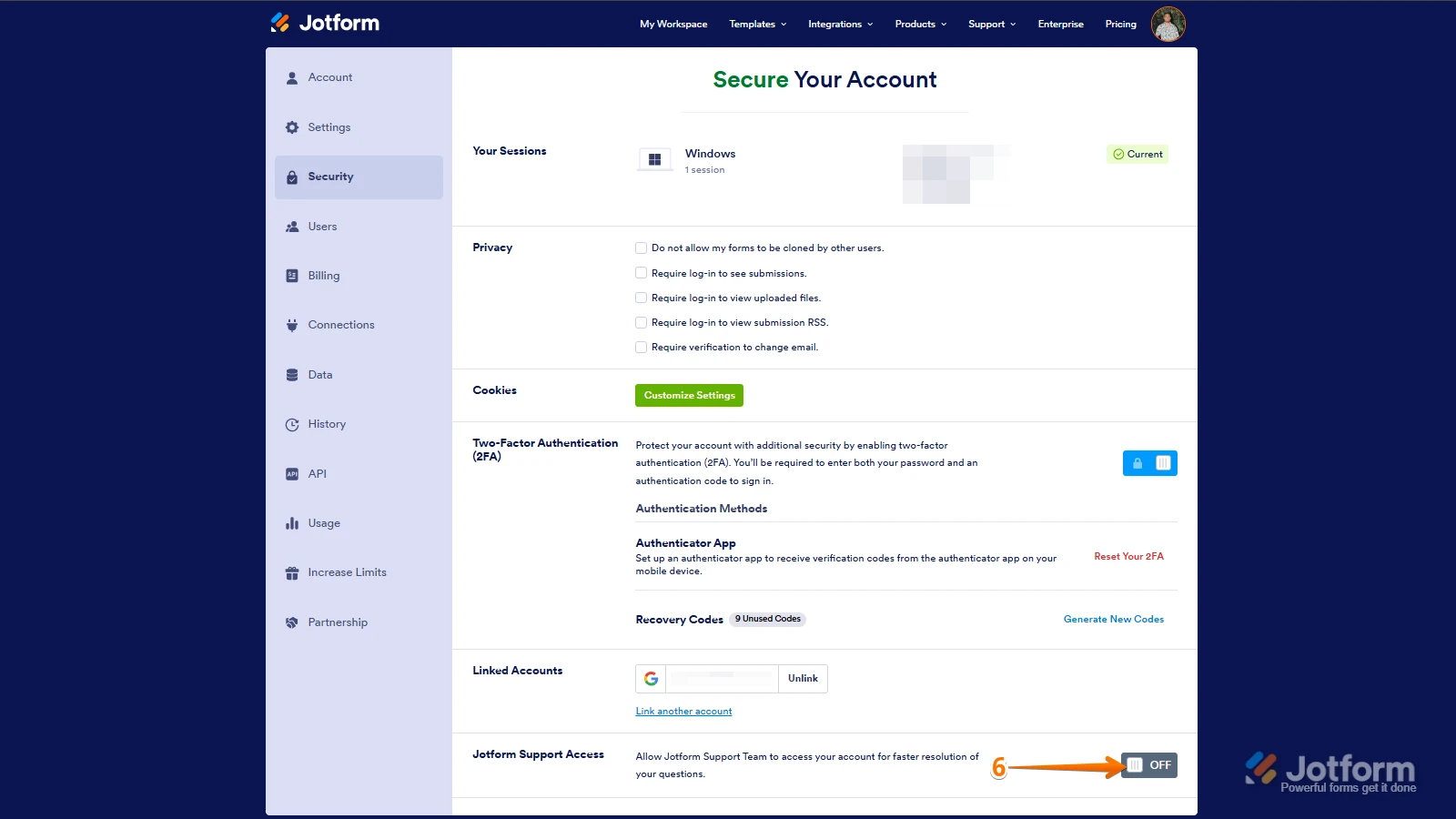
6. Finally, at the bottom of the page, toggle on Jotform Support Access.
After we hear back from you, we’ll have a better idea of what’s going on and how to help.
 Can you share a quick screen recording of what’s happening so we can try to replicate it on our end? You can upload it to

 After we hear back from you, we’ll have a better idea of what’s going on and how to help.
Your Reply
Something Went Wrong
An error occurred while generating the AI response. Please try again!