-
 media530
Hi Team,
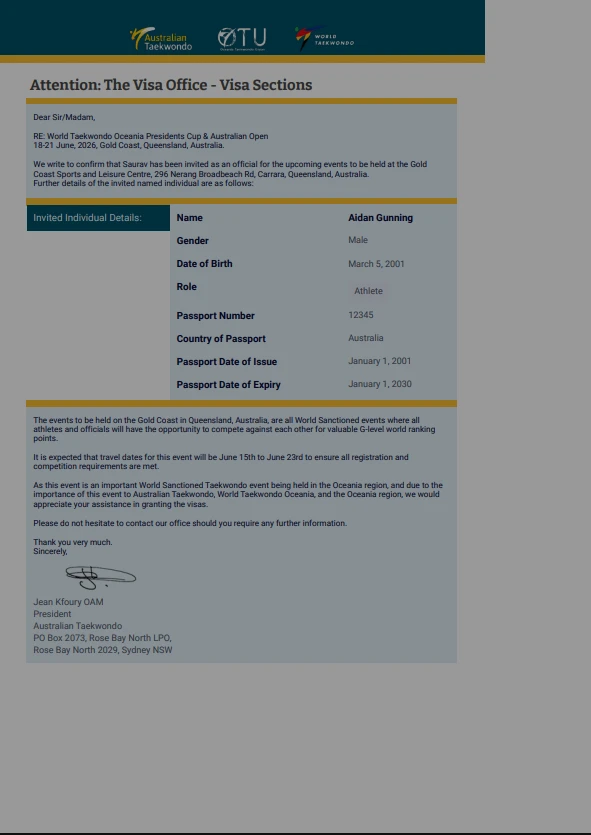
I have created a PDF Editor that fills from an online form. When i go to download the PDF, It only fills up a qtr of the page, no matter what size i change it to.
Can you please advice?
Thanks
Aidan

-
 Podo: Support Specialist
Hi media530,
Thanks for reaching out to Jotform Support. I'm an AI assistant here to assist you.
Changing sizes and positions of fields is easy in PDF Editor. Since your PDF content is only using a quarter of the page, you will likely need to resize and reposition the fields so they fill more of the page area. Let me show you how:
To change field sizes:
- In PDF Editor, click on the field that you want to align.
- Left-click on the Resize icon, and while holding it, drag the field to resize it so it takes up more of the page.
- While in PDF Editor, select the field that you want to move.
- Left-click on the field and drag it to the place you want so that it better fills the page layout.
Give it a try and let us know how it goes.
-
media530
What about the pdf download
-
Podo: Support Specialist
For the actual PDF download, you can create and download a fillable PDF version of your form like this:
- In Form Builder, click Publish on the orange bar at the top.
- On the left panel, click the PDF tab.
- Click the Download button.
- On the PDF Editor page that opens, click the Download button in the upper-right corner.
This will give you a fillable PDF copy of your form (note that some fields like Product List aren’t supported in fillable PDFs). If you meant the submission PDF instead, can you confirm which form and which PDF (fillable form vs. submission PDF) you’re working with?
-
media530
Talk to real agent
-
Podo: Support Specialist
Hi media530,
One of our Support Team members will take it from here to follow up shortly.
Let us know if you have any other questions.
-
 Kris JotForm Support
Hi Aidan,
I cloned your form and made a test submission. Then, I downloaded the PDF file from the PDF Editor. I was able to replicate the issue, which is that the PDF file doesn't cover the whole page. Then, I created a new PDF file and downloaded it. The new PDF file covers the full page. Let me show you a demo:
- In PDF Editor, click on the New PDF tab.
- Then, select the Use Default Layout.
- Now, download the PDF file.
Give it a try and let us know if you’ve got other questions.

Your Reply
Something Went Wrong
An error occurred while generating the AI response. Please try again!