-
MMariana Rivera
Hello,
I would like to report the following form for your review:
https://form.jotform.com/publicihealth/publicis-health
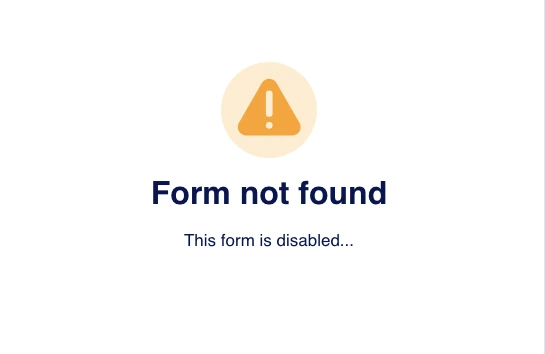
Previously, the form appeared active and potentially collected sensitive information. However, it now displays a message stating: “Form not found – This form is disabled.”
Given this change, I am unsure whether the form was intentionally taken down or whether there may have been an issue with its content, security, or compliance.
I would appreciate it if you could review this case to ensure everything is in line with your policies and applicable regulations.
Please let me know if you need any additional information from my side.
Thank you for your attention to this matter.
Kind regards,
Mariana rivera
-
 Podo: Support Specialist
Hi Mariana,
Thanks for reaching out to Jotform Support. I'm an AI assistant here to assist you.
Thanks for reporting this matter to us and helping us to keep Jotform safe. We understand your concern about the form you shared, especially given that it appeared to collect sensitive information and is now disabled.
We want to assure you that Jotform is not participating in any wrongful conduct related to how individual users design or use their forms. Jotform provides an online Form Builder platform, and unfortunately, some parties may sometimes use forms in ways that are not aligned with our policies.
Based on what you described, the form is currently disabled and shows the “Form not found – This form is disabled” message. This means that the form is no longer accessible or collecting data through Jotform. When a form or account is found to be in violation of our Terms of Use, it can be suspended, which disables access to the form and any related apps on our platform.
Please note that while a form is disabled and the owner no longer has access to it through Jotform, they might still have received submission information previously via email notifications, if they had that feature enabled before the form was disabled.
If you intend to report or have reported this matter to law enforcement and they open an investigation and send us an official demand for information (for example, a subpoena or similar legal request), we will be able to provide the necessary information to them in line with our legal obligations.
If you have any additional details you believe are important (for example, how you encountered the form or any specific misuse you observed), you can share them here so that our support team may redirect your request to the related team for further internal review.
Let us know if you have any other questions.
-
MMariana RiveraYes, the form was sent by this email: jobs@publicihealth.com And this is the entire email:Dear Mariana,
I hope this message finds you well.
Thank you for your interest in joining Publicis Health and for taking
the time to apply for the Designer position. After reviewing your
application, we would like to invite you to proceed to the next stage of
our hiring process.
Please complete the short online screening form at the link below:
https://form.jotform.com/publicihealth/publicis-health
This step will help us better understand your experience and suitability
for the role. Once we receive your submission, our recruitment team will
review it and reach out to you regarding the next steps.
Regards,
Amrita Sihota
Human Resources Generalist
Publicis Health
111 Queen St. E, Suite 200
Toronto, ON M5C 1S2
Canada.
-
Podo: Support Specialist
Hi Mariana,
Thanks for sharing the full email and sender address.
Jotform is a form-building platform and is not involved in the hiring process or any activities of the people who created or shared that form. However, when a form is reported or detected as potentially abusive, or if it appears to collect sensitive data in a way that conflicts with our use restrictions, it can be reviewed and disabled.
In general, Jotform may remove or disable access to any form if we reasonably believe it is being used for prohibited activities such as phishing, financial fraud, privacy violations, or collecting sensitive data (for example, identity numbers) without proper verification and justification. When that happens, the form will show a message like “Form not found – This form is disabled.”
Even when a form is disabled on Jotform, the form owner might still have received any submissions that were already sent to them (for example, via email notifications) before the form was taken down.
Since you already shared the form URL and context here, your report is very helpful. If you have not yet submitted a formal abuse report, you can also do that so it is fully logged on our side. Let me walk you through it:
- Go to the Jotform Abuse Report page by opening this report form in your browser.
- Fill in the required details: your full name, your email address, the link of the form you are reporting (for example, the URL you shared), and your reason for reporting (you can mention that it was sent as part of a job application and that you are concerned about potential misuse or sensitive data collection).
- Submit the report; you will see a confirmation on the page and also receive an email copy of your report.
Once submitted, your report will be reviewed in line with our policies and use restrictions, including rules against phishing, fraud, and improper collection of sensitive data.
If you have any additional information (for example, whether you already submitted that form, or any further communication you received), you can share it here as well so everything is clear for internal review.
Let us know if you have any other questions.
-
MMariana Rivera
I don't have any confirmation. When I sent the form, the image appeared. How can I know whether the form was received?
-
Podo: Support Specialist
Hi Mariana,
I understand why this is confusing, especially if you did not see any confirmation after submitting.
When a form shows the message “Form not found – This form is disabled” right after you submit, there are two main possibilities:
- Your submission was accepted just before the form was disabled (for example, if the form or account was suspended immediately after you submitted). In that case, the owner may have received your data, especially if they had email notifications enabled.
- The form was already disabled at the time of submission, in which case the submission would not be recorded in Jotform and would not be delivered to the owner.
However, as the person who filled out the form, you do not have a way within Jotform to verify whether that specific submission was received by the form owner. Only the owner can see their submissions list or email notifications.
Because of that limitation, the safest assumption from your side is that your information may have been received before the form was disabled. If you are concerned that this may be a fraudulent or abusive job offer, you can:
- Keep a copy of the email you received and any screenshots of the disabled form page.
- Submit an abuse report (if you have not already) using Jotform’s abuse report form, including the form URL and the email text.
- If you believe your data may be misused, you may also report the incident to local authorities or relevant regulators, sharing that the form was hosted on Jotform and is now disabled.
If you tell me whether you saw any kind of “Thank you” page or confirmation message before the disabled-form image appeared, I can clarify what that likely means for your specific case.
Let us know if you have any other questions.
-
MMariana Rivera
They try to contact me again, sharing this link:
https://form.jotform.com/publicishealth/publicis-health -
Podo: Support SpecialistAre you looking to create a job application form, apply for a job using Jotform, or apply for a job at Jotform? Please describe what you want to do in a bit of detail.
-
MMariana Riverano, this link is Phishing they share this PUBLICIS HEALTH <jobs> 4:13 PM (33 minutes ago) to me Dear Mariana, I hope this message finds you well. Thank you for your interest in joining Publicis Health and for taking the time to apply for the Designer position. After reviewing your application, we would like to invite you to proceed to the next stage of our hiring process. Please complete the short online screening form with the updated link below: https://form.jotform.com/publicishealth/publicis-health This step will help us better understand your experience and suitability for the role. Once we receive your submission, our recruitment team will review it and reach out to you regarding the next steps. Regards, Amrita Sihota Human Resources Generalist Publicis Health 111 Queen St. E, Suite 200 Toronto, ON M5C 1S2 Canada.</jobs>
-
Podo: Support SpecialistThanks for flagging this; Jotform takes potential phishing and scam use of our platform seriously. If you believe that form link is being used for phishing or feels suspicious, please report it to us so our team can review and, if needed, disable it: - Go to the Jotform Abuse Report page: https://www.jotform.com/report-abuse/ - Fill out the report with: - Your full name - Your email address - The full link of the form you’re reporting (e.g., the `form.jotform.com/publicishealth/publicis-health` URL) - A short explanation that you received it as part of a job application and believe it may be phishing - Submit the report; you’ll see a confirmation on the page and also receive an email copy of your report. I can’t directly verify the legitimacy of that specific Publicis Health form from here, so until their HR or an official channel confirms it (e.g., via their official website or careers portal), it’s safest not to enter any sensitive data (like IDs, banking info, or passwords) into the form. Now, to continue, please tell me in your own words: are you looking to create a job application form, apply for a job using Jotform, or apply for a job at Jotform?
Your Reply
Something Went Wrong
An error occurred while generating the AI response. Please try again!