-
 Spectrumotion
Hi,
We had not received any form submissions from April 22nd to 27th. Then, this morning, 4 form submissions were populated in the submissions tab that are backdated from that time frame. They were not there yesterday, and we never received a notification email for them. It seems like the system stopped working for a few days and then started working again this morning.
Can you please advise?
-
 Brandon
Hi Lauren,
Thank you for reaching out to Jotform Support. Can you provide the form URL that this happened for? Also, are submissions for that form working again now, or are they still delayed?Once we hear back from you, we can get moving on a solution.
-
Spectrumotion
Hi,
This is the form: https://form.jotform.com/Spectrumotion/incentive-form
I just sent a test form, and it came through straight away to JotForm, and we received an email notification right away.
-
Brandon
Hi Spectrumotion,
Thank you for the verification. Do you have the 4 submission IDs that appeared without notification emails? If so, provide them and we can look at them in the table. To do that, we’ll need your permission to access your account. Don’t worry, you can turn it off again once we’re done. Let me show you how to do it:
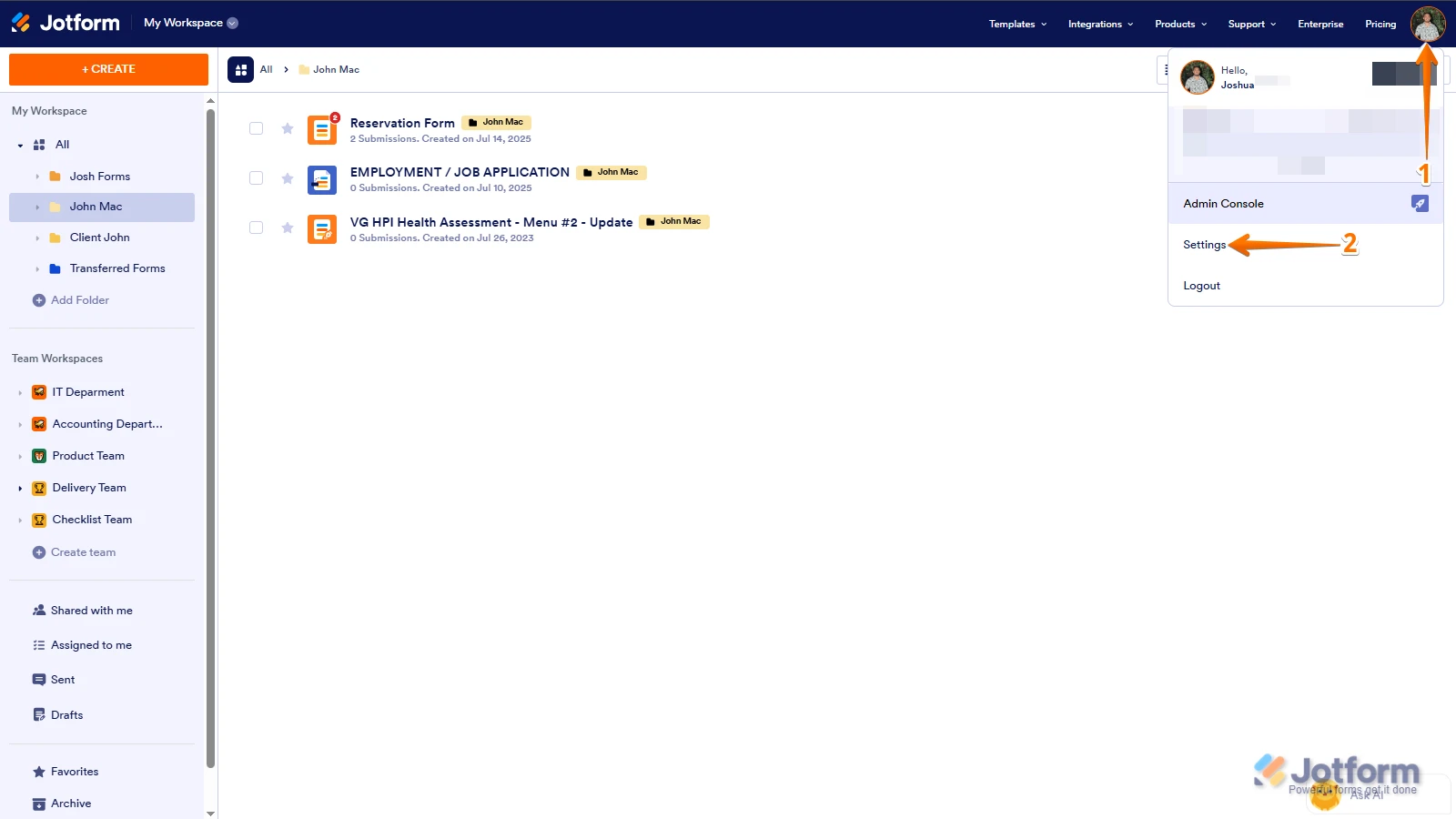
1. In the top-right corner of your Workspace page, click on your Avatar/Profile Image icon.
2. Then, in the Dropdown menu that opens, click on Settings.

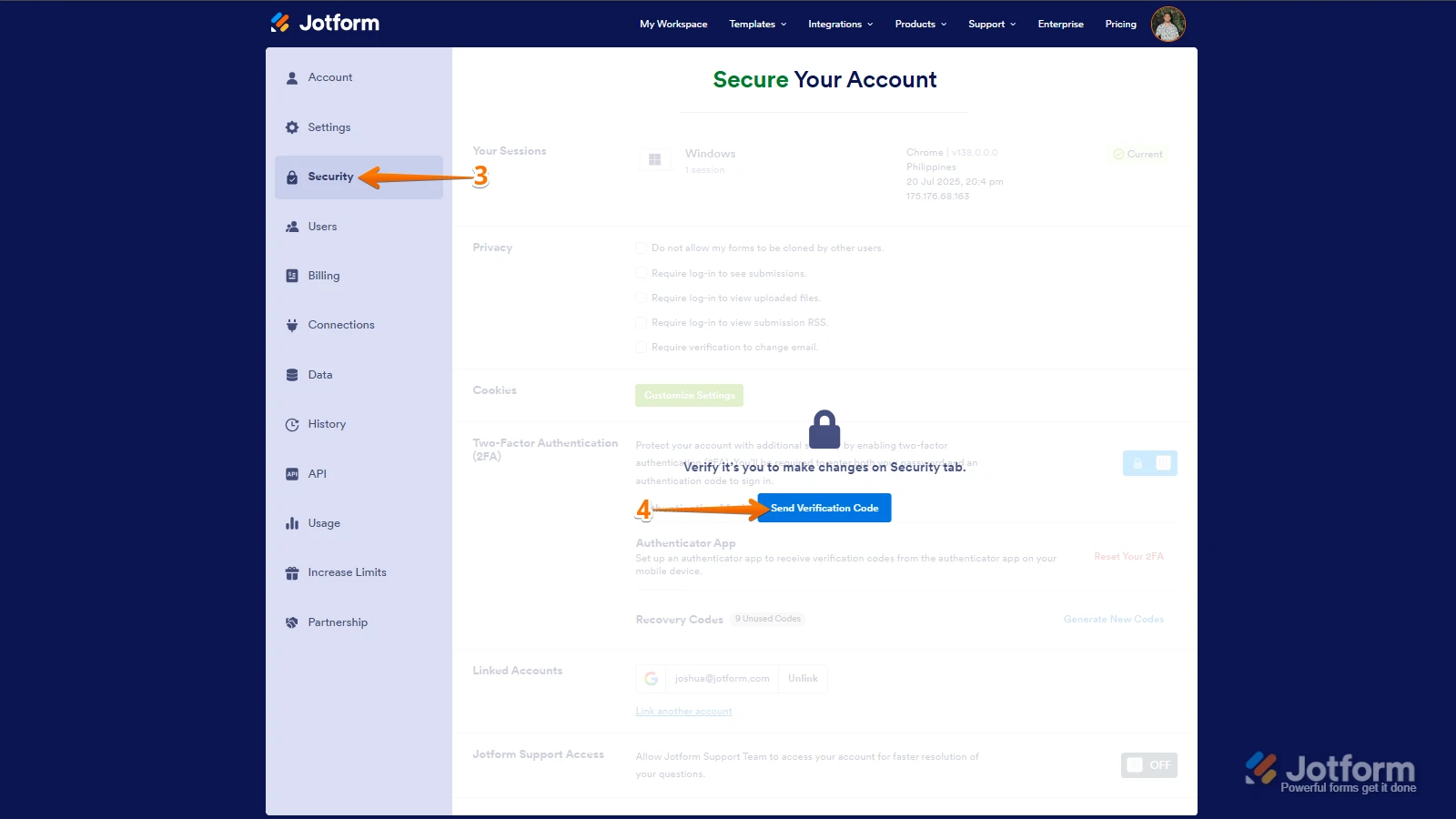
3. Next, in the panel on the left, click on the Security tab.
4. If you haven’t opened your Security page in a while, it’ll ask you to verify. To do that, click on Send Verification Code.
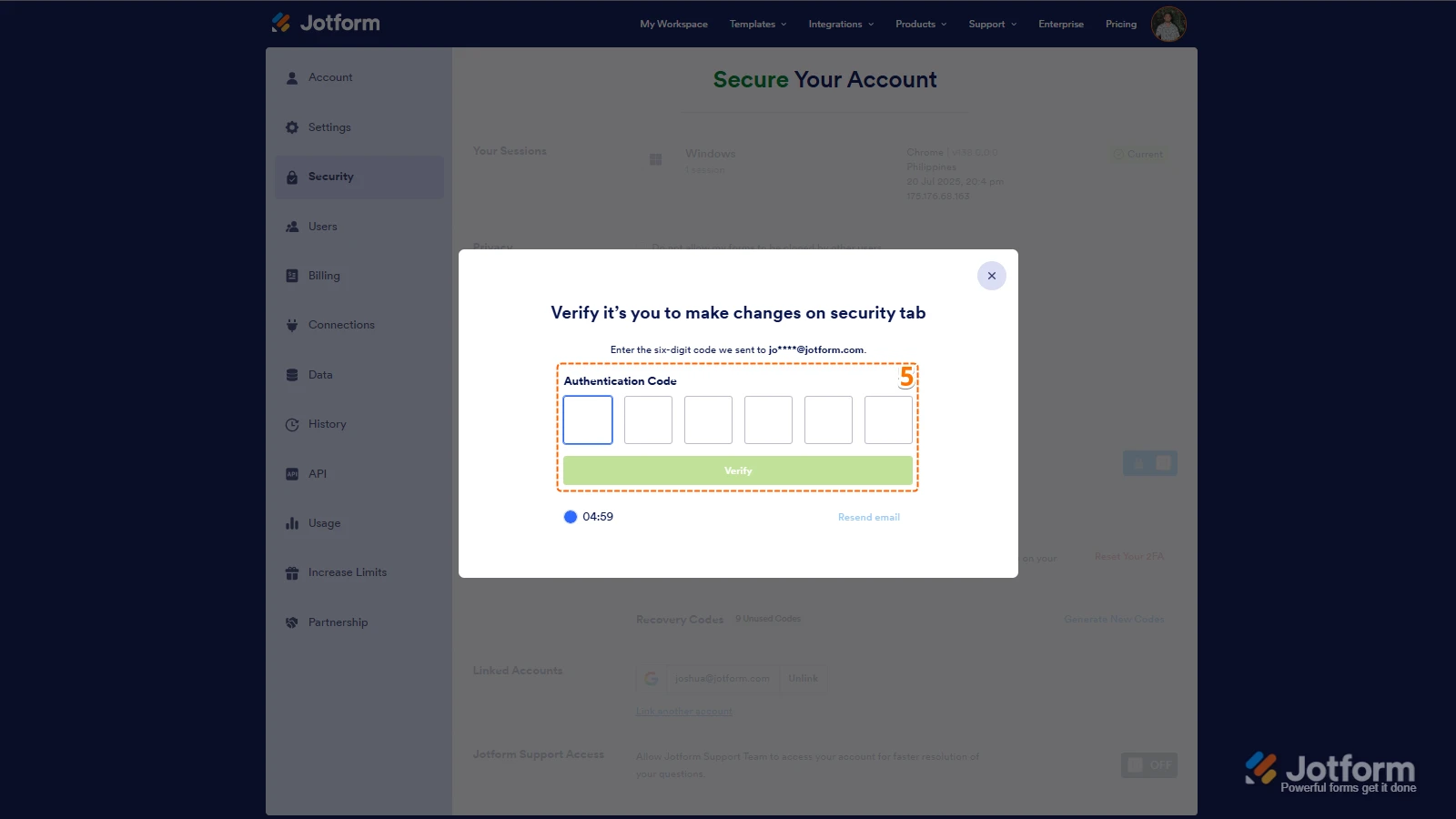
5. Then, enter the Verification Code you receive in your email.
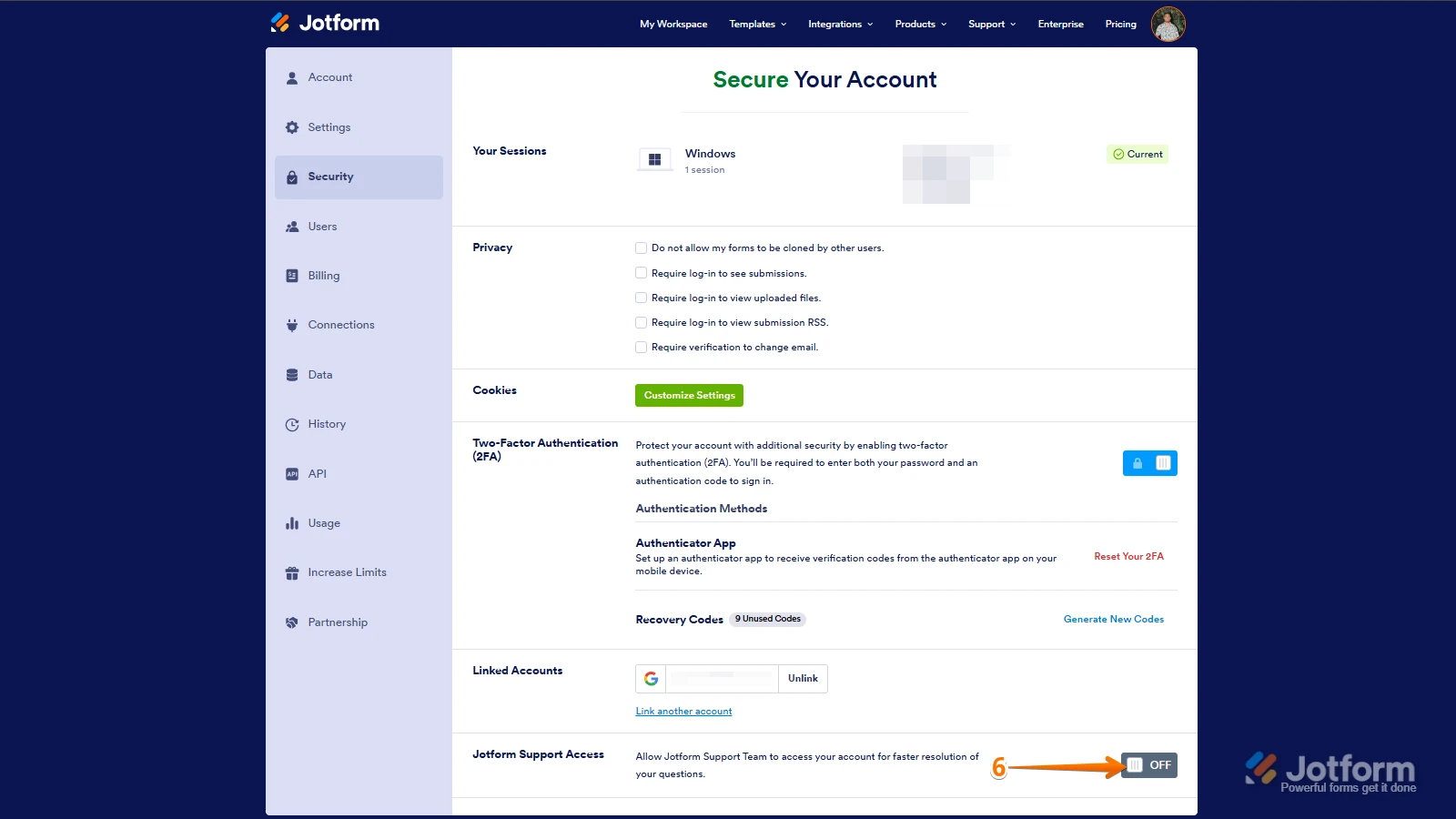
6. Finally, at the bottom of the page, toggle on Jotform Support Access.
After we hear back from you, we’ll have a better idea of what’s going on and how to help. -
Spectrumotion
I've turned on support. The IDs are:
6527098966416939573
6527748589117105948
6527804994616651091
6529815665119766308
-
Brandon
Hi Lauren,
Thank you! I took a look at your email logs for that time period and saw that the emails do appear to have gone out from the Jotform side on the correct days.That said, did you ever receive the notification emails from Jotform? If you did, did they all come in at once, or were they spaced out in any way?
Once you let us know, we can keep moving towards an answer.
-
Spectrumotion
No, we never received any email notification from Jotform for those submissions. And the submissions were not showing JotForm either. They just showed up in the submissions tab today.
-
Brandon
Hi Lauren,
Thank you for the confirmation. I’ve sent this over to our Developers to investigate. We’ll make sure to let you know when there’s an update. Thank you for your patience.
 After we hear back from you, we’ll have a better idea of what’s going on and how to help.
Your Reply
Something Went Wrong
An error occurred while generating the AI response. Please try again!