-
 alexclark019
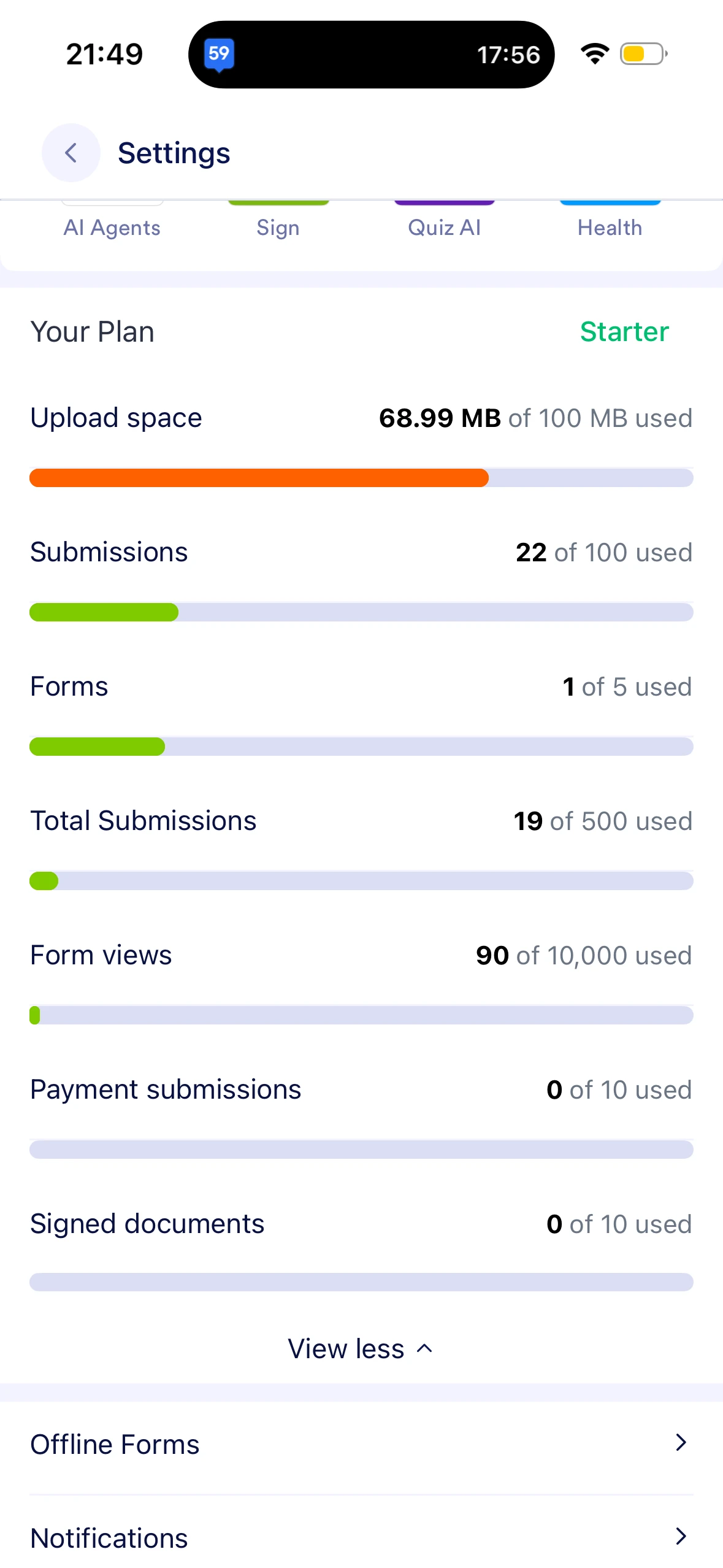
I have put some submissions into trash then pluge but I am running out of storage. Is there a way remove it?

-
 Podo: Support Specialist
Hi alex,
Thanks for reaching out to Jotform Support. I'm an AI assistant here to assist you.
You can delete and purge submissions to free up space on your account in just a few steps. Let me first show you how to delete a submission:
- In Jotform Tables, select the submission you want to delete.
- Next, click on Delete at the top right side of the Tables page.
- Now, in the Confirmation window that opens, click on Move to Trash.
Before deleting, make sure to download the submission first so you have a backup copy. Deleting submissions won’t free up space on your account, and they can be recovered within 30 days. After 30 days, they will be permanently removed. To free up space on your account, you can purge the submissions. Let me show you how:
- In Jotform Tables, click on the Three Dots icon next to your form title in the tabs.
- Then, click on Trashed Entries.
- Next, in the window that opens on the right side of the page, select the submission you want to delete, and then click on Delete Forever.
- Now, in the Confirmation window that opens, click on Delete.
If your account upload limit is still showing as over the limit, it is also recommended to clear the form cache after purging the data.
Reach out again if you need any other help.
Your Reply
Something Went Wrong
An error occurred while generating the AI response. Please try again!