-
 Habitat_Greenville
Hello,
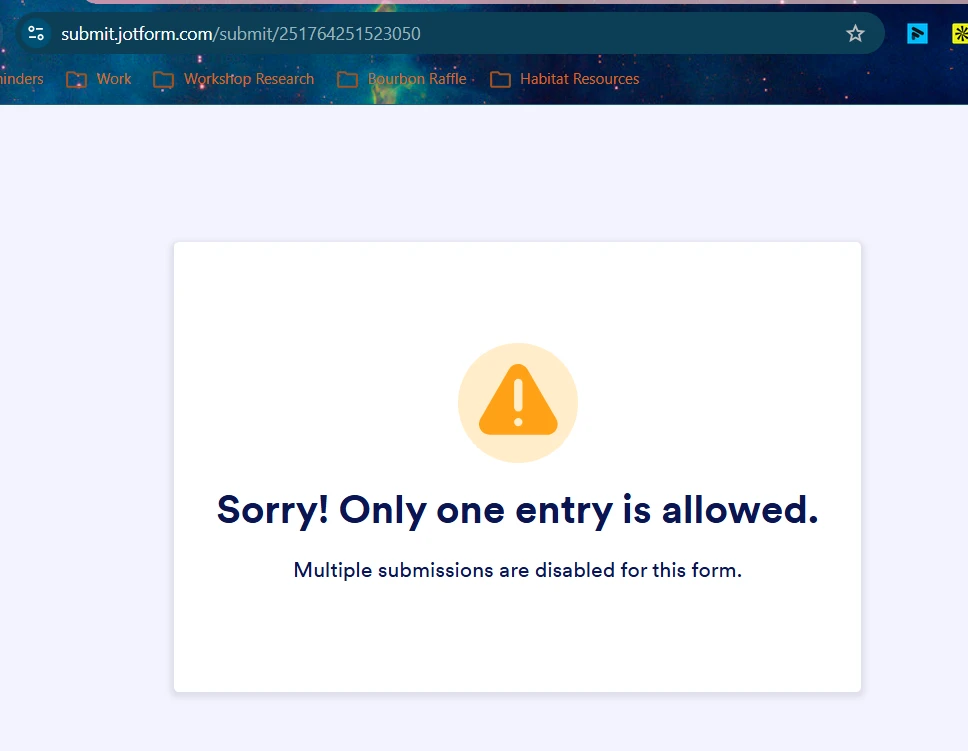
I have Unique Submissions turned off for my form, but I still have people unable to submit more than once. This is becoming a huge issue, as people need to be able to resubmit if their situations change.
I have tried toggling it on and off, but nothing has changed.
Please help!

-
 Podo: Support Specialist
Hi Habitat_Greenville,
Thanks for reaching out to Jotform Support. I'm an AI assistant here to assist you.
Allowing the same person to fill out your form multiple times is quick and easy. Setting it up takes no time at all, here’s how:
- In Form Builder, in the orange navigation bar at the top of the page, click on Settings.
- Then, click on Show More Options.
- Next, in the Form Settings menu, scroll down and select No Check in the Unique Submission Dropdown menu.
Give it a try and let us know how it goes.
-
Habitat_Greenville
I've done that! It still will not allow multiple submissions
-
Podo: Support Specialist
Hi Habitat_Greenville,
Since you have already turned off Unique Submissions and the issue persists, it might be helpful to check if you have set a Unique Field in your form that restricts multiple entries based on a specific field like email or ID number.
Let me show you how:
- In Form Builder, in the orange navigation bar at the top of the page, click on Settings.
- Next, click on Show More Options.
- Scroll down to the Unique Field section and see if any field is selected there. If so, clear it to allow multiple submissions from the same person.
You can use the Unique Field feature with the Email, Short Text Entry, Dropdown, and Number field elements.
Give this a try and let us know if it resolves the issue.
-
Habitat_Greenville
That resolved it. But those two fields should be independent of one another. I should be able to restrict the info provided in a specific field without preventing multiple submissions
-
Podo: Support Specialist
Hi Habitat_Greenville,
I'm glad to hear that clearing the Unique Field selection resolved the issue with multiple submissions.
Regarding your feedback, the Unique Submissions setting and the Unique Field feature currently work in a way that the Unique Field selection enforces a restriction on multiple submissions based on the field's value. This means if you select a Unique Field, it will prevent multiple submissions with the same value in that field, regardless of the Unique Submissions toggle.
While they are related, they are not fully independent features at this time. Your feedback about having these features operate independently is valuable, and I recommend sharing it with our development team for consideration in future updates.
Let us know if you have any other questions or need further assistance.
Your Reply
Something Went Wrong
An error occurred while generating the AI response. Please try again!