-
 tcsclean
It will not do simple calculations, been at it for hours, you ai system sucks
Page URL: https://form.jotform.com/261155731417151 -
 Podo: Support Specialist
Hi Jennifer,
Let me help you with that. If your Jotform is not performing simple calculations, it might be related to how the Update/Calculate Field conditional logic or the Form Calculation widget is set up.
Here’s how to do it:
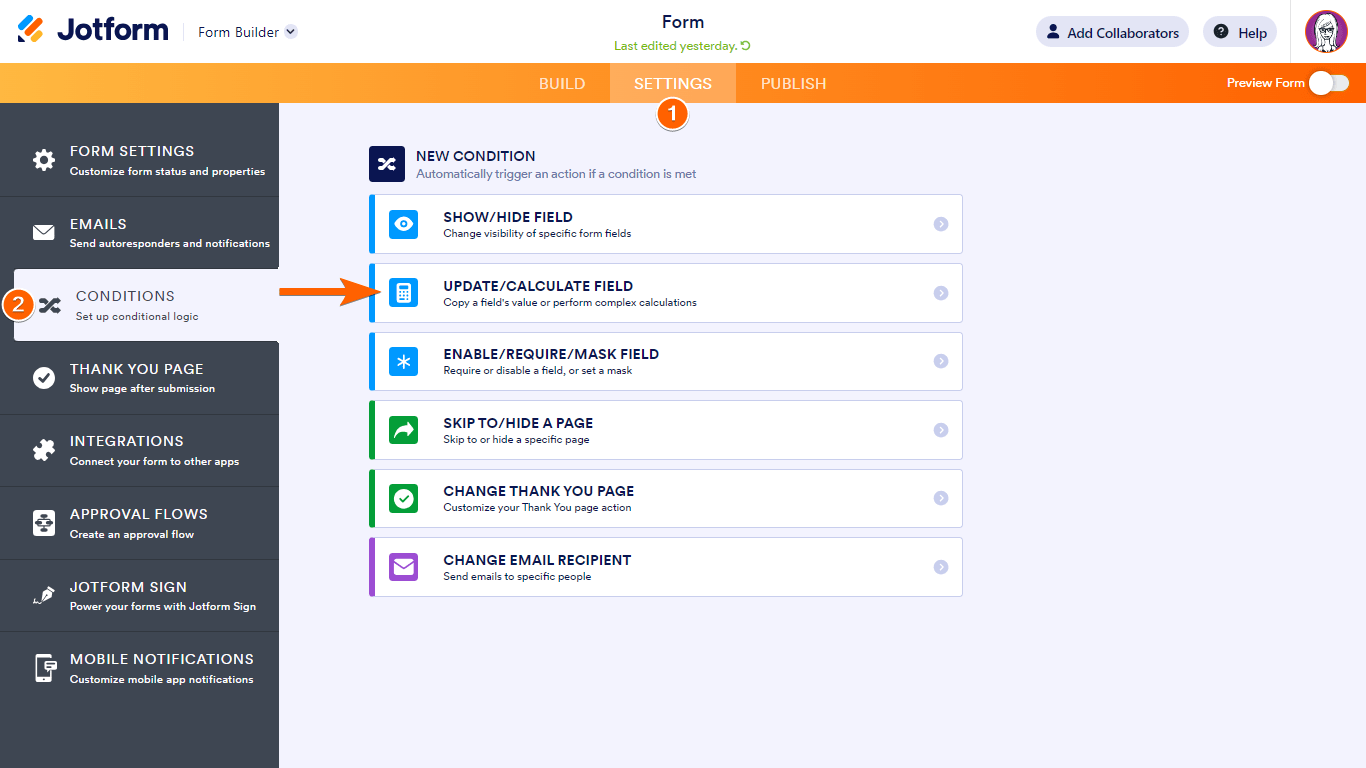
- Go to Settings in the Form Builder and select Conditions.
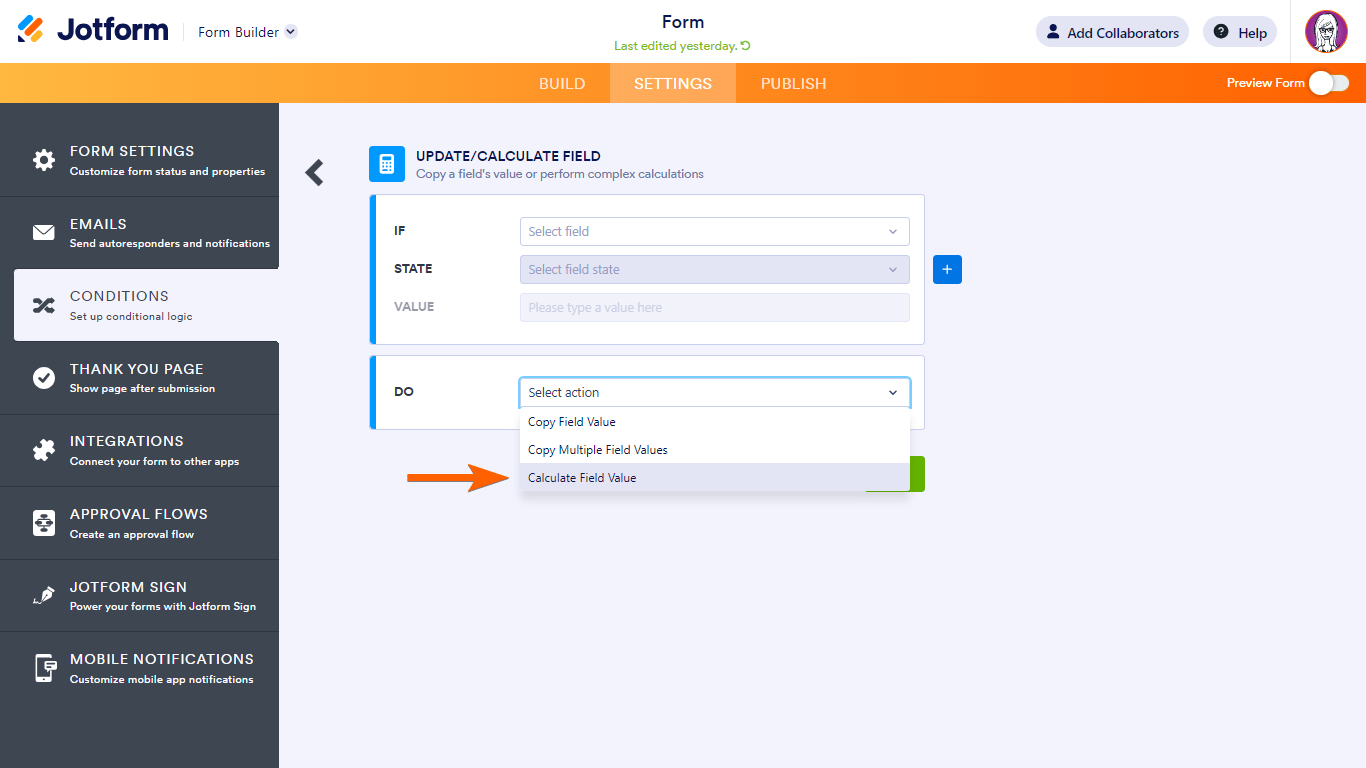
- Add a new Update/Calculate Field condition and set the action to Calculate a field’s value. This lets you build your formula.
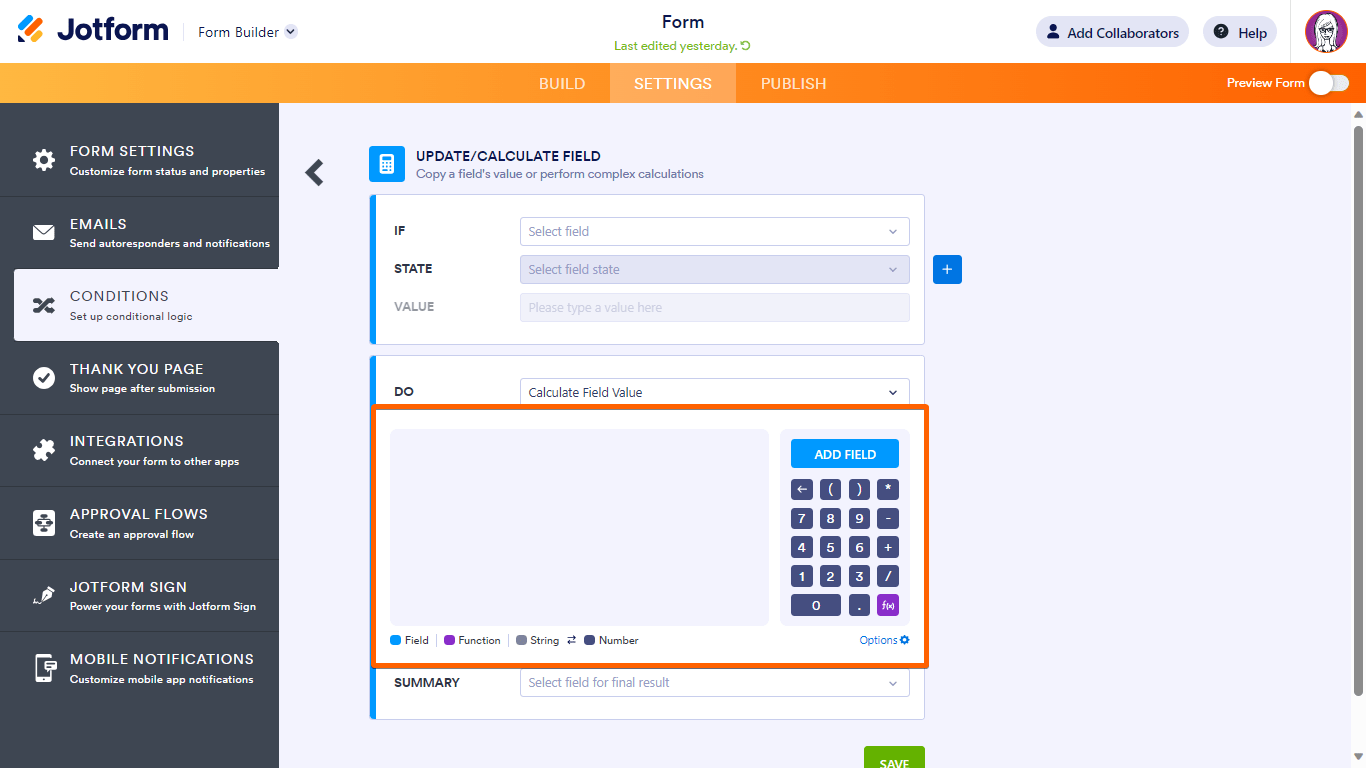
- Build your calculation formula using form fields and operators like +, -, *, /. Make sure the fields you use are numeric.
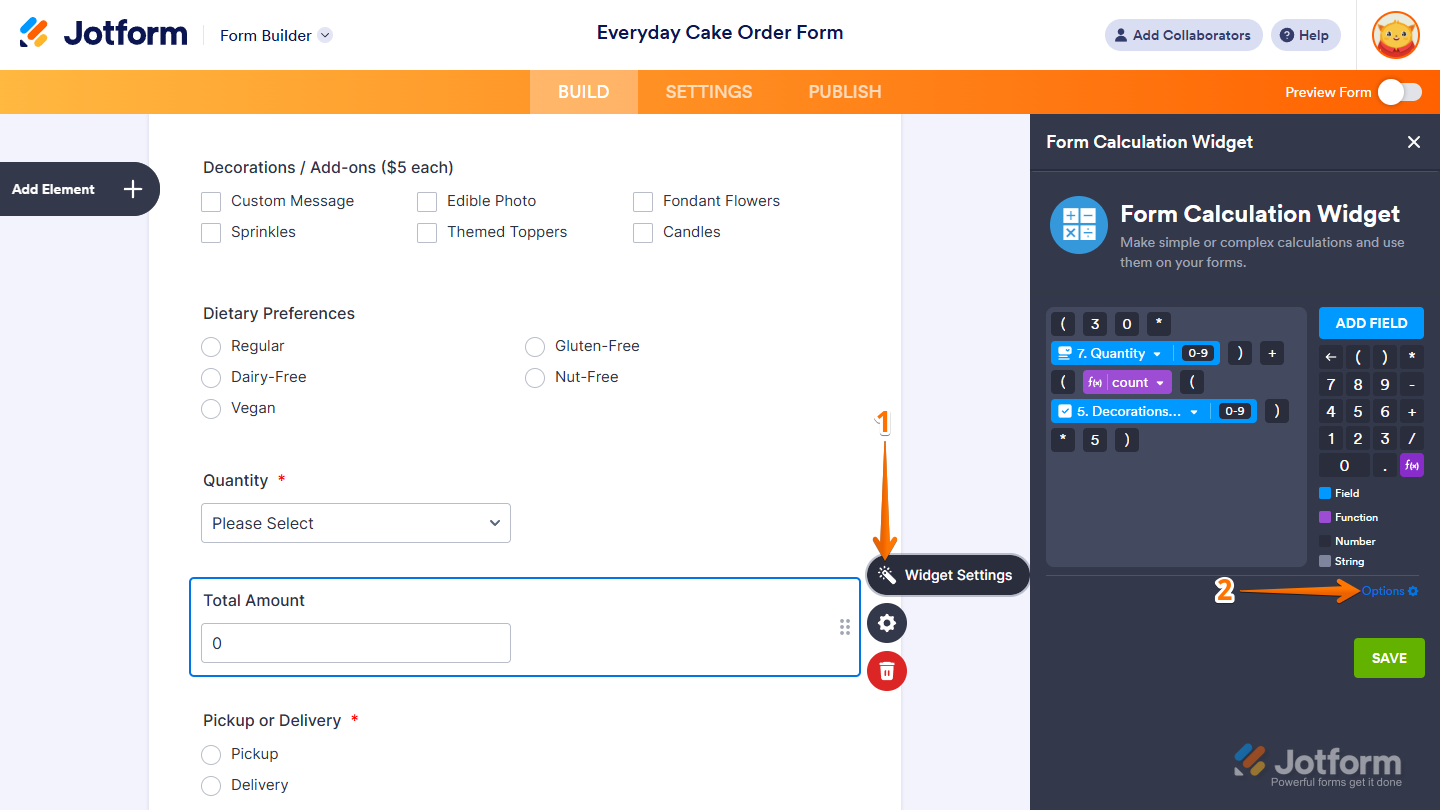
- Use the Form Calculation widget if you want real-time calculations. Add it from the Widgets tab, then use the formula editor to insert fields and operators.
- Check widget options like "Add field to equation as text by default" or "Result Field is Read Only" to control how calculations behave and display.
Here are some important tips:
- Make sure your fields are set to numeric values (indicated by a 0-9 icon) in the formula editor.
- Use parentheses properly in your formulas.
- Functions like abs(), min(), max(), and round() can be used for more advanced calculations.
If you want to insert text conditionally, you can also use the Update/Calculate Field condition to insert specific text based on your conditions.
Here are some images to guide you through the process:

If you want to see a live example of this working, you can check out a demo form on Jotform's site.
Give it a try and let us know how it goes.
-
tcsclean
My name is not Jennifer, and I want a Human
-
Podo: Support Specialist
Hi,
One of our Support Team members will take it from here to follow up shortly.
-
tcsclean
still waiting for a human this is making me very anxious
-
 Lorenz JotForm Support
Hi tcsclean,
I cloned your form and the Quote result field performs the calculation correctly. Check this out:
I'm assuming you were able to manage and sort out whatever the issue was, you're getting before, can you confirm? If you're referring to a different calculation issue, you can take a screenshot of what’s happening, so we can understand better what’s going on. Let me show you how to post a screenshot to our Help Center:1. On the Help Center page, scroll down to the Your Answer section and click on the Image icon.
2. Drag and drop your image into the Upload box, or click on it and select your file.
3. Then, click on the Add button in the bottom-right corner of the window.
4. To resize it, click on your screenshot and then click on one of the boxes in the corners, and drag it inward.
5. Once you're finished, click on the Post Answer button at the bottom right of the Your Answer section.
Your Reply
Something Went Wrong
An error occurred while generating the AI response. Please try again!