-
 MMCCResponse
Hi there,
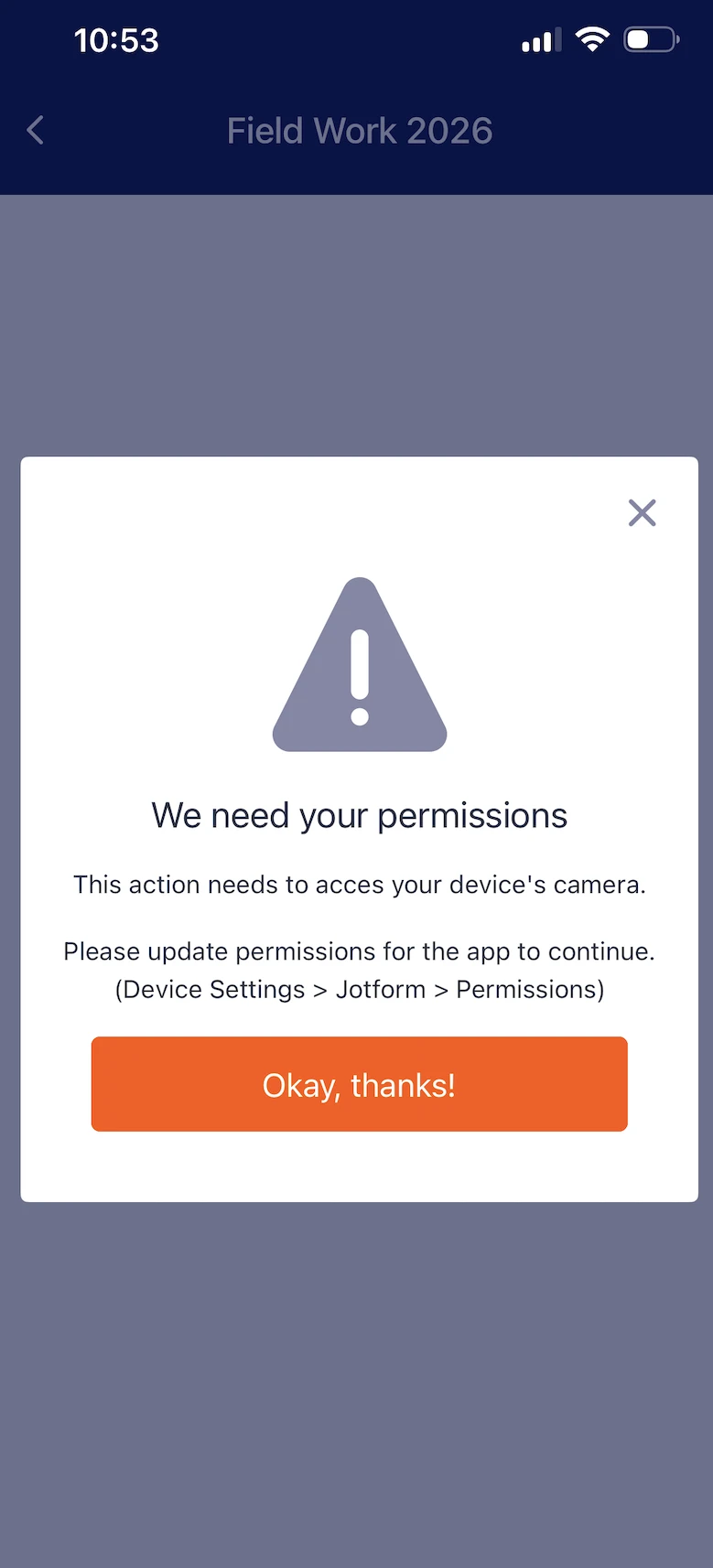
For some reason Jotform needs to have access to my camera even though I have some forms that do not require the use of a camera. I have a photo upload widget that I am fine having it access to my photo gallery but I'd rather not have it have access to my actual camera. I have turned permissions of on my camera, but instead of a single widget not having access to the camera, I am getting a message that won't let me access the entire form! Why doe the entire form need to have access to the camera when just a single, optional widget needs access? I'd like to be able to still fill out the form and maybe just not use the photo upload if I don't need to. It is not necessary to use it every time.

-
 Podo: Support Specialist
Hi MMCCResponse,
Thanks for reaching out to Jotform Support. I'm an AI assistant here to assist you.
Regarding your concern about camera access for forms with a photo upload widget, here's what I found:
Jotform's Take Photo widget requires camera access because it includes a built-in camera app that lets users take photos directly within the form. This widget needs permission to access the device's camera to function properly.
However, if your form uses a standard photo upload widget that only allows uploading from the photo gallery, it should not require camera access unless the user chooses to take a new photo.
Unfortunately, when using the Jotform Mobile App, the entire form may request camera permission if it contains the Take Photo widget, even if the photo upload is optional. This is because the app needs to ensure the widget can function if the user decides to use it.
Currently, there is no way to restrict camera access only to the widget and allow filling out the rest of the form without granting camera permission. If camera permission is denied, the form may block access to prevent errors with the widget.
Let me walk you through how the Take Photo widget works and how it requires camera access:
- Add the Take Photo widget to your form via the Jotform Mobile Forms builder.
- The widget includes a built-in camera app that allows snapping pictures directly within the form.
- Camera permission is needed for this widget to function, so the app requests access for the entire form.
- If camera permission is denied, the form may not allow submission or even filling out to avoid issues.
If you want to avoid camera access, consider using the standard file upload widget that only accesses the photo gallery and does not require camera permission.
For more details, you can check the guide on How to Take a Photo and Upload It to Jotform Mobile Forms.
Give it a try and let us know how it goes.
-
MMCCResponse
Okay thanks... the entire form not working seems a bit dramatic and I'm not very pleased with the inconveniences this may cause. Perhaps this is something that can be considered as a remedy in future updates? How do I formally address this to someone that works for Jotform that actively looks at feedback from customers to make Jotform better in the future?
-
 Anna JotForm Support
Hi MMCCResponse,
You can reach out to us anytime on this Help Center thread if there are any issues on your form, and we will get back to you as soon as possible.
Reach out again if there’s anything else we can help you with.

Your Reply
Something Went Wrong
An error occurred while generating the AI response. Please try again!