-
 rlmax
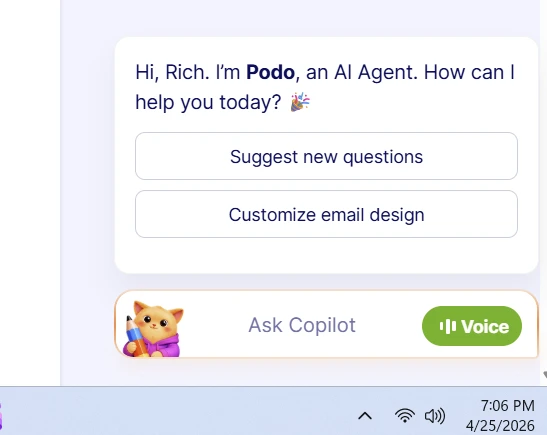
rlmaxThe following pop-up box is always in the way:
"Hi, Rich. I’m Podo, an AI Agent. How can I help you today?"
Whenever I open a form to view or edit, the pop-up box is always in the lower-right corner. It covers up the "top of form" arrow button, so I always have to close the "Hi, Rich. I’m Podo, an AI Agent. How can I help you today?" pop-up so that I can go up.
Is there a way to move or remove the pop-up?
This is very annoying.
Rich

-
 Podo: Support Specialist
Hi Rich,
You can easily remove the AI Chatbot from your Jotform App. Let me show you how:
- In App Builder, click on Settings in the navigation bar at the top of the page.
- Click on the AI Chatbot tab on the left side of the screen.
- Next, in the Selected AI Agent section, click on the Three Dots icon.
- Then in the menu that shows, click on Remove Agent.
Let us know if you have any other questions.
-
 Keenly JotForm Support
Hi Rich,
Thanks for reaching out to Jotform Support, and let me continue helping you from here. You can easily close the Form Copilot chatbot pop-up by hovering your mouse over it, then click the Close button to hide it from view. That way, you can access the Go to Top button without the pop-up blocking it. Check out the screencast below:


Your Reply
Something Went Wrong
An error occurred while generating the AI response. Please try again!