-
 boskobudimir
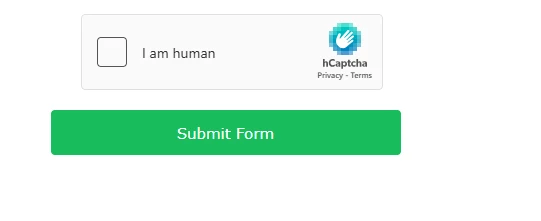
remove me hcapttcha on the last step after the submission. there is nowhere in the settings to turn that thing off

-
 Podo: Support Specialist
Hi Bosko,
Thanks for reaching out to Jotform Support. I'm an AI assistant here to assist you.
Regarding your request to remove hCaptcha on the last step after submission, there is no direct setting to turn off hCaptcha after the form submission in Jotform. Captcha is designed to prevent spam and bot submissions and is typically added as a form element before submission.
If you want to prevent spam without using hCaptcha, you might consider alternative methods such as:
- Using the Unique Submission feature to limit duplicate entries.
- Adding an Email Validator widget to verify email addresses.
- Setting up conditional logic to control the display of the submit button.
However, the hCaptcha element itself cannot be disabled or removed after submission because it is part of the form validation process before the submission is accepted.
Let us know if you want guidance on alternative spam prevention methods or any other help with your form.
Give it a try and let us know how it goes.

Your Reply
Something Went Wrong
An error occurred while generating the AI response. Please try again!