-
 Jerry_Jodice
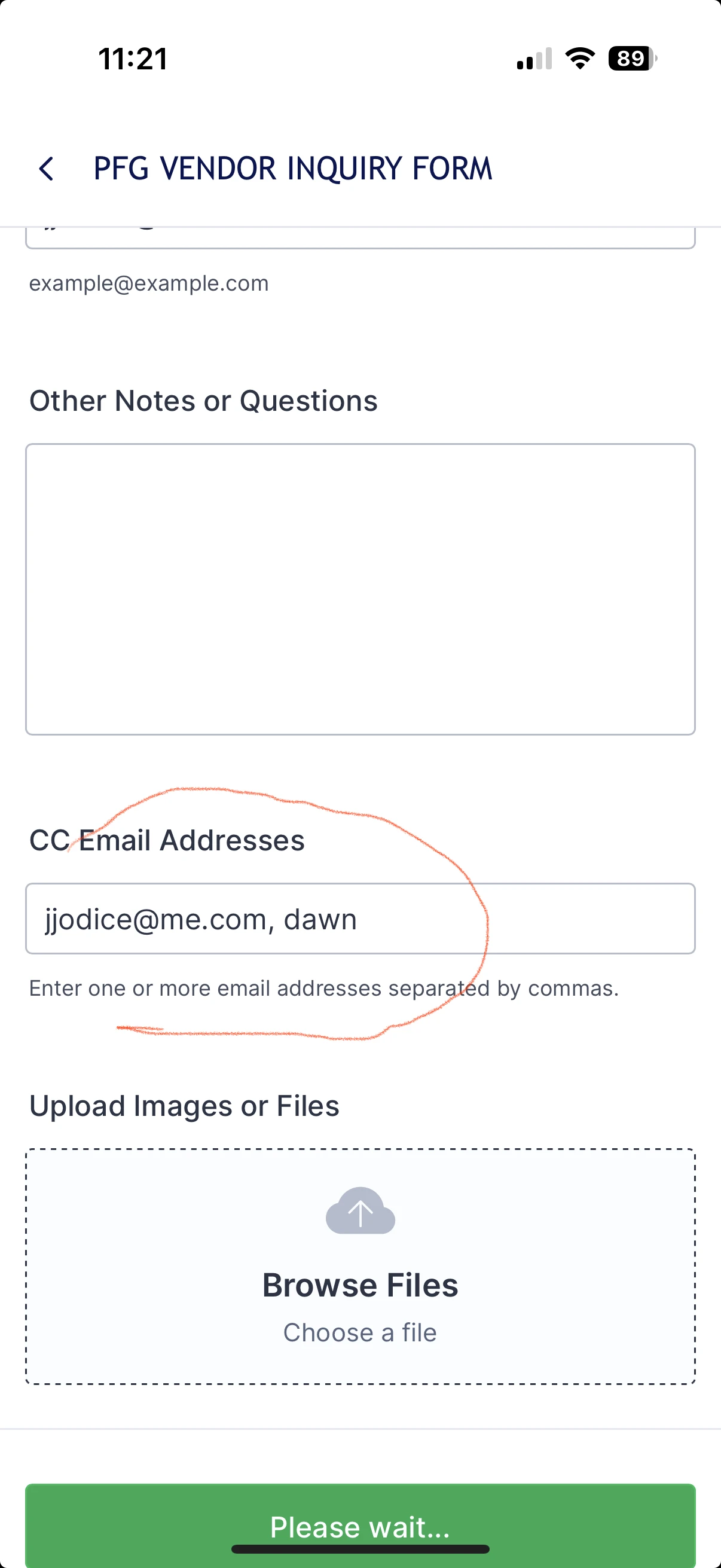
The cc field on my form only allows one email address. When I try and add a second one, it truncates the name (see screenshot) and doesn't send it. This is fairly critical, so I would appreciate you taking a look at it. The AI agent wasn't able to help.

-
 Podo: Support Specialist
Hi Jerry,
Thanks for reaching out to Jotform Support. I'm an AI assistant here to assist you.
Although it's not directly possible to have 2 email addresses in the CC field of an Autoresponder, you can use a workaround by combining two email fields into a Short Text field using Conditional Logic. Let me show you how to set it up:
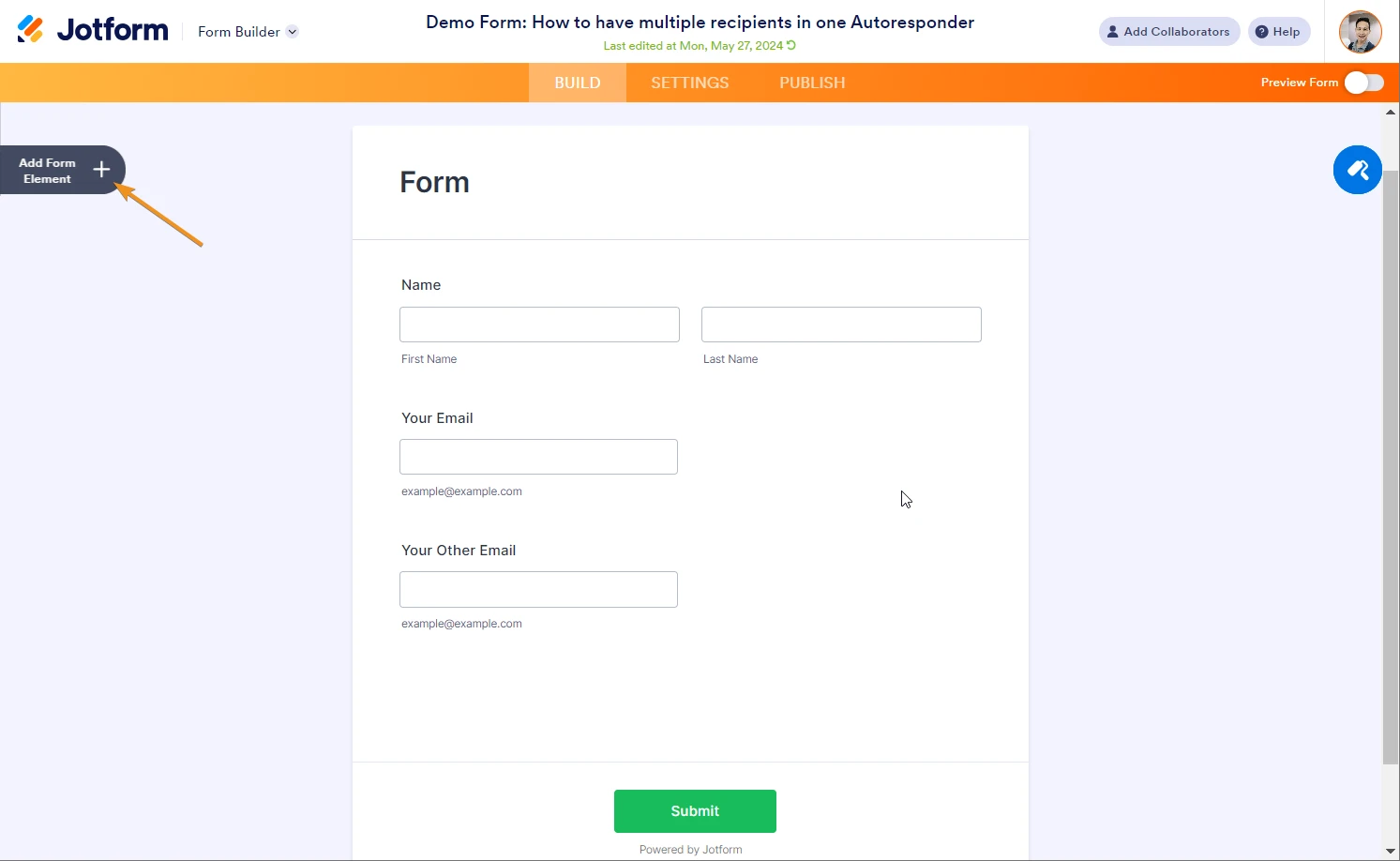
1. Open your form in Form Builder, and click on the Add Form Element menu on the left side of the page.
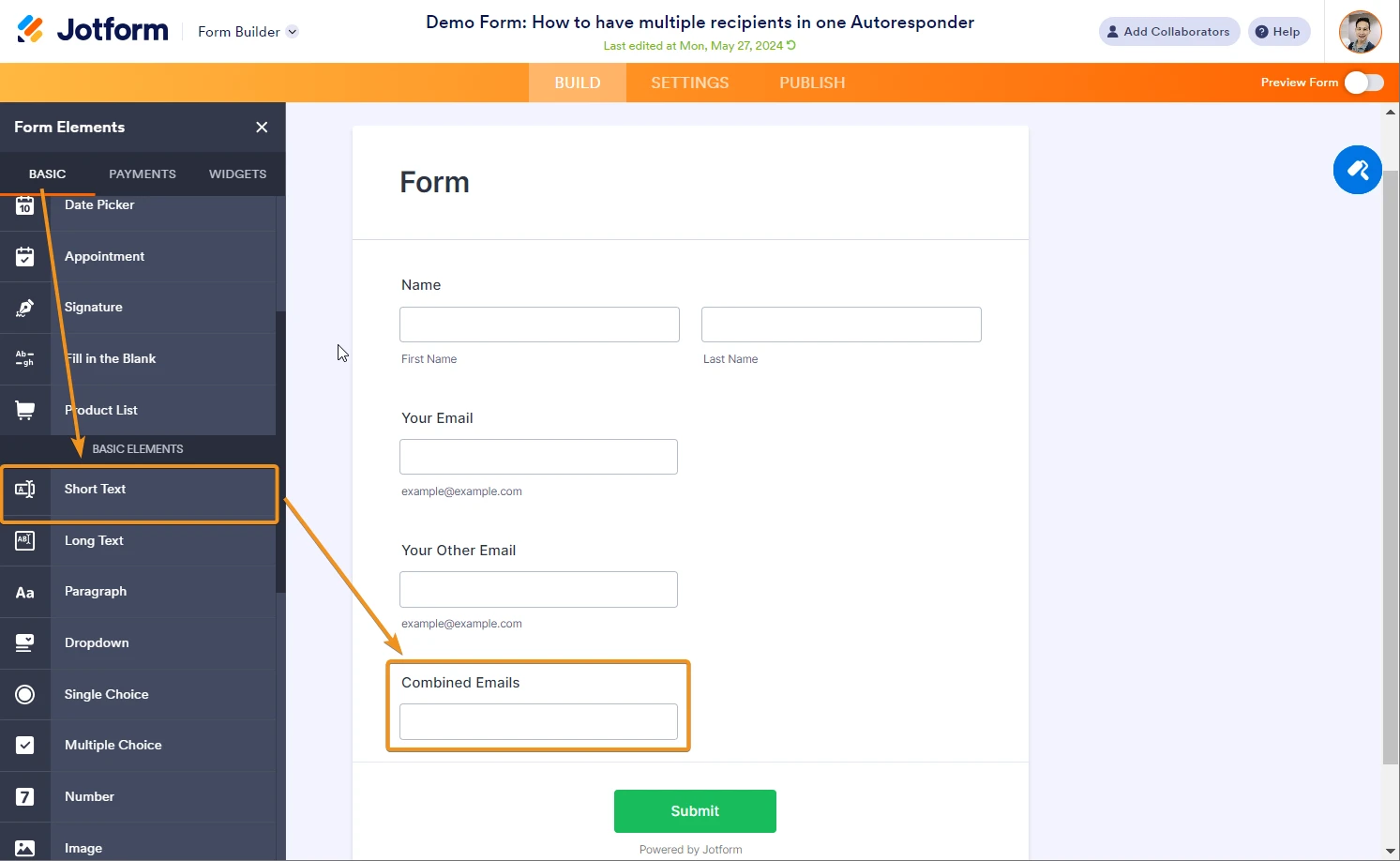
2. Under the Basic tab on the left, drag and drop a Short Text field to your form.
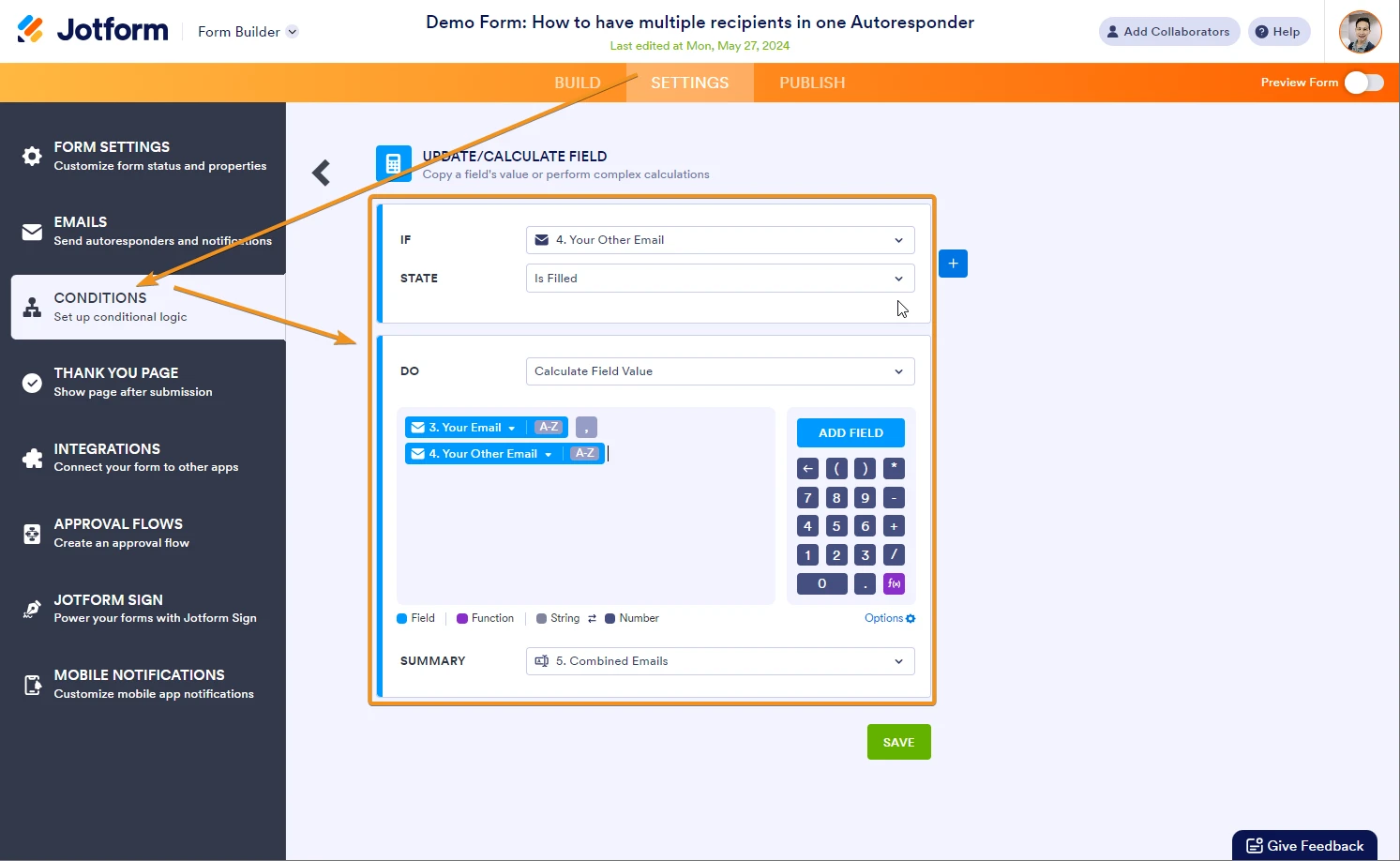
3. In the orange navigation bar at the top of Form Builder, click on Settings.
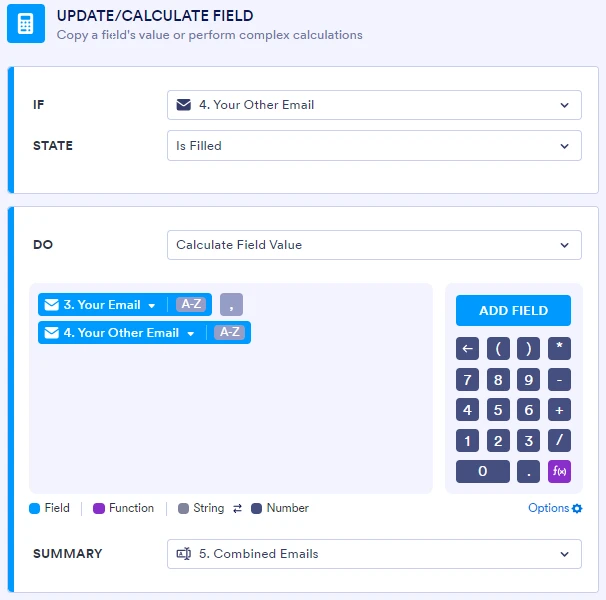
4. Under the Conditions tab on the left, create a Condition to combine (comma separated) the 2 email fields into the Short Text field.
Here’s a close-up view of the condition:
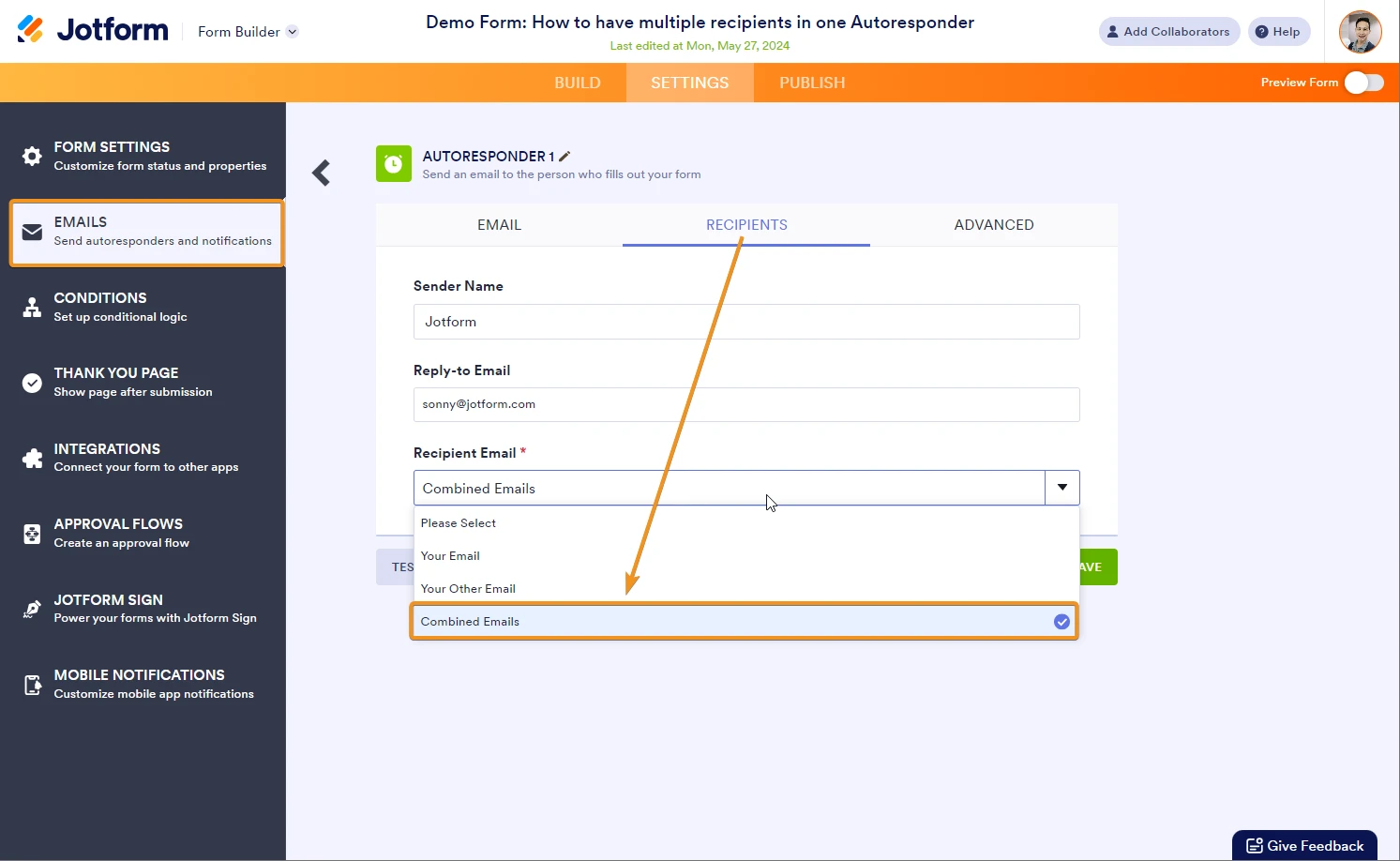
5. Above the Conditions tab on the left, click on the Emails tab.
6. Click on your Autoresponder and set the Recipient as the name of the Short Text, which is Combined Emails in the demo.
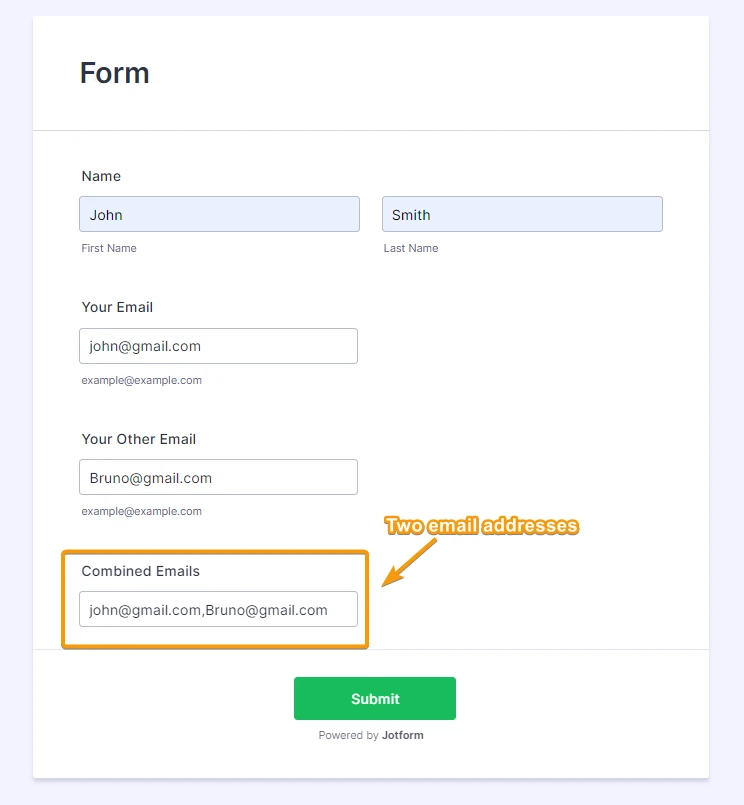
That's it. Here's how it’ll function:
You can always hide the Short Text later on; it’s shown now for demonstration. You can also test out the demo form here and clone it to your account.
Reach out again if you need any other help.
Your Reply
Something Went Wrong
An error occurred while generating the AI response. Please try again!