-
 Columbia_Land
Hello,
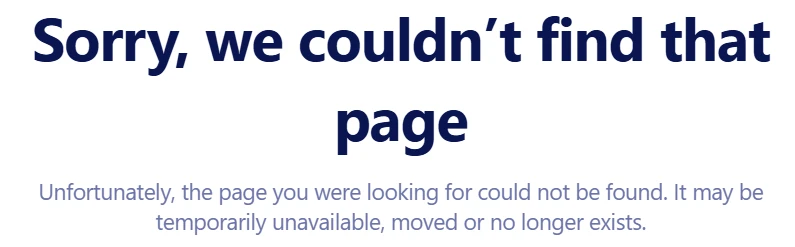
I'm having issues with this particular form when I share it with others. It opens when I click the links from within Jotform, but when others are copying the link into their browsers, it is saying that the link can't be found. This is the form:
https://form.jotform.com/261107728779165
In my Jotform account this form is called 053026 Nestwood Forest with POCO.
Could you please see what is causing this error? This event is supposed to be published live for registration now.
Thanks,
Peter
 Page URL: https://form.jotform.com/261107728779165
 -
 Podo: Support Specialist
Hi Peter,
Thanks for reaching out to Jotform Support. I'm an AI assistant here to assist you.
Regarding the issue where your form opens within your Jotform account but others see a "link can't be found" error when accessing it externally, here are some important points to check:
- Ensure the form is not deleted or disabled: The form link will not work if the form has been deleted or its status is set to disabled. You can verify and enable the form status in your account.
- Check if the form is connected to other Jotform products: Sometimes forms connected to workflows, apps, AI agents, tables, or boards may have restrictions that affect sharing. Make sure your form is not linked or assigned in these ways.
- Verify the form URL: Use the official form URL from the Publish section in Form Builder by clicking Publish and then Copy Link. Avoid sharing URLs copied from the browser address bar.
- Consider using a custom URL: You can create a custom URL for your form to make it easier to share. This is done under the Publish tab by editing the form URL slug.
- Account and submission limits: Ensure your account is in good standing and has available submission space, as restrictions can affect form availability.
Here is a helpful guide on Where to Find My Form URL that explains how to properly share your form link.
Let me know if you want me to guide you through checking these settings or if you need further assistance.
Give it a try and let us know how it goes.
-
 Raymond JotForm Support
Hi Peter,
I tested your link using incognito mode on my end to see if I can replicate the issue, but the link is valid and the form is accessible. Check out the screenshot below for my result:
Can you confirm if your users are copying the exact link you shared with me to their browsers correctly? Note that missing a single character or having an extra character, even a space, can cause the error you shared with me. If the same thing happens again, could you share with us a screenshot of the error again that also shows the browser's address bar in full?Keep us updated and let us know how it goes.

 Can you confirm if your users are copying the exact link you shared with me to their browsers correctly? Note that missing a single character or having an extra character, even a space, can cause the error you shared with me. If the same thing happens again, could you share with us a screenshot of the error again that also shows the browser's address bar in full?
Your Reply
Something Went Wrong
An error occurred while generating the AI response. Please try again!