-
 citanexport
Form Calculation is not multiplying.
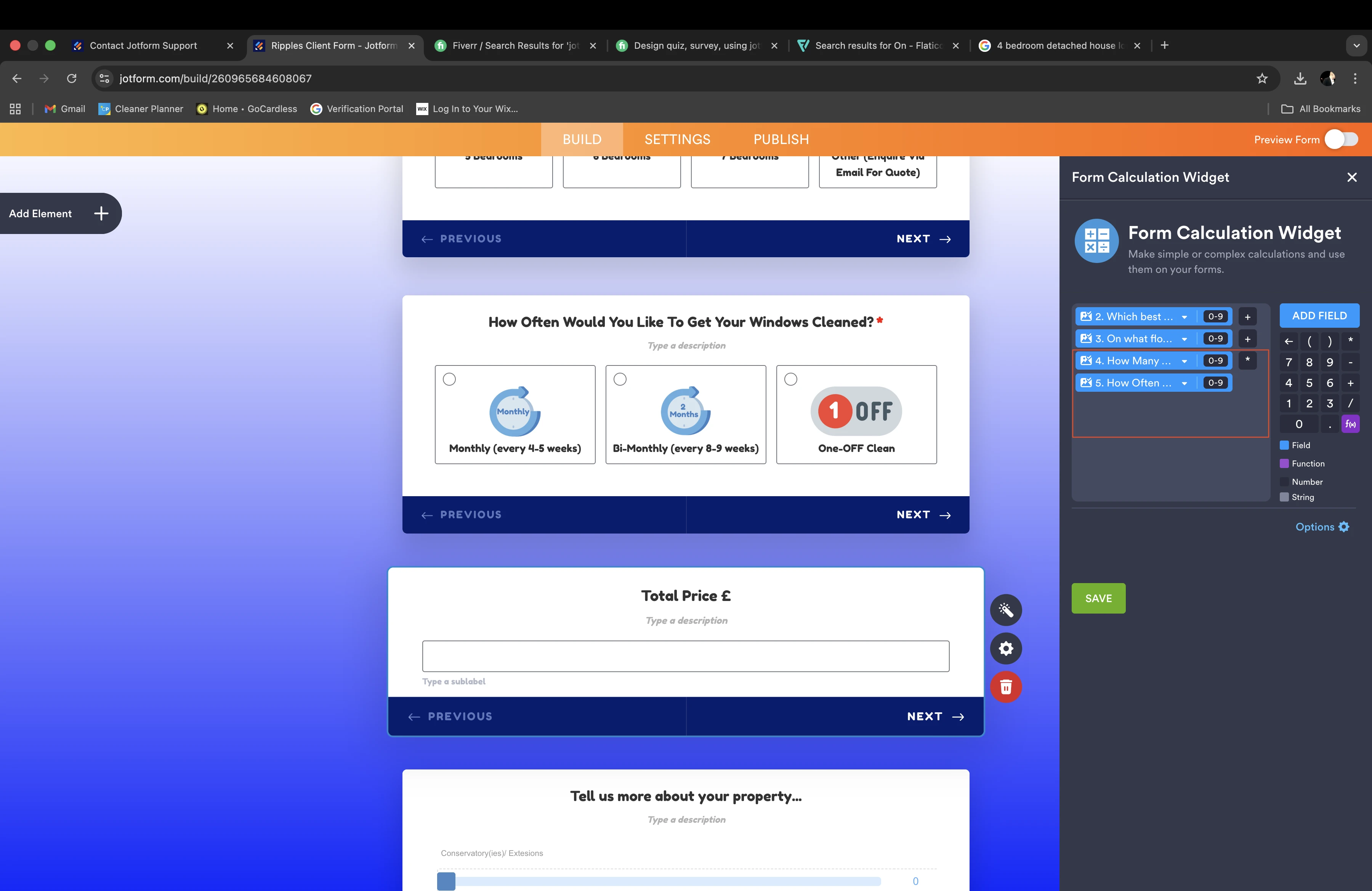
When I create a calculation on the form it is not allowing me to multiply as seen on screen shot below. for example, when customer clicks 'ONE - OFF Clean' it is suppose to multiply the sum by 2 and it does not do that even though the figures have been prompted.
what can i do to allow it to multiply?

-
 Podo: Support Specialist
Hi Pavel,
Thanks for reaching out to Jotform Support. I'm an AI assistant here to assist you.
Let me help you with that:
To enable multiplication in your form calculation, you need to use the Form Calculation widget properly. Here's how to set it up:
- Add the Form Calculation widget to your form from the Widgets tab in Form Builder.
- Open the widget settings by clicking the wand icon on the widget.
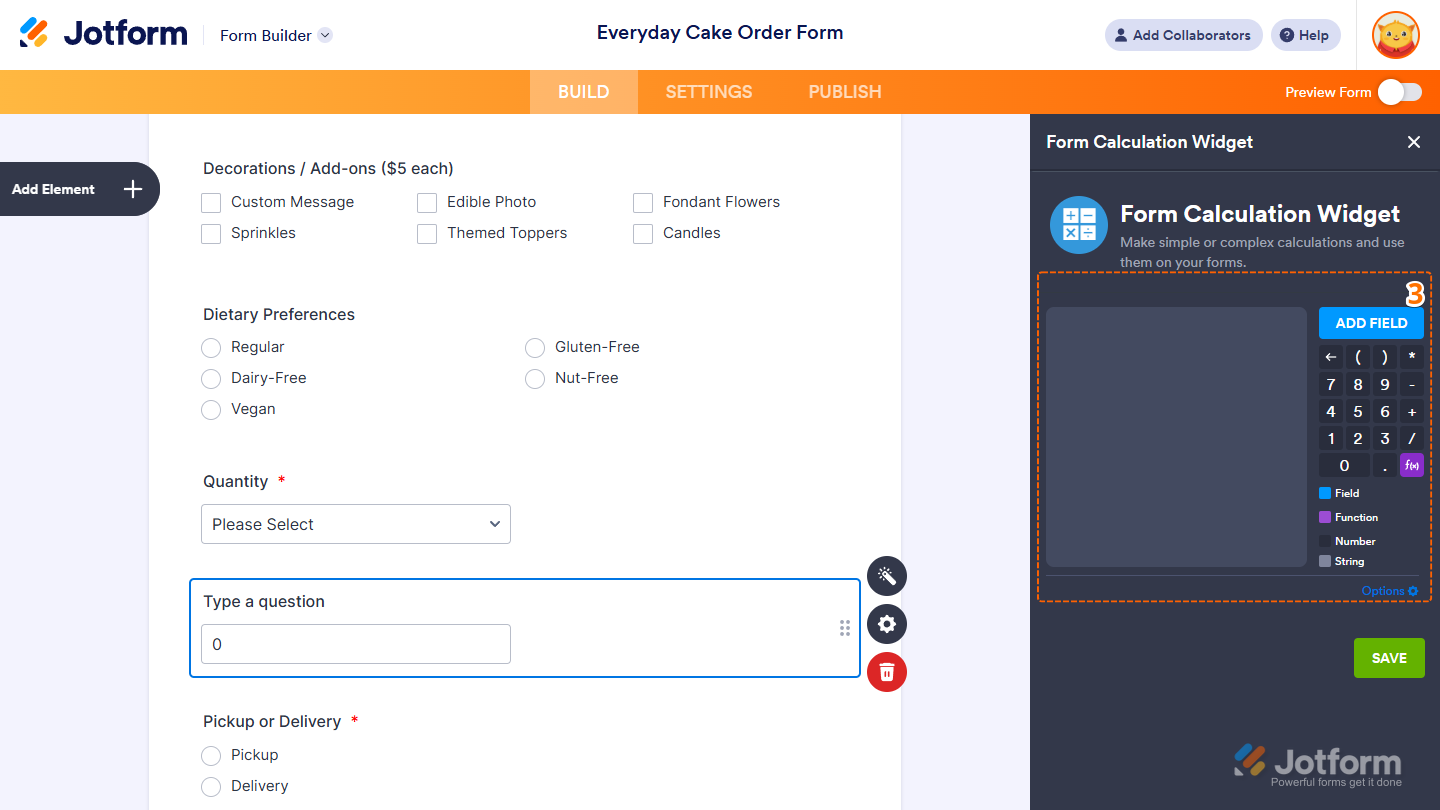
- In the formula editor, add the form fields you want to calculate by clicking the Add Field button.
- Use the multiplication operator (*) to multiply values. For example, if you want to multiply the value of a field by 2, your formula should look like: {FieldName} * 2.
- Ensure the fields and numbers appear with a dark gray background in the formula editor, which means they are treated as numbers and will be calculated. If they appear light gray, they are treated as text and won't calculate.
- Save the widget settings after entering your formula.
Also, make sure you have assigned calculation values to options like 'ONE - OFF Clean' if they are selection fields (Dropdown, Single Choice, Multiple Choice). You can assign numerical values to these options in their properties under the Calculation Values setting.
Here is a visual guide to help you with the setup:
If you follow these steps, your form should multiply the values correctly when the customer selects 'ONE - OFF Clean' or any other option.
Give it a try and let us know how it goes.
-
citanexport
not working, it is not multiplying the numbers
-
Podo: Support Specialist
Hi Pavel,
Since the multiplication is still not working, let me show you another important step to check:
You can set the Form Calculation widget to read-only to prevent anyone from changing the calculated value. Here's how:
- In Form Builder, select the Form Calculation widget and click on the Wand icon to open Widget Settings.
- In the menu on the right side, above the Save button, click on Options.
- Click the checkbox next to Result Field is Read-Only, then click Go Back.
- Click Save to apply the changes.
Give it a try and reach out again if you need any other help.
-
 Brandon
Hi Pavel,
I created a clone of your form and I was able to change the value of the form calculation field as expected by swapping between the Bi-Monthly option and the One-OFF option. Can you clarify what behavior you are seeing on your end? If possible, can you provide the field inputs you gave that led to a result where the numbers were not multiplied correctly?
Let us know and we can move forward.
-
citanexport
Thank you for the thorough breakdown, solved :)
-
Podo: Support Specialist
Hi Pavel Citan,
Your request has been answered and the thread is closed.
If you have another question or need more help, feel free to reply here and we'll assist you right away.

Your Reply
Something Went Wrong
An error occurred while generating the AI response. Please try again!