-
 Marilyn_Davis
Jotform says a code has been sent to the email address associated with the deleted account, but it hasn't arrived.
-
 Podo: Support Specialist
If the verification code for your deleted Jotform account isn’t arriving, the best next step is to fill out the recovery form so our team can manually review and help you regain access.
Please follow these steps:
- Go to this guide: Recover Your Jotform Account.
- Scroll down to the form on that page.
- Fill out all the requested details (email address used on the deleted account, username if you remember it, and a description of the issue — mention that you’re not receiving the verification code).
- Submit the form so our support team can investigate and contact you via email.
If you’d like, tell me the email domain you’re using (e.g., Gmail, Outlook, company domain), and I can also share some quick checks on your side (spam/junk, filters, etc.).
-
 Mikhail JotForm Support
Hi Marilyn,
Thanks for reaching out to Jotform Support. Can you share the email address of the deleted account you're referring to? We can also reactivate the deleted account from our end.
Keep us updated and let us know if you need any more help.
-
Marilyn_DavisThe address is brooksbank5098@gmail.com I want to use this address for the account associated with brooksbank@kwic.com but have to change it in the deleted account in order to do this!Marilyn Sent from my Galaxy
... -
 Anna JotForm Support
Hi Marilyn,
I've gone ahead and reactivated the account associated with the email address brooksbank5098@gmail.com. You can log into it now, and if you want to use the email address for your main account, you'll have to free it up first. Changing your account email address only takes a minute. Let me show you how:
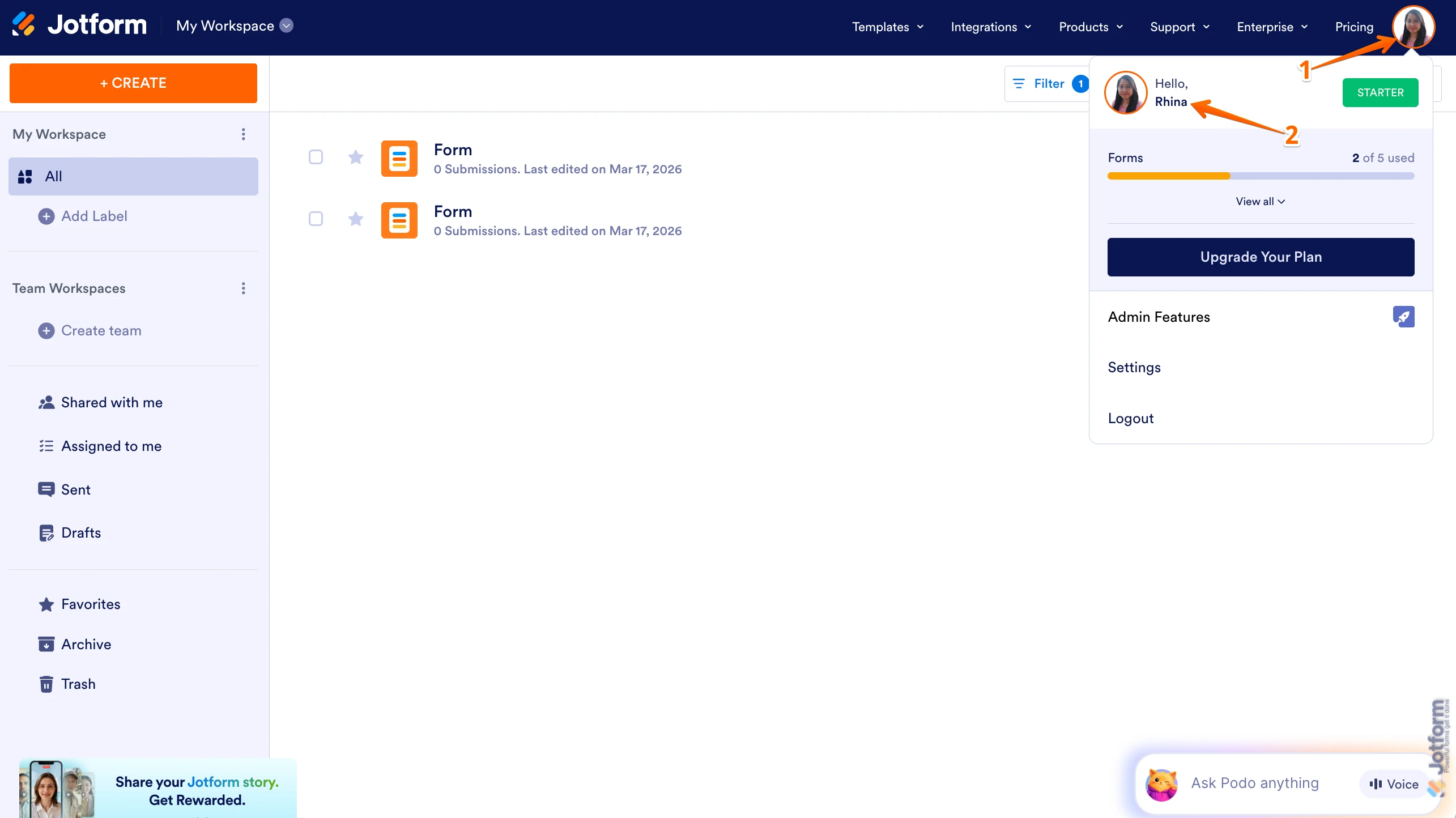
1. On your Workspace page, click on your Avatar/Profile Image in the top-right corner of the screen.
2. In the Dropdown menu that comes up, click on your name.

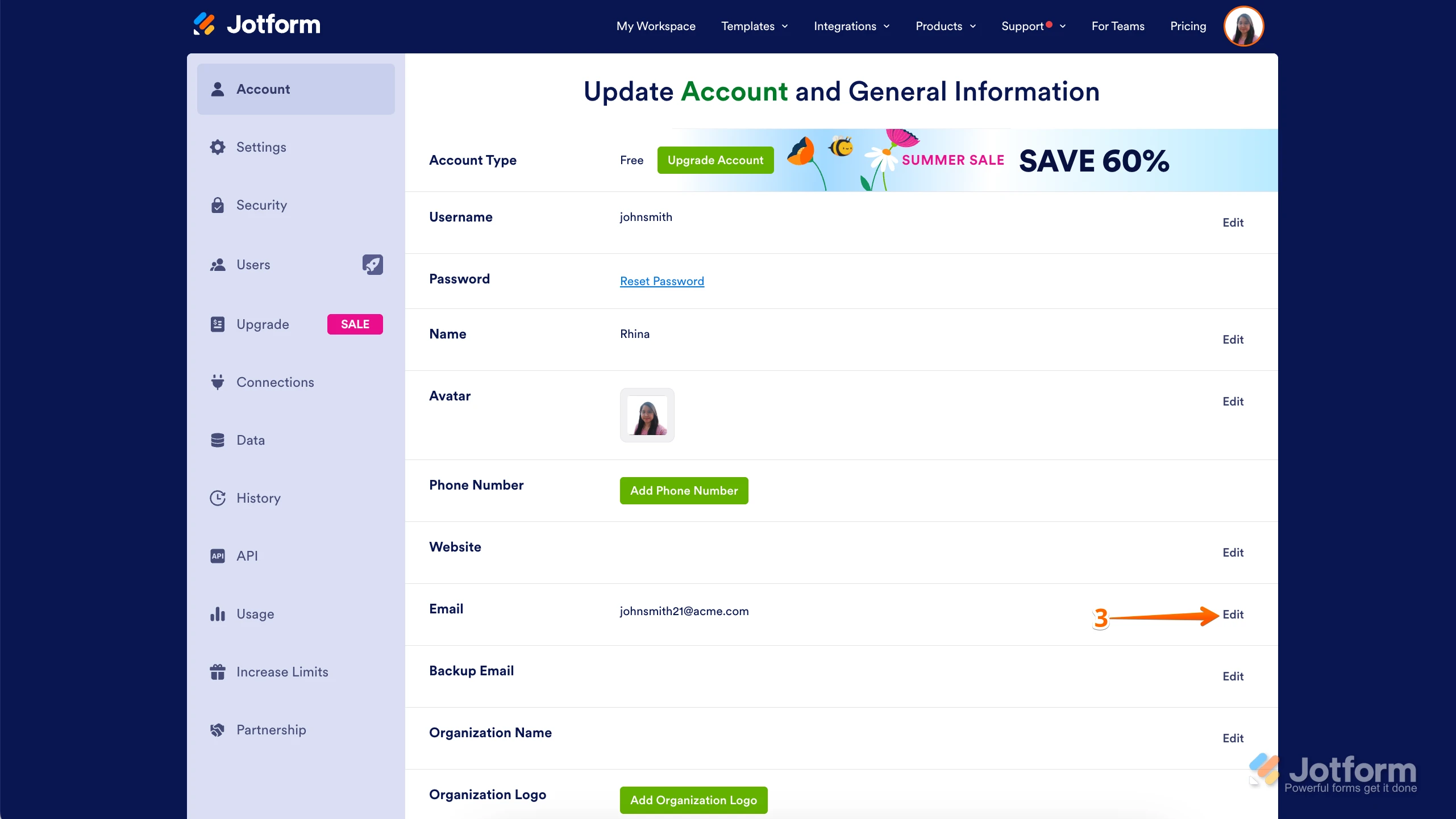
3. On the right side of the page, under the Email section, click on Edit.
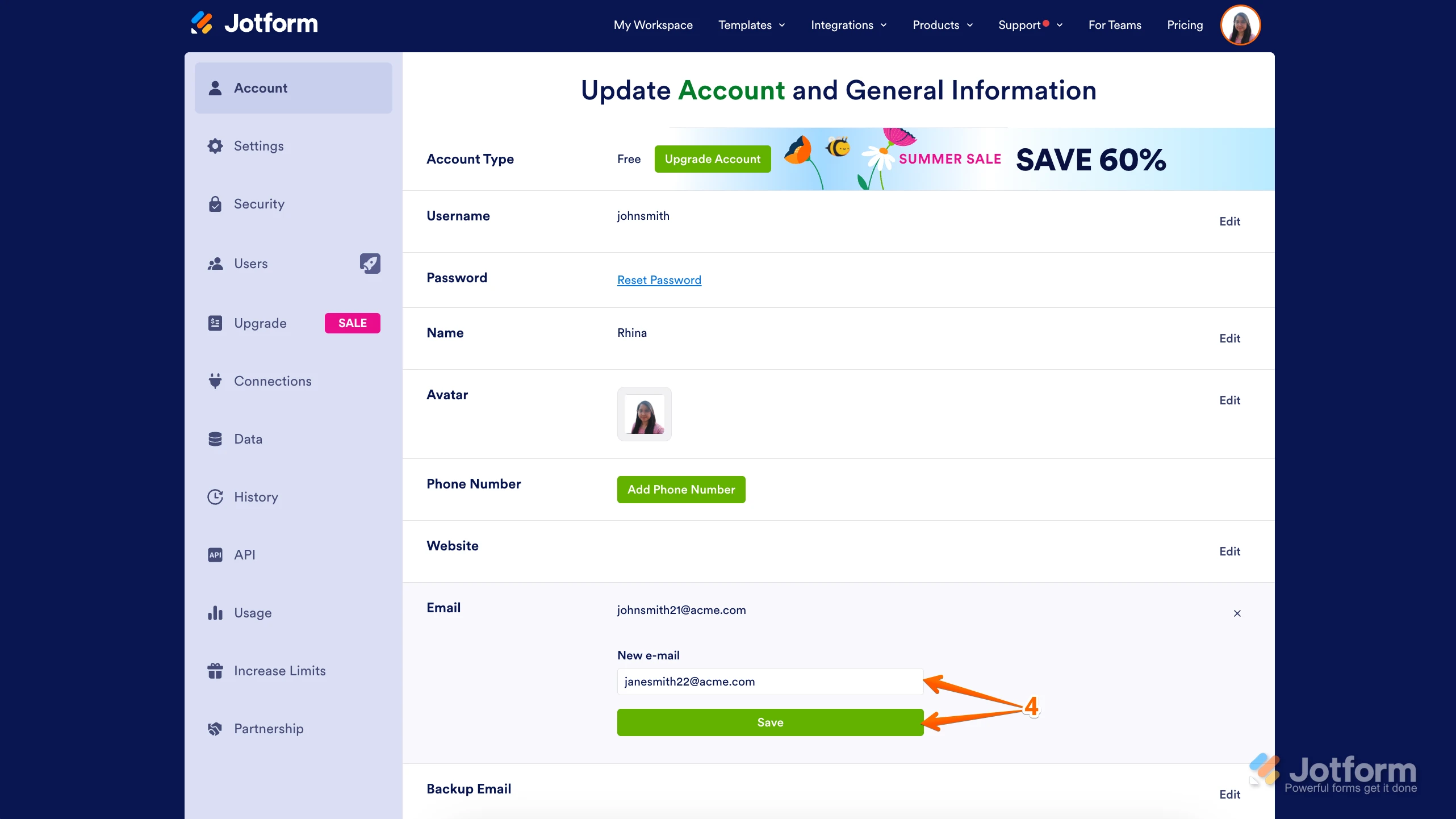
4. Next, enter the new email address you want to use and click on Save.
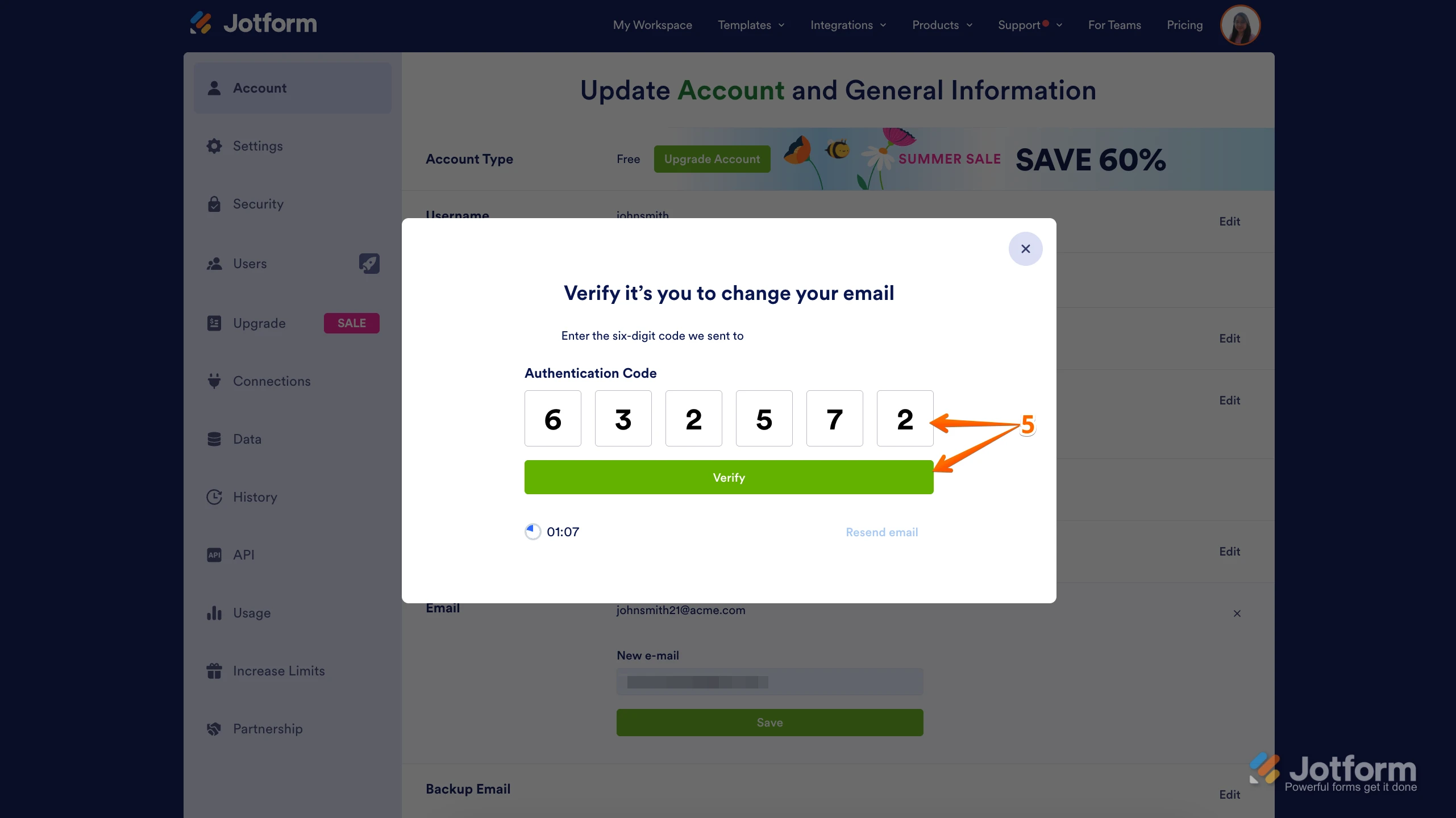
5. In the Confirmation window that opens, enter the Authentication Code sent to your new email and click on Verify.
Reach out again if there’s anything else we can help you with. -
Marilyn_DavisThank you, I'll do that.Marilyn Sent from my Galaxy
... -
 Brandon
Hi Marilyn,
Thank you for the update! If you have any other questions or have any problems, feel free to let us know.
Your Reply
Something Went Wrong
An error occurred while generating the AI response. Please try again!