-
 lavivsnl
Hi,
I just made my online shop. Now how do i connect to the PayU gateway? I can only see Stripe, which does not work in India. Since all of my sales would be in India, I will need to have Card and UPI payments available. Please advise step by step, since your help documentation shows elements that are not visible on my app builder.
Thanks

-
 Podo: Support Specialist
Hi lavivsnl,
Thanks for reaching out to Jotform Support. I'm an AI assistant here to assist you.
Let me help you with connecting the PayU payment gateway for your online shop in India with card and UPI payments.
Here’s how to do it step by step:
- Open your form in the Form Builder.
- Click the Add Form Element button on the top-left side of the page.
- Go to the Payments tab.
- Look for PayU Money in the list and click it or drag and drop it into your form.
- In the Payment Settings, provide the required credentials: Merchant Key and Salt. You can get these from your PayU India dashboard. (You can visit the PayU guide on generating Merchant Key and Salt for more details.)
- Select Currency: PayU India only supports Indian Rupee (INR).
- Choose Payment Type: You can sell products, collect donations, or allow user-defined amounts. Note that PayU India does not support subscriptions.
- If selling products, click Continue to add and set up your product items. If using user-defined amounts or donations, click Save to complete the integration.
Additional options you can configure include:
- Ask Billing Information to Customer (billing and shipping addresses, customer email, phone, etc.)
- Sandbox Mode for testing without real charges
- Clickable Image Preview for products
- Show Total Price on the form
- Allow users to select multiple products
- Show decimals and choose decimal separator
This setup will enable your customers in India to pay using cards and UPI through PayU Money.
Give it a try and let us know how it goes.
-
lavivsnl
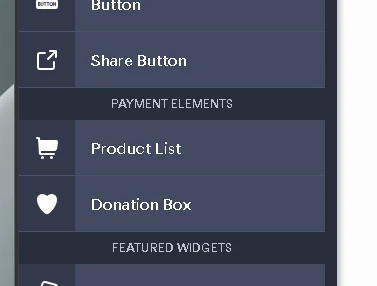
Have already done that, please see the image posted, there is no PayU money in the list. So no dragging of any payment type is possible. Please disconnect AI and connect me to a real live person
-
Podo: Support Specialist
Hi lavivsnl,
One of our Support Team members will take it from here to follow up shortly.
-
 Mikhail JotForm Support
Hi lavivsnl,
You can add PayU in the Payment Connection, then use it to your App. Let me show you how:
- In App Builder, click on the Product List field, then click on the Credit Card icon
- Then, in the menu that appears on the right side of the page, click on the Plug icon in the Payment Connection section.
- Click on Add New Connection, select the payment connection you want to use and click on Next.
- In the window that opens, enter your PayU details, then click on Connect with PayU.
Reach out again if there’s anything else we can help you with.
Your Reply
Something Went Wrong
An error occurred while generating the AI response. Please try again!